Vimeo VIdeo hide Control (Play Button)

I'm using the video element with a vimeo link, There is no option to hide the controls:

I can not hide the Play button: 
In the youtube tutorial, there is the option to hide the controls. But I don't have this option:
https://youtu.be/4WHJg9jBRkw?t=122
I also tried to add the query parameter "?background=1" to the link. But this does also not work.
Any suggestions?
Thanks,
Alex
-

Hi Alexander,
You are right, at the moment, the toggle options for Branding and Controls are missing in the Video element.
As a work around, please consider Presto Player plugin. It seems to work well with Brizy. Here is my test page: https://homi.kctest.online/vimeo
0 -
With Presto Player it is also not working, the play button is still appearing with the following settings
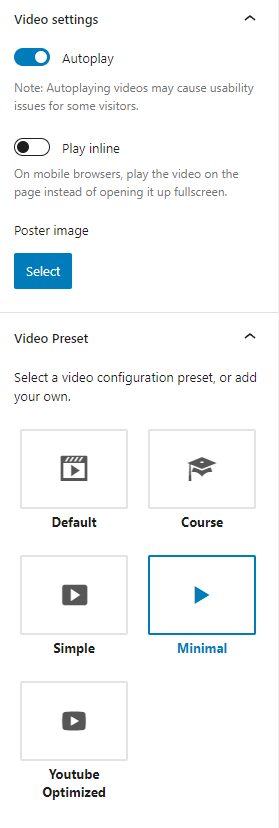
When is brziy adding the function back again?
0 -
Hi Alex,
I don't have an update about it from our developers yet.
When you make the above choices with the Presto Player, the play button appears in the beginning. However the video plays without any controls or Vimeo branding.
0 -
Mh okay, but I would like to have it as a background video, so no controls not even at the beginning and also no pause button on hover.
0 -
Hi Alexander,
If you are looking for a background video, Brizy allows it and videos can plays automatically. However, the Brizy background videos do not work with mobile/tablets. Here is a test page for the Brizy background video. https://homi.kctest.online/test/
Because of the restriction enforced by the browsers the auto playing videos can start muted and only if the user enables sound it can play sound. To make the background video work with mobiles and tablets, you will need a plugin. Please check out https://smartslider3.com/fullpage-video-block/ This template comes with the premium version of Smart Slider 3.
0
Please sign in to leave a comment.
Comments
5 comments