Sitefinity Pop-up Error | Need Trusted Source URLs

Hi,
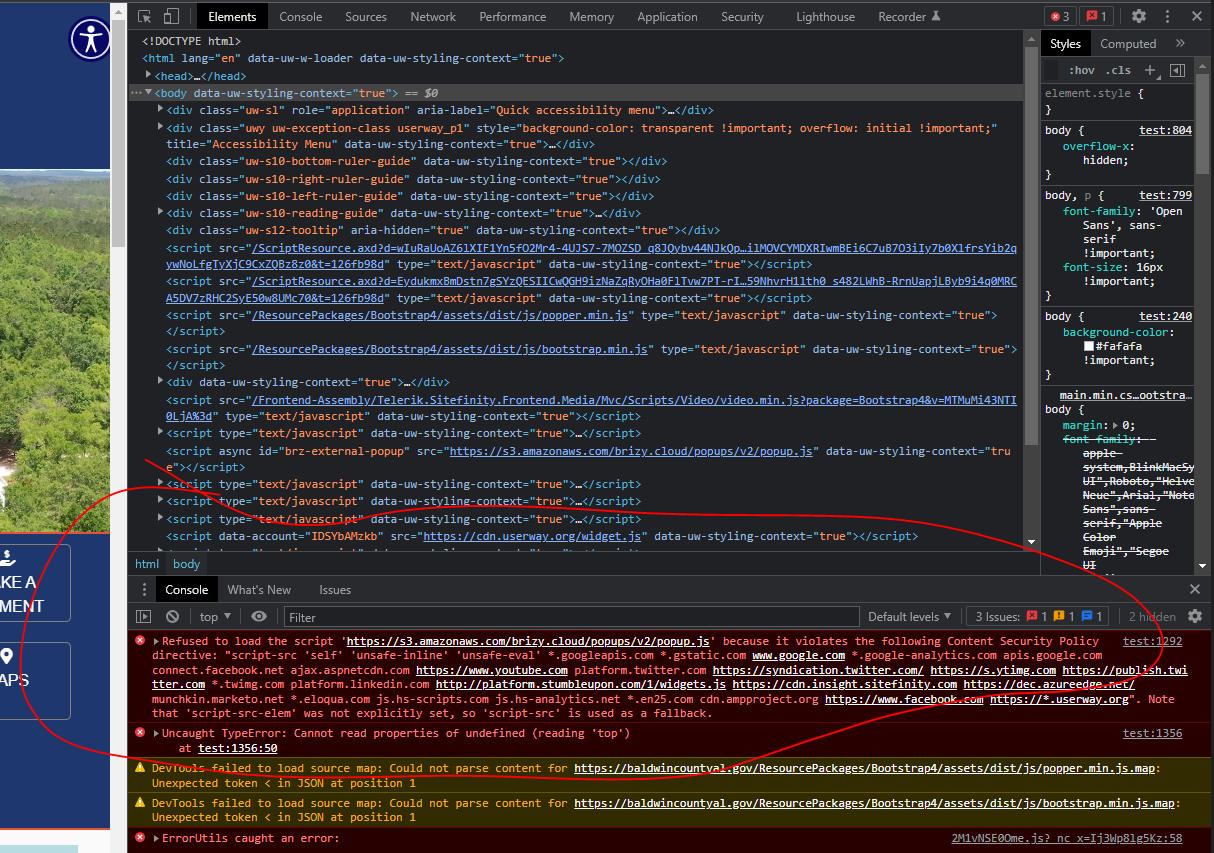
We are getting some errors when trying to place a popup on the web builder Sitefinity. (As shown in screenshots below)
The pop-up is failing to display but is currently embedded on this page here.


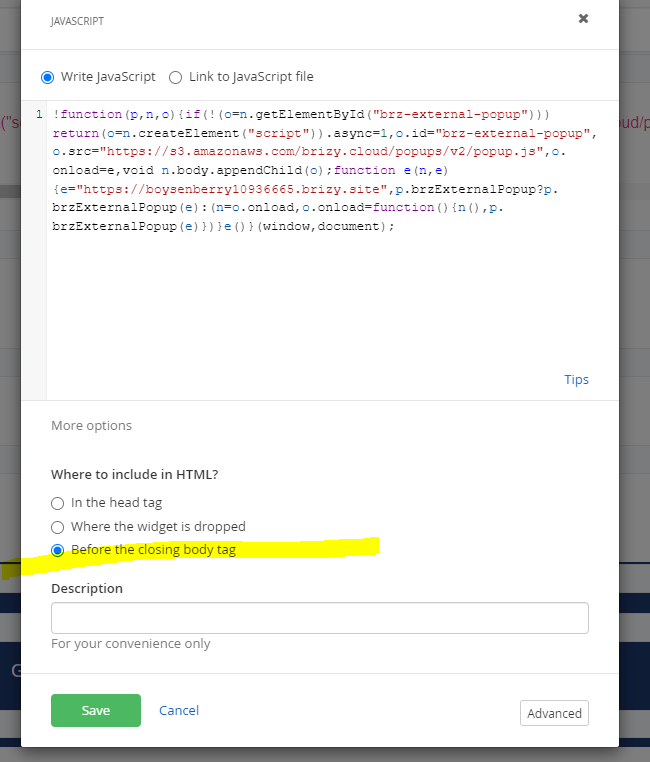
See the additional screenshots below to view how the code was placed.
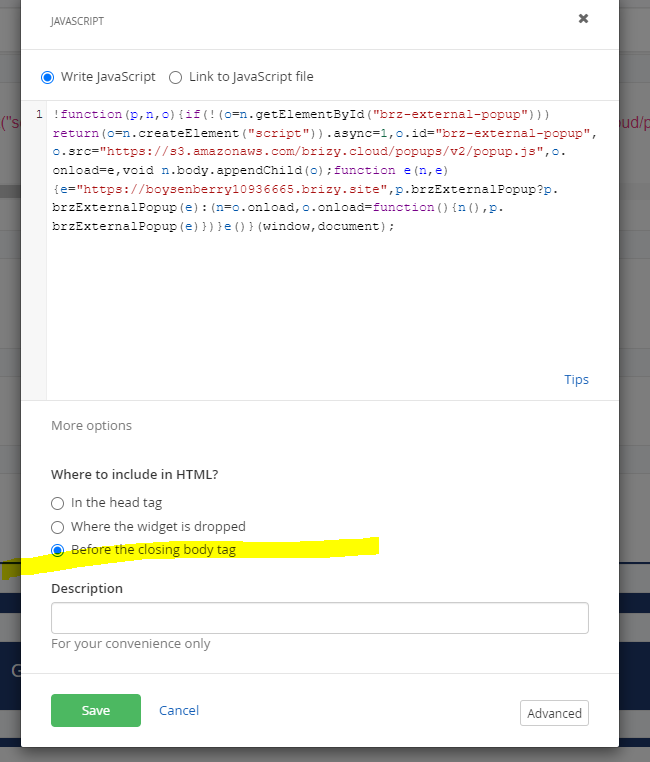
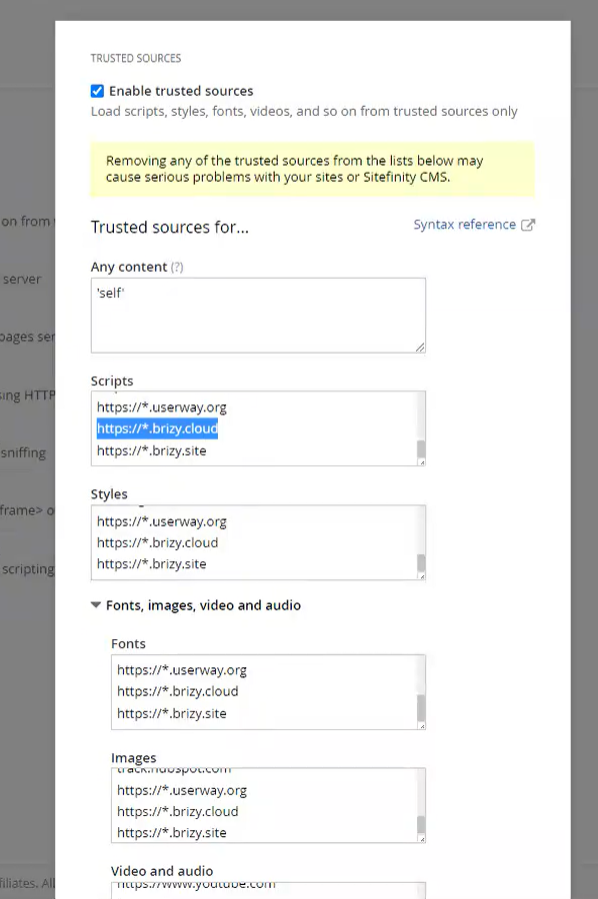
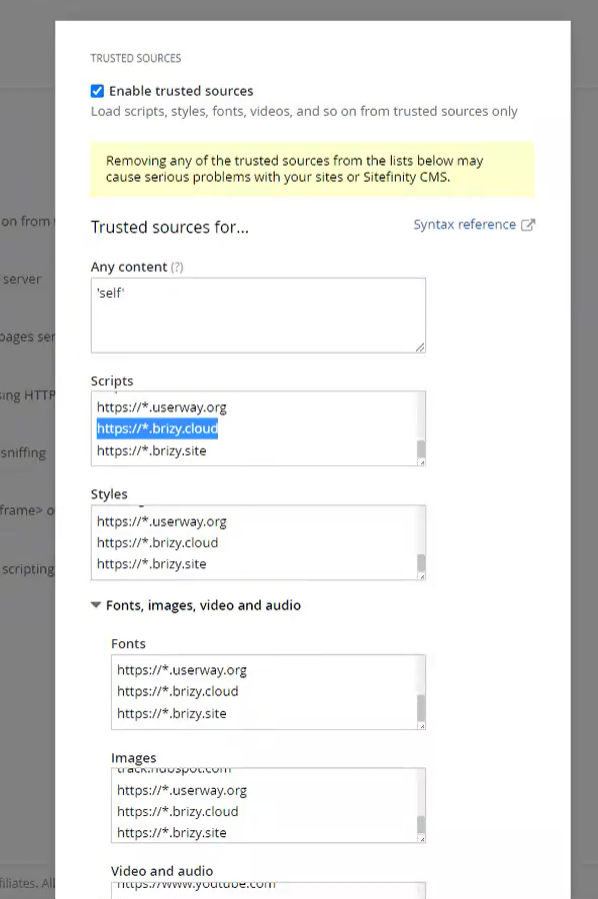
I believe we need the Trusted Resource URLs for SiteFinity to accept it.
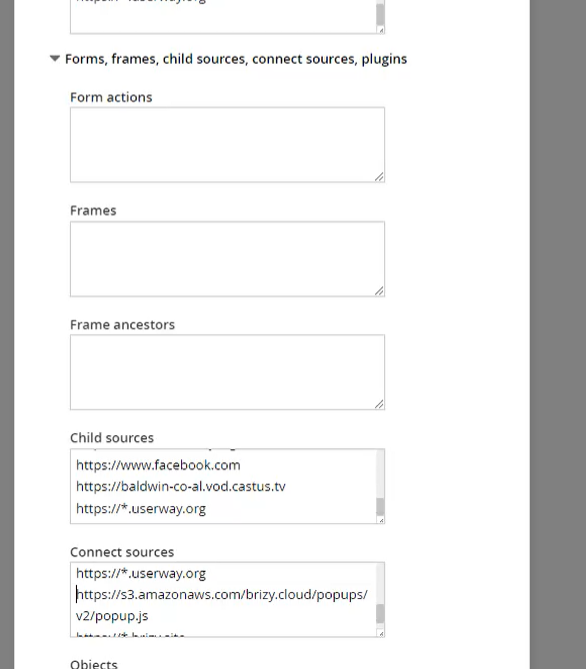
Is there a list of URLs that we can add in to give it the proper security permission?, or is there something else we can do to resolve the issue?
Popup details
Project Name: Brz-Baldwin-popup
Popup URL: https://boysenberry10936665.brizy.site
Popup Embedded on this page here
Display Condition: On page load after 1 second.
Popup Code:
<script>!function(p,n,o){if(!(o=n.getElementById("brz-external-popup")))
return(o=n.createElement("script")).async=1,o.id="brz-external-popup",o.src="https://s3.amazonaws.com/brizy.cloud/popups/v2/popup.js",o.onload=e,void n.body.appendChild(o);function e(n,e){e="https://boysenberry10936665.brizy.site",p.brzExternalPopup?p.brzExternalPopup(e):(n=o.onload,o.onload=function(){n(),p.brzExternalPopup(e)})}e()}(window,document);</script>-

Hi Hayley
Here are two things you can try to make the popup work with your external website.
Try adding the opening (<script> and closing (</script>) script tags when pasting the Javascript code
In the Trusted Sources, try adding https://s3.amazonaws.com and https://boysenberry10936665.brizy.site
After doing all these, if it still does not work, it means that Brizy popups are not compatible with Sitefinity. You may need to look at alternate options to add a popup like https://elfsight.com/popup-widget/
0 -
Thanks George, we added the following Trusted Sources and it worked.
0
Please sign in to leave a comment.
Comments
2 comments