Fed up

I am so fed up with working with Brizy.
My website never translates across all devices. That's the first thing. Wastes my time entirely having to make one change on desktop, then for mobile, then for the phone. Applying the global settings makes everything worse!
Brizy is not intuitive whatsoever. You have to dig into the manual to understand how to resize images (basic!!), and God help you if you have to add an image to an existing gallery.
And they don't even supply all the social media icons. Gettr has been operating for nearly a year and they don't supply that icon.
My list of complaints is endless.
I regret building my website on Brizy. My website is ugly, and Brizy is boxy and unforgiving, there is no sense of fluidity in it.
I've spent (wasted) hours on updating my website this morning. Unbelievable.
As soon as my sub expires, I'm moving on. Too frustrated for words!!
-
Look at another mess. Desktop is one background color and mobile is different background color. Why is the mobile phone version dark? It should follow the desktop, no?? And the handles on the mobile version are not accessible. I have no idea how to access the settings in those boxes on the mobile - they are hidden. The desktop is my reference. (I've covered the text with cobolt blue...but the way Brizy behaves, you wouldn't be too far off if you thought that was a Brizy thing.)
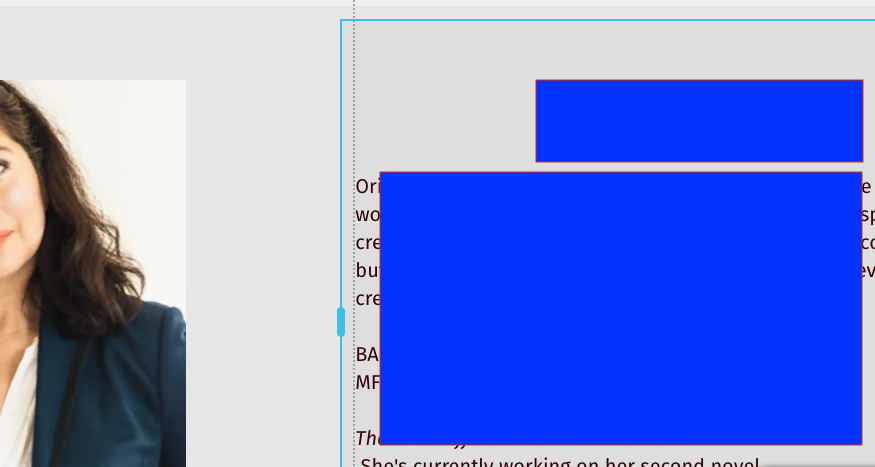
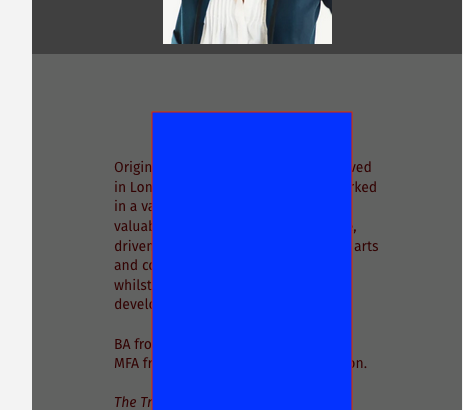 0
0 -
How do I change color on this heading? None of the options in that selection give color text change options. So, where is it??? On the desktop version? So, logic would have it that all things on the desktop version would show up in the phone version. But they don't (proof in previous post). Then there is the tablet version which seems to have a mind of its own.
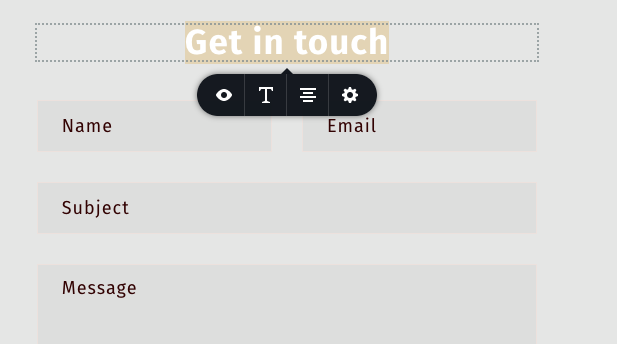
The simplest task is impossible!! I shouldn't have to come on here and ask how to do this most basic thing.
0 -
How do you put text next to an image ?? It is NOT a drag and drop affair.
Simple stuff but impossible and unintuitive on Brizy!
0 -

Hi Anne,
We are sorry for the trouble you are facing with Brizy Cloud. May be you have switched to Brizy from another web development tool and it feels like you are swimming in unfamiliar waters. Brizy user interface is quite different from other web design platforms and it takes a while to get used to the Brizy way of doing things.
To familiarize yourself with Brizy, watching few training videos may be useful initially.
Changing color of "Get In Touch" text
Looks like the screenshot you have shared above is from the Tablet Design view. Color and many other details are set in the Desktop design view. With Brizy, you carry out the initial design in the desktop design view. To change the color, please change to the Desktop design view. The same color will stay for tablet and mobile.
Why is the mobile phone version dark?
The background overlay colors are set independently for the desktop, tablet and mobile. When you set a background overlay color for the desktop, you are setting it only for the desktop. You will have to do the same for the mobile and tablet. Because mobile and tablets follow retina display, most of the time you will have to fine tune the overlay colors for both these devices.
Putting image and text side by side
To put image and text side by side, you need to use columns. Drag and drop a column element and then add an image element to one column and text element to the other column.
0 -
Thanks for getting back to me on the above points.
To save time, I ended up redoing each block from scratch.
0
Please sign in to leave a comment.
Comments
5 comments