Code injection - Google Tag Manager

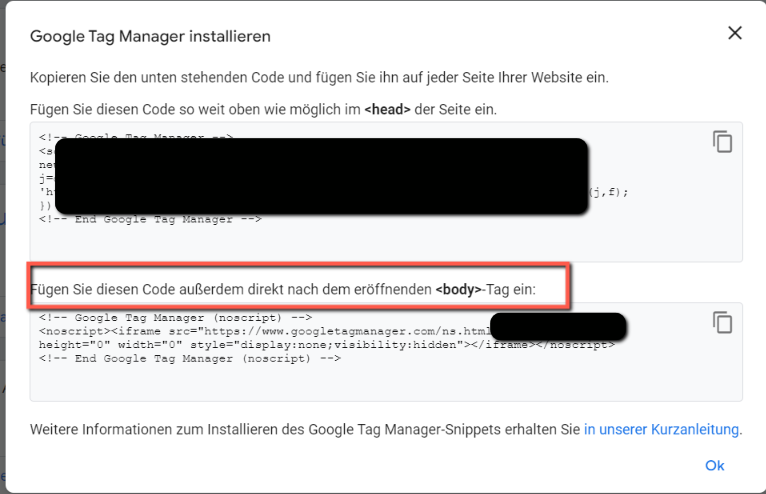
Hi, how can I implement the code in the body part?
-

HI Rafael,
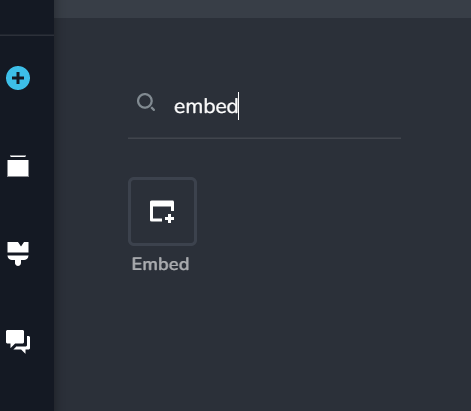
Please use the Embed element to paste the GTM code within the page body. You can add the embed element to any of the blocks. (It won't be visible in the front end)
 0
0 -

Hello!
I have the same issue, I've tried to follow the embed element step shown above but it doesn't work at all.The tag manager cannot identify the installation. Any thoughts on how to solve this?
I've tried to install the head code at Projetct Settings > Code Injection > Head and also, Pages > Select Page > Code both with the body code embed on the pages, but nothing works.0 -
Hi Jessica,
Can you please share the URL of the page where you are facing this issue and also the GTM code you have added using the Embed element? We will take a look
0 -
Yes!
The page: https://www.enfermagemcomaisa.com/350-mapas-mentais
The code:<!-- Google Tag Manager (noscript) --> <noscript><iframe src="https://www.googletagmanager.com/ns.html?id=GTM-5R5PPHZH" height="0" width="0" style="display:none;visibility:hidden"></iframe></noscript> <!-- End Google Tag Manager (noscript) -->
Thank you.0 -
Hi Jessica,
I checked the Page Source of https://www.enfermagemcomaisa.com/350-mapas-mentais. The Google Tag Manager code appears two times on this page. This could be because you have added the code in the Footer and well as in the Body.
Please have a look at this screen recording for my test. https://jmp.sh/UmCez16G
0 -
Hello!
Yes, in one of my attempts to make it work I ended up trying to put the code on the footer, I just removed and tried again, and it still doesn't work. I understand the code is findable within the site, but Google Tag Assistant does not recognize it, which makes it impossible to do anything with it. 0
0 -
Hi Jessica,
I had a similar experience earlier with Google Analytics. Even though I can see the GA4 tag on a page, tag assistant would not find it on the page. Later Google Analytics started capturing data even though it initially said that it could not find the tag.
If you have just setup Google Tag Manager please give it 1-2 days and check if starts capturing data from your website. If it does not, you may want to try setting up GA4.
0
Please sign in to leave a comment.
Comments
7 comments