Contact Form Field Checkbox option no longer available

We are creating a new form with Brizy WordPress and the checkbox option is no longer available. I can only see the first 5 options in the list and there is not a scroll bar for the ability to see the additional choices. We are on Brizy 2.3.35 and Brizy Pro 2.3.28. We can only see the options for Text, Email, Number, Paragraph, Select. We've tried editing on both Safari and Chrome browsers. How do we get the additional options for form fields to display--such as checkbox?
-

Hi Jessica,
Can you specify the WordPress theme you are using? Brizy works well with these themes. https://www.brizy.io/theme-partners. If you are not already using one of these themes, can you change to Blocksy or another theme from this list and see if that makes a difference?
0 -
We are using the Astra theme--the latest version 3.7.10. The theme is set to the Astra Child theme and we are also using Astra Pro - the latest version 3.6.7. And just to clarify...the checkbox issues is with the Brizy editor...we aren't using a theme or 3rd party contact form.
Please let me know if you need additional info. Thank you.
0 -
Hi Jessica
We will need to take a look at your WordPress Dashboard to offer further help. If you need help with troubleshooting, please add me as a user to your WordPress Dashboard. My email: kc.george@brizy.io. Please enable the option "Send the new user an email about their account" as in this screenshot https://jmp.sh/tSRznJX
Once you have sent me an invitation, please let me know here.
0 -
Thank you! I just added you as an Administrator and you should have gotten an email from WordPress.
0 -
Hi Jessica,
I looked at your WordPress Dashboard. I could not reproduce the issue you are facing with the missing form field options. Please see this video. https://jmp.sh/Tr9CKHZ
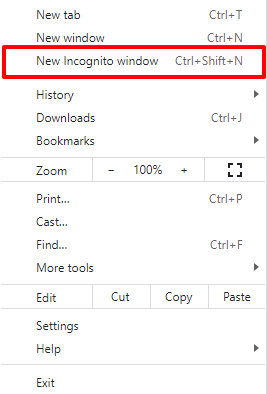
Do you still have this issue or is it resolved? Please try this if you are still facing this issue. Login to your server from the browser's Incognito (private) window and see if you see any difference.
 0
0
Please sign in to leave a comment.
Comments
5 comments