Heading formatting gone when previewing blog post

All of my headings are gone when I go to preview my blog post but are there in the wordpress editor page. The text in the preview looks like they are all tagged as a paragraph and not headings.
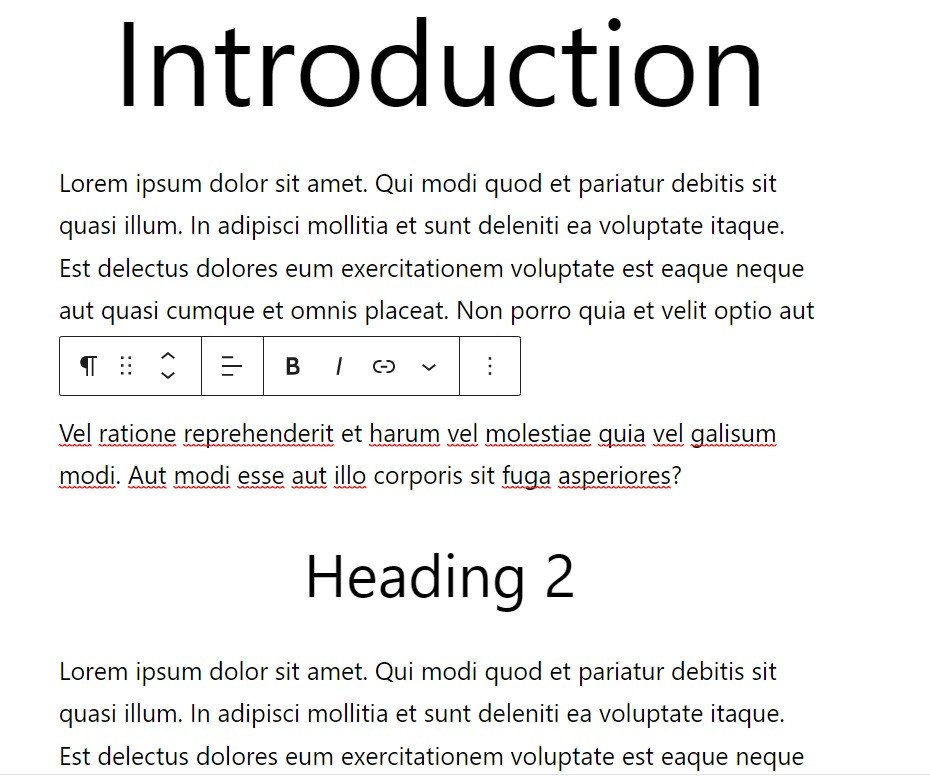
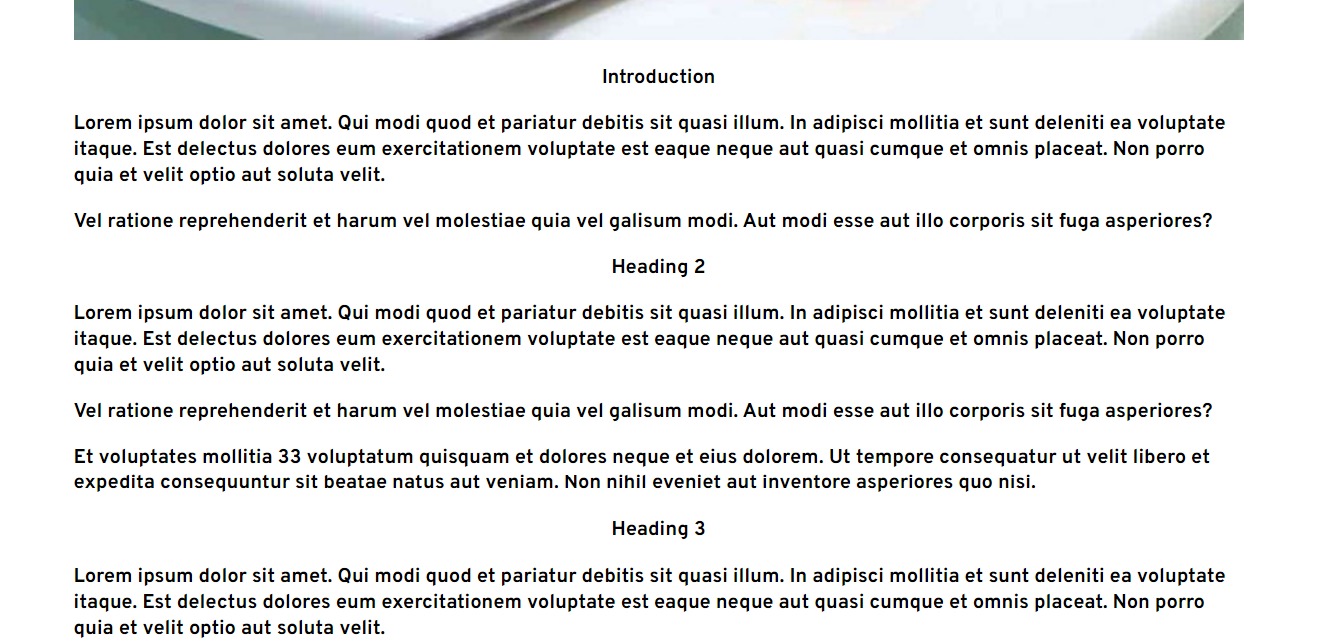
-

Hi Gary
You need to map headings in Gutenberg to headings in Brizy.
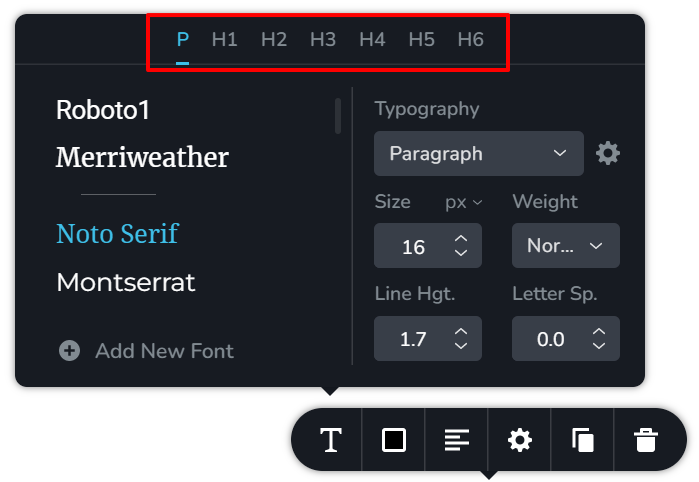
- Click on the "Content" element and then the Typography icon
- You will see a screen like this with P, H1 H2 H3 H4 H5 H6 written on the top. These represent the typographies in Gutenberg
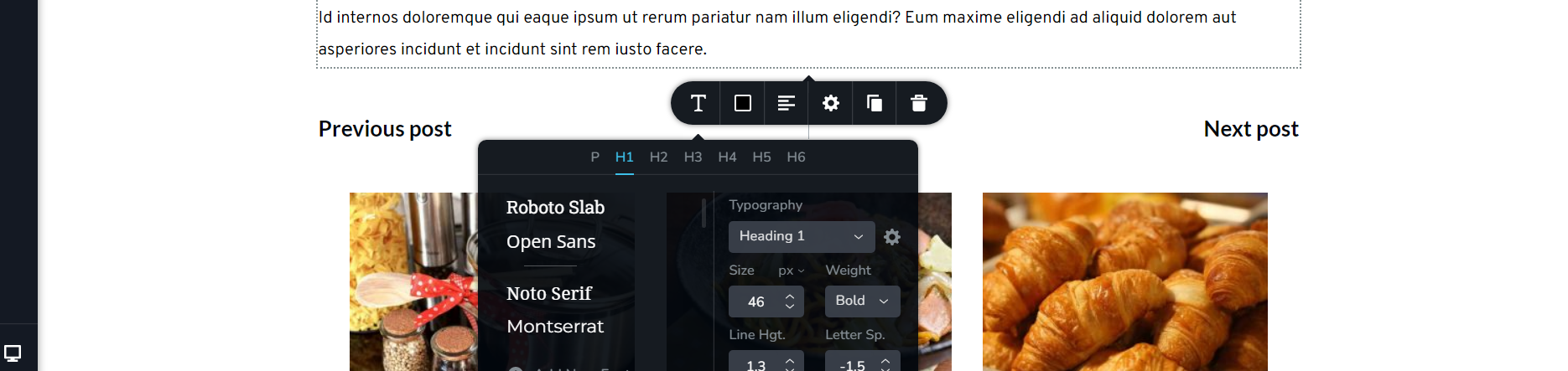
- Select a Gutenberg typography and in the screen below select a corresponding Brizy Heading. For example, to map Heading 1 in Gutenberg to Heading 1 in Brizy, select H1 tab and select heading 1 below it.
 0
0 -
Hi KC George, all of the headings have already been mapped to brizy from gutenberg already, but the issue is still here.
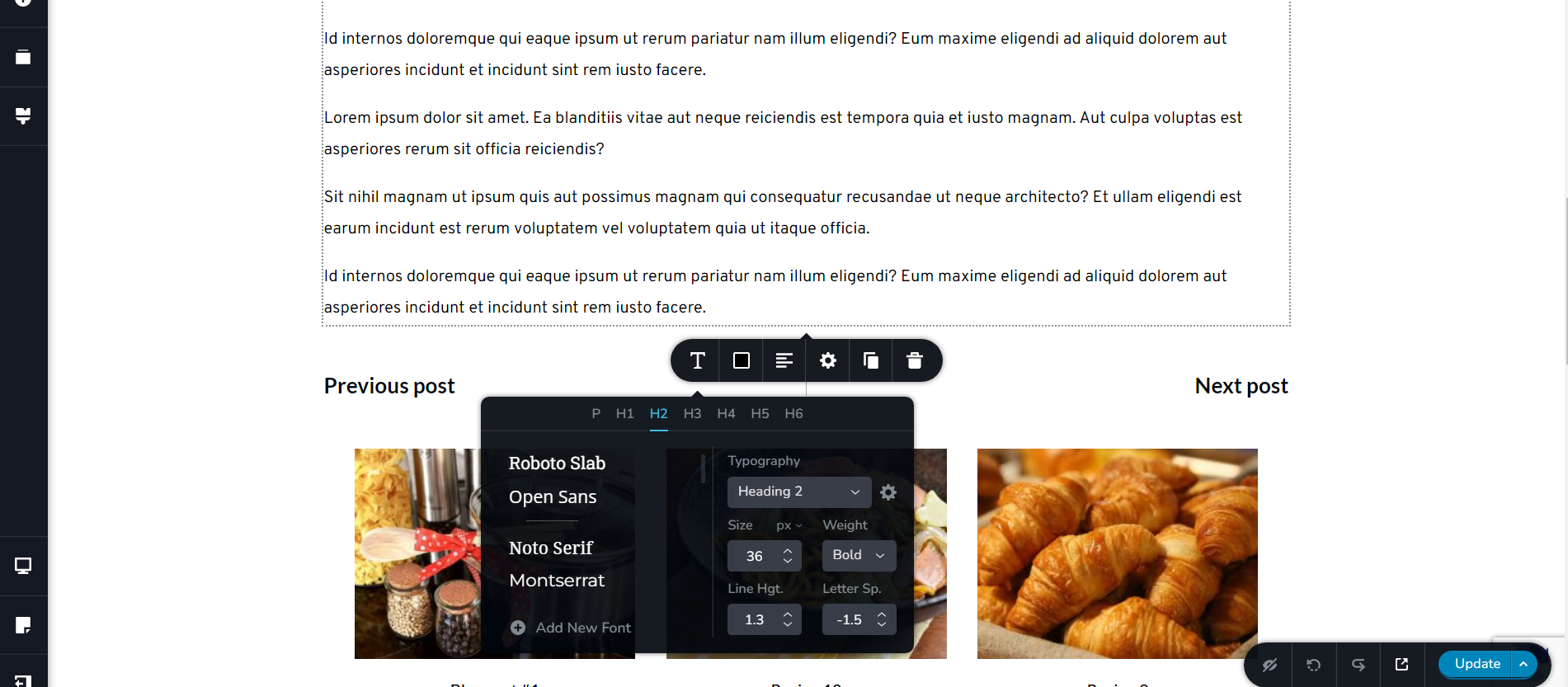
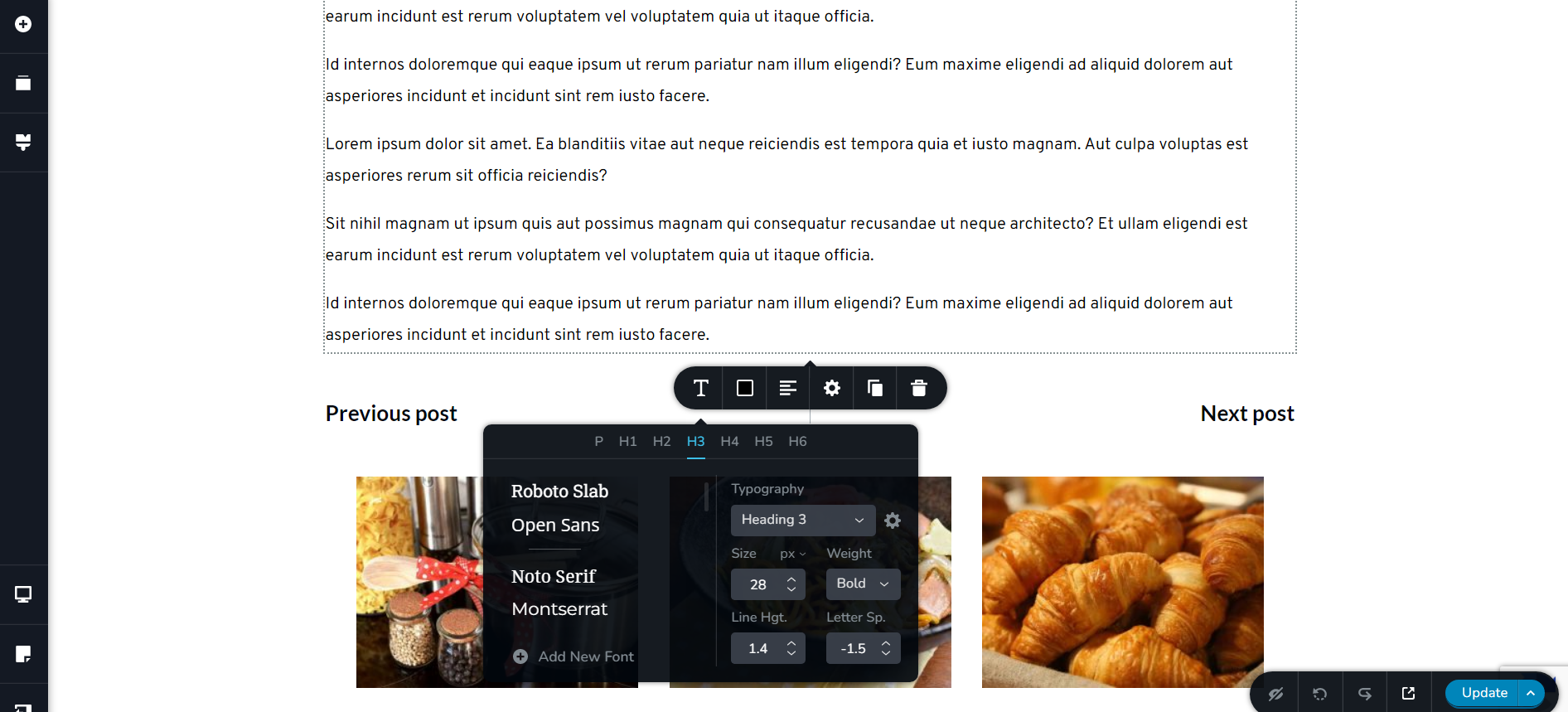
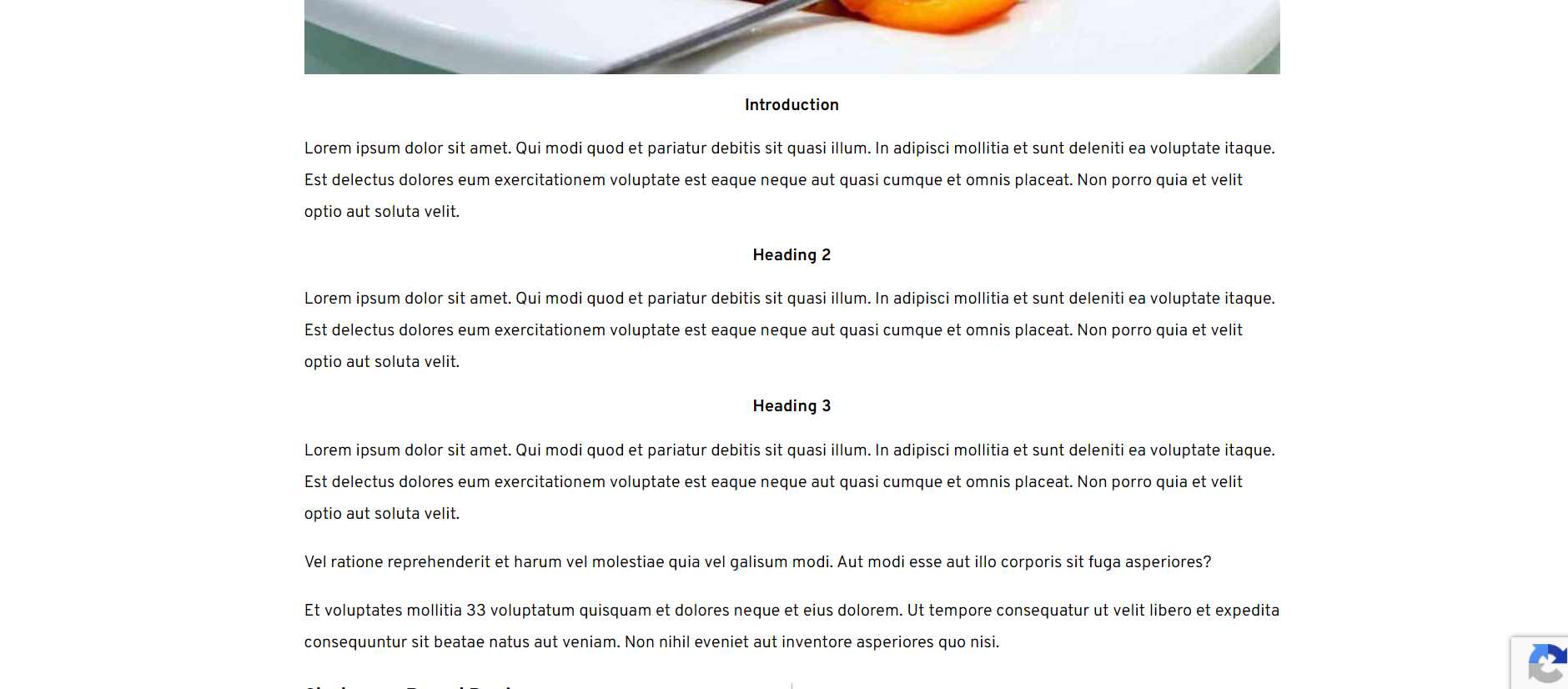 0
0 -
Hi Gary
Can you please share a link where we can see this issue?
0 -
Hi Gary,
Looks like you are using Cloudflare CDN. Please purge Cloudflare cache and check again (or disable it during development)
0 -
Still not working.
I've purged my cloudflare cache as well as paused cloudflare on the site yet the headings are still messed up.
0 -
Hi Gary,
To help you further, we will need to take a look at your WordPress Dashboard.
If you need help with troubleshooting, please add me as a user to your WordPress Dashboard. My email: kc.george@brizy.io. Please enable the option "Send the new user an email about their account" as in this screenshot https://jmp.sh/tSRznJX
Once you have sent me an invitation, please let me know here.
0 -
Hi Kc George,
I've sent you the invitation.
0 -
Hi Gary,
I could reproduce this issue at my end. Looks like this is a bug. Please give us few days to come out with a fix
0 -
Ok thank you!
0 -
Hi has a fixed been issued for this yet? It's been almost 2 weeks now.
0 -

Hello Gary,
Natalia here, Brizy technical team.
I sincerely apologize for this late reply. We worked on this issue, in the latest Brizy updates, and we would like to run an additional test in your dashboard. I made an internal private message for this purpose, please, open the credentials again for us.
Thank you!
Natalia
0 -
Do you mean the one for KC George? I've just re-send the credentials to KC George again.
0 -
Hi Gary,
The URL https://wokmeetsoven.com/wp-lo
gin.php gets redirected to your homepage. May be you have changed the login URL.I have not received any email from you with the credentials.
0 -
Please try again. I turned off one of my security plugins and re-sent you a password reset email.
0 -
Hi Gary,
I am able to access the link https://wokmeetsoven.com/wp-login.php. However I am not receiving any password reset emails.
I tried to reset password myself. I am getting this error "The email could not be sent. Your site may not be correctly configured to send emails. Get support for resetting your password."
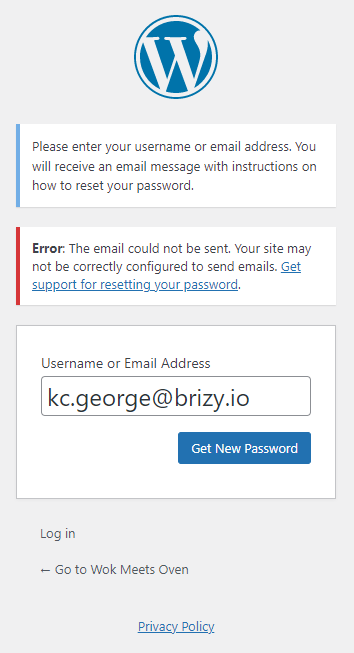 0
0 -
Hi, please try again. It seems gmail is blocking emails from being sent out that are not from my website's domain. I have changed my admin email address to use my domain level email address now. It should be resolved now. I have sent you another password reset email.
0 -
Thanks. I could reset the password. My colleague Natalia Chitoroaga has access to it now.
0 -
Hi, can I get an update regarding this issue? It's been a month now and I'm still waiting for a fix.
0 -
Hi Gary,
We have not been able to fix this issue yet. Since this fix is taking time, let me suggest an alternate solution to this problem.
You can override Brizy Templates by editing each post with Brizy.
- Open a post by clicking on 'Edit'
- Click on "Edit with Brizy"
- Make your blogpost design in Brizy by adding global blocks for dynamic content and saved blocks for static content. For example, add a global header, global hero block, a saved content block and a global footer
You can design your content block the just way you normally design your pages in Brizy. You do not need to use the content element. Please watch this video for more detailed procedure. https://jmp.sh/JtgQH9J
0
Please sign in to leave a comment.
Comments
19 comments