Footer keeps on appearing at the top after saving and updating archive blog template

My footer from my blog templates page keeps on reappearing at the top where my header is supposed to be even after saving and updating the template. Is this a bug? Why does this keep on happening?

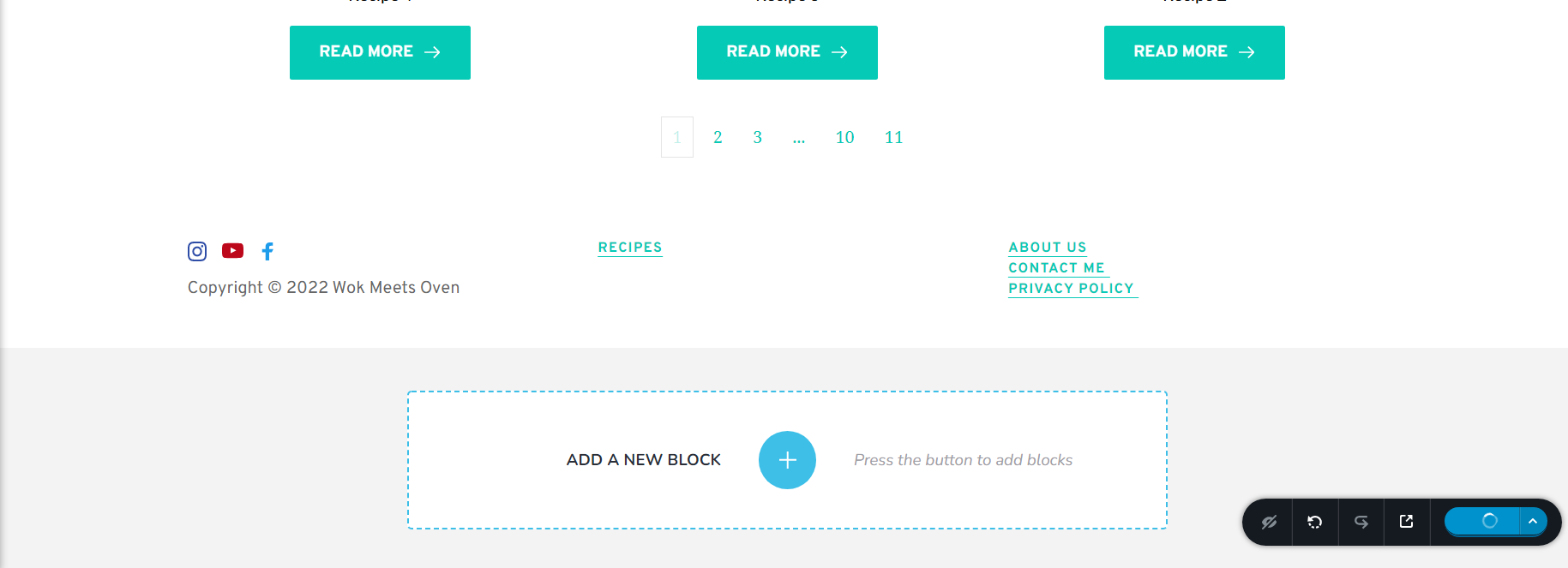
-

Hello,
Thank you for contacting us.
Does the jumping footer show up when up in the edit mode or in the preview mode too? Also, It could be a cache issue. Did you check this issue on a different browser or computer? It may be a plugin conflict too, so please try to disable/enable plugins one by one (except Brizy Free and Pro) to check for a possible conflict. Also, if you delete the template and recreate it again do you have the same issue?
Best regards, Nelea.
0 -
Hi,
No, after updating and previewing the page, it appears fine. However, if I navigate to another page then back to my blog template page then the footer appears at the top of the page again. I tried to check in incognito mode in chrome and the same issue persisted. I don't want to delete the template because it is a global template and it will affect all of my other pages.
0 -

Hi Gary
Please see if this helps. In the archive blog templates, instead of using global footer, make a copy of the global footer by saving it and import the saved footer into the archive templates.
0 -
Hi, the issue seems to have disappeared on its own for now. I don't know what was causing the issue, but its resolved now. Thanks
0
Please sign in to leave a comment.
Comments
4 comments