Custom Role bug

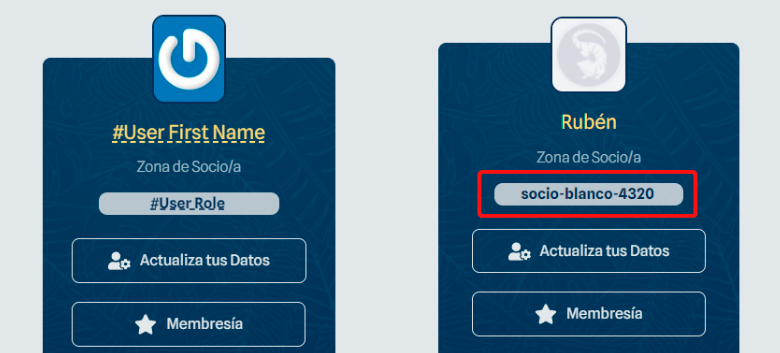
Hello, I made a custom role called "socio blanco" / white partner but when I use the code "#User Role" it shows like that on the front end. Can you help me? This is made with Brizy Pro Wordpress
-

Hi Xavier
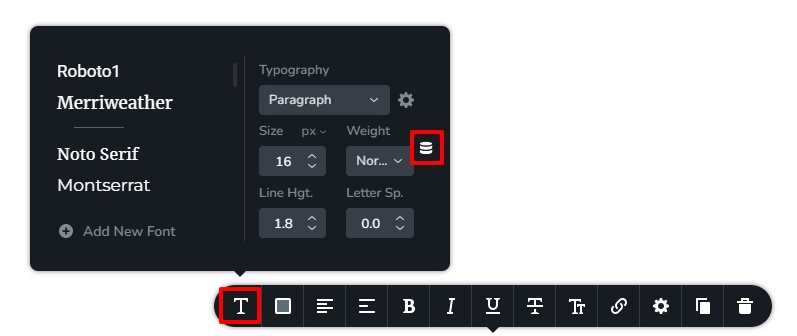
Can you try this and see if this works. To add the custom filed, you must have dragged and dropped the Text element and then added #User-Role. Delete #User_Role here, and then click on Typography icon, then on database icon and then choose "User Role" from the drop down options. Please check if this solves the problem.
 0
0 -
Hello George, thanks for your answer. I did, it does/shows the same. I couldn´t write #User-Role it doesnt recognize it on the list of codes. However I selected databese icon from font panel and it showed the same thing. The customized user rol in english and with dash and numbers.
 0
0 -
Hi Xavier
To help you further on this issue, I would need to take a look at your WordPress Dashboard. If you need help with troubleshooting, please add me as a user to your WordPress Dashboard. My email: kc.george@brizy.io. Please enable the option "Send the new user an email about their account" as in this screenshot https://jmp.sh/tSRznJX
Once you have sent me an invitation, please let me know here.
0
Please sign in to leave a comment.
Comments
3 comments