Multiple Forms in One Website

Hi, I have a website where we show different Yacht's to book, the problem is that I have a form for each Yacht with the name of the Yacht, so when the form is deliver by email we know what Yacht is being booked, but when we place the form in other pages with other yacht's it keeps the same name of the first form and not the name of the current yacht being booked.
So can we have different forms in different pages?
Any help will be much appreciated.
-

Hello James,
Thank you for contacting us.
To know which page the form data is being sent from, please enable the option "Meta Data" in your Email Notification setting and select "page URL". See here. Once you enable this option, your form email notifications will carry the page URL. From the page URL, you can identify which Yacht the users are booking.
Best regards, Nelea.
0 -
Hi Nelea, thank you for the response, I did not know that option was available because I had to scroll that window to see it.
Still, when I place the URL in the Meta Data field after the PageURL symbol with the delete icon and press DONE and then save the page by pressing Update, it does not take.
When I go back the URL I placed is not there, I don't think is being saved, any ideas why is not working?
Thank you again.
0 -

Hi James
One possible reason could be theme incompatibility. If you are using a theme not listed here, can you try changing to Blocksy or another theme from this list? https://www.brizy.io/theme-partners
If you are using Default Page Template (your header and footer are designed using your theme) please do not change your theme. Do this only if your using Brizy Page Template (your header, footer and the page content are designed in Brizy)
0 -
Hi KC, I don't understand your reply, I started building the website with WordPress and then installed Brizy Pro, not using any other theme at all. I create a new page give it a title publish it and then start building the page with Brizy, that's all.
0 -
Hi James
Please try changing your theme to Blocksy and check if the the Meta Data in your form would be saved .
0 -
Hi KC, I change the theme to Blocksy as you recommended, but still the Meta Dat is not saved, please look at my screenshots of the emails I receive from the 2 forms. You will see that each email does show the correct URL, but what is not saved is the title of the form, please advice as what else can be done to fix this? And last, if you look at the email on the top it has WORDPRESS, can this be modified to say the name of the website or website email? Thank you.
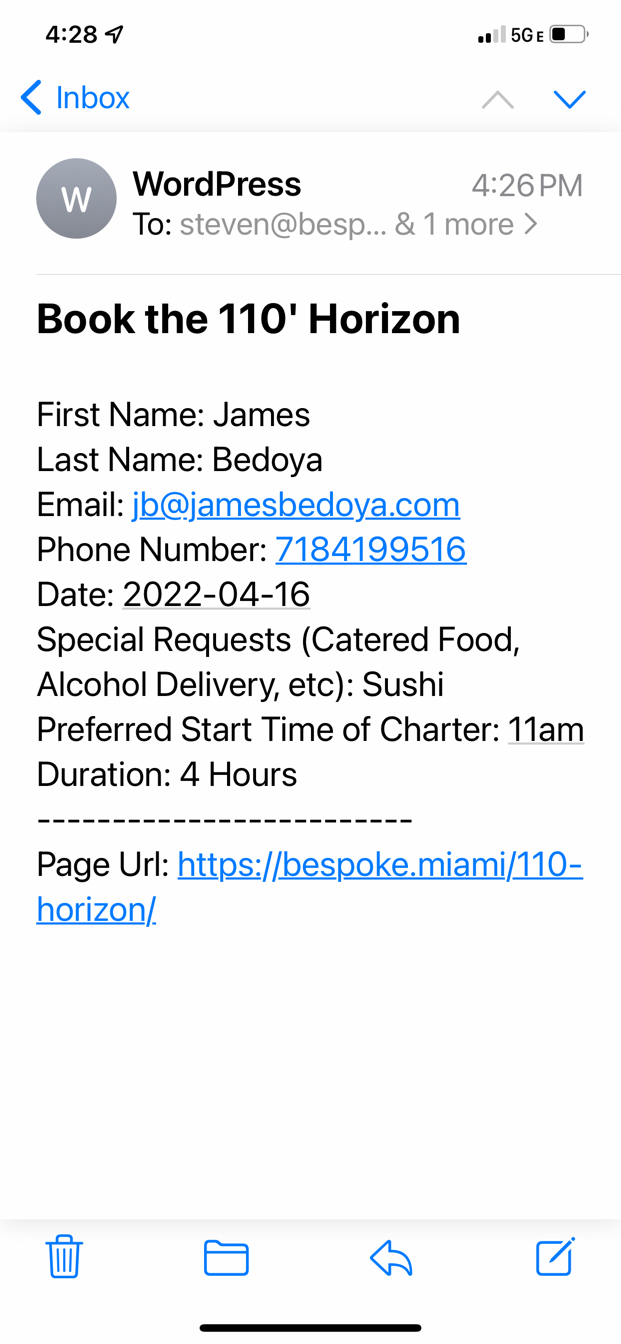
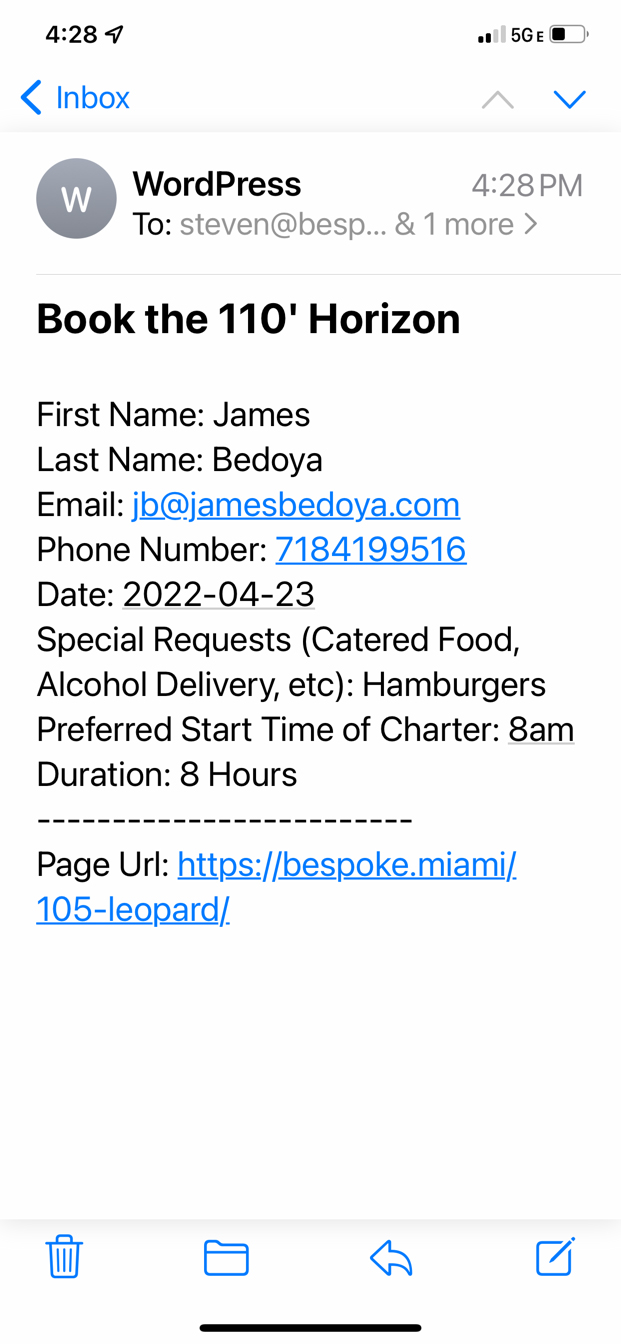 0
0 -
Hi James
You can customize the look of your email notification. To have you email look like this,
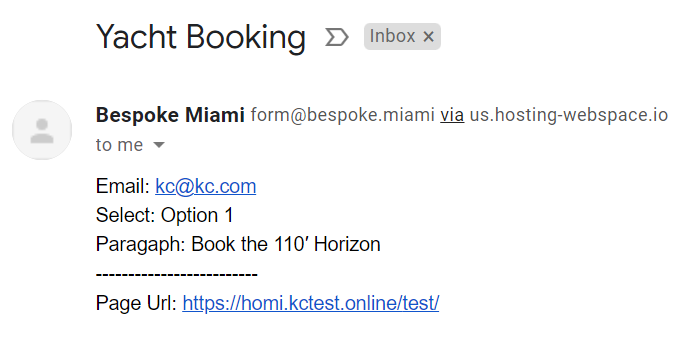
please set these details in your form
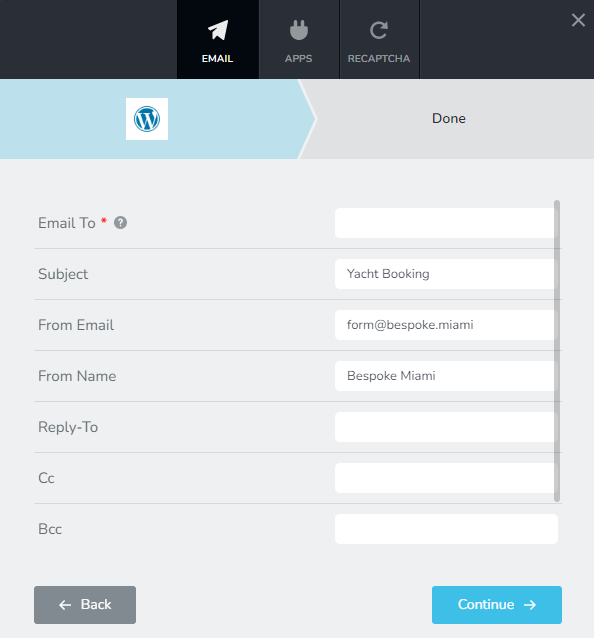
If you would like the Form Heading to be included as part of the email notification, please do this.
- Open the form in each page.
- Add a hidden field and name it after the Form Heading. For example in the page https://bespoke.miami/110-horizon/, the name of your hidden field will be Book the 110′ Horizon
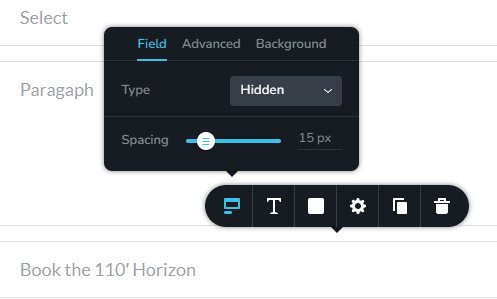 0
0 -
Hi KC, that worked!!!! Thank you so much, really appreciate it.
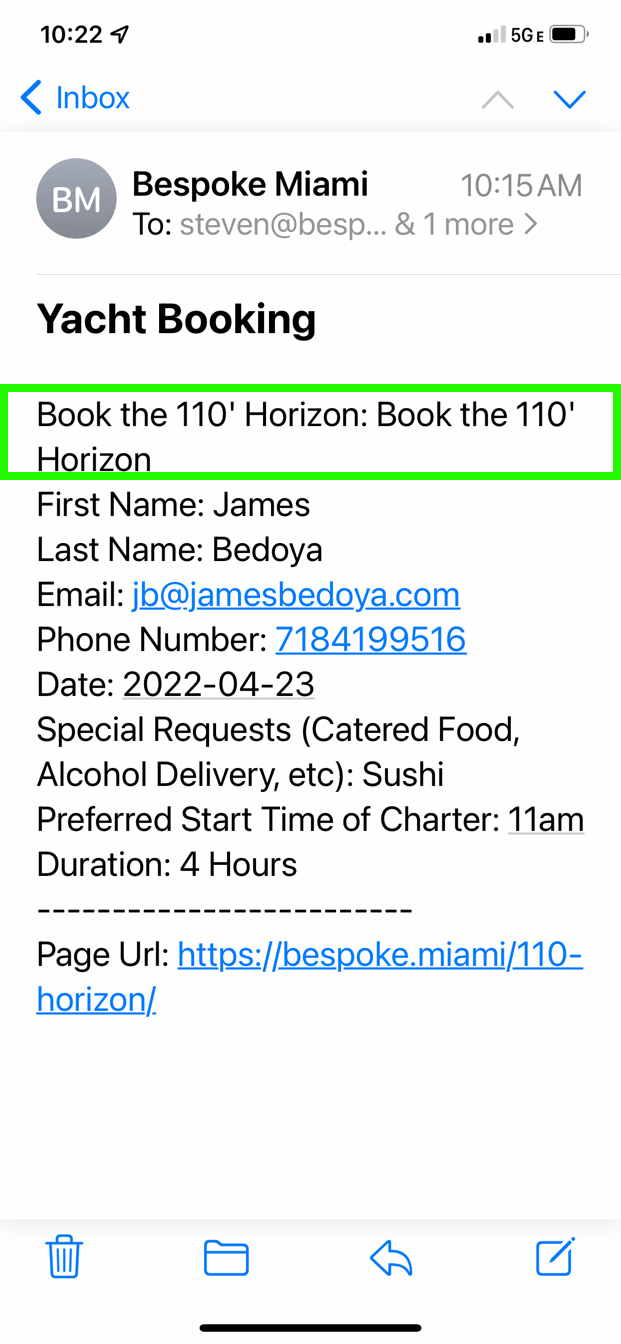
One thing I did noticed but is not a big deal, when we get the email, the title of the form comes in twice from the Hidden Form, any idea what causes this? But this will work for us, thank you again.
 0
0 -
Hi, I am still waiting for a response, is been 14 days, here is a recap:
When we receive the email from a submitted form, on the hidden field we place the title of the Yacht one but on the email it gets repeated twice.
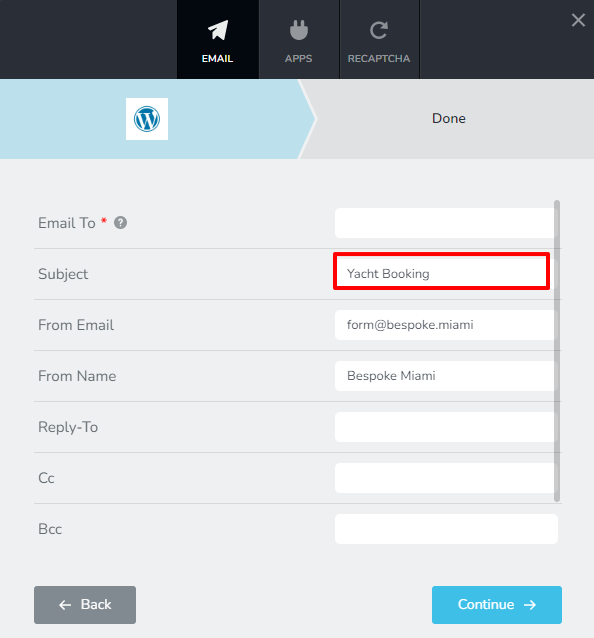
Also, the tile of the above comes in as "Yacht Booking", where can we change that so is the title of the website?
This is a ll we need to complete the booking forms of the website.
Please help us, it would be much appreciated.
Thank you.
0 -
Hi James,
"Yacht Booking" is the Subject of your email notification. You can change it here
Brizy form has a bug that the hidden fields gets repeated in the email notification. At the moment this is how the form works.
If you want to get rid of it, the only option for you is to try and alternate form plugin like WP Forms
0
Please sign in to leave a comment.
Comments
10 comments