Brizzy woocommerce page

Hello
When using the "product" element, the thumbnails are cropped, which for products is not acceptable.
In a previous post you invite a webmaster to use the parameters and to adjust the height in pixels but this is not acceptable because adjustments in pixels do not adapt to the screen difference.
Using a "page" element and setting it to "products" displays the images in their original format but the pagination is not display.
Do you have a solution to display the pagination?
Cordially
patrick
-

Hi Patrick
The Product element should not ideally crop the product images. For example, take a look at this test page. https://homi.kctest.online/test/
Can you please share a URL where we can see the cropping issue with the Posts element?
0 -
Hello George
Thank you for your reply.Here is, first, the shop page displayed by the bloksy theme
https://cma-formation.eu/boutique/page/2/And here is, secondly, a page with brizy's product element.
https://cma-formation.eu/test-3/For the first the images are square (which is their original format) and for the second the images are rectangular.
This is an example site so if you need, I can create an admin account for you :)
Patrick
0 -
Hi Patrick
Ideally you should try to upload product images of the same aspect ratio. If one product image is 300 x 600 pixels, another product can have 400 x 800 or 500 x 1000. If one image is square and another rectangle and displaying them in a grid becomes difficult.
You have the option to change the image height in the Products element. If different product images are of different aspect ratio, you may need to go with a width and height ratio which is appropriate for most products.
0 -
I don't understand your answer ...
I wrote that all images are in square format.
And as I also said setting the height in pixel doesn't make sense in a responsive frameworkThe question is: how not to have a cropped image?
Or how to get square display when images are square ?
0 -
Hi Patrick
I am sorry. I had not understood that all your product images are square shaped.
In the Brizy Product element, you can alter the height of the product images to showcase square shaped product images as in this test page. https://homi.kctest.online/test/. Please check the page in a mobile, tablet and a desktop.
Please set the product height in desktop, tablet and mobile design views separately to ensure that the images are square shaped in each device.
0 -
Hi George
Thanks for your help :)
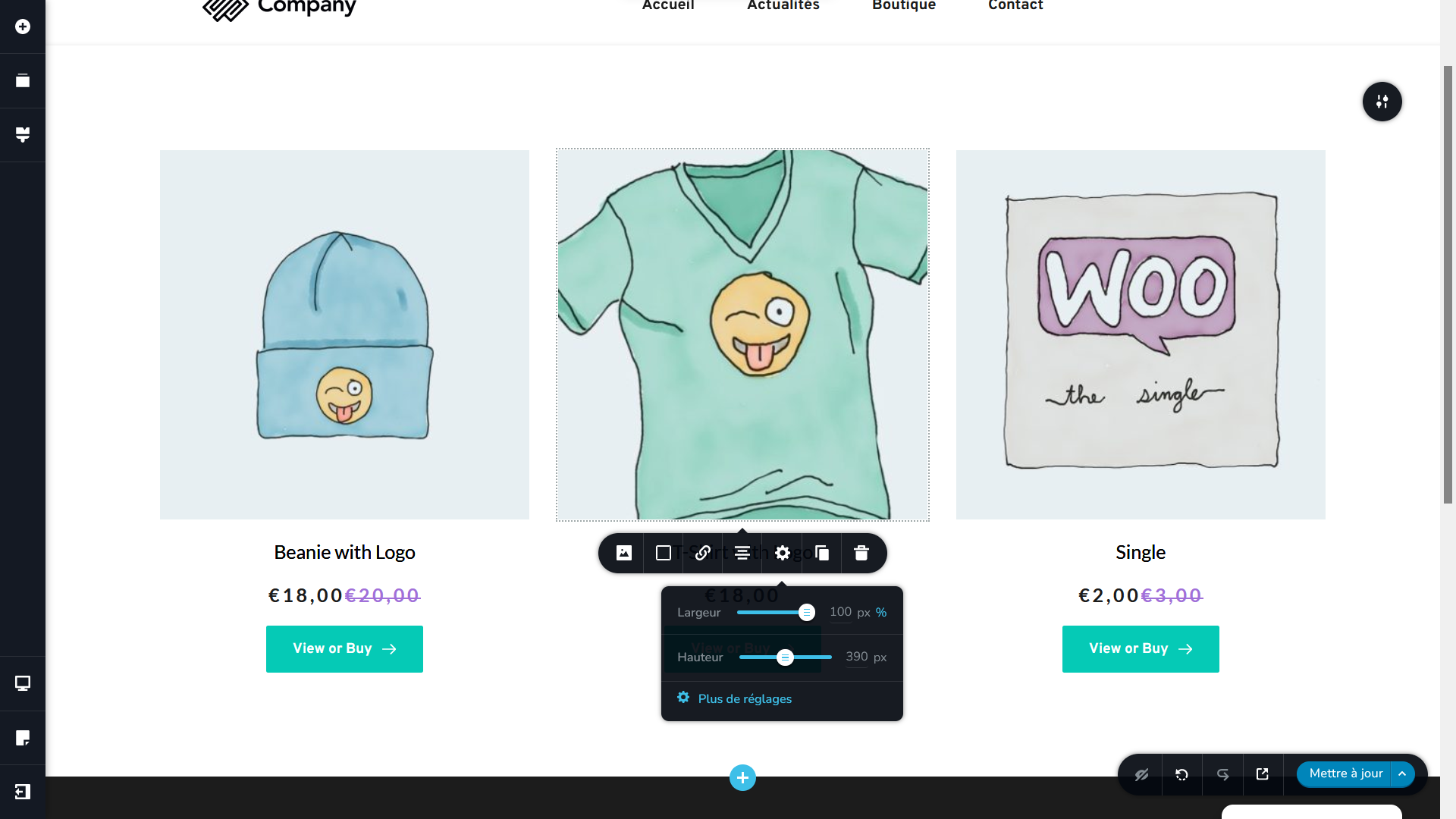
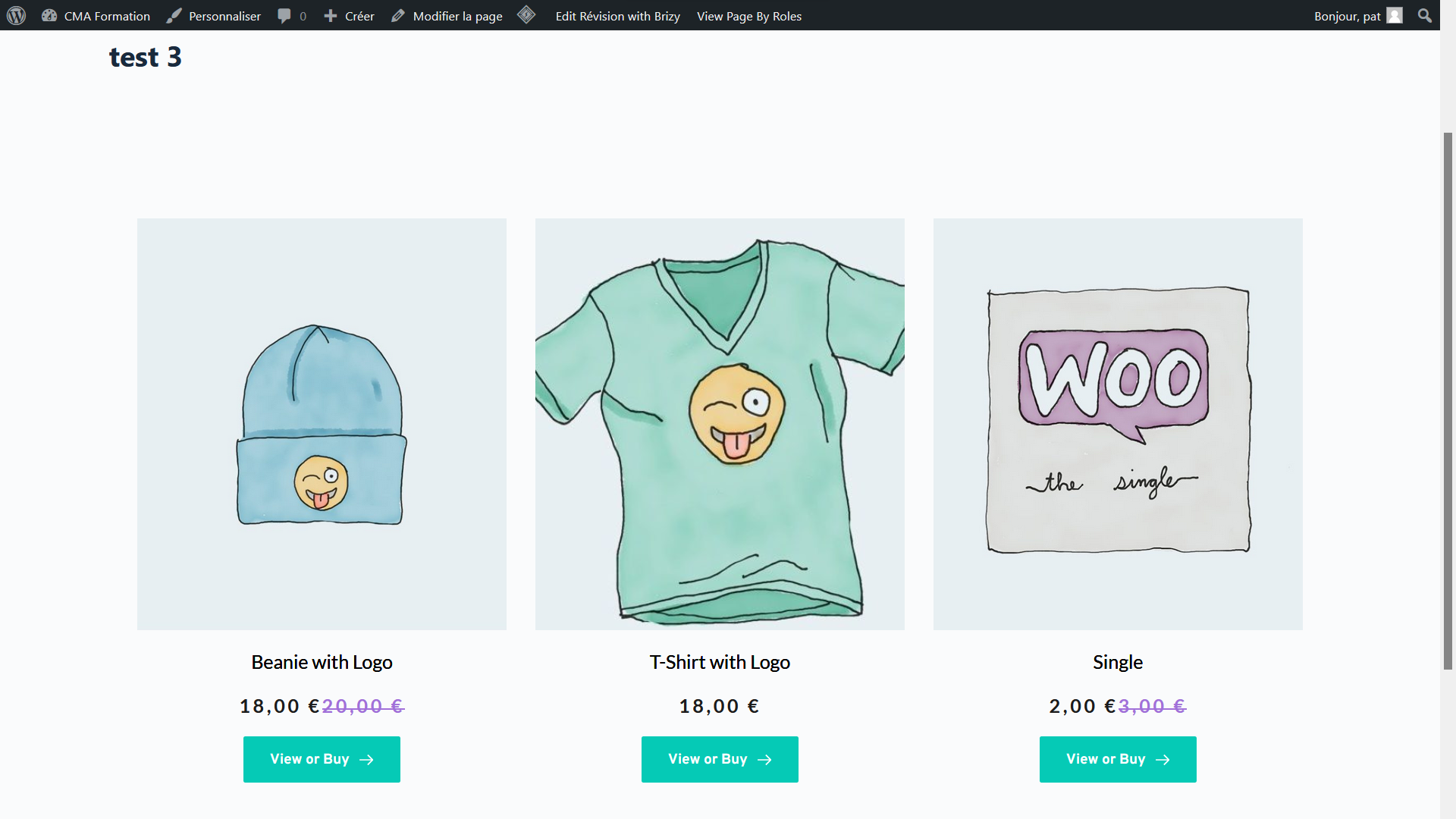
My English is not correct and it is not always easy to understand each other :)For the instand when I adjust the height in the Brizy editor so that the image is square, when I look at it in the browser in "visitor" mode it appears rectangular in the direction of the height
In the Brizy the image is square
In the browser the image is not square
PS can you send me a screenshot of your settings?
0 -
Hi Patrick
When I make the product image square shaped in the editor, I see the same in the front end as well. My settings are similar to yours. Please check how this page appears here https://homi.kctest.online/test/
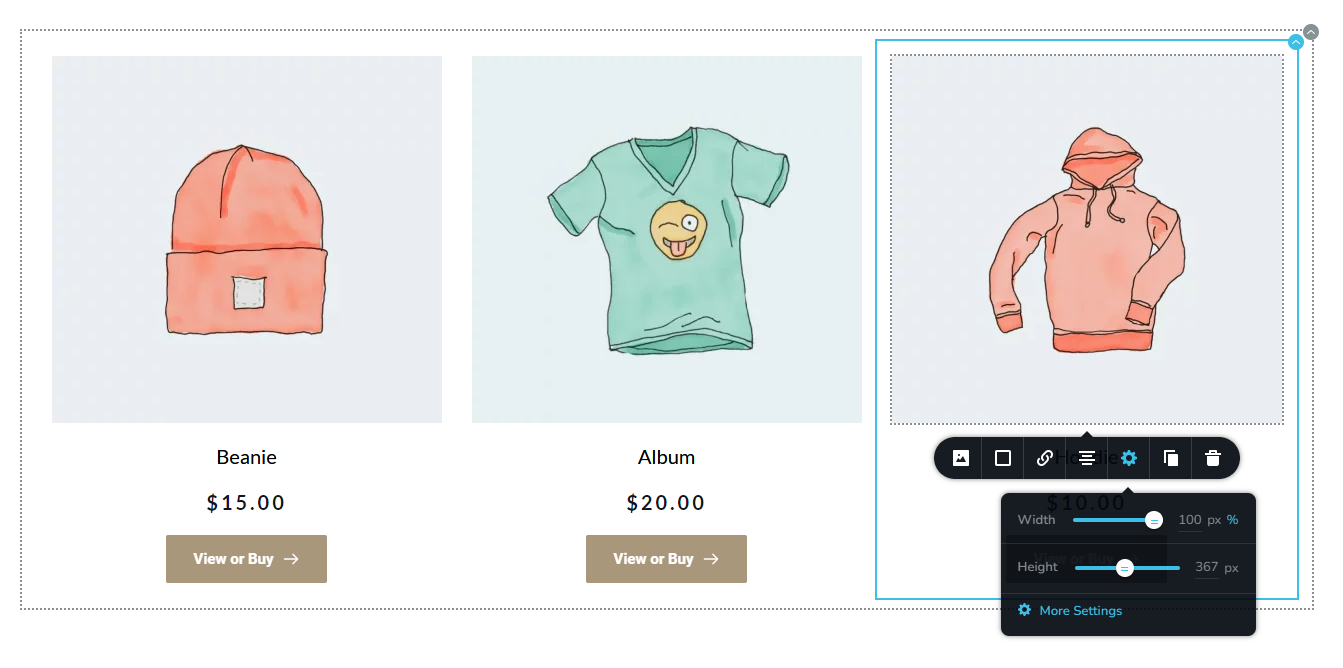
Do you want me to take a look at your WordPress Dashboard? If you need help with troubleshooting, please add me as a user to your WordPress Dashboard. My email: kc.george@brizy.io. Please enable the option "Send the new user an email about their account" as in this screenshot https://jmp.sh/tSRznJX
Once you have sent me an invitation, please let me know here.
0 -
Thanks for your help.
I just created an account for you.
Perhaps you have already received the email?Ps Please, your First name is KC or George?
0 -
Hi Patrick
The issue was with the image. I reuploaded the specific image. Please check the page https://cma-formation.eu/test-3/ now and see if everything looks fine
Even though KC is not my first name, most people call me KC. I have accepted it as my first name. :)
0 -
Hi KC
you are the king
a thousand times thank you :)It was a pleasure talking with you
Best regards
Patrick0
Please sign in to leave a comment.
Comments
10 comments