slider on latest brizy cloud

I had a page with an slider block designed in 2020 with birzy cloud, plublishd on my server working OK.
The project is old and and is opended with a 'old' page editor (see toolbar below) to continue working on it I wanted to "upgrade" the project to the latest or 'new' brizy clould builder. I saved my previous layout and imported it in a a fresh new project and published on the same server
The new project page fails to run the slider hero, it crashes with this error: Uncaught TypeError: t.slick is not a function
I'd rather not start editing from scractch the page again.
Please advise.
\carlos
"pld"builder

"new" builder

-

HI Carlos
Saved layouts from your old project should ideally open up in a new project. I can take a look; if you want me to, please invite me as a Team Member into your project.
My email: kc.george@brizy.io. Please assign me "Manager" role.
 0
0 -
Hi Carlos
I have recreated your old project under the new JULIAN project. Now it has the latest Brizy Cloud interface and features. Please take a look at https://orange5547258.brizy.site/ Please add the missing anchor links to different blocks of your homepage in your menu and fix any other issue that you find.
0 -
Thanks George, You have access now to my workspace, the two projects in question (the new and the old) are: The "new" project has just one page, the imported layout saved from the "old". Let me know if you need anything else.
0 -
Hi Carlos
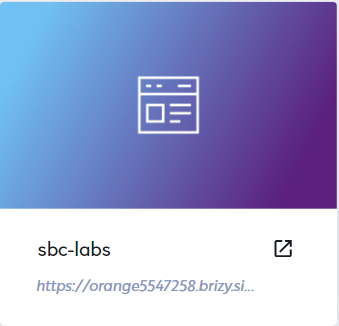
As I have mentioned above, I have already recreated your old project (https://www.sbc-labs.com/) into a new project with the latest Brizy Cloud interface and features. Your new project is available at https://orange5547258.brizy.site/ and in the Dashboard, it looks like this
What I have completed
- Recreated all pages
- Recreated the menu
- Made your header and footer global
What is yet to be completed
- In the menu, add anchor links to these menu elements: Acerca, Servicios and Clientes
- Fix any other issue you find
0 -
Hi George, Thank you very much for hour help. I took on from where you left it (https://orange5547258.brizy.site/) , then I published the website in my sever and the slider is still not working (see Home (sbc-labs.com) (https://www.sbc-labs.com/) ) To make sure it has no relation with my server settings I did de following , created a fresh webserver on a docker container and run the html exported version on it. The problem with the slider persists. Please advice what to do next.
Kind regards
Carlos
0 -
Hi Carlos
You said you published the website on your server. At the moment both Download HTML option and Server Sync options are not working well and has issues. We are still working on fixing those issues.
For now, your best option is to publish with Brizy Cloud by adding your custom domain (if your subscription plan permits it)
0 -
Hi George, I can hold our new web release, but not much longer. Any idea when problems will be resolved and we can continue working with Brizy? Rgds
Carlos
0 -
Hi Carlos
The issue with the HTML Download could be fixed by tomorrow or day after. We don't have a timeline for fixing the Server Sync issues (We are developing a new Server Sync software. it may take a while to complete it).
Publishing on Brizy Cloud using custom domain is your best option at the moment.
0
Please sign in to leave a comment.
Comments
8 comments