Carousel error on downloading or publishing the site

There is some problem with the Brizy Carousel Element. The carousel is working while editing the site or previewing the site.
But when the site is published on Vercel or HTML is downloaded, the carousel stops working.
Here is an example: https://test-carousel.brizy.site/ (working)
Vercel: https://test-brizy-carousel.vercel.app/ (not working)
Error message:
Uncaught TypeError: n.slick is not a function
-

Hi Pallavi
I have test deployed a Brizy Cloud project with Vercel and I can confirm that carousel works well. Please take a look at my test deployment here. https://digiwork.vercel.app/
Scroll down the page and look at the heading "Check out latest news & articles" for the carousel

You may need to do some troubleshooting to find out why there are errors in your Vercel deployment. Can you check this?
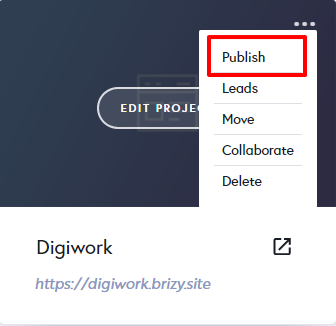
- Click on "Publish" in your Brizy Cloud Project (see the image below)
- Under Third party Free hosting, click on "Connect". https://jmp.sh/TV2pIHE
- Check if you see two check marks ticked "GitHub Connected" and "Vercel Connected" https://jmp.sh/45pPKxk
 0
0 -
Yes, github and vercel is connected.
This error also happens when I download the HTML of the site. This is not limited to Vercel.Here is the HTML that is generated for my project: https://file.io/IVhODqn0JdgH
Carousel isn't working in this HTML too when I load it in browser. Please check
0 -
Here is the updated link:
0 -
Hi Pallavi
There are known issues with the HTML Download feature. This could be the reason why your download may not be working. We are working on fixing those errors.
If you need troubleshooting help in connecting your Brizy Cloud account with Vercel please do the following
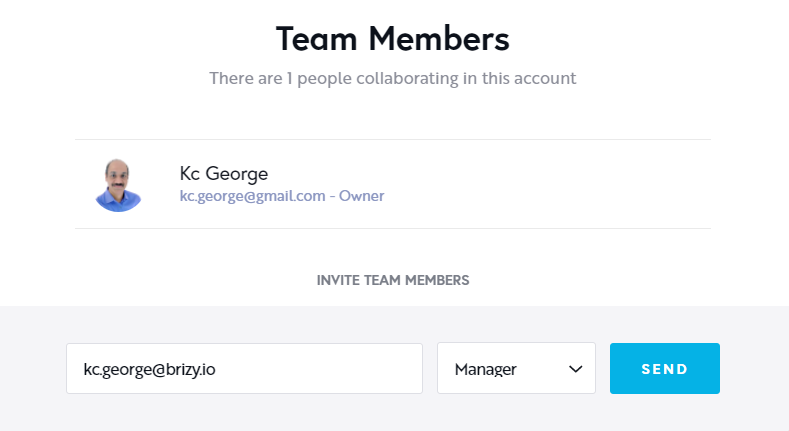
- Add me as a Team Member in your Brizy Cloud project. Assign me "Manager" role.
- Please send me your GitHub credentials by email
- Please also send me your Vercel account credentials by email
My email address: kc.goerge@brizy.io
 0
0
Please sign in to leave a comment.
Comments
4 comments