Logo on homepage isn't showing (mobile only)

hello, on our mobile site: https://www.skille.co - the logo doesn't render.
desktop - https://a.cl.ly/lluE5JRw
mobile - https://a.cl.ly/YEurRpN5
I've made sure that it isn't hidden on mobile and have rebuilt the section from scratch using different logo files, still did not fix. Could you please advise?
-

Hi Kevin
The URL https://www.skille.co opens like this at my end on a mobile device. The logo seems to render properly. Can you check the URL on different devices and using different Internet Service Providers. Please also try opening the page in your browser Incognito mode.
 0
0 -
Hello,
The issue persists, it appears as though it's only on mobile.
notice that the homepage seems fine but the contact page and team page both do not render the logo and image on the page.
I've tried from multiple browsers and devices, but the issue persists. It's odd because the navigation is global - it should perform the same sitewide.I've rebuilt the nav as well, but still no luck.
Please let me know if you have any other suggestions.
0 -
Hi Kevin
I still can't reproduce the issue at my end. Your logo seems to load on all pages on my Android mobile using Google Chrome.
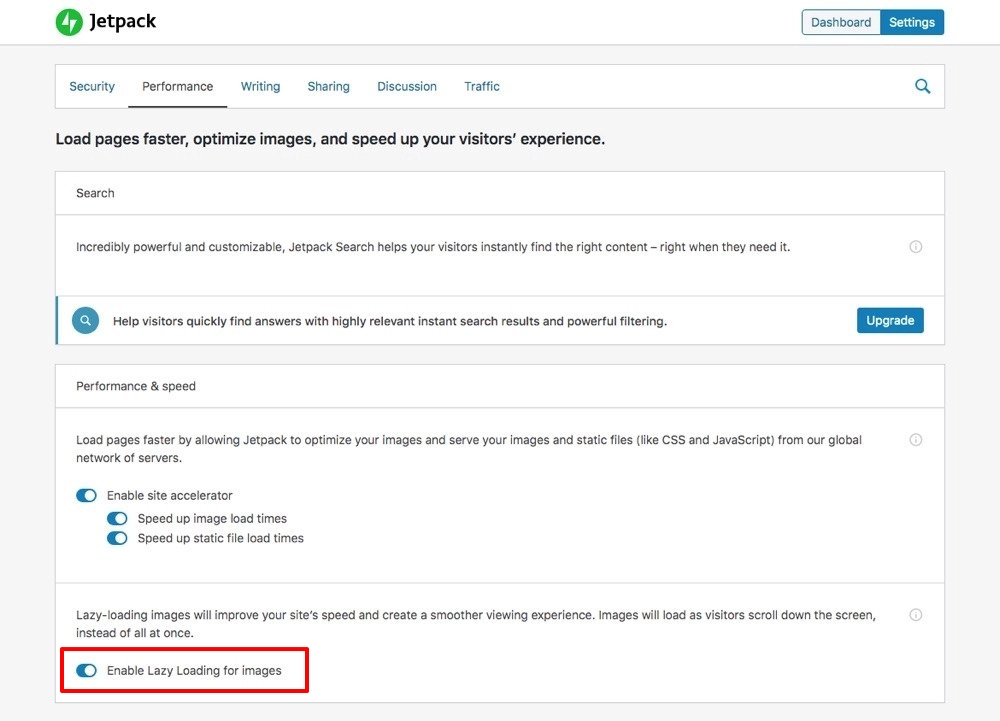
Please try disabling lazy loading in Jetpack and see if that helps. If it does help, then please follow instructions in this page to remove just the logo from lazy loading. https://jetpack.com/support/lazy-images/
 0
0 -
Hello George, I tried both items listed above and the issue still persists.
Any other suggestions?
0 -
Hi Kevin
After disabling Lazy loading for images, did you also clear WP Super Cache? Only then the changes will reflect in the front end.
You can also try changing your theme from OnePress to Blocksy and see if that helps. Clear cache after this also.
0 -
Ok great, thank you - I've cleared WP super cache and it works now!
I did have 3 more questions:1- Should I leave lazy loading disabled?
2- Unrelated - I was reading that Brizy copies each image 6x and that in order to compress images properly, a plugin is required however it seems that brizy has discontinued the image compression integration. Is this still an issue, if so how do you recommend we efficiently compress images shown on brizy pages?
3- Lastly, is there a way to backup our brizy site, if so, how?0 -
Hi Kevin
- Instead of disabling lazy loading for the entire website, if you can exclude just your logo from lazy loading, that would be better. Here is the procedure. https://jetpack.com/support/lazy-images/ Since I have not tried this yet, I am not sure if you can make this procedure work with Brizy.
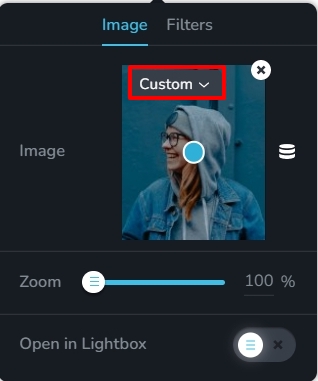
- For every image you upload through Brizy, you will find an option to select image sizes like :custom, original and few other options. Custom size is selected by default. With the custom size, Brizy resizes images for desktops, tablets and mobiles. If you choose any other size here including "Original" the images will not be resized for different devices. If you are already using the custom size, images are being resized and optimized for different devices. You don't need to do anything more. If you select any image size other than custom, then an image optimization plugin will be useful.
- You can use a backup plugin. UpdraftPlus is a popular backup plugin with 3 million + active installations.
 0
0
Please sign in to leave a comment.
Comments
7 comments