Menu Issues on Desktop & Hamburger Menu on Mobile & Tablet

Hi,
On my site wighttheory.com, the menu is completely screwed on all devices.
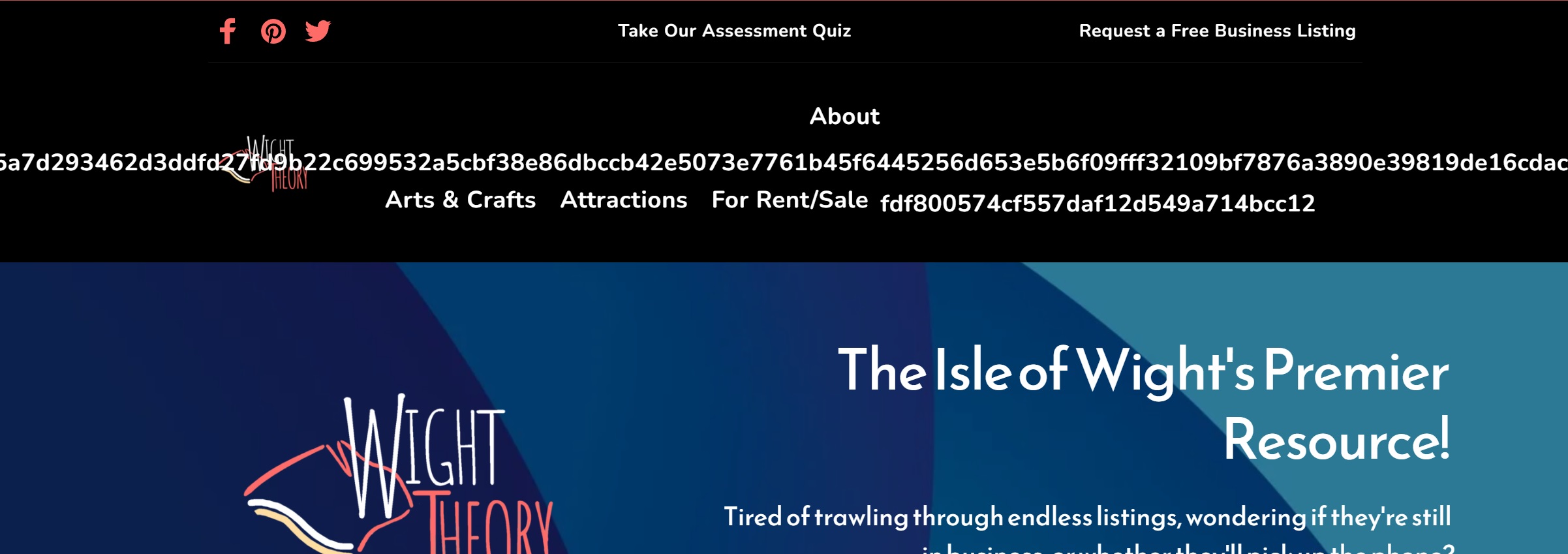
On desktop, the menu has gone haywire. See below.
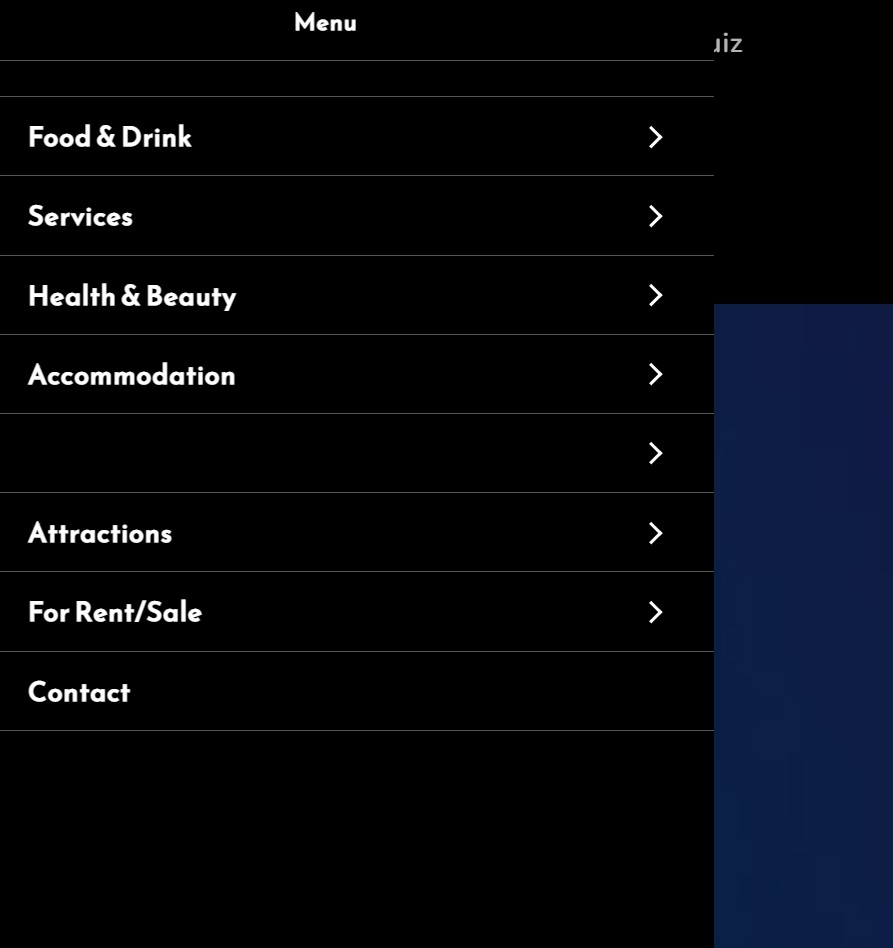
On the mobile & tablet hamburger menu, the top level item 'Arts & Crafts' is not showing.
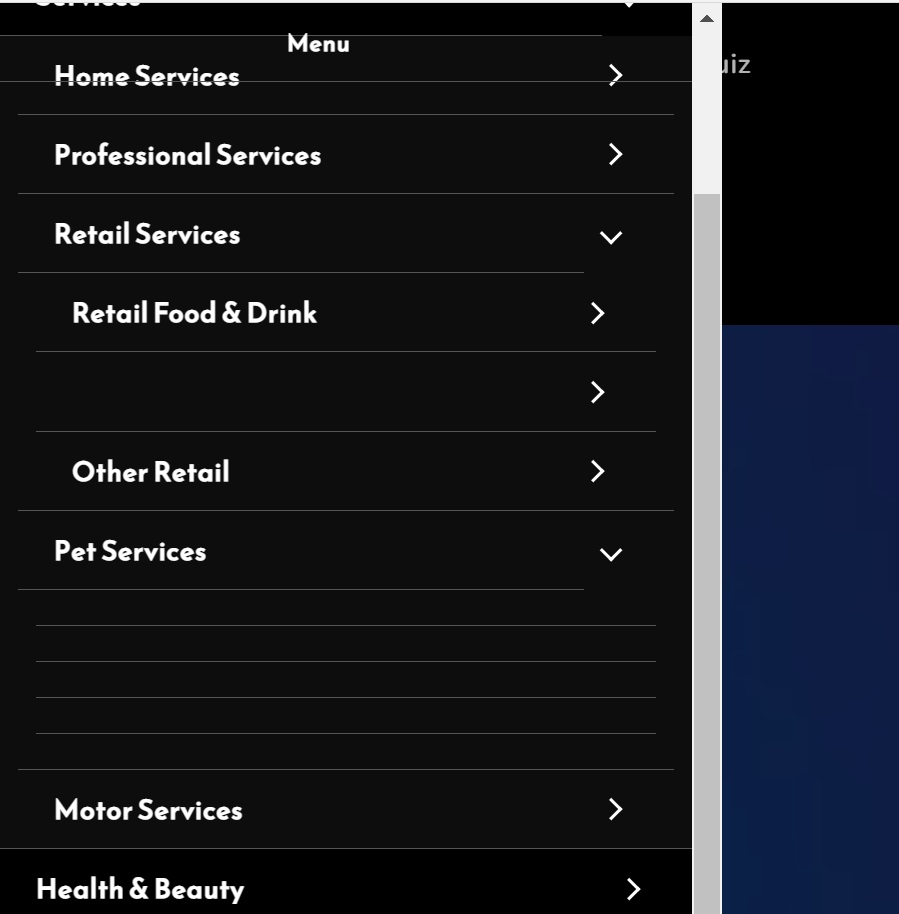
Many of the 2nd, 3rd & 4th level dropdown items are only showing as lines without text.
Please help & fix asap, as how the site to anyone without a working menu. I have cleared the cache & tried on Chrome, Firefox & Brave.
Regards,
David
-

Hi David
We are sorry for this inconvenience. This is due to a recent bug with Brizy Cloud. We hope to have a fix soon (hopefully by today)
0 -
We've fixed the menu issue in our latest update. The menu elements should be displaying correctly in preview after you update your project. Please update your project (by clicking on the "Update" button) and check if everything works fine in the front end.
0 -
Hi,
As you suggested, I clicked on the 'Update' button & even totally refreshed the page, as your backend suggested I do. I cleared my cache on the phone.
The menu looks fine in the back end...however, on my phone it looks like this.
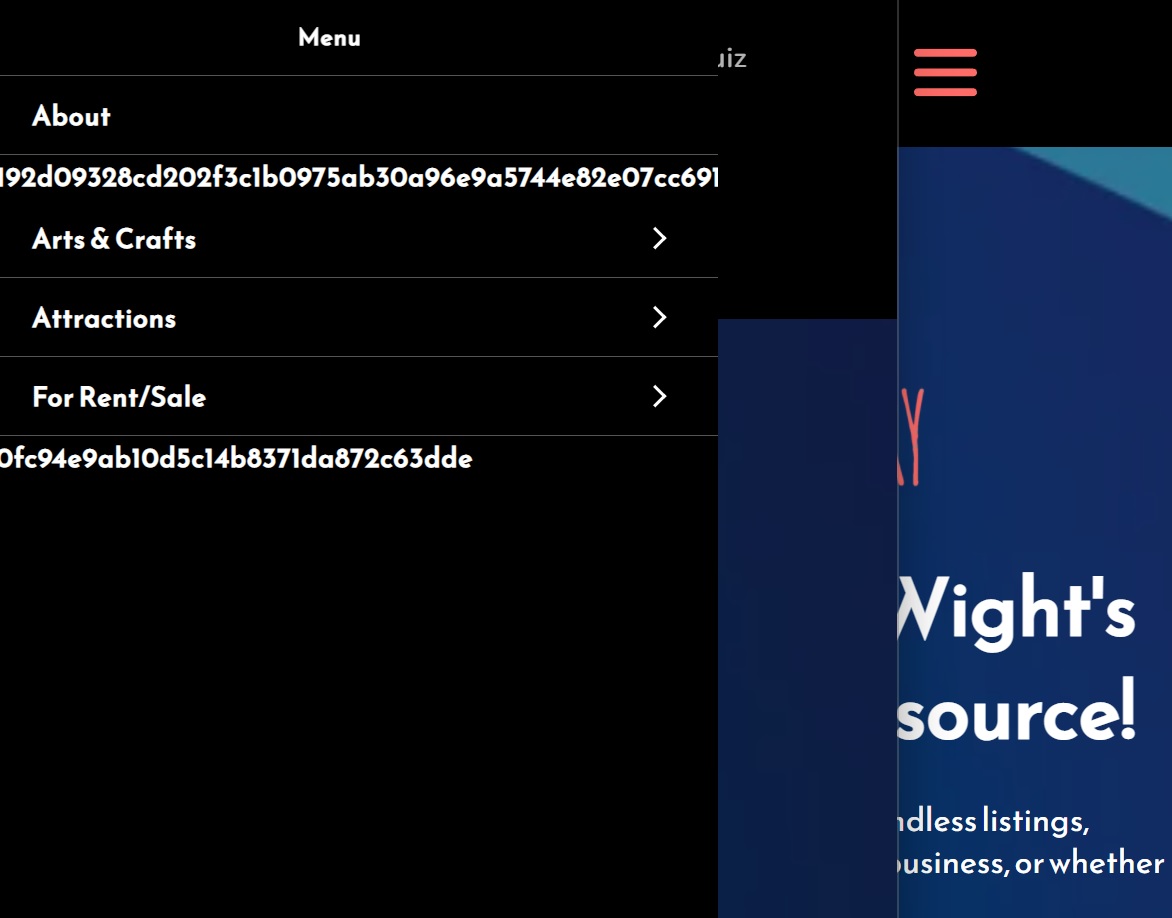
Please advise if you can fix this?
Regards,
David
0 -
My desktop menu is also looking like this after a cache clear & update:
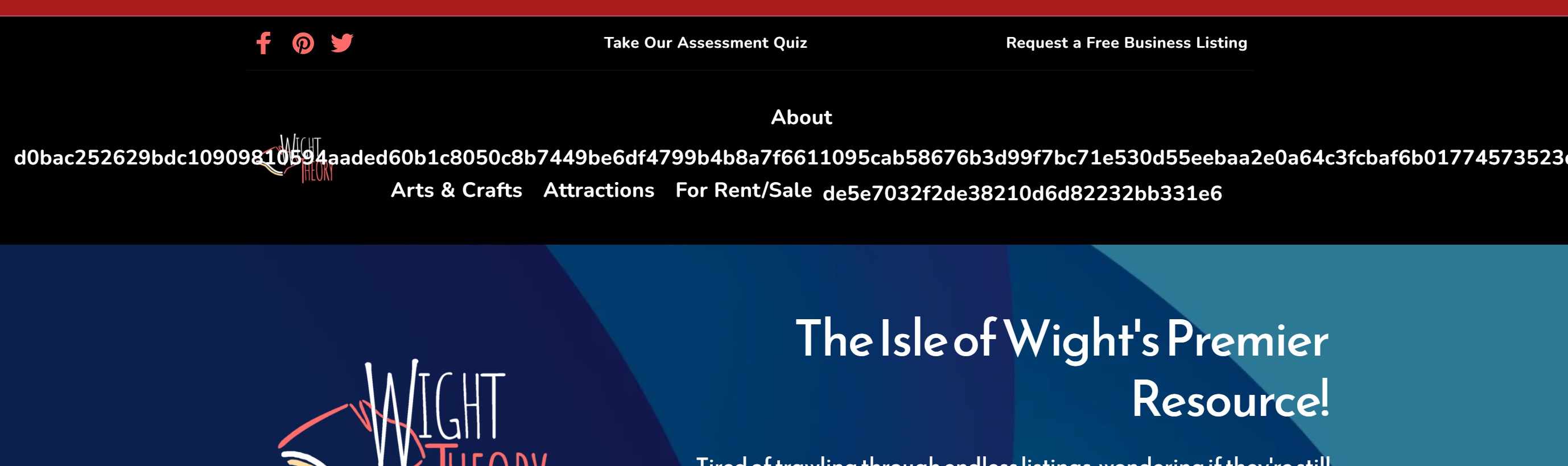
Regards,
David
0 -

Hi David,
Thank you for your message!
I checked and indeed there is a problem. I will create a ticket for you and one of my colleagues will contact you as soon as possible! Please make sure to give them all the details that they need! Hope this will help.
Kind regards,
Doina
0
Please sign in to leave a comment.
Comments
5 comments