Several Issues Brizy Cloud Site

Hi.
I am just getting started building a website in Brizy Cloud. I am not using a custom domain or subdomain, i am working directly on brizy url cloud "apricot1212121.. blabla.brizy.site".
It was all going ok until all of a sudden these 2 things happened
1. The menu I had created (a hamburguer menu) when I click on it, the menu opens up but all of the content inside the menu has gone. But when i check inside my admin area and test, it´s all there. The issue happens with the live version, and it was working fine until a couple of hours ago. I have tried everything, including changing text colour of items in menu. But nothing works in the live version.
2. At the same time, the entire site has gone from super fast speed, to nearly impossible to edit, create or navigate the site. And i have just added a few media items and categories. So just like it did for the first few days, it should be working and loading fast. Nothing has been done here to make it go so slow now.
So it seems to me that there could be a bug on my site which only you can take a look at and resolve.
For privacy reasons I cannot share the URL here in public.
Please let me know how we can continue with this ticket and share my website url with you in private so you can take a look at it to fix the issue asap.
It´s so bad, that i have had to stop development of the site entirely until you can get to fix it.
Really urgent please.
Thanks
-

Hi
If you would like us to take a look at your project, please add me as a Team Member. My email address: kc.george@brizy.io. I need the Manager role to check this problem.
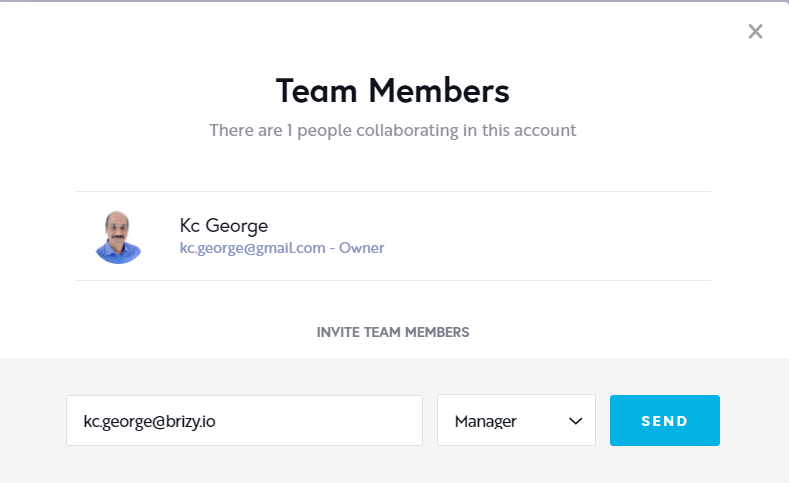
Once you have sent me an invitation, please let me know it here
0 -
Hi Kc George
i have now set you up as Manager in my Brizy Cloud account.
The site that i´m reporting issues for is the first one at the top-left called "MIS HERRAMIENTAS".
Thank you
0 -
HI
The hamburger menu not displaying menu elements is a Brizy Cloud wide issue. We have reported this to the development team and we are looking into it. Hopefully the speed issue also will be resolved when this bug is fixed. We hope to fix this by Monday. We apologize for this inconvenience. Please bear with us as fix this issue.
0 -
Hi
We've fixed the menu issue in the latest update. The menu elements should be displaying correctly in preview once you update your project. Please update your project (by clicking on the "Update" button) and check if everything works fine in the front end.
0 -
Hi there
I see the menu back on, thank you. But there´s yet another issue remaining on this same website.
I reported extremely slow speed. I mean, so ridiculous that´s impossible to work on it. 12 seconds to 15 seconds, nothing less to load.
I have refreshed, got out, back in, refreshed... there´s something really wrong because it should literally fly.
You still have manager role access. Could you take a look in-depth please? This seems to be an issue with my site and not the entire cloud, and I need your help to resolve. I´m stuck
Thank you
0 -
I had to wait an entire day, after the entire weekend for this? Brizy continues to provide the type of support that makes a visit to the dentist heaven. Hence, I can never ever commit myself to buying one of your promotions for hundreds of sites etc. Because support is always a massive let down.
Now, because i know you will not care about my continuous negative experience with the slowest support system on the planet, I will carry on with what actually matters. Resolving my website´s issue, because i am completely stuck and unable to develop my site using Brizy. Again.
I granted manager access several days ago to one of your team, and now this? I wanted to preserve privacy of the domain, design, etc.. so i cannot publish a public video here now. With manager rights which you still have, you can view for yourself.
But if you must ask me to produce a video for you too, i need to share this with you PRIVATELY. Let me know how to proceed with that.so i can share the video for you.
0 -
Hi
Sorry about this confusion. When opening your project in Brizy editor, there are two console errors. These errors could be the reason why your website editing is slow. We are looking into it. When we have some progress with troubleshooting, we will let you know.
0 -
Thank you Kc George
please let me know asap whether this is finally fixed so I can get back to work on this project. I´ve lost all week now and I am really in need to get back to it urgently.
Many thanks
0 -
HI
Those console errors happen when you leave the editor without doing anything. You can ignore those errors. I checked the speed of the Brizy Cloud editor at my end. It is comparatively slow; but you should be able to work. Here is a visual test I did.
If the page loads slower at your end, please try using an alternate Internet connection or try from a different device. There could be a local factor which could be further slowing down the Brizy Cloud editing.
0 -
Hi there
first of all, please DELETE this video from this public view, this is a key factor as to why i needed you to run checks privately. PLEASE DELETE VIDEO now.
In regards to speed, i have tried another device, and another internet connection, and the speed issue remains the same, so in that sense all remains the same regardless of device, browser, or internet connection.
I
0 -
Hi
I have deleted the video.
Do you get the same speed as in my tests or is it slower?
0 -
Thank you for deleting.
The speed remains super slow despite changing devices, browsers and connection.
0
Please sign in to leave a comment.
Comments
12 comments