Site loads different when logged in as admin - caching issue?

I am running Brizy on multiple sites and this has been an issue that crops up on many of them:
When I am logged in as Admin, the site doesn't load all the elements. On one site, the Header with Navigation disappears, on pages that load a template I can't see Brizy Formatting at all, it is just the Post Content. If I look at the site in Incognito, it's fine. So it's just really annoying! Seems like a caching issue but if I Clear my Cache or even turn off my WPRocket plugin, it still happens.
Websites this happens on:
- BermudaRace.com
- Nosa.org
- ConfidentCaptain.com
Can provide login details but here are screenshots of side by side: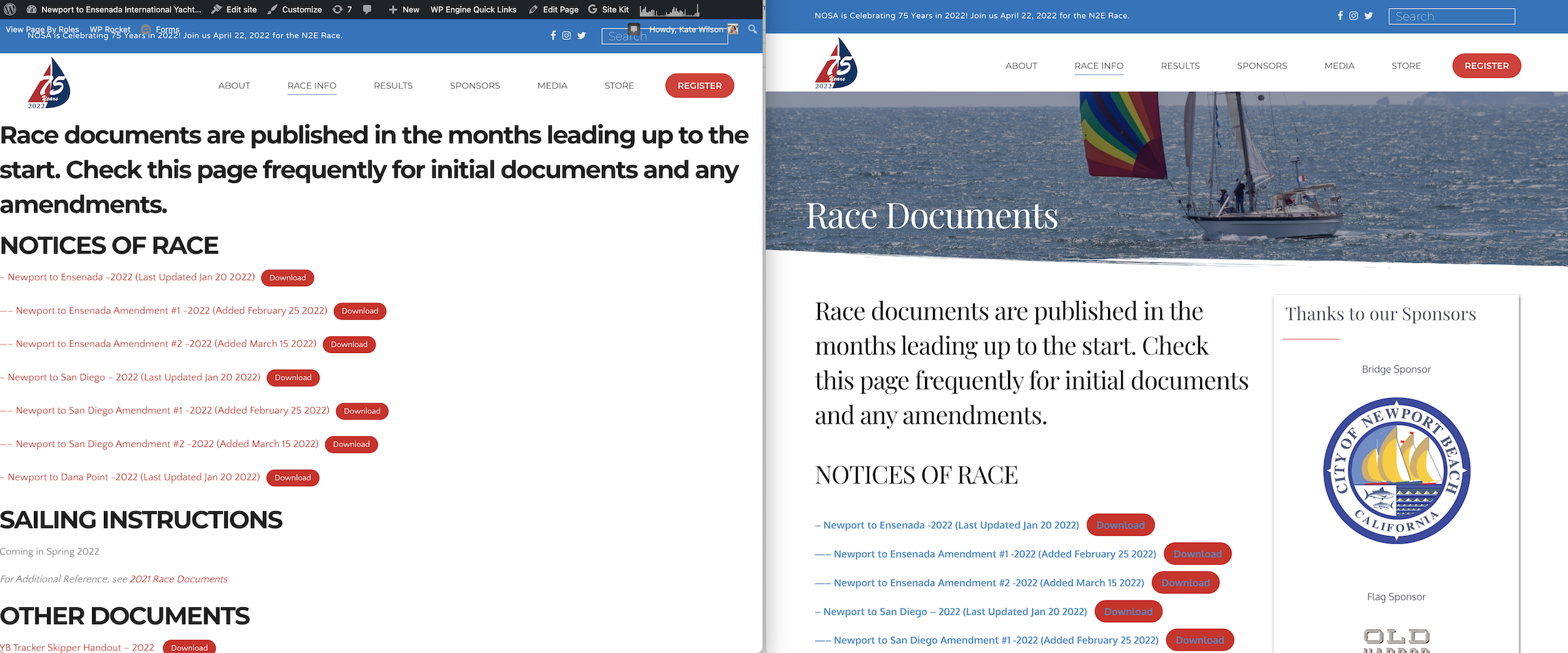
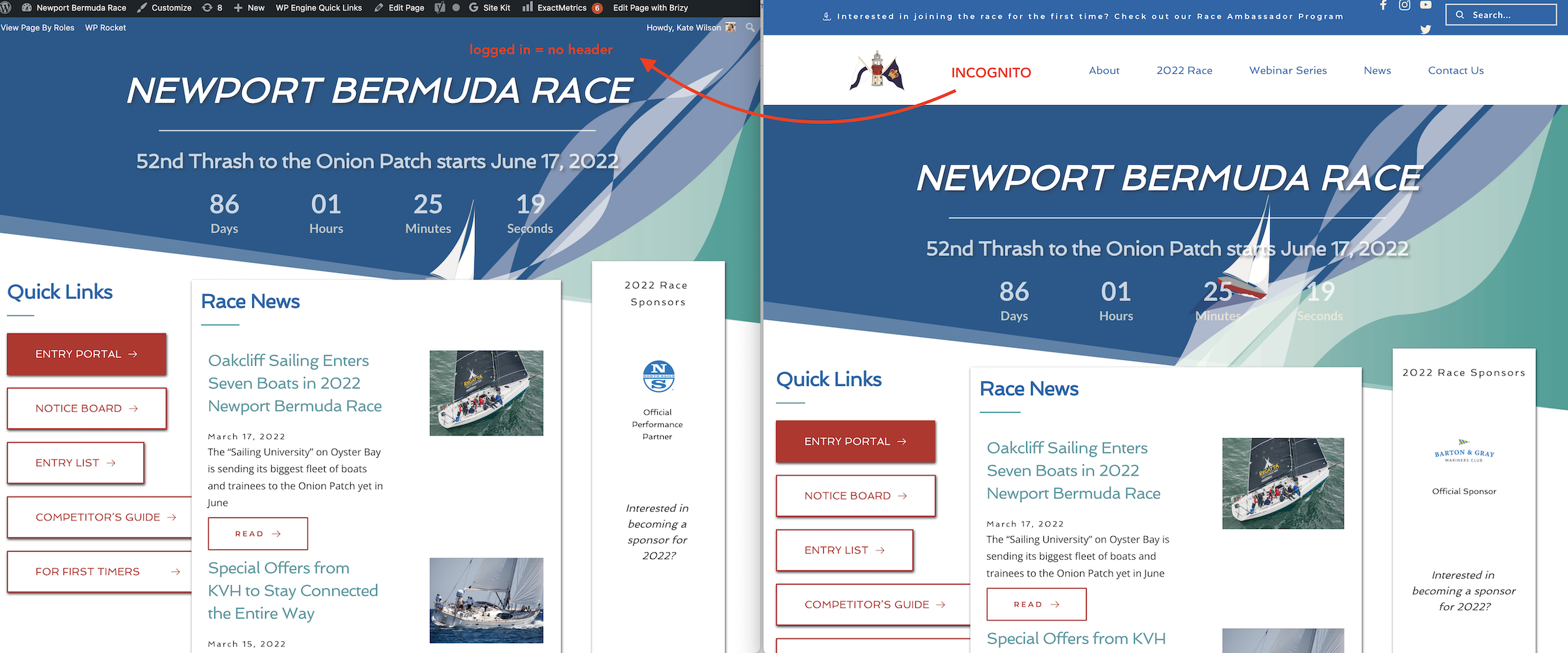
-

Hi Kate,
Thank you for your message!
Can you please tell me if you encounter this problem with the latest Brizy versions: Free 2.3 33 and Pro 2.3.26? And have you tried to disable the plugins/themes you do not use? Hope to hear from you soon.
Kind regards,
Doina
0 -
Yes and yes. My guess is caching but I still can’t figure out where.
0 -

Hi Kate
We will need to take a look at your WordPress Dashboard to help you with this. If you need help with troubleshooting, please add me as a user to your WordPress Dashboard. My email: kc.george@brizy.io. Please enable the option "Send the new user an email about their account" as in this screenshot https://jmp.sh/tSRznJX
Once you have sent me an invitation, please let me know here.
0 -
Hi Kate
I have looked at one of your websites. Please watch this video for the explanation of why your website pages look different when editing and in the front end. https://jmp.sh/WmoUpqo
I could not take a look at BermudaRace.com as BrizySupport user did not have administrator role. If you can change the BrizySupport user's role to administrator, then I can take a look.
Can you also tell me which specific page should I check in the other two websites?
0 -
Okay, for more background: - this happens across multiple sites I have developed and continue to update/maintain for clients. - It definitely has something to do with when Brizy templates are displayed for JUST my administrator account - the email kate@risingt.com. It doesn't happen for all administrator's accounts (if I login in as another admin account like wordpress@risingt.com it is not happening so I assume the same might happen for you with the credentials below..) - It doesn't happen on all Brizy sites I maintain either with the same email (I have about 20 others) - I have WPRocket installed for caching but when I disable the plugin it still happens. I don't know if disabling though really removes the caching? - So my workaround is just to login as a different admin... I know this one will be a tough one to crack as it only happens to my kate@risingt.com email... So let me know if you want me to reset the password for that username to take a look. You should have gotten credentials from: nosa.org confidentcaptain.org bermudarace.com nshof.org
Kate Somers
0 -
Hello, Hi I’m sorry but I think you missed my entire problem indicated in the screenshots in my original post. on the left, those show you that when I see on the front end as Kate@risingt.com admin, there is no formatting at all. On the right is what you are seeing. So what you see logged in as an admin is different than what I see when I’m logged in under that user. As I stated in my last email, I don’t think you will be able to replicate the problem logged in under your new administrator account. It is my user that doesn’t seem to work and I don’t know why! I am an experienced developer who Created all these websites from scratch, I understand the difference between Gutenberg and Brizy Editor and templates. This is a bigger issue for why the main administrator account on all of these websites cannot see the proper front end while logged in.
0 -
Hi Kate
I am sorry; I missed the whole point of your post. This appears a WordPress issue and we do not have expertise in fixing it.
Here is a possible work around you can try. At the WordPress Dashboard under Settings - General, change Administration Email Address to wordpress@risingt.com and check if the problem shifts to the new email address. https://jmp.sh/7ZpDkjJ Please also confirm the new email by clicking on an email link.
If the problem you are facing is specific to the Administration email, when you login using kate@risingt.com, you may not face this issue.
0 -
Sorry but that’s not the issue either. I know it is not a wordpress issue. My email is not always the administrator email for these sites. It is for some but not others all having this issue. Also on some sites, everything works fine. Yes I found a workaround if I use another admin account - as I stated - but I’m alerting Brizy to the fact this is an issue across websites. I have at least 4 with the same issue. My (the developer) account cannot view the formatting on the front end for templates and some global blocks. As I stated in a previous email and in the subject line, I think it could be a caching issue of some sort?
0 -
Hi Kate
If the changes made by an admin user does not reflect in the front end, then it could be a caching issue. In your case the issue is different. One administrator sees one thing and another admin sees another.
User roles are set in WordPress and showing different content to different users according to their roles is a WordPress function (and not a Brizy function). Even if you use a page builder other than Brizy, you may still face the same issue.
We may not be able to resolve this issue for you; however if you want to reset your password for kate@risingt.com, and share it with me, I can take a look from your login; please send the credentials to kc.george@brizy.io
0 -
Hi Brizy, I understand user roles and the User Roles for you and kate@risingt.com are identical (as far as I can tell!). So go ahead and take a look for nosa.org and see if you can come up with anything I haven't and THANKS - this is driving me crazy. Kate Somers
0 -
Hi Kate
I have spent sometime looking through https://nosa.org/ WordPress Dashboard with your login to see if I can troubleshoot the issue. I could not.
I have few suggestions to avoid this issue in a future project.
- Use Blocksy theme along with Brizy (or any other theme from this list. https://www.brizy.io/theme-partners). The Core theme is not recommended.
- Please do not use Unyson framework along with Brizy. Using two page builders at the same time is not recommended.
- We also do not recommend setting up Brizy Page Templates. In place of setting up page templates, consider developing the pages directly in Brizy with global blocks and its display conditions
For the testing I had done two things. Can you please reverse those changes?
- I had changed Administrative email address to see if that would help. I have changed it back to kate@risingt.com. Look for an email with the subject line "[Newport to Ensenada International Yacht Race] New Admin Email Address" and click on the email link to confirm the change.
- I had deactivated JetPack. Can you please reconnect your Jetpack account?
0 -
You nailed it! It was my sites using "Core" instead of one of the Brizy starter templates!
Kate Somers
0
Please sign in to leave a comment.
Comments
12 comments