mismatch between two domains

Hello,
I have a problem with the domain of my page. initially the domains did not match. now they match but the published site is not in the correct version. That is, it turns out to be in the old version and not the one we want to update. Is there a reason? I send an image of the actual domain.
Thanks for the help. 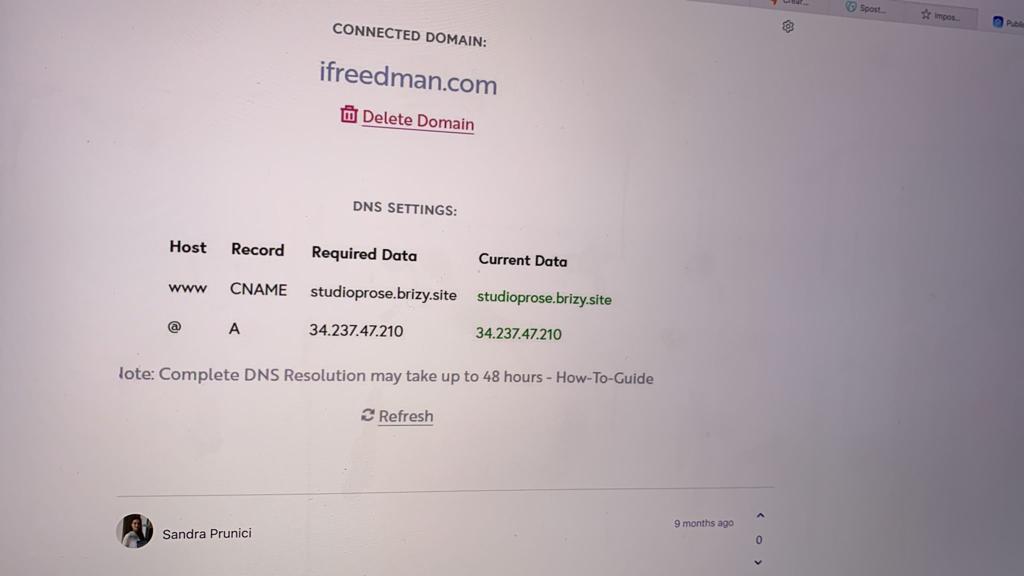
-

Hi Andrea,
Thank you for your message!
Can you please send me the link of the website? Thank you.
Regards,
Doina
0 -
This is the link of the old site visible on the internet: https://thexplab.wordpress.com/press/
When I click "publish" on Brizy, this shows up (see screenshot). The new site created on Brizy is therefore not published, we have waited over 48 hours. The "xp-lab.it" domain was purchased on godaddy.
i don't know how to fix this.
Thank you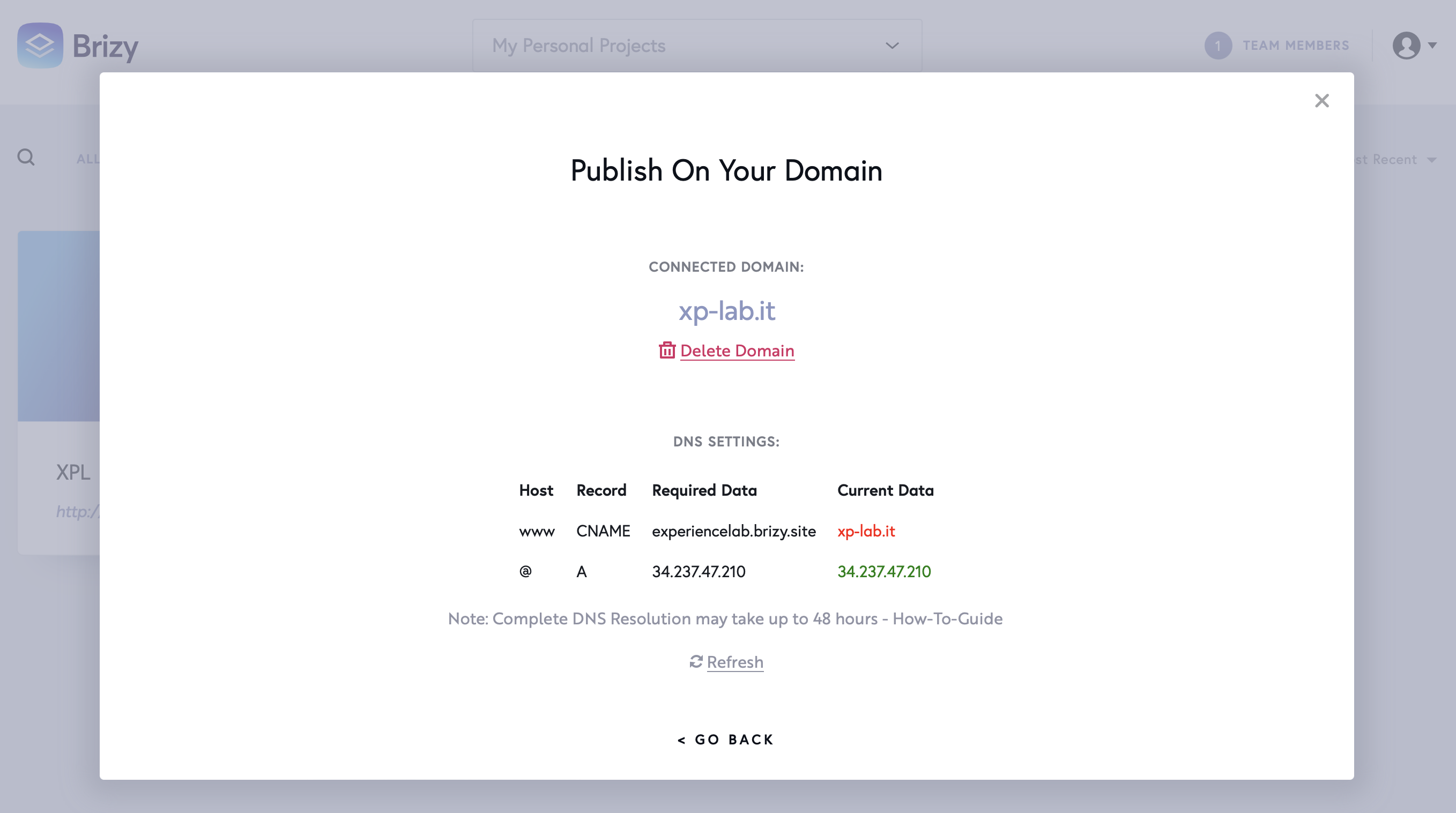 0
0 -

Hi Andrea,
From your screenshot, I notice that you didn't set up correctly the Cname, as it is marked with red, please see here. Could you please, check this article and follow all these steps to set up the Cname? After this, you should have the records in the project settings green. This is an indicator that the configuration was done correctly.
Best regards, Nelea.
0 -
hello, unfortunately I can't do it, I am sending you the screenshot of what appears to me on godaddy. Could you tell me what data I need to enter in each box?
step1
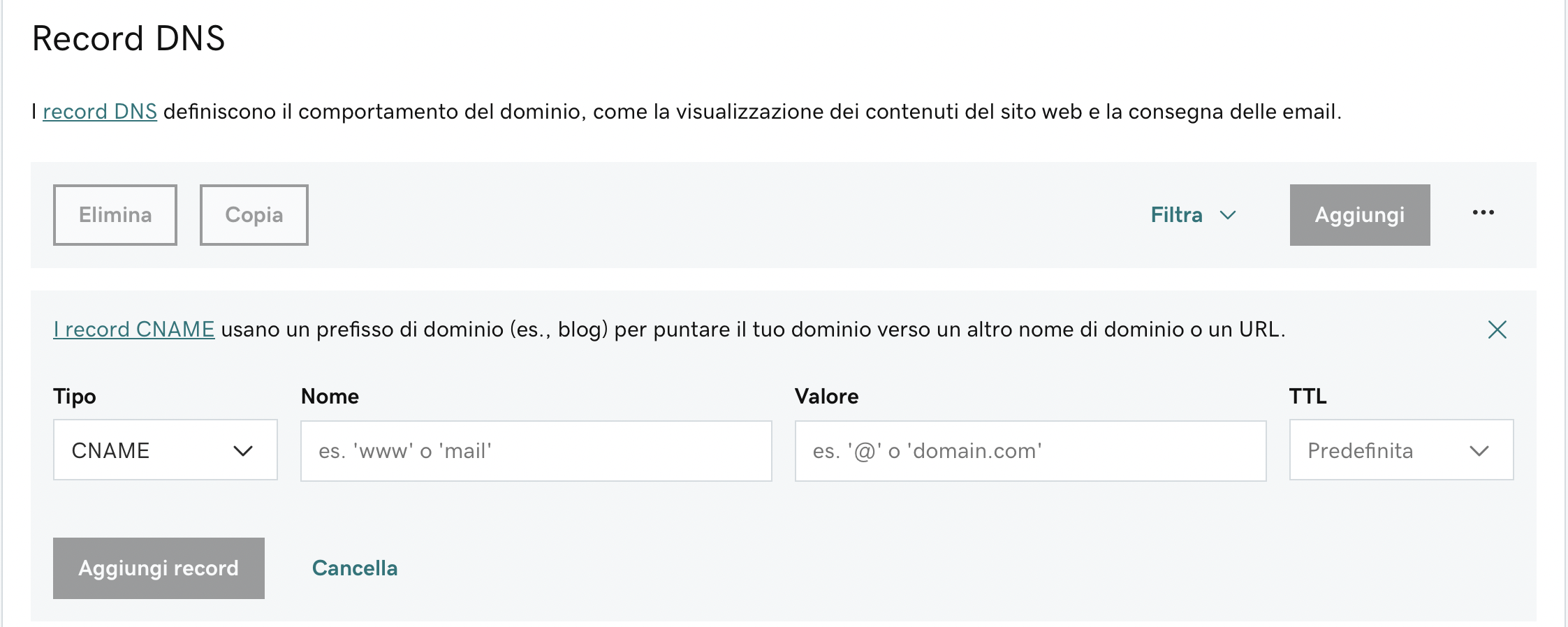
My domain is: xp-lab.it.
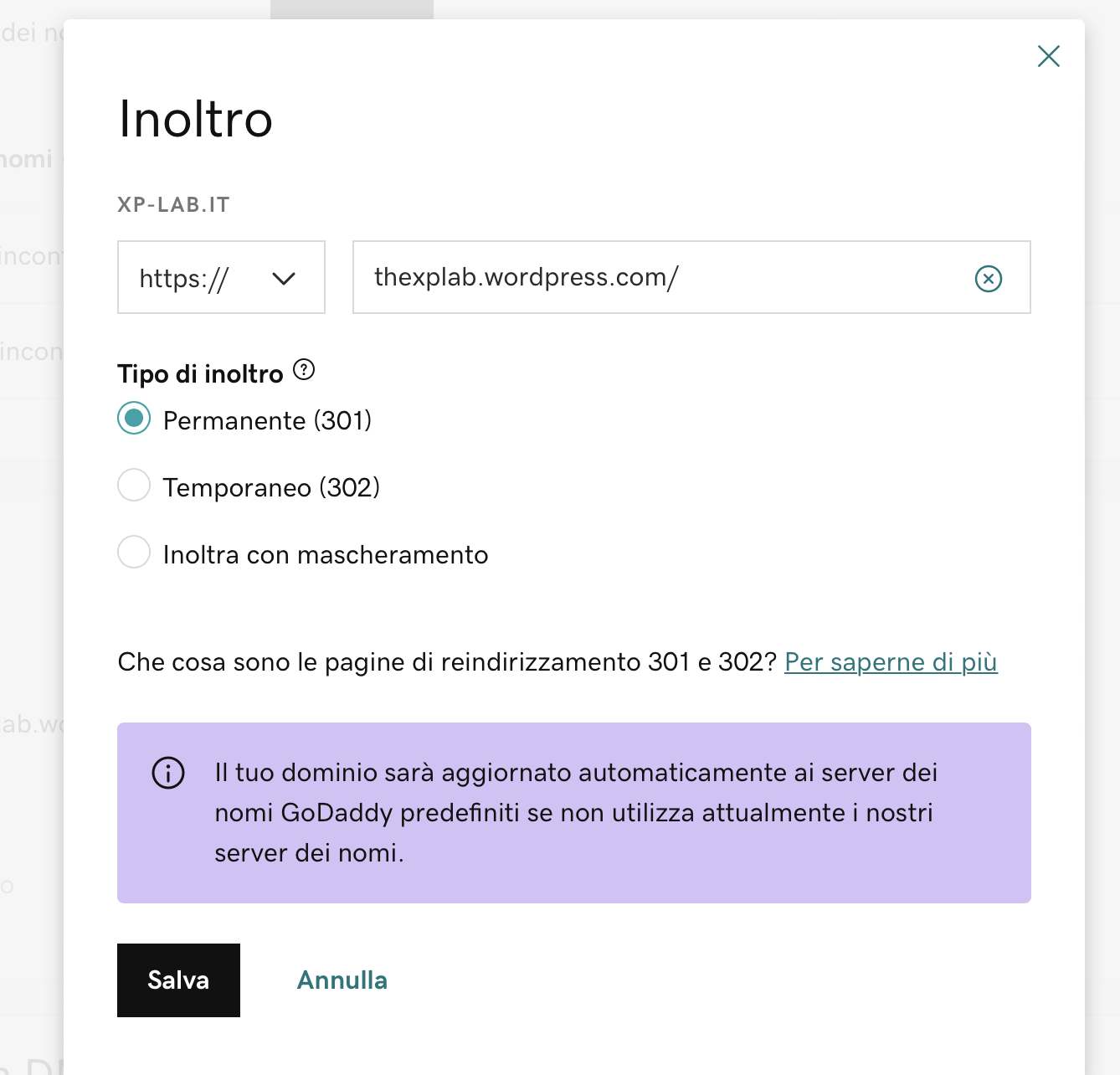
step 2
the old site still appears in this field, should I add the link of the new one after solving the CNAME problem?
thank you
 0
0 -

Hello Andrea,
Natalia here, Brizy team!
Thank you for your message.
In GoDaddy DNS tab, you need to remove the current CNAME record. Check this article - https://uk.godaddy.com/help/delete-dns-records-19210 in order to find out how to remove a GoDaddy record.
Then, add again a cname record and add the correct Brizy sub-domain - experiencelab.brizy.site according to our instructions.
Please, send us a screenshot of your dns records after you will finish this process.
Thank you!
Natalia
0
Please sign in to leave a comment.
Comments
5 comments