Project settings custom CSS / rem issue

Hi there,
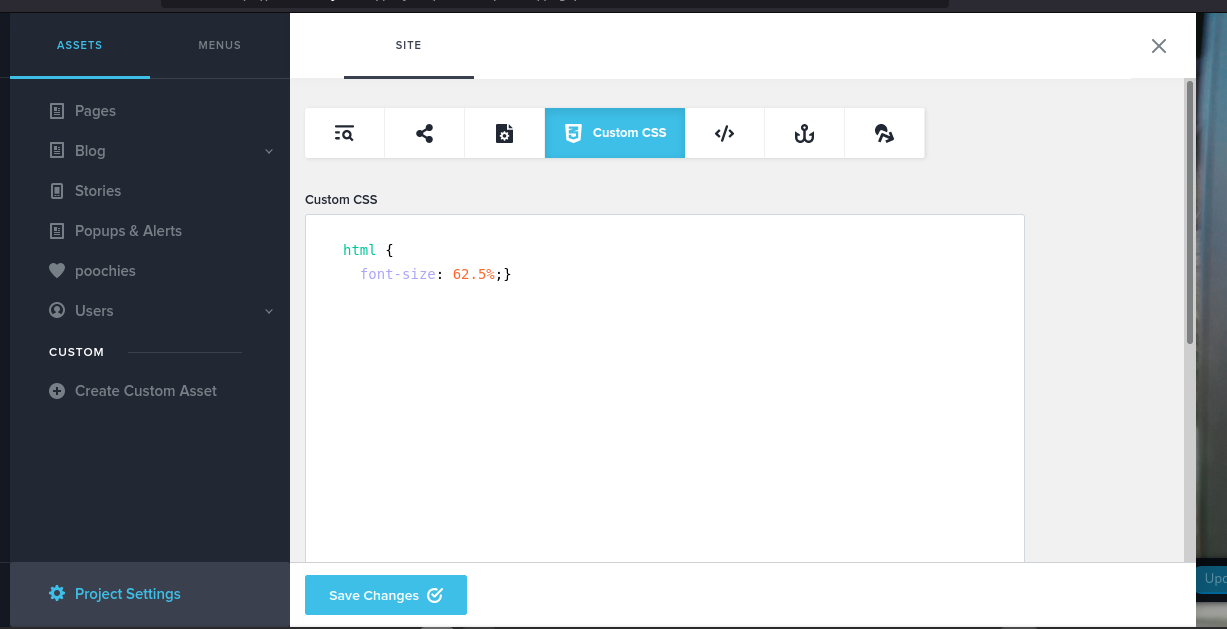
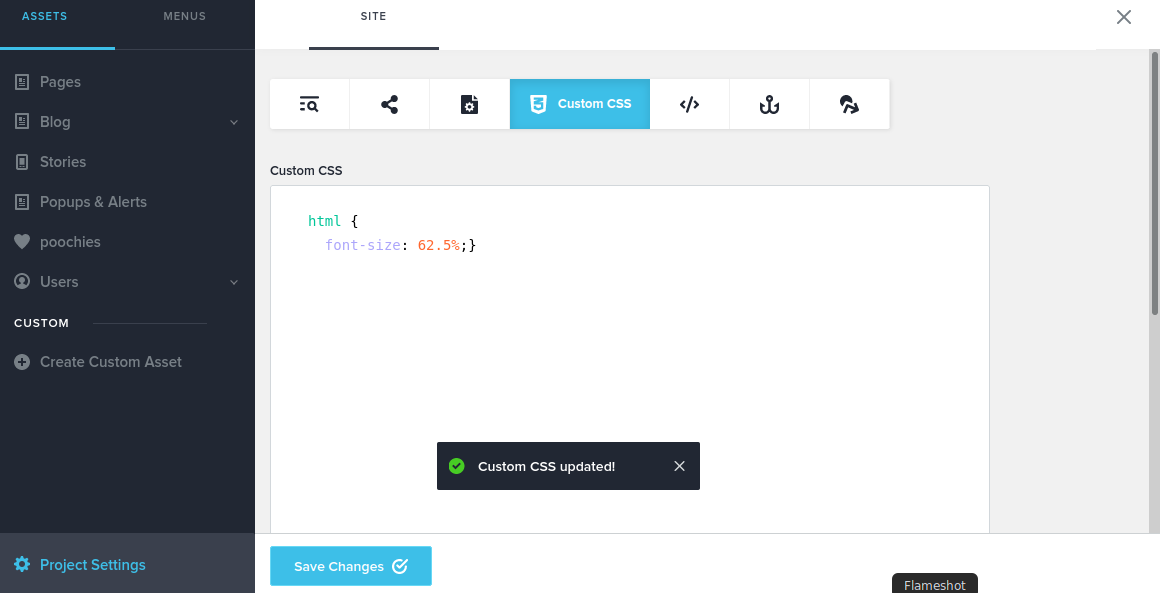
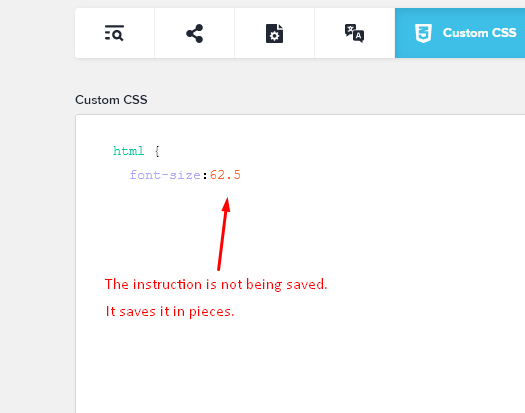
There is an error with the project settings page and adding custom, global styles. The project settings page (Custom CSS section) does not save the custom CSS at all. It just refreshings with the element or class names.
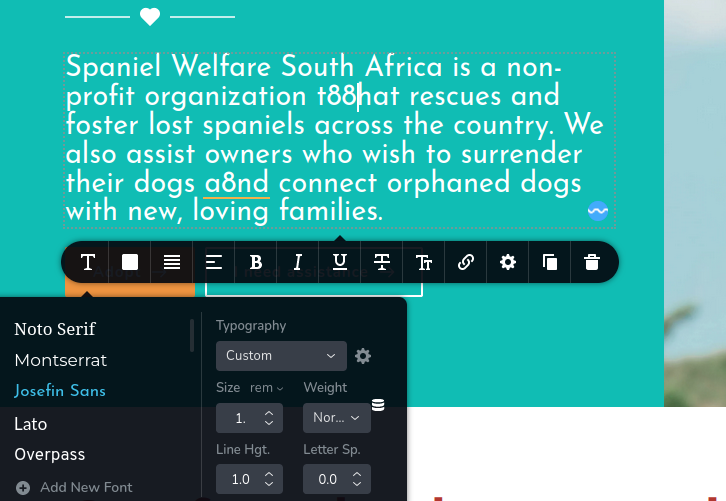
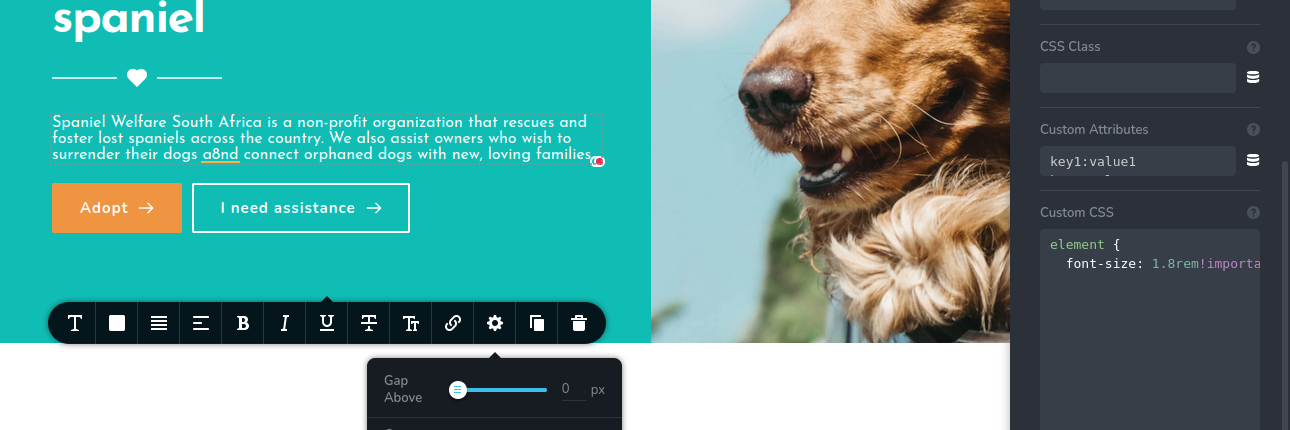
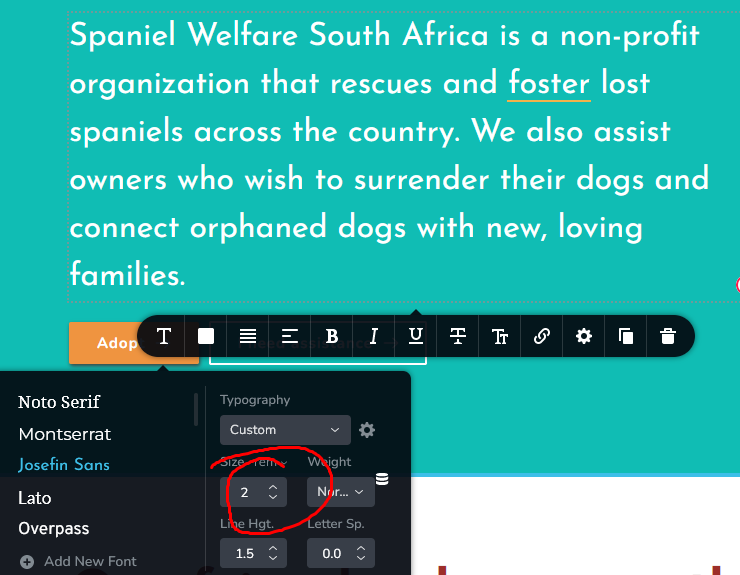
I also saw that the rem sizing for fonts and sizing does not allow floating numbers (no decimals), meaning one cannot customize the scale of sites for responsiveness using a base font trick in the browser defaults.
Please advise if I'm doing something incorrectly here, or if an update may be looming. I've attached screenshots below.
Have a great weekend.
Matt
-

Hi Matthew,
Thank you for your message!
We had a new Cloud update so you shouldn't encounter issues. I will open a ticket for you and one of my colleagues will assist you as soon as possible. Please make sure you give them all the details that they need. Hope this helps!
Kind regards,
Doina
0 -
Hi there,
Following up on this ticket as there hasn't been a response in 9 days. Please let me know if I need to provide additional details.
Kind regards,
Matt0 -

Hi Mathew
The code you are trying to paste in the CSS area does look incorrect. Let me briefly explain how you can make changes using custom CSS in this video. https://www.loom.com/share/3b69db53598d4a0d9af07b16ff6c30f9
0 -
Hi there KC,
Thanks for the response. The issue I posted is not incorrect styling or an error. It is quite common to default the browser's font-size to 62.5% of the default font-size (16px changed to 10px), as when you then use REM as a sizing tool, it will allow the pages to scale more accurately when switching between desktop and mobile. Your video doesn't note why the Brizy browser does not allow floats for REM sizings, nor does it explain why the CSS I place in the custom code section remain there after saving.
Please revert back to the images and query, as the html tag in CSS should allow me to instruct the browser-level styles to revert to my scaling. If Brizy doesn't allow browser-level changes to CSS, please let me know.
Also, side note. The changes you showed in the video actually don't work, as the Brizy classes created in the builder dynamically update. I have had this issue with WooCommerce styling before where I extracted selectors from inspection, only to see that the child classes updated after refreshing the pages.0 -
Hi Mathew
CSS code does work with Brizy Cloud. For example, many of our customers use this code to change the background color of the success message when a form is successfully submitted. If you have a form in your website, you can try pasting this code and check if the background color for the success message changes from green to the specific color mentioned in the code.
.brz .brz-forms2__alert--success {background-color: #002b4e;}I am not an expert in writing custom CSS, but I can confirm that Customs CSS works with Brizy CloudIf you have a specific issue you are trying to solve with custom CSS, please share your website URL and the change you are desiring. We can possibly suggest a solution0 -
Hi KC,
I understand what you're describing, but it does not relate at all to my issue regarding the saving of browser-level instructions in the CSS style sheet and the REM sizes not allowing float numbers to specific the font-size based on REM scale, not px. I know how to add custom styles to the stylesheet. My issue is related to the html element in the style-sheet and the builder not allowing me to use floated numbers (1.8 instead of the integer 2) to indicate the size of the font needed in REM.
When I change the html element to font-size 62.5%, the rem in the custom css sheet doesn't reflect 18px from a value of 1.8rem. This means that the builder is overriding both my html instruction in the CSS sheet, and the custom CSS section you keep referring to. Please read my issue.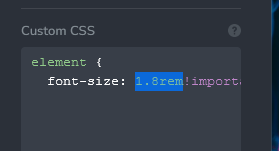
 0
0 -
Hi Mathew
If the purpose is to have finer control on the font sizes, I recommend using the Pixels instead of REM. You can have much finer control of the font sizes using pixels.
We are sorry, as we do not have expertise in CSS, we do not offer CSS solutions.
0 -
I am not asking for CSS solutions or training, KC. The builder offers a function that doesn't work. These are bugs where both the stylesheet cannot be saved, and the REM intervals are not float values. I don't mind if this is in the works to get the REM values to match float values, but why build in the option to select REM if a customer can't even use the function, let alone save the custom CSS values in the project settings?
Again, I am not asking for CSS advice. I am reporting an error in the builder, so please refrain from stating that this is simply a difference of approach to design.
0 -
Hi Matthew,
Thank you for your message!
I will make sure someone takes care of this and I'll come back with an answer as soon as possible. Thank you for your patience and understanding!
Kind regards,
Doina
0
Please sign in to leave a comment.
Comments
9 comments