Post Headings

I've created a template for my post and I'm using the Content element to display my post content dynamically. The text styling set on it does not reflect on my headings (h1-6), however, it is working for the paragraph.
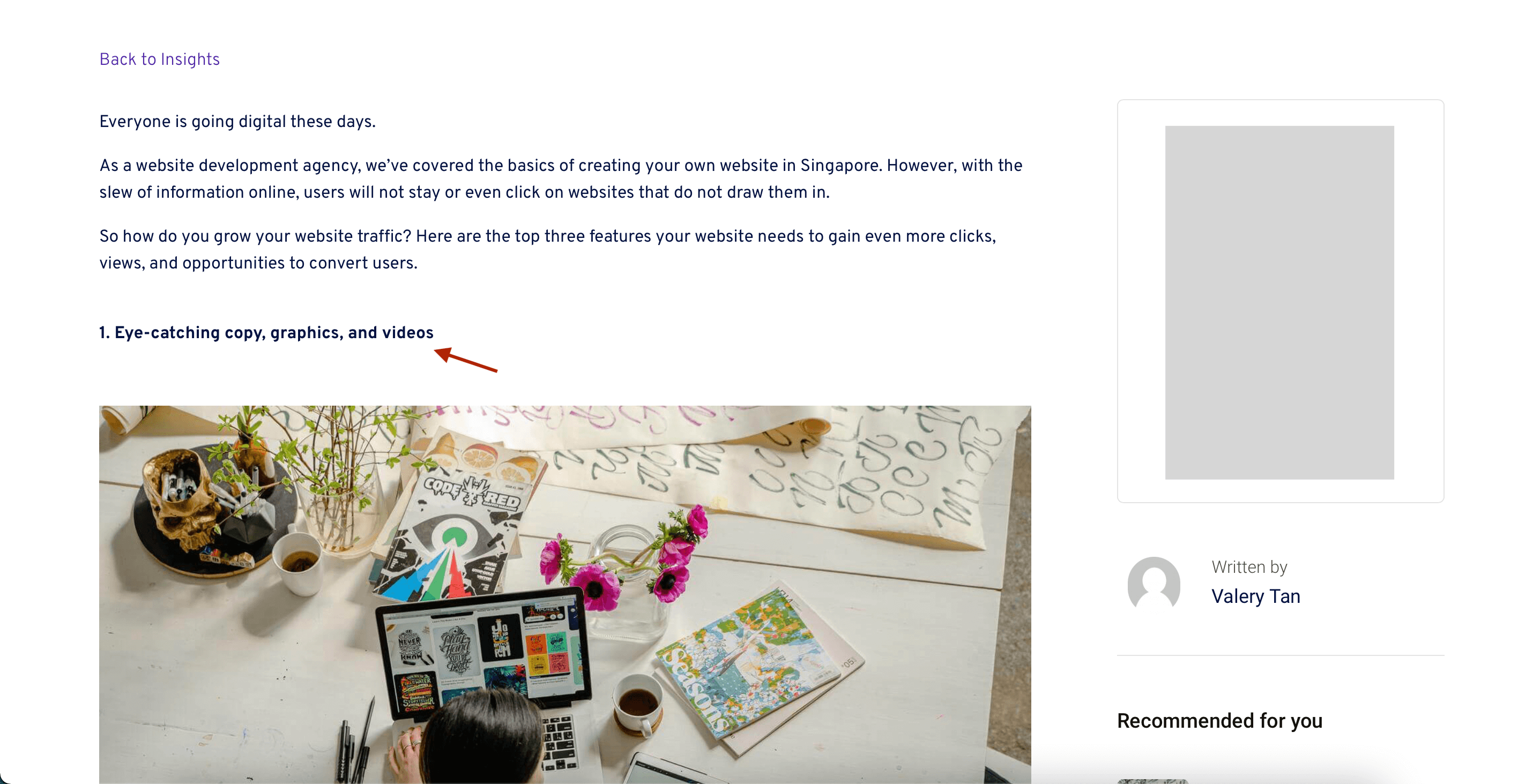
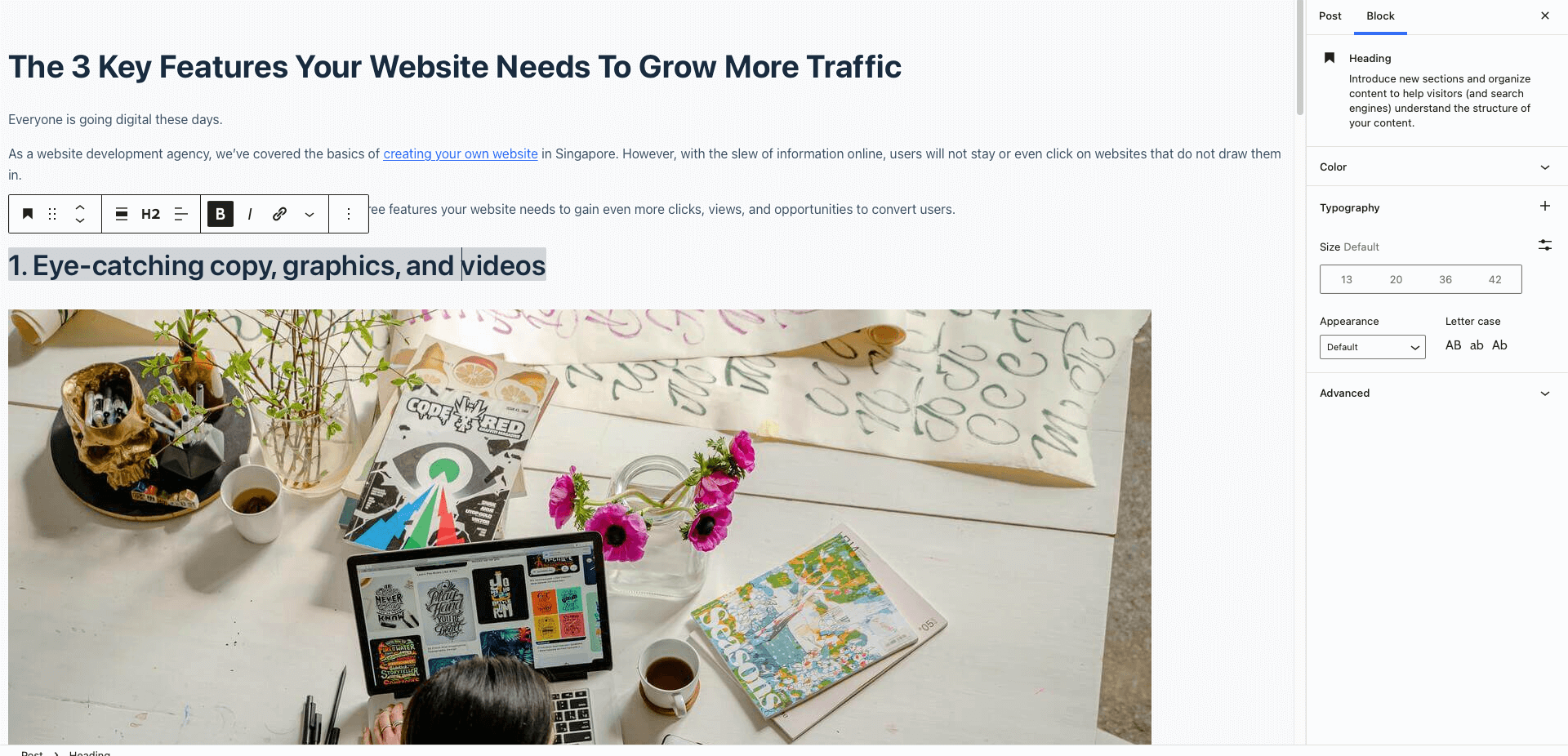
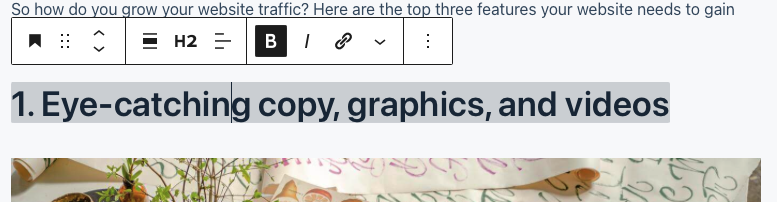
On my post, I'm using the header block and set it to h2.
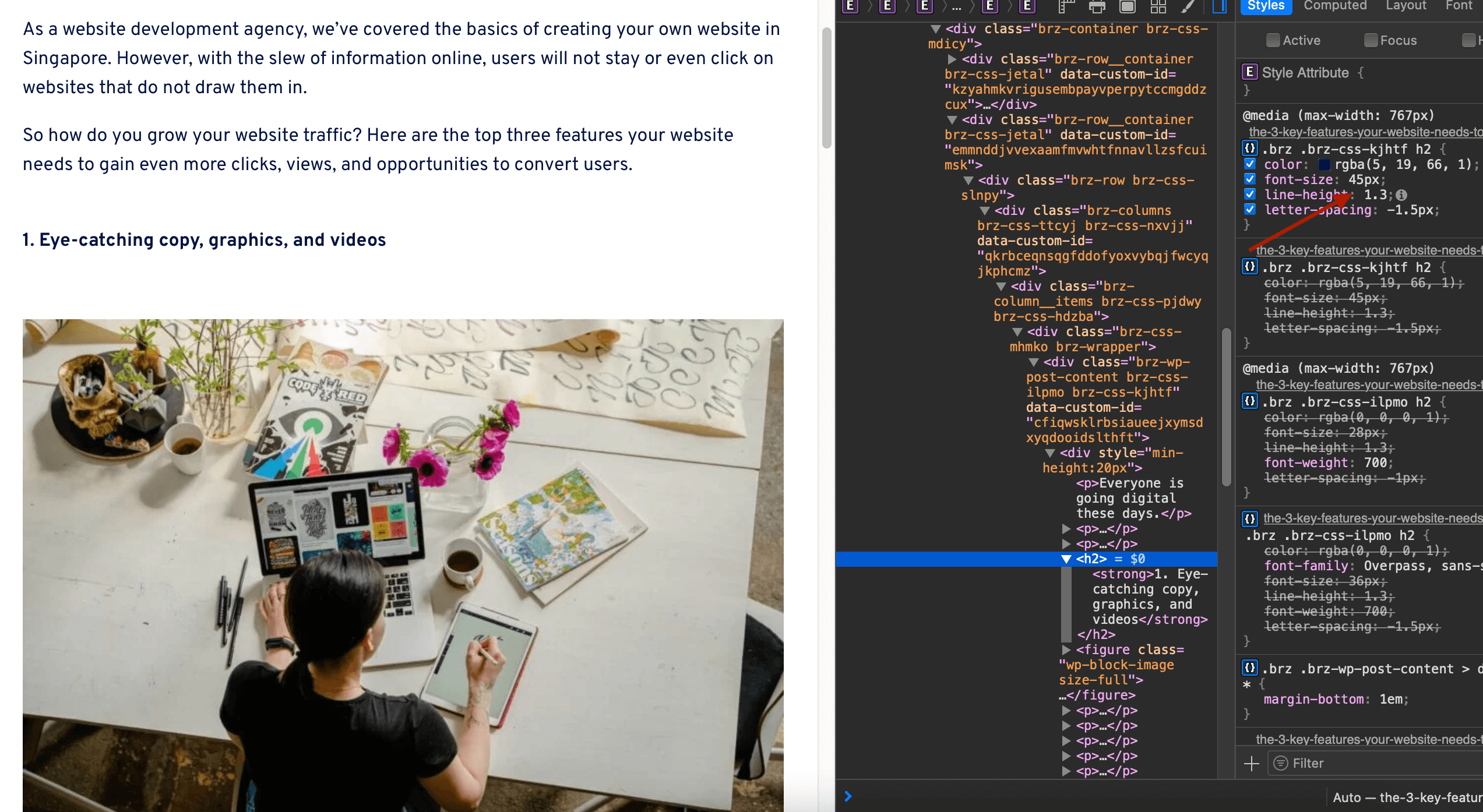
On inspecting the elements, the 45px is correctly added.
Please advise if I'm missing something. Thanks!
I'm on the last Brizy version as of Mar 17, 2022.
-

Hi Jae
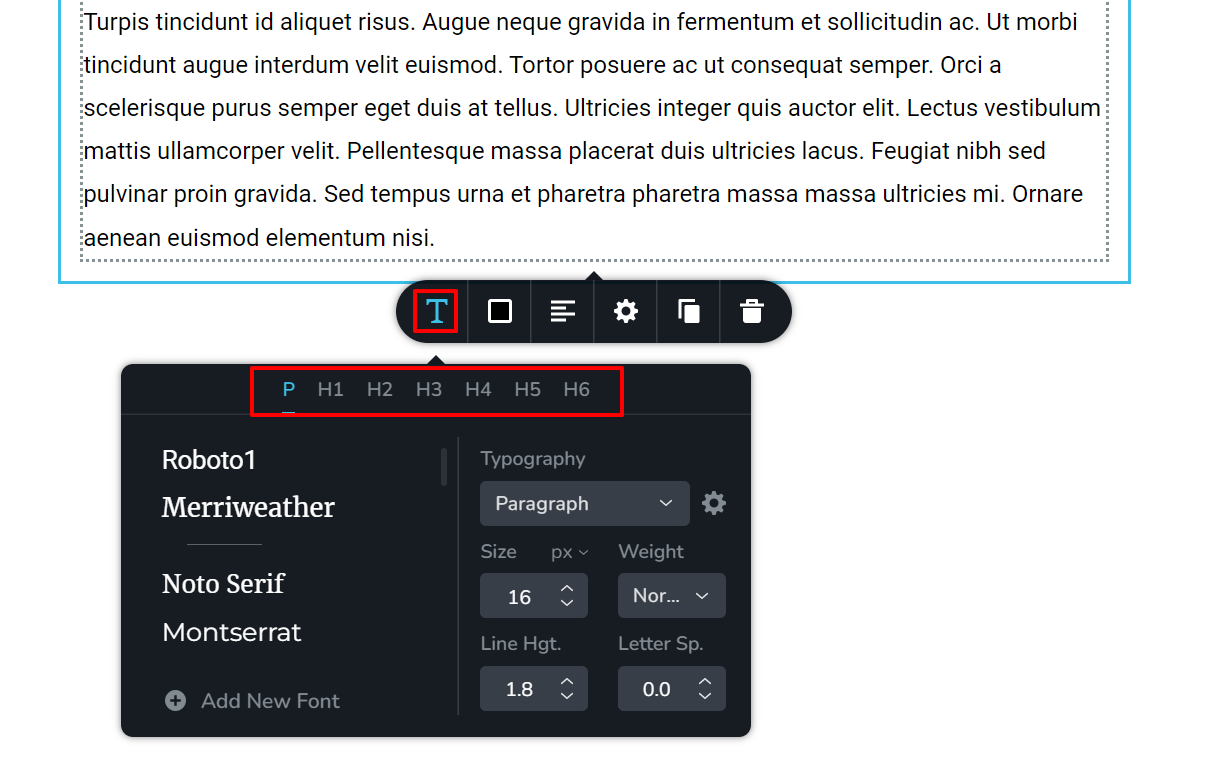
Click on the Content element and a toolbar will popup. In the toolbar, select the Typography icon and you will see a screen where you can set typography for the content paragraph and different headings. You can click on each heading and set typography for H1-H6. https://jmp.sh/Y6K8gX1
 0
0 -
Hey George,
Yes. I have set my styling on this but it’s not reflecting, which is why I started this thread. I set it to 45px which is showing on the css when I inspect the element but the actual header is not in 45px.
0 -
Hi Jae
We would like to take a look at this problem. Can you please share a link to your website?
0 -
Here you go - https://bit.ly/3u98uZG.
0 -
Hi Jae
Everything looks fine at your website front end.
Please look at this video for the right procedure to set headings for your Blog post template in Brizy. https://www.loom.com/share/5b5153ee918741beaa10f9a4d78e0e9d
Can you please confirm if you are following this procedure?
0 -
I really appreciate your video! However, I'm doing the same thing.
Set as H2 on post.
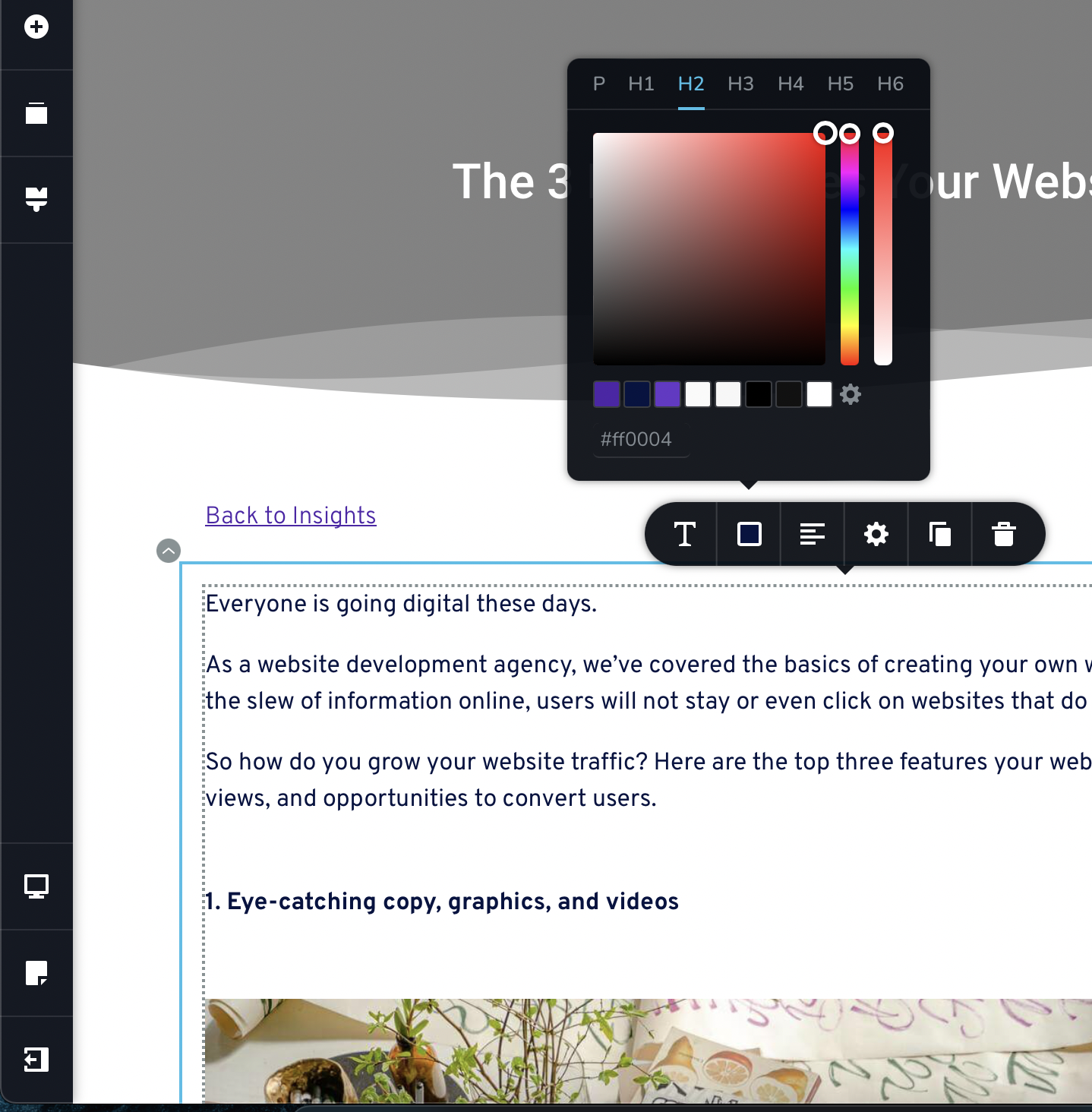
Colours are not changing on H2.
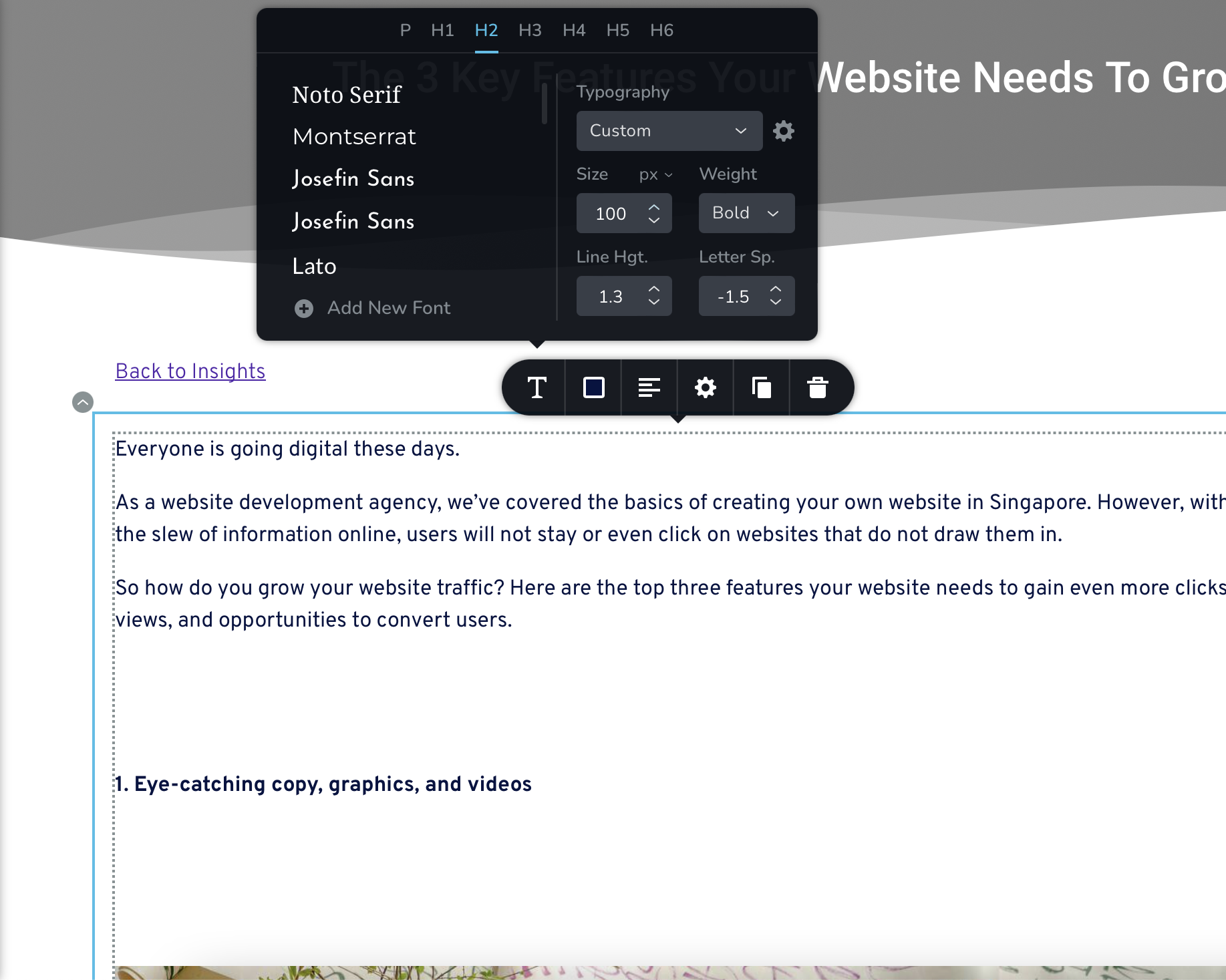
When I increase the size, it's only creating more gap.
Would you like to start a private ticket and take a look from the backend? Thanks!
0 -
Hi Jae,
I can take a look at your WordPress backend. Please add me as a user to your WordPress Dashboard. My email: kc.george@brizy.io. Please enable the option "Send the new user an email about their account" as in this screenshot https://jmp.sh/tSRznJX
Please let me know here once you have sent me an invitation
0 -
I have sent the invitation. Thanks!
0 -
I figured out the issue mate. When I add the header block, the text is bold by default. I unbold it and it is now working. Due to the tag <strong>, Brizy was not detecting it.
0 -
Hi Jae
Glad you could fix the issue. Please do get back to us if you need any other help
0 -
I'm in fact wondering how to set colour for hyperlink using the same method. Any tips?
0 -
Hello Jae
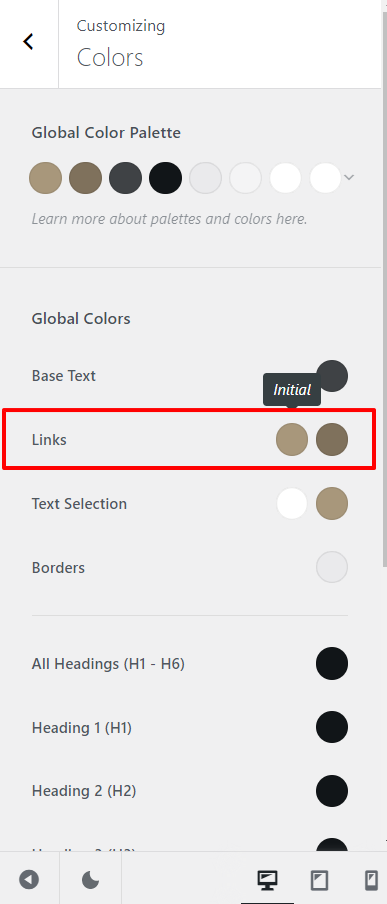
Hyperlink colors are not set in Brizy. Brizy uses the hyperlink settings of your theme. For example, if you are using Blocksy theme, you can set your links initial and hover colors under Appearance - Customize - Colors
 0
0
Please sign in to leave a comment.
Comments
12 comments