Form Element field declaration

Dear Brizy Team,
I am building a carreer site, site users, can check job offers the company is publishing and can apply directly using the Brizy forms element.
So far so good, I managed to get it working, if a user fills out the form an email is sent to a specified address and it contains, the Name, email address and documents the applicant is sending. Perfect.
Problem is it all gets listed in the email without specifying what is what (see screenshot)

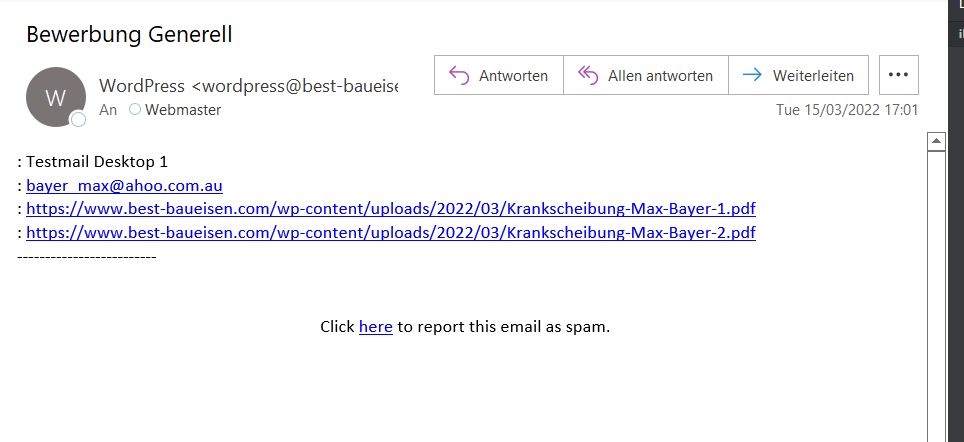
How could I manage, that the email text would be:
Applicant Name: Testmail Desktop1
E-Mail Address: bayer_max@...
Motivation Letter: file url
CV: file url
I hope I explained myself well. All I would need is change the format of the email so the recepient sees the respective field names before the values the user filling out the form entered.
Best regards,
Max
-

Hi Max
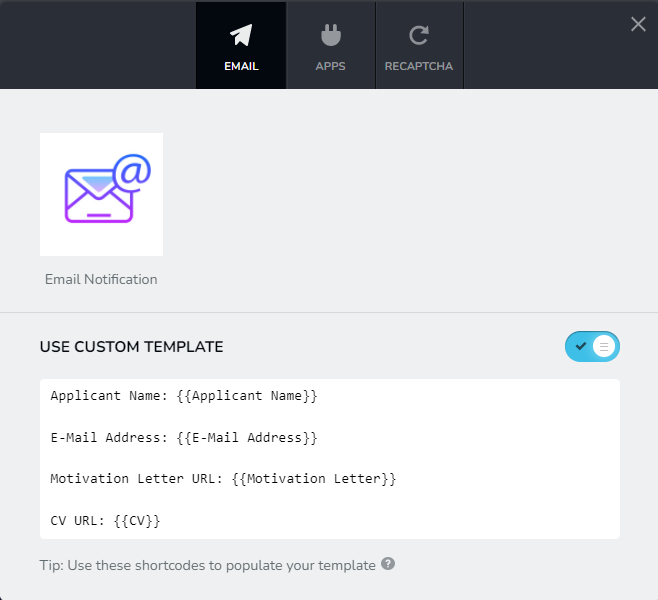
Click on the Form Submit button and then on the plug icon. You will find an option at the bottom to use "Custom Template". In the Custom Template, you can use shortcodes to draft your email. For a list of shortcodes, click on the question mark at the very bottom. Your Custom Template may look like this.
 0
0 -
Hi KC,
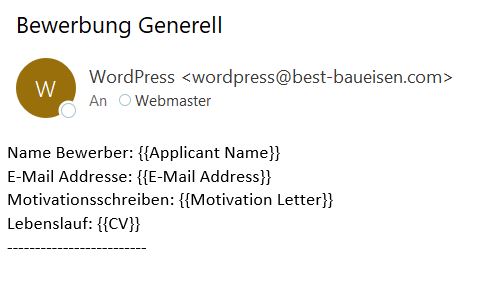
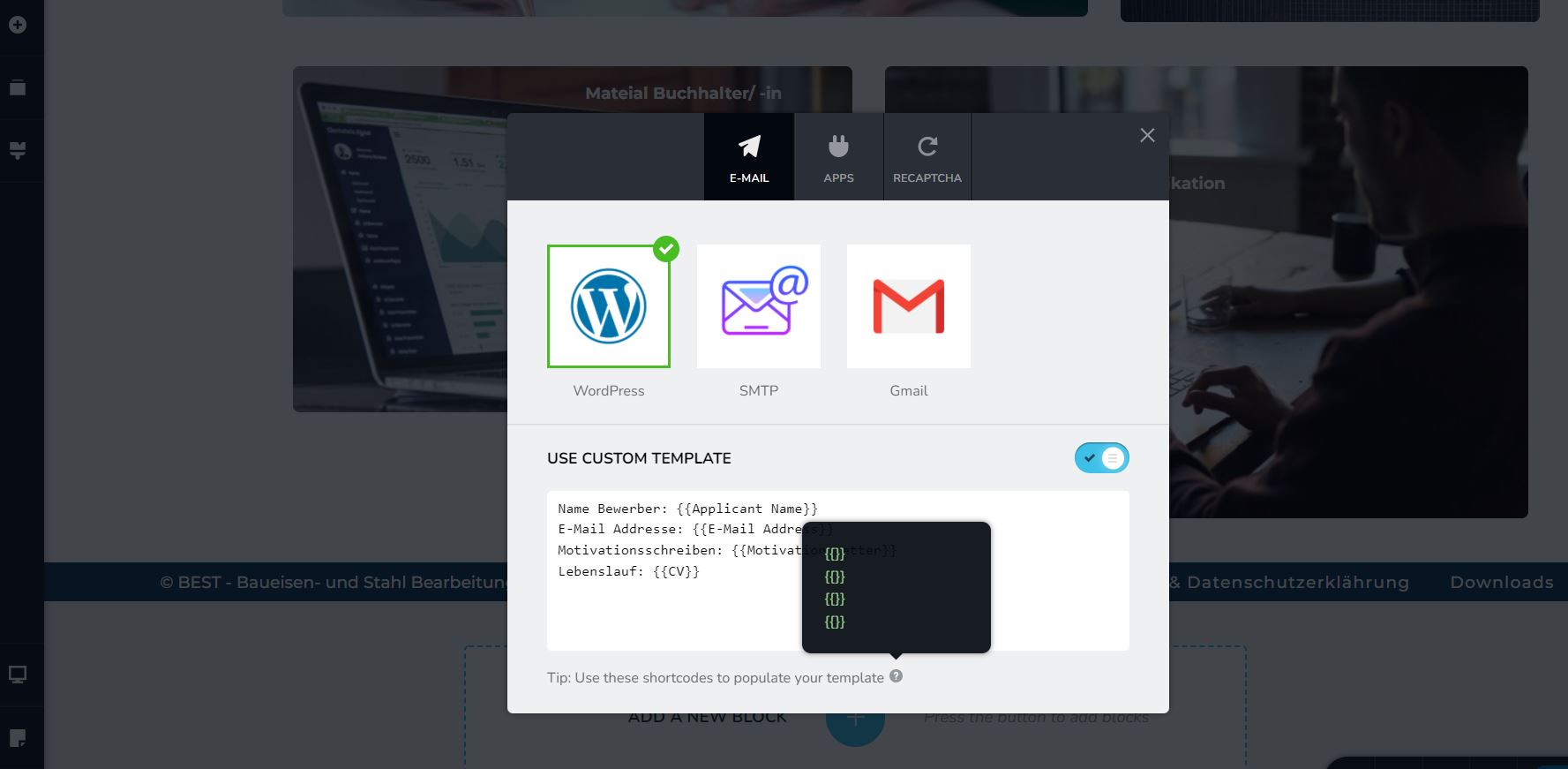
thank you for your response. I did as you suggested and am receiving the text filled in the "use custom template" textbox. The field names suggested do not seem to work though and do not get autopopulated.
Also the shortcode suggestions seem to be empty.
 0
0 -
Do you know what I am doing wrong? I expect the field names might be incorrect but do not know how to check the namese they should have.
Hope you can help,
Best regards,
Max
0 -
Hi Max
The short codes are generated based on your form fields. Hence for every form you create, you have a different set of short codes. The short codes must be listed before you can use it in the Email Custom Template. I am not sure why short codes are missing in your Brizy Form. Will need to take a look at your WordPress backend to find out why.
If you need help with troubleshooting, please add me as a user to your WordPress Dashboard. My email: kc.george@brizy.io. Please enable the option "Send the new user an email about their account" as in this screenshot https://jmp.sh/tSRznJX
Once you have sent me an invitation, please let me know here.
0 -
Hi KC,
its me again on the same subject.
I had the two forms above that did work in principle but the confirmation E-Mail did not indicate the field names correctly.
Back then I gave you admin access to my site and you fixed it.
Now I do have a new site and a new form and am facing the same issue. The form works and is sending an email including the values entered in the field but missing the field name.
As far as I remember I have to assign the field name in the form element somehow and then hide it, but I cannot find the way to do it.
Would be highly appreciated if you could show me the ropes.
I will write you an email with more information and your admin pw.
Thank you for your support,
best regards,
Max
0 -
Hi Max,
You are right; you needed to enable the Field Name option, add the field names and then hide it. The reason why you can't do that is because those UI options are missing in the latest Brizy versions. We apologize for the inconvenience. I have reported this bug.
To fix the email notification issue, I need to roll back to the previous versions of Brizy, add the Field Names to the form fields and hide it. Please confirm if I have your permission to roll back.
0 -
Hi KC,
thank you for your clarification and help. I think it is better to leave it like this for the time being and stay with the latest version of Brizy. It is not that big of a deal and I am sure the next version will fix this issue.
Thank you for your support.
best regards,
Max
0
Please sign in to leave a comment.
Comments
7 comments