code snippet broken

Hello,
since the 2.3.33 brizy version and 2.3.26 brizy pro version, the integration of shortcode directly in a text bloc is broken.
As you can see, before I could put the snippet code directly in the text bloc :
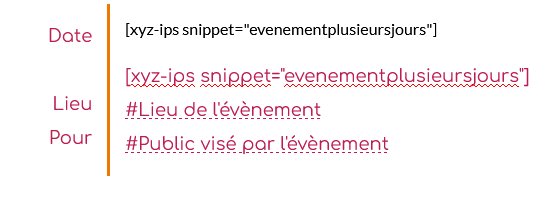
The biggest advantage of this technique is, all styles of the text bloc are apllied on the result of the snippet code. But this not works anymore !!!
Yes, I can put a "intregration bloc", but that bloc can't let you style your text so easily !!!
If you see the result now, I have a broken style on the result of the snippet code :
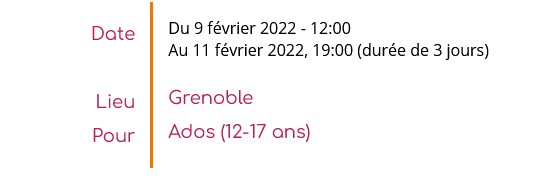
and I don't want to spend even more time having to create extra css rules, just to keep the style of my paragraphs !!
This was a so great feature, why do you remove it ???
So thank you for going back on this point and allowing the insertion of snippet codes again in the text blocks.
-

Hi,
The text element was never intended to use shortcodes. That's what the "Shortcode" element is for. We are constantly working on the text element and now you can no longer use the shortcode there for security reasons. You will need to adjust the colors with CSS. In fact, with 3 rows of CSS you can solve this, so it might take you less time even if you edit it manually in the element settings))
0 -
Hi Alex, thanks for you answer.
Yes, I can do that with css. But you will agree that it is easiest to paste a shortcode in a text element, and automatically, style is applied on that shortcode, rather than add a shortcode element, and add each time several rows of CSS.
For exemple, to recreate the same style than my text element in the example above, I have to write all that lines :
element {
  color : #bd1e51;
  text-align: left;
  font-family: Comfortaa, display !important;
  font-size: 18px;
  line-height: 1.9;
  font-weight: 400;
  letter-spacing: 0px;
}
I understand that you have to do this for security reasons, but it really synonym of a waste of time for me.
Thanks for your work anyway.
0 -
Hey, you can find a specific CSS class that this shortcode creates and add that code once instead of using "element" on each page and each element.
0
Please sign in to leave a comment.
Comments
3 comments