Autoplay popup Vimeo popup with sound (no mute)

Hi, how do I disable mute in a popup Vimeo video? Technically this is not autoplay because the user needs to click play for the video to popup, at which point, it should start playing.
I see this is possible via Wistia's embed code, but don't see how to do this with Brizy's Vimeo feature.
Please let me know how to accomplish this.
Also, if this is not possible, I can use Wistia, but the problem is that the video keeps playing when the popup is closed. Can you please tell me how I can pause the video on popup close event?
Maybe a JS line?
Thanks in advance!
-

Hi David
Normally your video should not be on mute when you embed it to a popup. For example, click on the "Click here" link on this page and see how a vimeo video plays in a popup. https://homi.kctest.online/vimeo/
One of the previous Brizy versions had this issue. Can you please confirm if you are using the latest versions of Brizy and Brizy Pro?
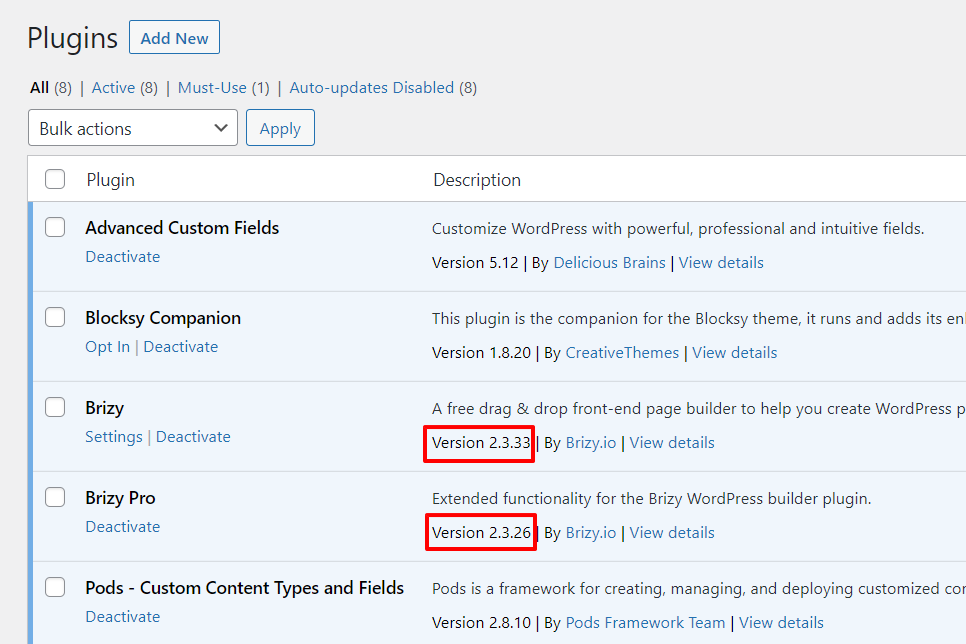 0
0 -
Hi George,
In the example you shared, the video starts muted. Is that a bug? (Android phone)
-David
0 -
Hi David
On my Android phone, the video on the page https://homi.kctest.online/vimeo/ seems to play with sound. Please take a look at this screen recording. https://jmp.sh/kTNmifQ
0 -
Hi George, In the example you shared, the video starts muted on my mobile device (Android) Is this a bug? -David
0 -
Hi David,
As I have mentioned above, the video does play with sound on my Andorid phone. Can you please check it on different mobile devices?
-1 -
Hi George, I tested it on the newest iPhone and Android Pixel 6. Does not work on both, if you'd like, I can provide a screencast.
To clarify, the video should start when the popup appears, without the user having to press play again in the player.
Please take a look.
Thank you,
David
0 -
Hi David
Many browsers have policies to mute sound if you autoplay videos. You can see the Google Chrome policy on autoplay here https://developer.chrome.com/blog/autoplay/ Hence it is not a recommended practice to autoplay videos on websites.
Looks like iPhones have problem playing Vimeo videos. If you do a Google search on "Vimeo videos not playing sound on iPhone" you will find many iPhone users complaining about it. This is something that Apple will have to look into.
Android phones should play the Vimeo video with sound. If you like you can check multiple Android devices at https://www.lambdatest.com/ If a specific device is not able to play sound, you may need to investigate at your end. This is beyond what we can offer help with.
0 -
Hi George,
Thanks for looking into it some more.
Just to clarify:
What I’m trying to do is not truly ‘auto-play’, because this video should play when the user presses ‘play’. It just needs to play in a modal/popup.
Further, this is not an iOS or Android issue. This Brizy’s functionality is consistent across all devices I’ve tested, including iOS and Android, which is; user presses play, the modal appears, and the user needs to press play again to start the video.
For example, if you visit this page, you’ll see that you only need to press play once for the video to begin, which is how it should work:
(video in hero section on desktop, near the bottom on mobile)
To recap, I need Brizy to play the video when the modal appears. The user should not have to click twice to start the video.
Note, I am able to accomplish this in Brizy via Wistia embed, but the problem is that the video continues to play even if modal is closed. If the above solution is not available, can you please request either Wistia compatibility in the video widget, or a JS script I can use to stop Wistia video on modal close?
Please let me know if you have any questions. I’m happy to do a video to further clarify.
Thank you,
David0 -
Hi David
If you embed a video on a page (like in https://hubstaff.com/), user needs to click only once to play the video. Feel free to embed the video on the page (instead of embedding it in a popup).
If you place a video in an On-click popup, user need to click two times
- Click to open the popup
- Click to play video
Sharing a link to your website and making a video are useful to make yourself clearer.
0 -
Hi George
Great point, here's my website:
The issue I'm having is with the testimonial video in the 3rd section from the top.
Just like hubstaff.com, I'm trying to reveal the video in a modal, and it should start playing when it's revealed. Note, the hubstaff's video is not embedded into the page, rather, it's in a modal, triggered with this play button:
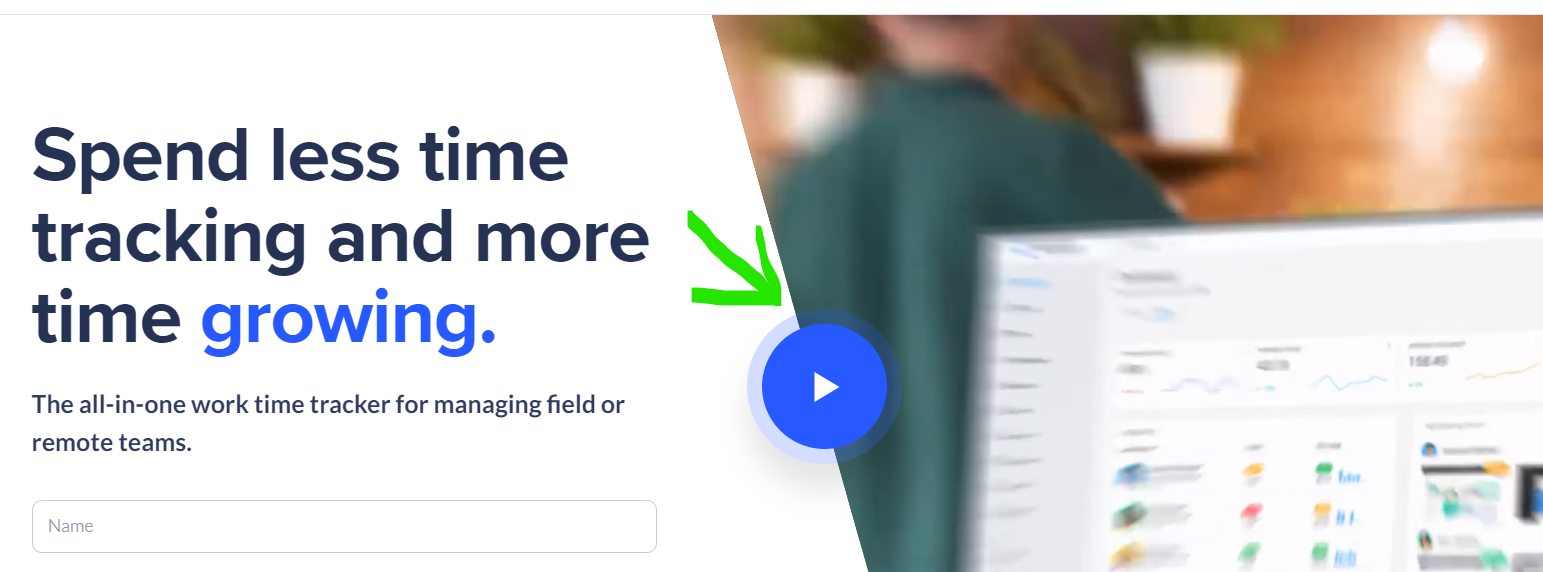
Please take a look.
Thanks for your support here, would be great to accomplish the ideal UX.
-David
0 -
Hi David
You are right. At https://hubstaff.com/ the video on the hero section is not embedded on the page but on the popup.
You can set a video to autoplay in Brizy. However the browsers prevent it from playing sound automatically. Hence I am sorry, but at the moment, we do not have a solution to replicate the https://hubstaff.com/ design.
If you want to reduce the number of clicks for the user, the only solution I can suggest is to embed the video directly on the page.
0 -
Thanks George,
I don't think this is a browser issue because the hubstaff (and many other sites') popup videos play with sound, especially via Wistia.
Would be great if Brizy updated this functionality to play video (with sound) on load, and added Wistia compatibility in video widget.
-David
0
Please sign in to leave a comment.
Comments
12 comments