Contact form totally broken

Hi,
The contact form on multiple different brizy sites are broken and we have an event people are actively trying to register for right now - please help! When you fill out all the information and click send, the error message "your email was not sent" pops up. This needs to be fixed ASAP!
Thanks,
Rachel
-

Hello Steven,
Thank you for contacting us.
What integration did you use? Could you please send us some screenshots? Could you please send us the URL link of the page where we can check this problem? Also, could you try to connect the form with another email?
Best regards, Nelea.
0 -

Why is there no solution on these issues posted, or am I just not finding the right thread??
I have a similar issue with the Brizy form giving me the error message even though the email is actually sent. How do we fix this annoying error message??
0 -

Hi Steve,
This happens when you have more than one Email Notifications setup on your form. Please check the number of ticks you see in this screen. If you see more than one option selected, please read on.
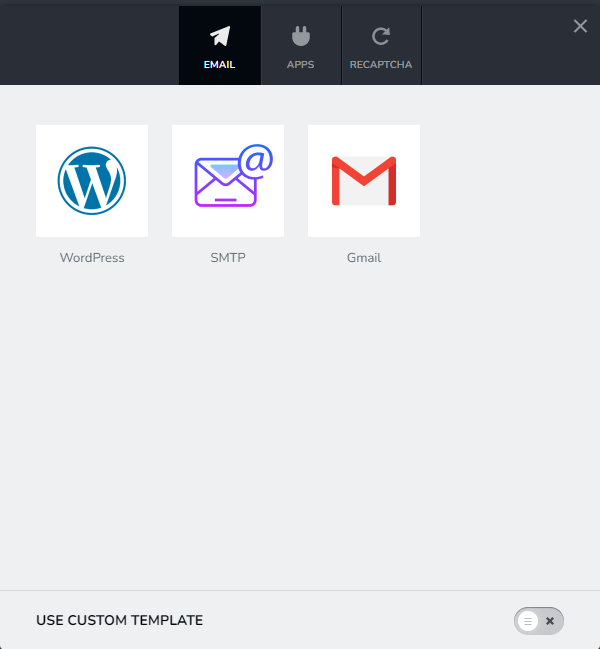
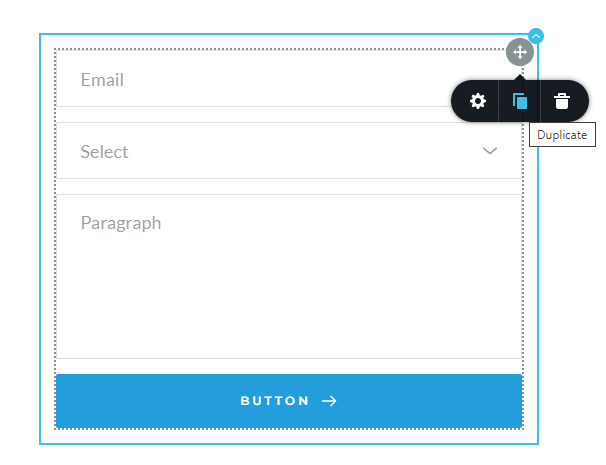
Please duplicate the form by clicking at the right hand side top corner of the form and then clicking on "Duplicate" icon and in the new form, please setup just one Email Notification. (we do not have a way to deselect an option)
 0
0 -
Kc,
This did not fix the issue
https://IncredibleCleaningCrew.com/contact-us
As well as our "Request Quote" form page still give an error message yet the message is recieved in the intended email account....What else could/should I check?
0 -
Correction, I am now NOT receiving the messages. I was at least receiving them before doing what you suggested....
0 -
Hi Steve,
The error message indicates that you could not setup Email Notification successfully. I can take a look at your WordPress Dashboard if you like.
If you need help with troubleshooting, please add me as a user to your WordPress Dashboard. My email: kc.george@brizy.io. Please enable the option "Send the new user an email about their account" as in this screenshot https://jmp.sh/tSRznJX
Once you have sent me an invitation, please let me know here.
0 -
Kc, that seems very odd as I have done this more than once and this time it's just not working. I will try to get you added so we can get this figured out. I would also like the resolution posted here so that it can be found in the future by myself and others.
0 -
KC,
I have added you to my site. Let me know when you have gone in and addressed the issue.
Thank you in advance for your assistance!
0 -
Hi Steve,
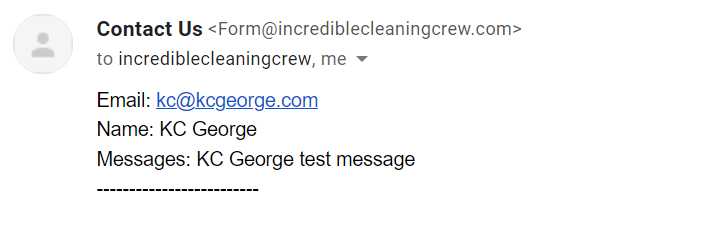
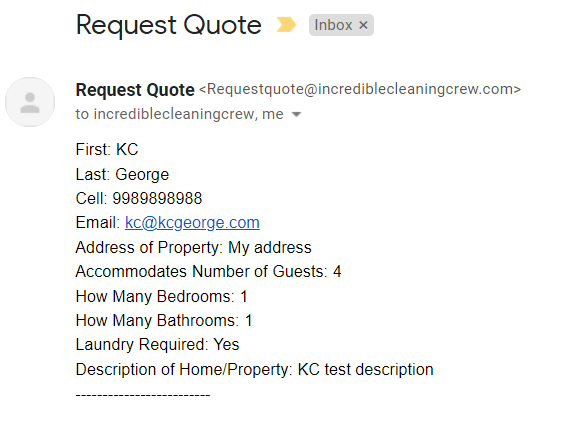
I have setup your forms using the WordPress option. It seems to work fine. I have received the test emails in my email account. Please check if you have received the same test emails in your email. inc......crew@gmail.com
 0
0 -
KC,
Yes I received those and I tested it myself. It is working. Why were you not able to use the Gmail setup? That is what I was trying to do.
Thank you for getting these to function properly!
0
Please sign in to leave a comment.
Comments
10 comments