Wordpress Elements not appearing when editing

I'm trying to use the Wordpress Elements (posts, archives, etc.) and they're not appearing when editing. I can see them in this video example but mine does not show that and I have the most Brizy plugin activated.
Thanks,
Trish
-

Hi David
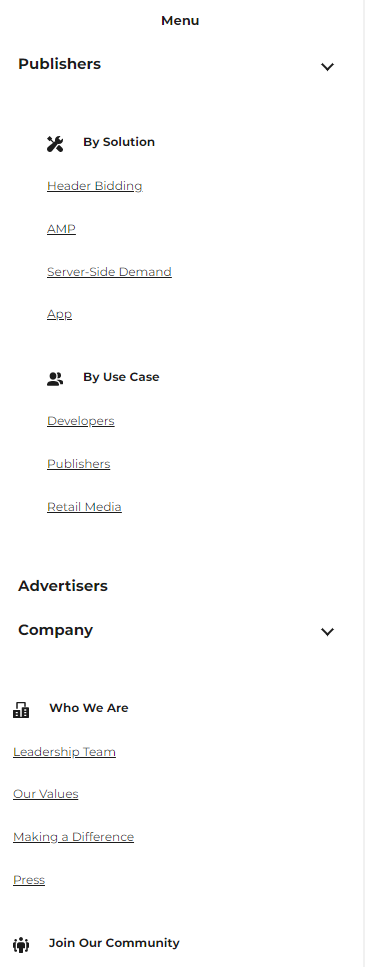
At the WordPress backend your mobile menu show up in black and only in the front end it shows up white. This normally happens due to a caching issue. Can you please check this with your hosting company if there are any cache that they can purge to make your mobile menu visible?
 0
0 -
Hi KC,
I have cleared the cache in our hosting platform (WPEngine) and the white text on the front end is still appearing? Do you have any other suggestions?
0 -
Hi KC,
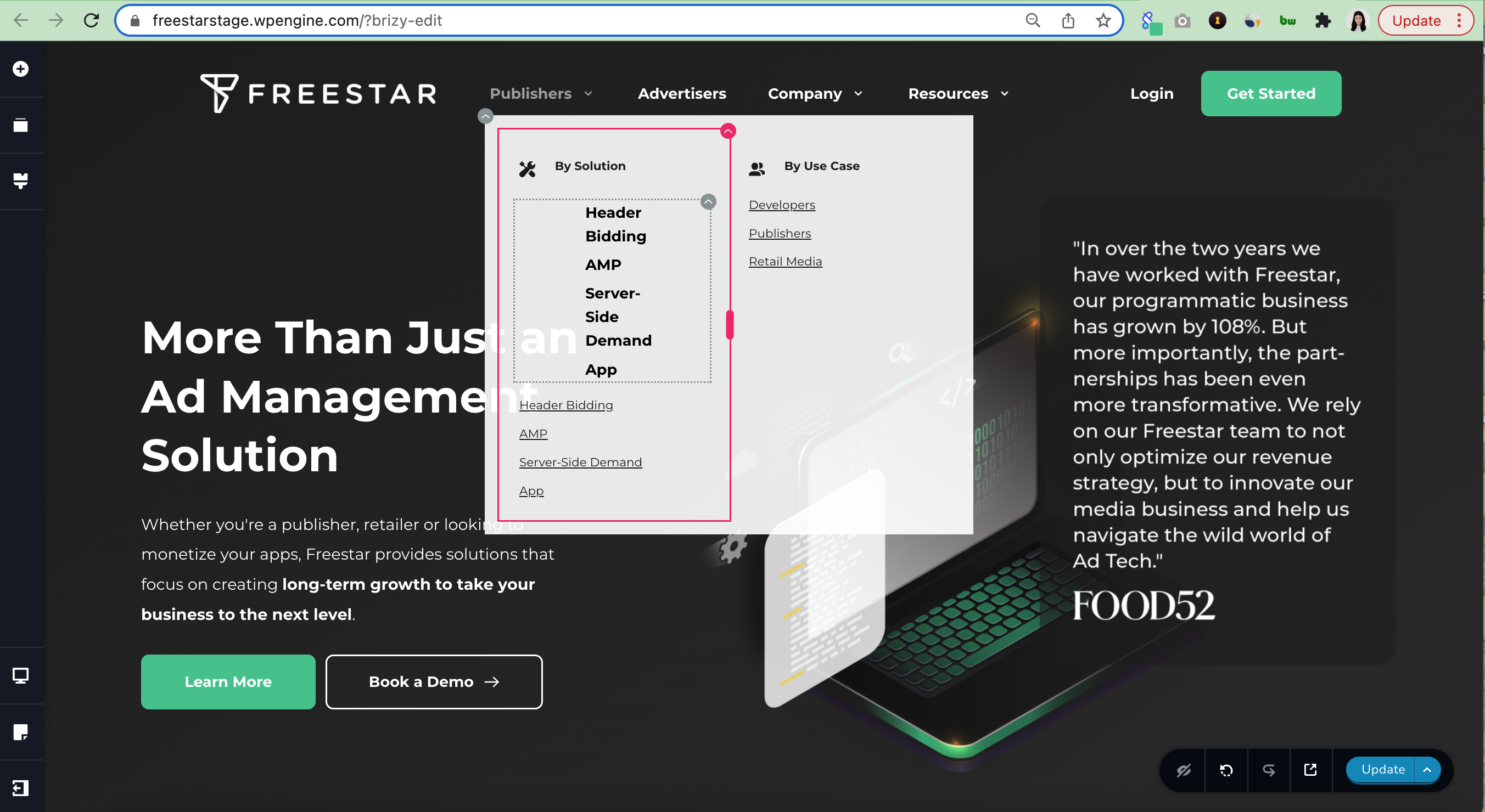
When I try to add a menu to the header navigation mega menu, a single page will appear on two lines. For example, in the image below, Header Bidding appears on two separate lines. Is there a way to make it so they're on one line?
 0
0 -
Hi David
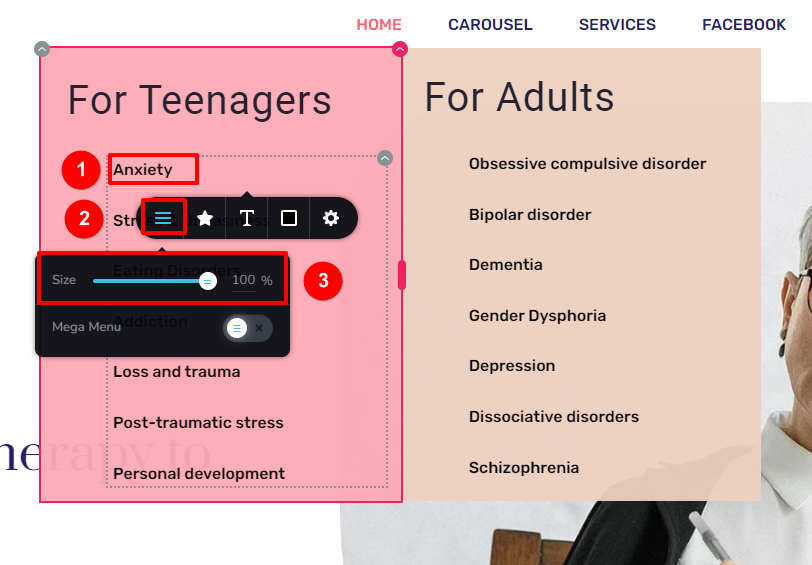
To fix the issue with the alignment of menu items in mega menu, please try this.
- Click on any of the mega menu links
- In the toolbar that pops up, select the hamburger icon
- Set the size to 100% here
0 -
Hi David
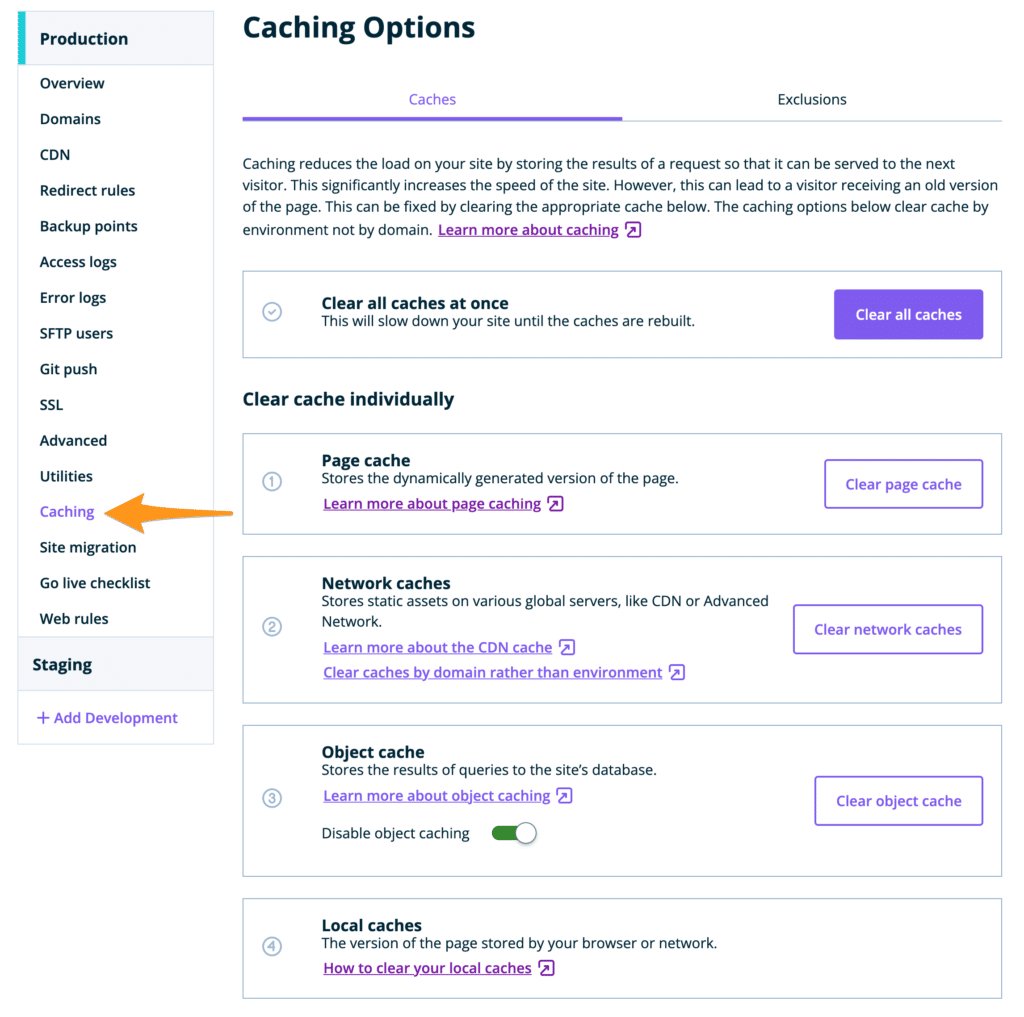
Please login to your User Portal with WP Engine and purge all server and CDN cache from there
 0
0 -
Hi KC,
I migrated my website to the production site using the All In One Migration tool but now all my images aren't showing. Is there a quicker way to resync all the images?
Thanks,
0 -
Hi David
Can you please share your production URL?
0 -
freestar.com / you should have admin access!
right now, the old website is still showing - we think it might be a DNS issue, let me know if you think it's different
0 -
I am currently working through each image manually right now but very time consuming
0 -
Hi David
I looked through several of your pages. I could not see a single missing image. In the Team page, I see all around 120 team member images. https://freestar.com/our-team/
Please show me a page where you are seeing a missing image
0 -
Hi KC,
It looks like the website is serving the old website versus the new website. I can see the new Brizy website on the backend but not the frontend for freestar.com. Could the theme or a setting be doing then?
0 -
Hi David
Can you try my suggestion above to login to the User Portal with WP Engine and purge all server and CDN cache from there? Please scroll up 6 comments to see my suggestion.
0
Please sign in to leave a comment.
Comments
42 comments