SSL certificate

-

Hi,
please provide the link to your website and we will look into it. Thanks.
0 -
Hi Alex, here’s the link www.eusoualineguedes.com
Thanks1 -

This is an ongoing issue that needs to be resolved. I understand it's your AWS cache that needs flushed. This is nothing to do with users. Please put this at the top of your QA.
1 -
Please, I need an answer ASAP. Thanks.
0 -

Hi Aline,
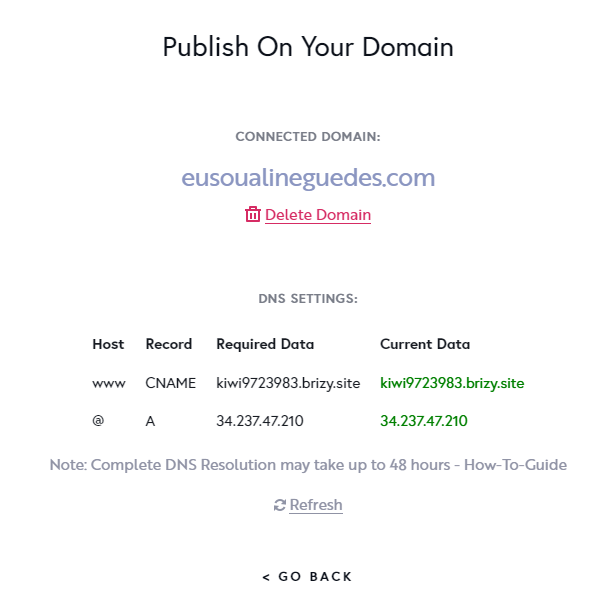
We checked your site and found that you didn't set up correctly the Cname. Could you please, check this article and follow all these steps to set up the Cname? Could you please check if you set up the AAAA record? If you have set up it, could you please delete it? After this, you should have the records in the project settings green. This is an indicator that the configuration was done correctly.
Best regards, Nelea.
0 -
Nelea, the records are already green and I dont have the AAAA record setted up. I've read the article and it seems like everything is ok with CNAME record. What should be the next step to solve this problem 'cause SSL is still not working.
0 -
Hi,
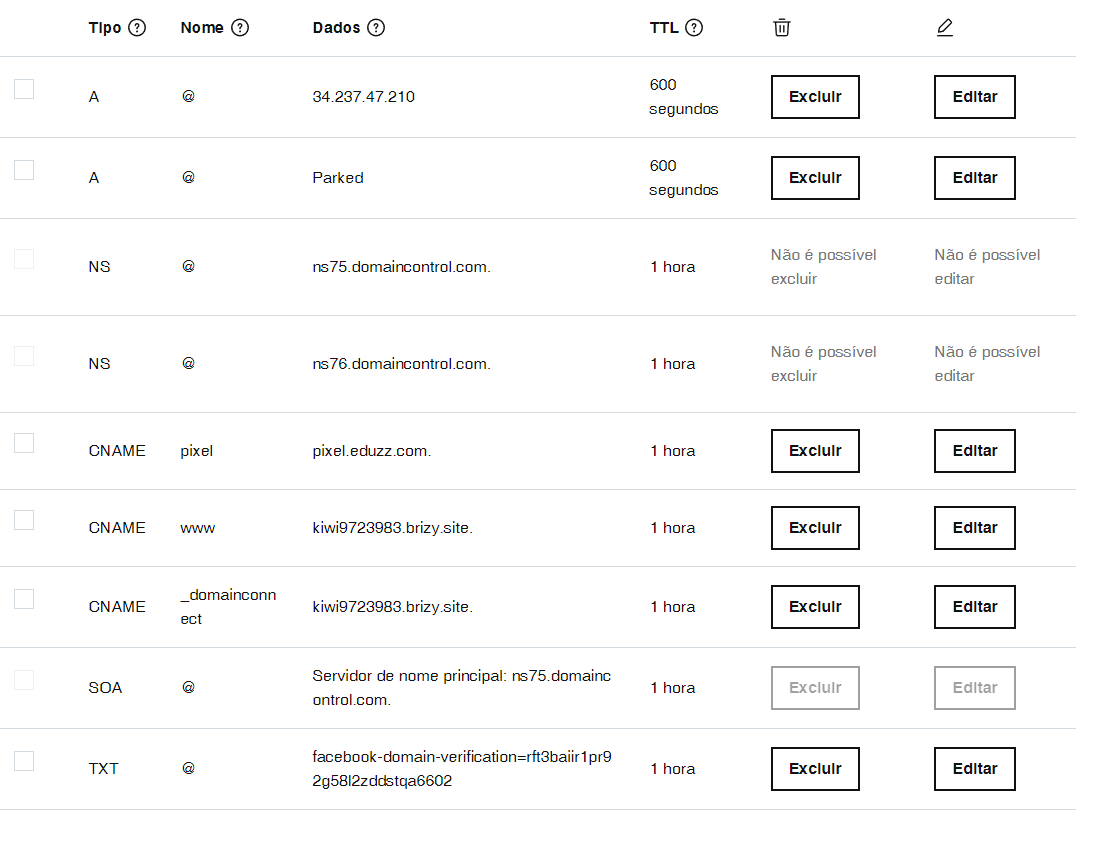
Please delete this A record from your DNS setting : 34.102.136.180
Best regards, Nelea.
0 -
I'm sorry, can't find this A record.
 0
0 -
Hi Aline,
Please delete this A record https://jmp.sh/w2c1hXA
Best regards, Nelea.
0 -
Thanks, Nelea. After doing this, how long should I wait for the SSL to be active?
0 -

Hi Aline,
Thank you for your message!
The SSL gets activated after 48 hours. Hope this makes everything clear!
Kind regards,
Doina
0 -
Thanks a lot.
0
Please sign in to leave a comment.
Comments
12 comments