Dispaly user name for logged in members

Hey Community,
how can i display the name of a logged in user (customer).
Like the Video from your Youtube Channel:
https://www.youtube.com/watch?v=Zp1DMIFUubg
12:45 -> Menu Welcome, Dimi ... logout
Sorry i cant find anything about it and tried every option i know but i can't figure out how it works.
Thanks for help!
-

Hi Marco
Please watch this video for an answer to your question. https://www.loom.com/share/315ce4f0510846b083d81ef2a70d8afb
0 -
Hey George,
... and now it works :) Thanks a lot for your help and your fast assistance!!!
0 -

Hey I just watched the original YouTube video and id like to know the answer as well - the loom video is gone!
0 -
Hi Paul,
To display the User's Name and the 'Logout' options, kindly drag the 'Login' element to your page.
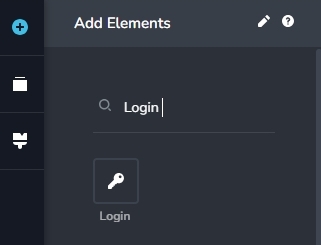
Then select the "Authorized" option in the 'Login' element
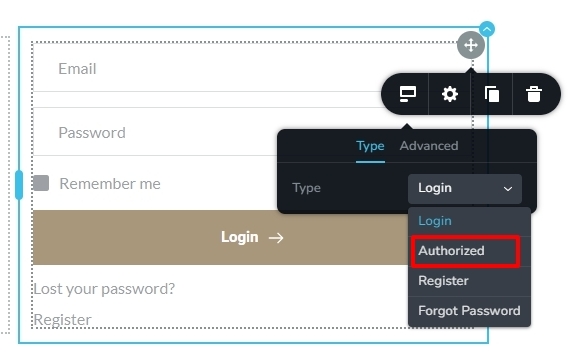
You could also watch this screen recording for the procedure. https://jmp.sh/X2Tvmwrq
0
Please sign in to leave a comment.
Comments
4 comments