google map not showing on mobile

Hi Brizy,
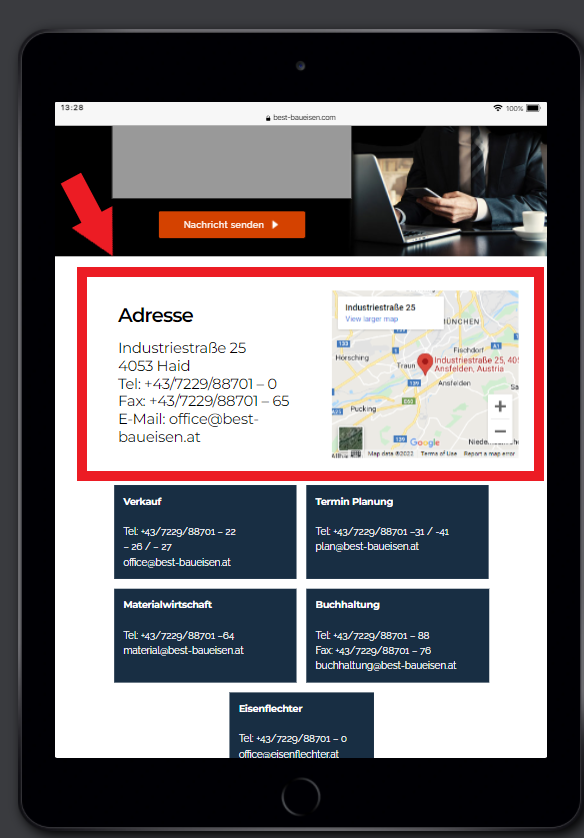
I created a contact page showing an the clients address and a google map element.
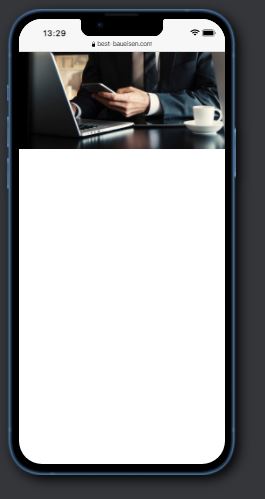
this shows fine on desktop and tablet, but for some reason it on mobile it only shows a white space. I cannot figure out why.
https://www.youtube.com/watch?v=Cqd-_fHdTyA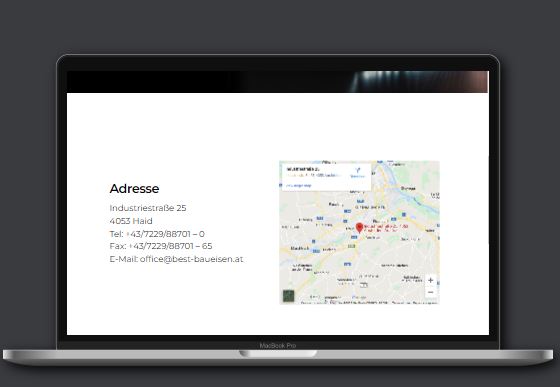
Do you know what is happening?
Page is https://www.best-baueisen.com/kontakt/
Thank you for your support,
best regards,
Max
-

Hi Max,
Thank you for contacting us.
I'm sorry but we can't reproduce the problem in our dashboard. Can you please check if you have not activated the hidden mode in the mobile version? Please see this video. Also, when I open your page a have this image, so I cannot inspect the page.
Best regards, Nelea.
0 -
Hi Nela, Unfortunately the suggested solution you sent did not help solve the issue. You have a Brizy Admin user, when logged in as admin you will be whitelisted and able to see the page...... (deleted by Brizy team) If you would like to see the page without being logged in to the WP admin, then you would need to send me your IP address, so I can whitelist it. Please let me know if this works. Best regards, Max
0 -
Hi Max,
We have checked your project and you have the block maps hidden, please see here: https://jumpshare.com/v/WvZoybjmWuSYoObFNKFl , so please disable the hidden mode from mobile.
Best regards, Nelea.
0 -
Hi Nela, I managed to activate the textblock above the map element like you suggested. But the map still appears blurry, there is no way to access the settings. Do you know what seems to be the issue? Best regards, Max
0 -
Hi Max,
You should deactivate de blurry mode from the block settings, please see this video :
https://jumpshare.com/v/BVB5IbK1irlCVfdDrEA5
Best regards, Nelea.
0
Please sign in to leave a comment.
Comments
5 comments