Brizy Wordpress Comment problem

Hi.
I am creating a post template for a post category called "What's Happening" with Wordpress comment element.
However, it appeared in only 1 post called "SME Malaysia CNY Dinner 2022" and not for the rest. (I only test on 3 posts now).
You can see at https://jla.yil.mybluehost.me/adrianyeo/sme-malaysia-cny-dinner-2022/
and try to click to see another 2 posts which do not have the comment field.
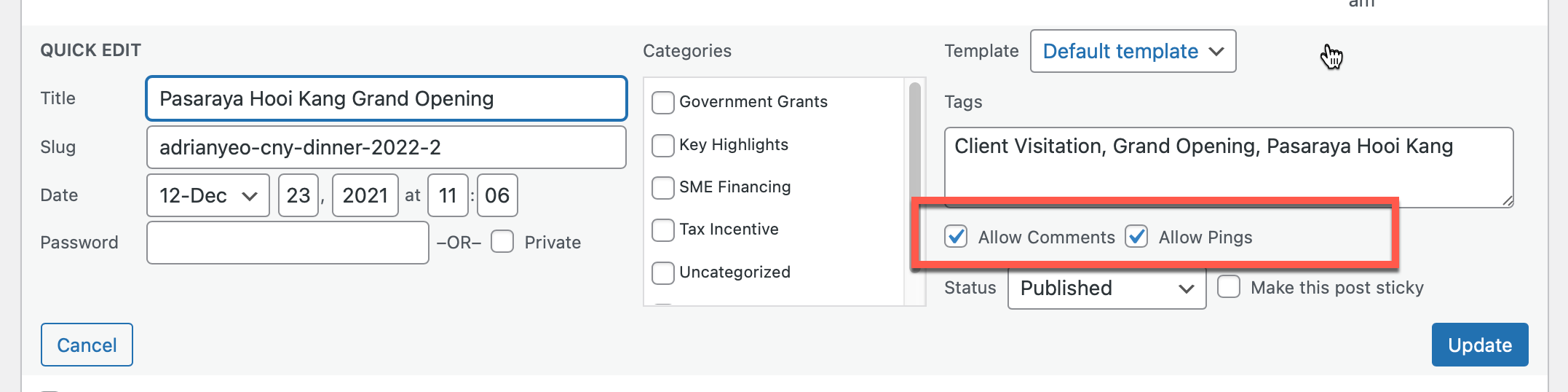
I've also checked thoroughly. All posts have checked on "Allow Comment". Seriously, i do not know what's going wrong. Please assist.
Thanks.
Sarah
-

HelloYap,
Thank you for contacting us.
Can you please confirm if you have dragged and dropped the comment element from Brizy Element panel into the Blog post template https://jmp.sh/C351BRy ?
Best regards, Nelea.
0 -
Yes. I did.
0 -

Hi Sarah
It is indeed unusual that the comment element displays only in one blog post and it does not in other blog posts. Can you try this
1. Delete the comments element from the Brizy Template
2. Create a new block below and add the comments element into the new block
Please check if this makes a difference. If it does not, we will need to examine your WordPress backend to troubleshoot it for you. If you need help with troubleshooting, please send me an invitation to your WordPress backend at kc.george@gmail.com. Please create a new user with these details. https://jmp.sh/tSRznJX
0 -
I have already did that. Even deleted the template and recreated a new template. It doesn't work too.
0 -
Let us know if you need help with troubleshooting
0 -
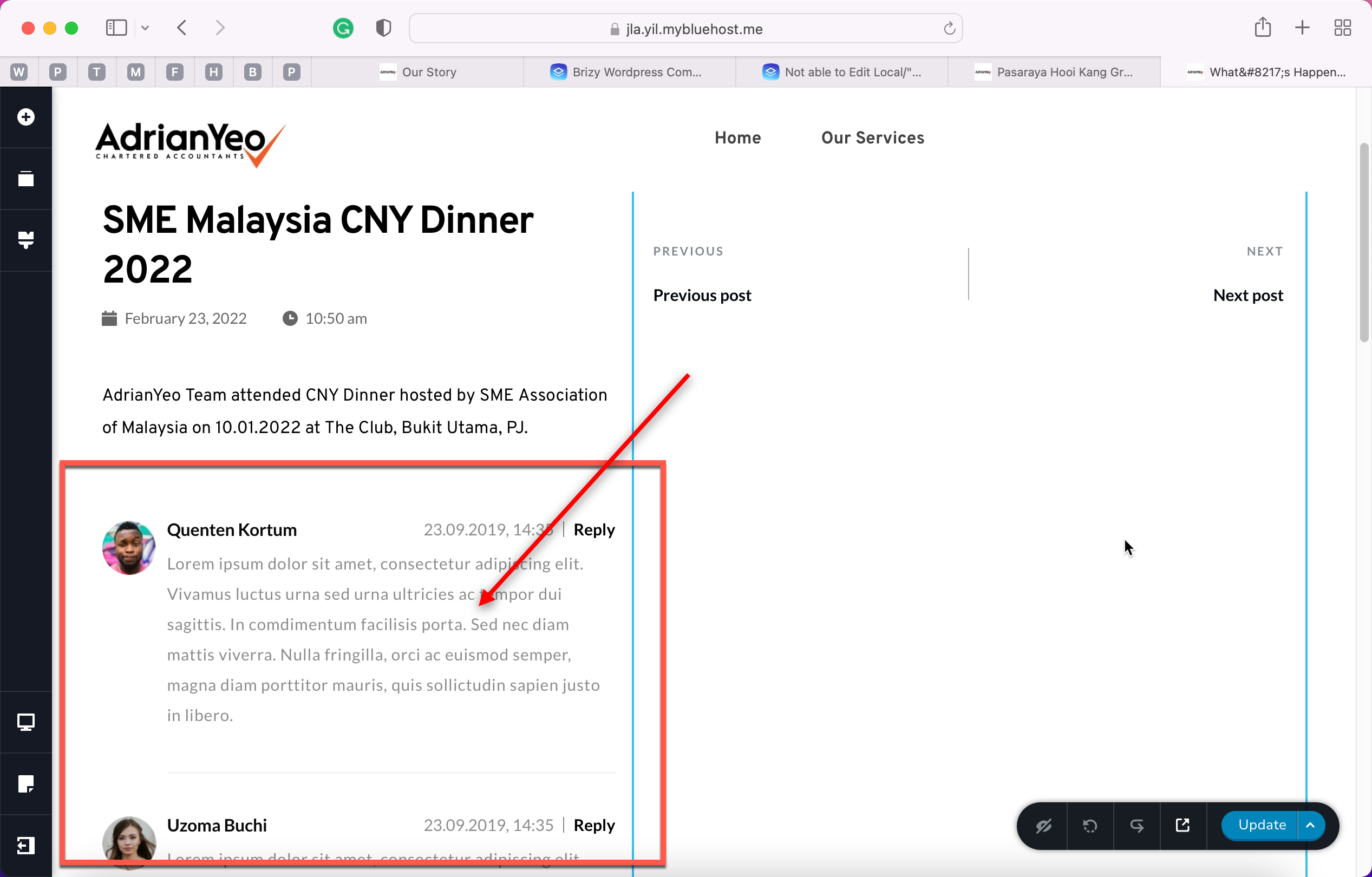
Hi, sorry was away. The problem still not solved. Only appeared in one of the post for that category.
The rest of the categories are ok. Any idea what's going on?
0 -
 0
0 -
 0
0 -
Hi Sarah
From the screenshot, we are not able to understand what is going wrong. If you need help with troubleshooting, please invite me to your WordPress backend. Please check one of my previous comments for more details.
0 -
Invited. Please check email.
0 -
Hi Sarah
I have added a test post under the What's Happening category. https://jla.yil.mybluehost.me/adrianyeo/test/ and the comments element seems to show up in this post. (Please delete this post after you have looked at it) Posts under other categories also show comments element.
I suspect that the reason why the comments do not show up on posts under What's Happening category could be because of Google Photos embed code. I did not try deleting the embed code. Hence can't confirm this. However indications are strong that this could be the reason.
Can you think of an alternate way to show the event photographs without having to embed it from Google?
0 -
https://jla.yil.mybluehost.me/adrianyeo/sme-malaysia-cny-dinner-2022/
This post is using google embedded photos too, but the comment shows.
0 -
https://jla.yil.mybluehost.me/adrianyeo/happy-birthday-jing-yee/
This is not using photo attachment in Wordpress. It won't show the comment.
0 -
Hi Sarah
I agree that there could be some mysteries we can't explain.
Can we try to remove the Google embed, and check if the comments would start working? If you need help in coming out with an alternate implementation idea, please let me know. I can help.
0 -
I've removed google embed, and use just Wordpress gallery. It only appeared in SME CNY Dinner page only. The rest still no.
I've then changed to galley plugin to just put a shortcode, it's same too. Only that single post.
I've also tried to delete the Brizy template, and created new one. Still the same.
But if I have select Facebook comment, it appears perfectly.
Wonder why....
0
Please sign in to leave a comment.
Comments
15 comments