Mail send, but i get the notification that the mail was not send

Hello,
I am trying to make the contact form work. I filled the wordpress and the smtp configure options. I dont know which one is working or not. I recieve the filled out contact form in my mail inbox. But when you fill out the form you get the notification: Mail was not send.
My question is; how can i make sure the notification says send. And how can i change the notifications to my own language?
-

Hi Willem
Since you have setup two Email Notifications, we do not know which one is working and which one is not. To resolve this issue, let me suggest this
1. Clicking at the corner of your form and then on the Duplicate icon to duplicate your form.
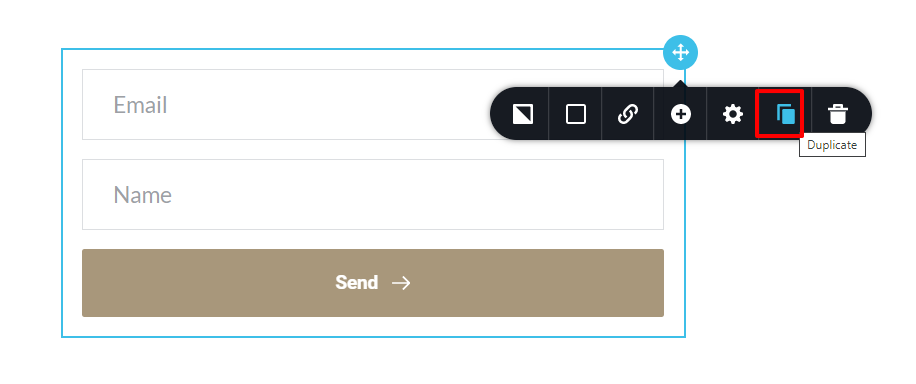 2. The form will be duplicated. In the duplicated form, you will lose the Email Notifications you have setup earlier. Please setup either WordPress or SMTP email notification and see if it works. In case it works, delete the original form and use this form instead.
3. If it does not work, make another copy and try the second option. If it works, delete the original form and use the duplicated form
0 -
Thanks for your reply, The wordpress setup is working. I've changed the title of the mail in the setup so i know which one is sending the e-mail to my mail adres. It sends the mail, but it gives the notification that it's not send.
0 -
Hi Willem
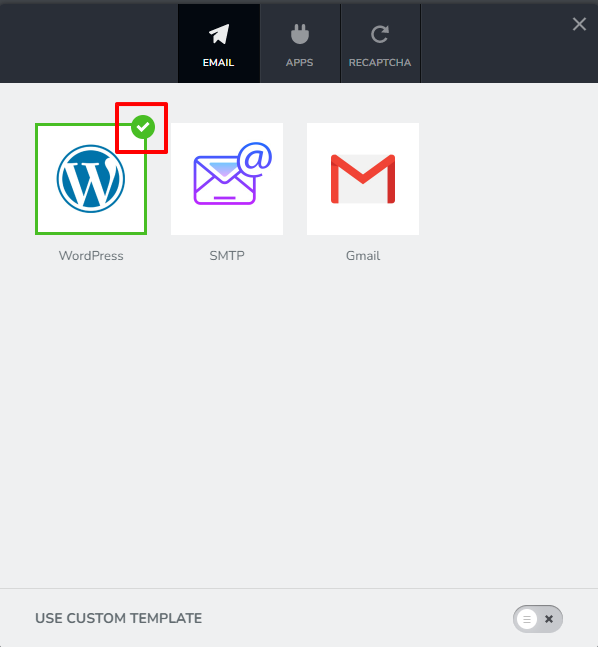
How many tick marks do you see in this screen? Do you see it only for WordPress or also for SMTP?
 0
0 -
Hi George, I see two, i cant seem to unclick the smtp option.
0 -
Hi Willem
You cannot unclick the SMTP option. Instead you will need to follow my suggestion above to duplicate your form. (See my first reply to your post) When you duplicate your form, you will lose all your Email Notifications and you will need to setup Email Notification one more time.
0 -
Hi George, Thanks this works. Were can i edit the message you get when the email is succesfully send or not. I would like to change this too my language.
0 -
Hi Willem
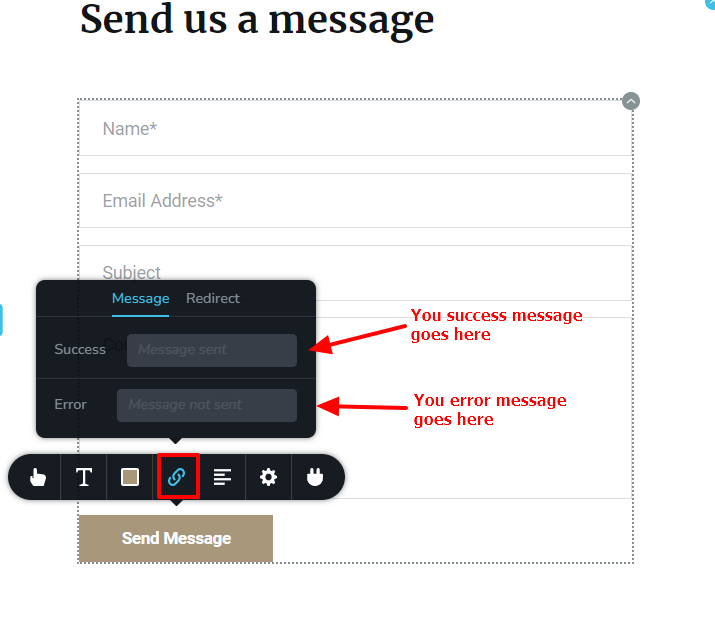
To edit the messages you get when the email is successfully sent and not sent
1. Click on the Form button
2. Select the 'Link' icon
3. Enter your Success message and Error message
 0
0
Please sign in to leave a comment.
Comments
7 comments