problem with color bars on part of the width of the page

Hello,
This is a WordPress website, but it just regards the Brizy Builder.
In Brizy I have built a few pages using a template as an example. This template https://reelstory.brizy.site/
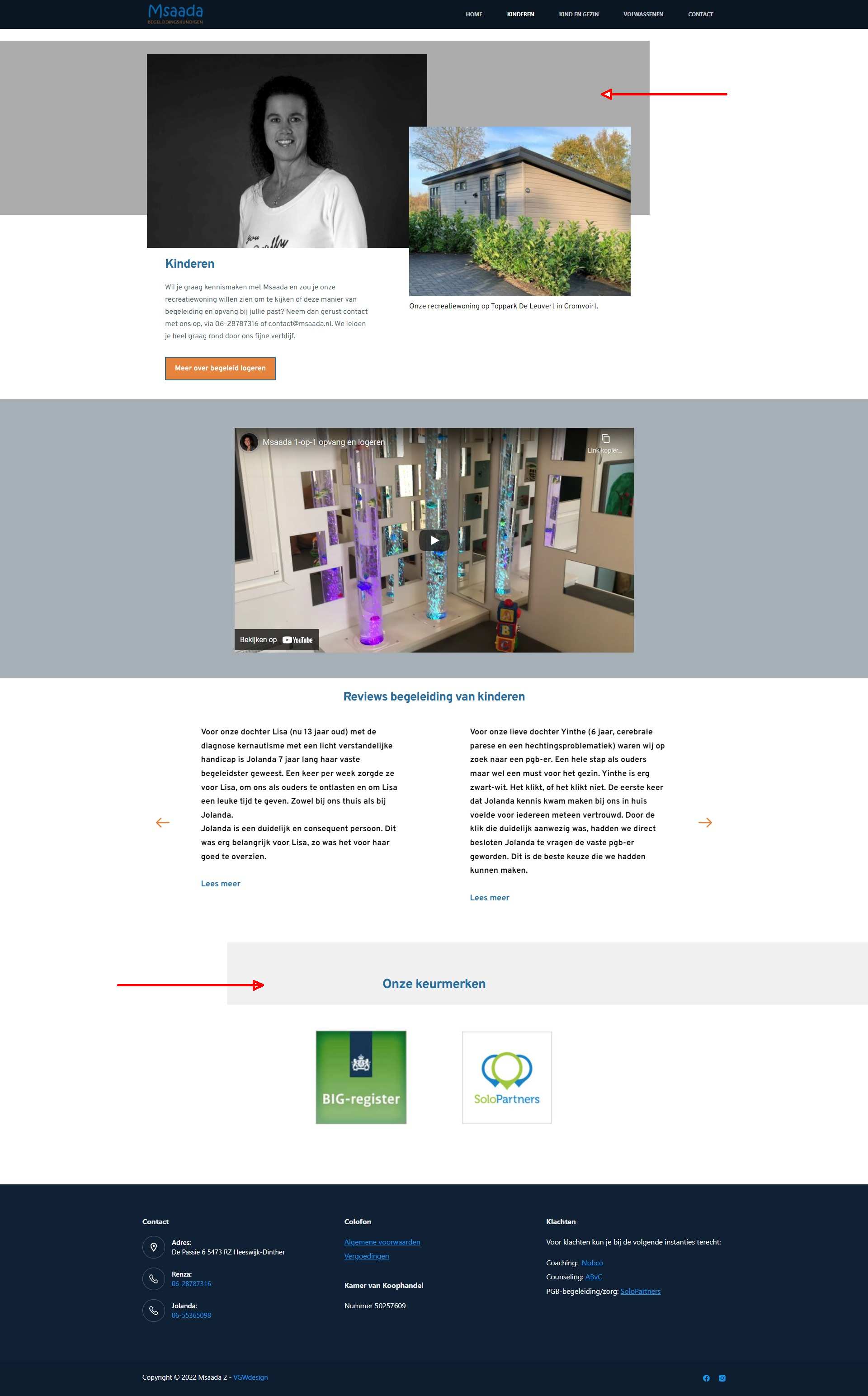
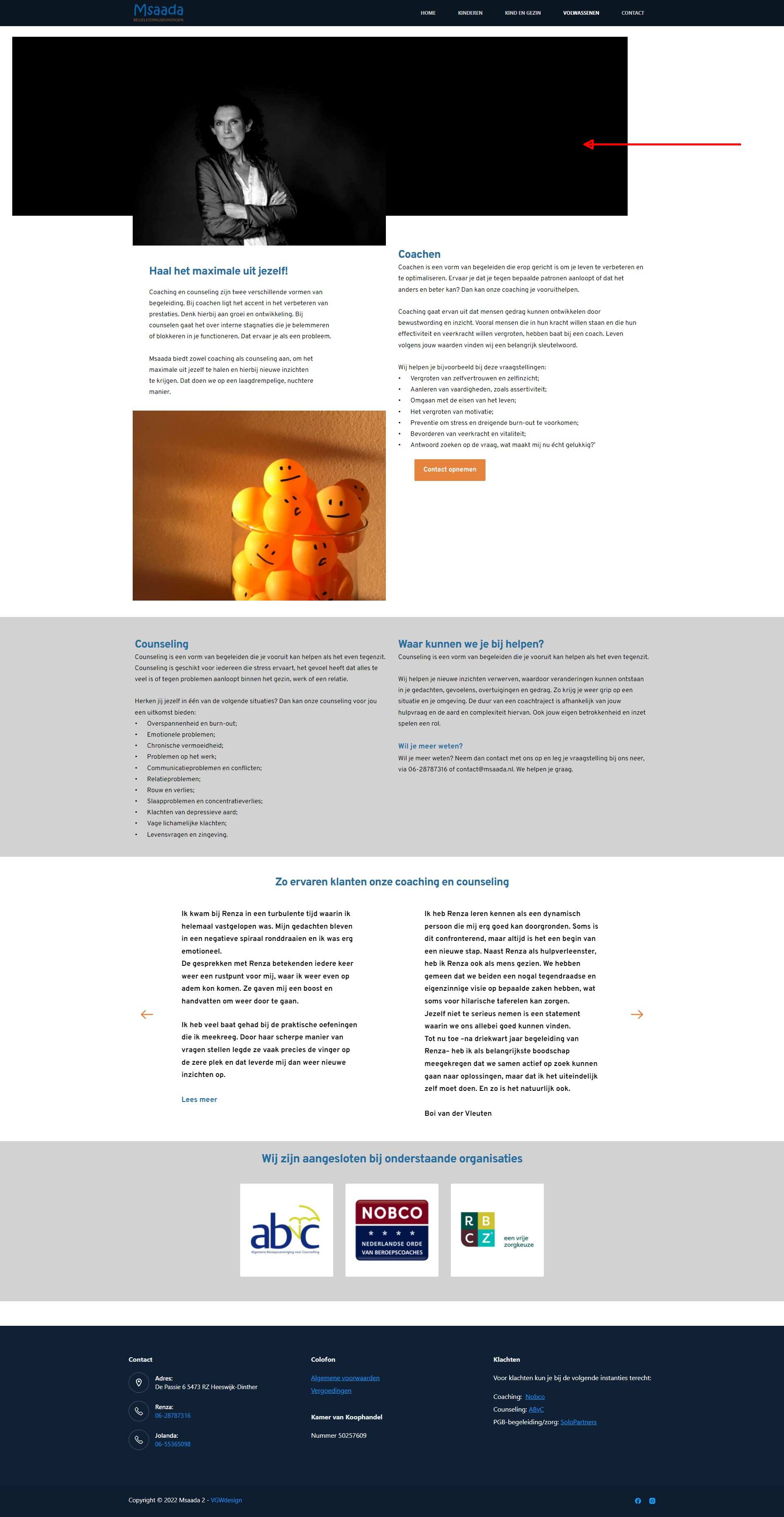
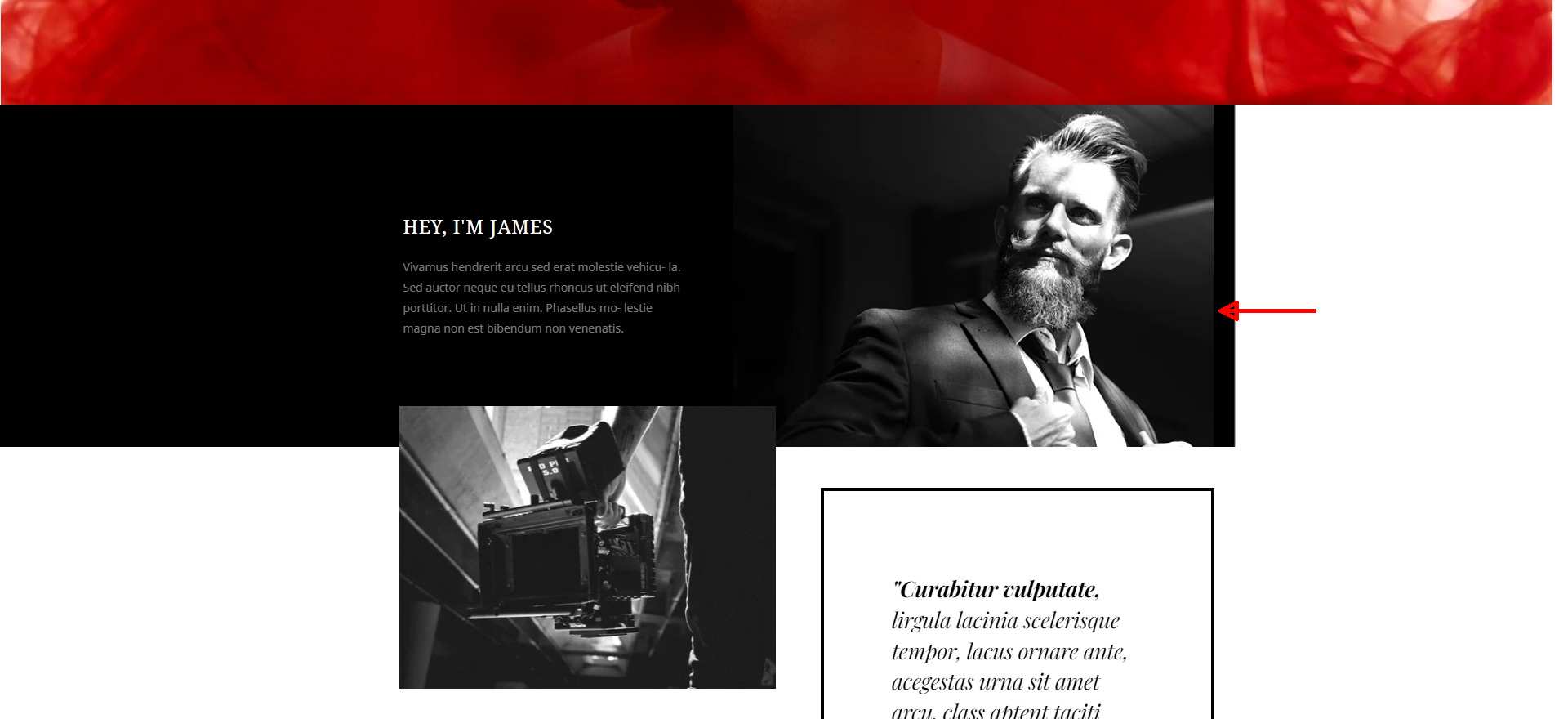
In it you have bars that take up about 80% of the screen width. These I want to change the color of. Now I can't find where to set that. I mean the parts that are marked with a red arrow. I can only change the color of blocks that contain a color across the width.
Please help with this. Thanks in advance!
Jos
-

Hello,
Thank you for contacting us.
You should change the background color of the block, please see this video. Please let us know if you have any other questions.
Best regards, Nelea.
0 -
Hi Nelea,
This is not what I mean. This changes the whole background of the row. That i can do. But please look at the imagesI provider. The red Arrow indicates a bar wich has a black color. It has something tot do with an overlap or something.
Ik want to know how this is made in the reel story template I used as a starting point.
Please look into this.Greetz, Jos
0 -
Hi Nelea,
Here in my video you see that not the bar, that spans part of the width is affected. But the whole row. How can I get to the bar?
regards, Jos
0 -
Hi Jos Van,
Thank you for contacting us.
You should change the gradient of the color, please see this video.
Best regards, Nelea.
0 -
Hi Nelea,
It seems hard to understand. But I don't point to that part. With your video you take the color of the row and make this color transparant. I know that. It regards the black bar in the background. The bar thats behind the photos. My client wants that bar an other color. Not the row as I already stated a few times. I hope you understand now what I am talking about.
Regards, Jos
0 -
Please look at the screenshots with the RED ARROWS that point to the BLACK BARS BEHIND THE PHOTOS.
Regards, Jos
0 -

Hello Jos,
My name is Natalia, Brizy team!
Thank you for your message.
In this certain layout - https://reelstory.brizy.site/ , in the blocks with those bars - we have image element in the background - https://jumpshare.com/v/rmLCimjcCv4N83GSrLj0; These images were made in Photoshop editor with exact size.
In Brizy, for the background blocks, the first layer will be the image element and then the colour. In case you want to add the colour here https://jumpshare.com/v/fcMaoV1oC86YQxoyb4Wj, it will be added to the top of the image.
I completely understand your request, but for this layout with these specific bars, you can't change the colour for half of them, you need to edit a photo with the colour you want and upload it in the background of the block.
Let me know if you have any other questions or requests.
Regards, Natalia
0 -
Hi Natalia,
Thank you! Glad you understand the task. It was clearly an advanced lay-out item. I understand this was not just a simple question, but I am glad the solution is found.
I will try to get this right with your information.
Thank again!
Jos
0
Please sign in to leave a comment.
Comments
8 comments