Anyone experience this issue NOW in 2022 ? >>> [ This page needs a refresh. You've probably updated this page (or another page) in a different tab or browser. ] look like OLD Problems

Anyone experience this issue NOW in 2022 ? >>> [ This page needs a refresh. You've probably updated this page (or another page) in a different tab or browser. ] look like OLD Problems.
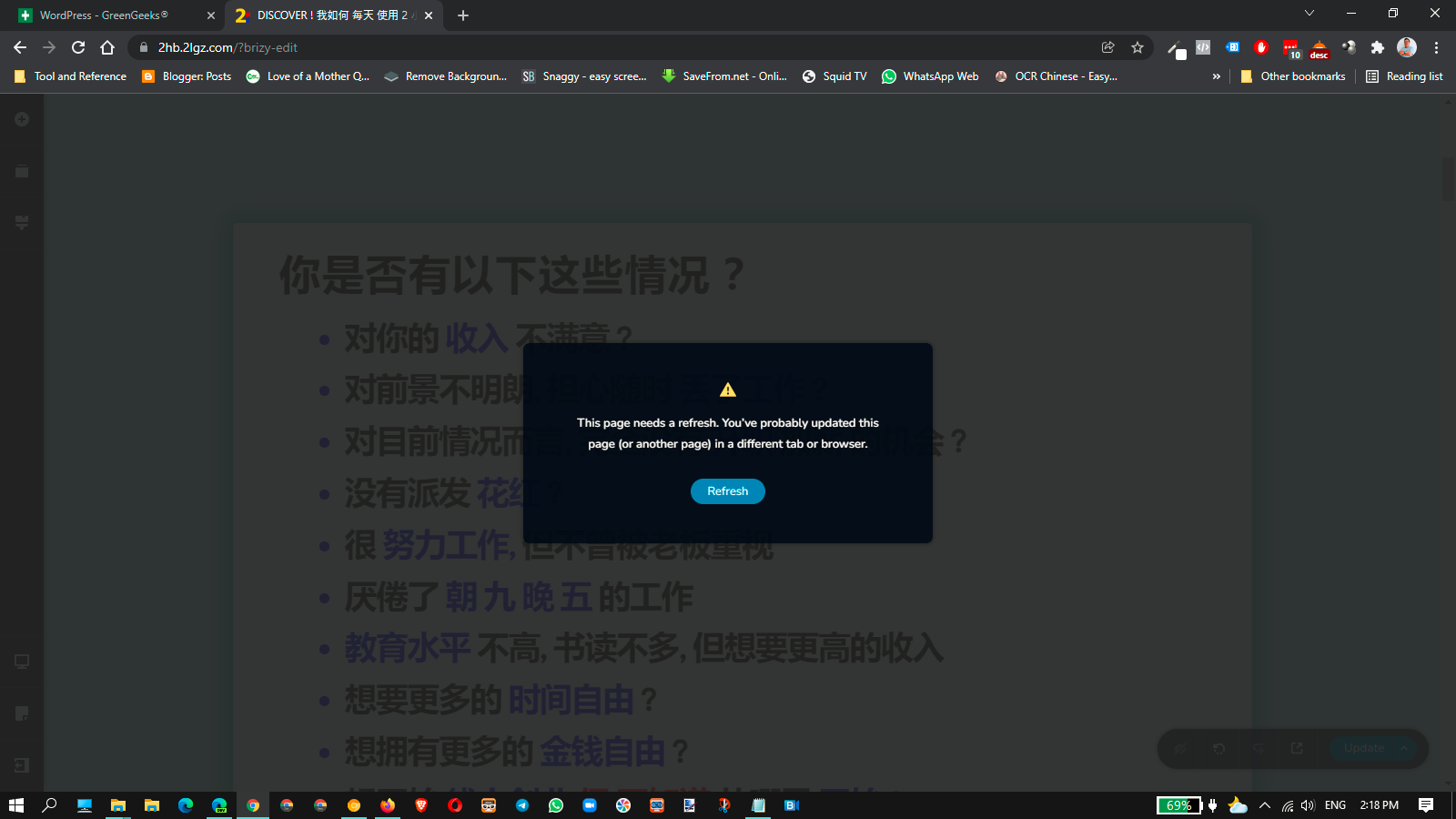
After some editing & Pressing the Update button on the editor opens an error window ? It look like an OLD Problems since 2 year ago BUT still having the same problems. WHY This ?
I need urgent help on this issue. I have a live client training scheduled on his website today to show him how to edit his website. I'm getting the dreaded "This page needs a refresh. You’ve probably updated this page (or another page) in a different tab or browser" error whenever I try to save a page. Even if I refresh then try to save it again. EVERY time I try to save ANY page, I get this error again & again.
Here are my WP information :
1) Increased the PHP memory limit to 512MB
2) Cleaned the database
3) Reinstalled WP in the Dashboard > Update
4) Installed the latest Brizy Free 2.3.28 and Brizy Pro 2.3.21
5) I have deactivate all external plugins only use Brizy Free and Brizy Pro
6) Use & Activate a WordPress default theme
This is what I have done till now by follow the history of article in the support areas, BUT I still having the same issue again and again. The site isn't open in any other browsers or windows. I don't know what else to try :( :( :(
Please help to fix once for all and do it right on the 1st time
Awaiting for Response
Thank You
Lawrence
-

Hi Lawrence
We are sorry for this inconvenience. If this happens over and over again it means that some software in your WordPress environment could be interfering with the working of Brizy.
Here is one preliminary check you can do. Check if your hosting company uses a security/ firewall/ malware protection systems on the Server? Example: ModSecurity. You need to login to your hosting control panel to see if any such systems are active on your account. Try disabling each security systems one by one and see if it makes a difference.
If this does not help, we will need to examine your WordPress backend to identify the cause behind this issue. We will need admin access to your WordPress backend to offer you troubleshooting help. Please reply to this thread if you want us to examine your WordPress backend. Once we hear from you, we will open a private ticket for you and you will receive an email from us. Then you can share with us your WordPress credentials.
0
Please sign in to leave a comment.
Comments
1 comment