Password Reset Not Working

Our password reset isn't working. If you click on the reset link in the Login element, and enter your username or email, it will redirect to the standard WP login form with a username and password error.
We are also not emailed a reset link of any kind after you enter your username or email in Brizy's Login element.
If we try to reset the password using the standard WP login form, we receive the reset link with no issues.
Our site is traintoride.com which we have our Login in at the top.
Thanks,
Chad
-

Hello Chad!
Mihail here, from Brizy support team.
May I ask you, have you done some redirect changes or any other code costumizations?
Kind regards,
Mihail
0 -
Mihail,
No, there are none as of this point. We used to have a redirect for a few things, but everything was completely taken out when you had the recent login error when putting the wrong password in. You had access to our admin, then put in the fix on one of the recent updates.
Chad
0 -
Hello Chad!
Thank you for the report. I did create an internal issue for our team to investigate.
Will take some time, but I will contact you when it will be resolved.
Sorry for the inconvenience.
Kind regards,
Mihail
0 -
Mihail,
You still have access to the admin if needed.
0 -
Mihail,
Any news on this I haven't heard back.
Thanks in advance,
Chad
0 -

Hello Chad,
Thank you for your message!
The issue is still open and our developers are working on this. As soon as we'll have an answer, we'll contact you! Hope this helps!
Kind regards,
Doina
0 -
Is there any update on this issue? I'm going to need to do a band-aid fix on this and link the rest password to the native WordPress password reset form, so we don't get any more complaints. In doing that, you won't be able to see the Brizy issue on the site.
Thanks
Chad
0 -
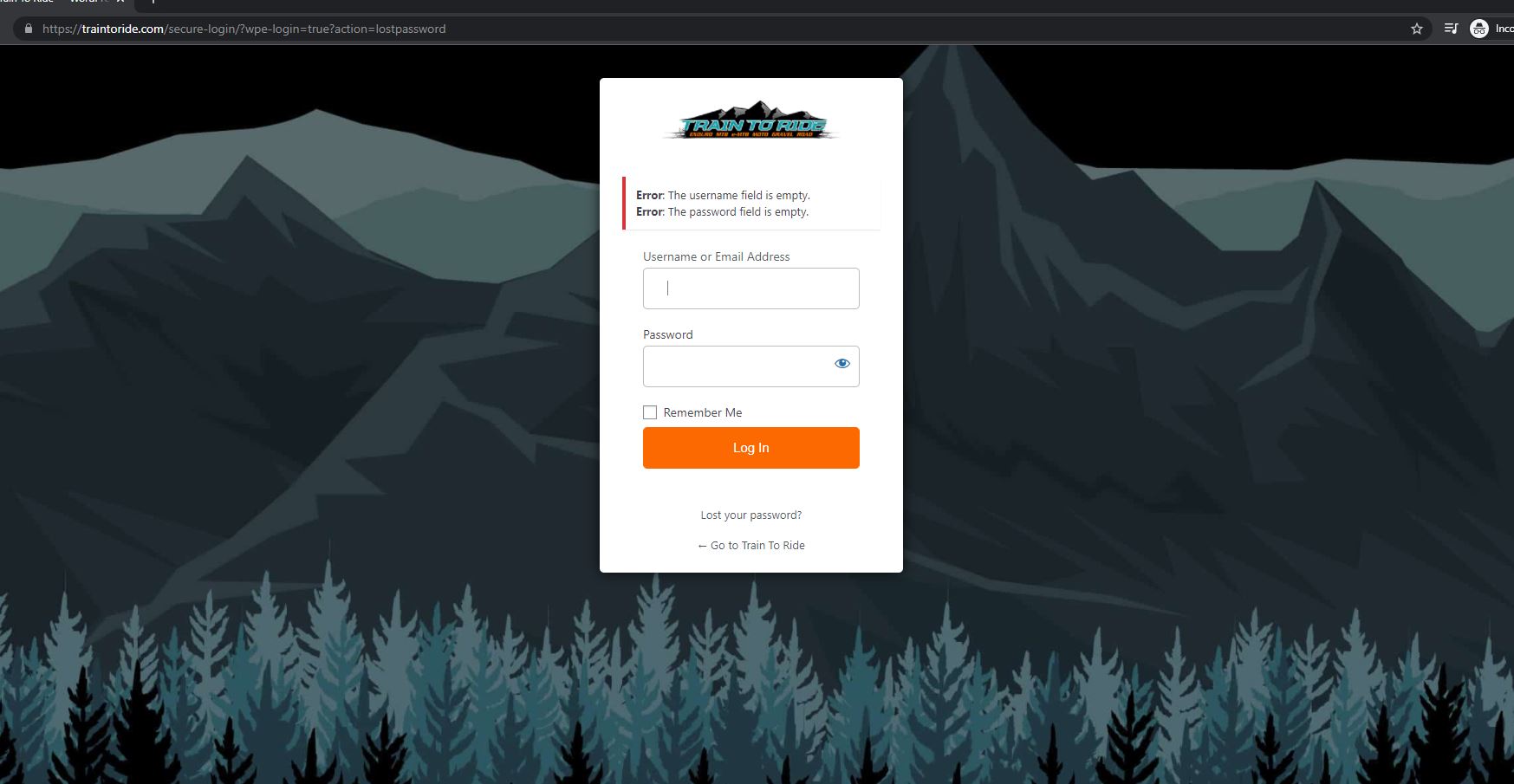
By the way, just a screenshot here to help. When you click on the Brizy password reset link on the Brizy login element, it redirects you to the native WP form. No password reset link is sent to the user.
Again, if you click the password reset link in the native WP form, the password reset link is sent and it works as it should.
 0
0 -
I went ahead and link out normal login forms to the native WP reset password link. I did make a test page for you to view, using the native Brizy reset password link, so you can see the error you get on that.
If you want to see that the native WP rest password link works, simply click out LOGIN in the main menu to see that it works as it should.
Here's the test login page for you to view: https://traintoride.com/dashboard/test-login/
Thanks,
Chad
0 -

Hello Chad,
We are sorry for this inconvenience, but our developers are still working on this issue.I will come back with a message when I have news about it.
Best regards, Nelea.
0 -
Hello Chad.
Sorry for the delay.
Please check your password reset now. Let us know the results.
Thank you.
Kind regards,
Mihail
0
Please sign in to leave a comment.
Comments
11 comments