TEMAPLTES: Duplicate + Add clickable images + Display Conditions

Hi,
I have a few questions regarding Templates.
- I want to duplicate a Template, because I need to have the same design with some minor changes to show my client. Is that possible?
- On the Archive page, only the Button is clickable and redirects to the Article, is there any way to make also the image clickable to go to the article? I couldn't find it in the "Link to..." options (photo attached)
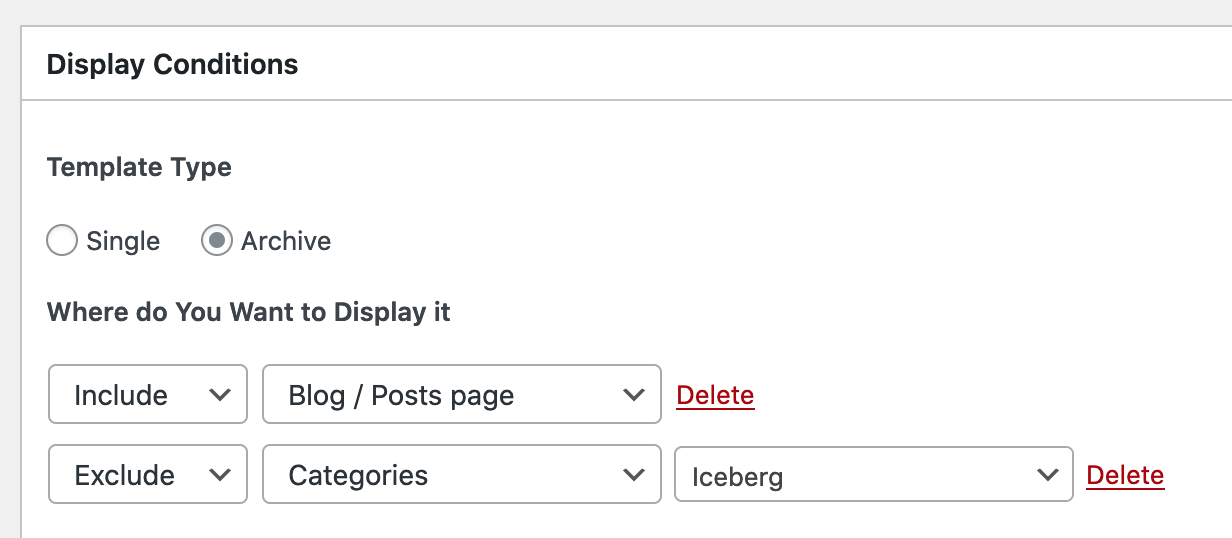
- Regarding Display Conditions on Archive. I set to Exclude a category, but that category keeps showing on the page, am I doing something wrong or missing something here? (photo attached)
Thanks a lot!
Photo Point 2:
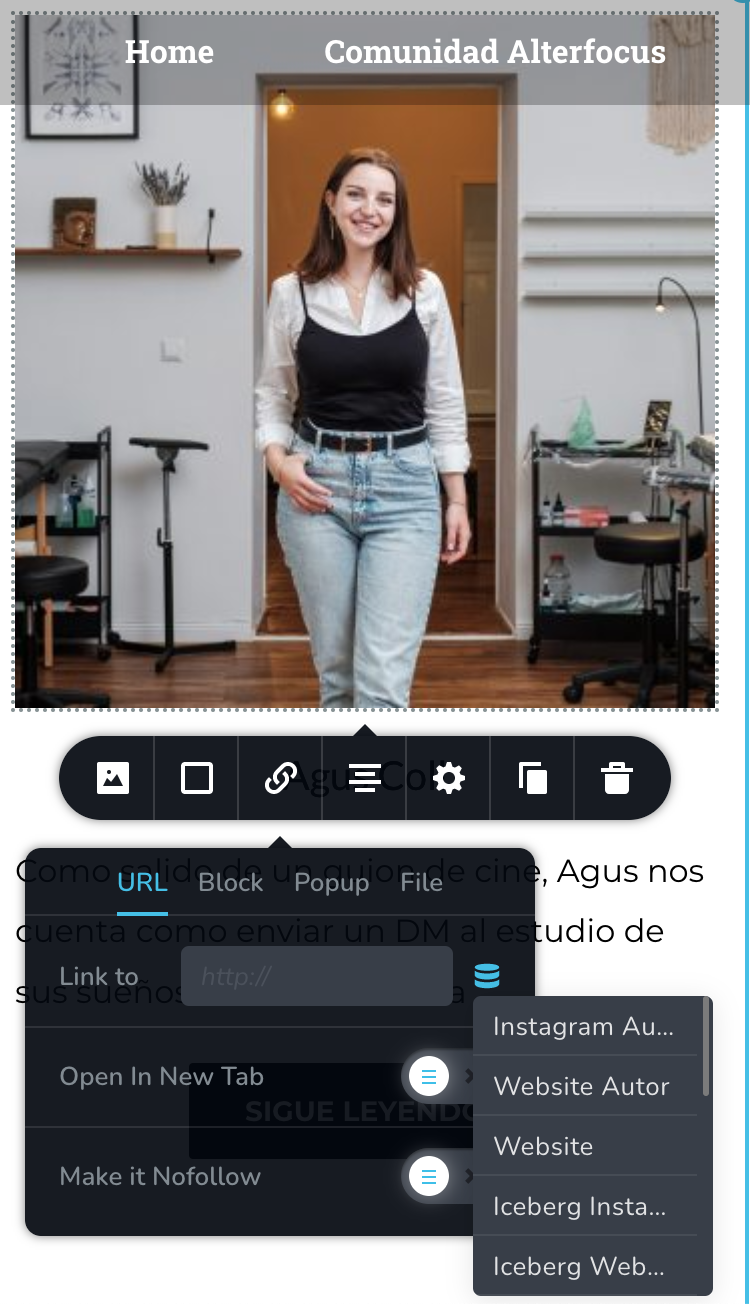
Photo Point 3:
-

Hello!
My name is Mihail, Brizy customer team.
Sorry for the delay!1. You can save the layout: https://jumpshare.com/v/BMz8yCCeRF2ji1kQAwb7
After it, you can import your layout to your next template: https://jumpshare.com/v/l9Pb6CS0w3ihquF16ZYZ2. Post Url option should be available in the Archive element for the image. https://jumpshare.com/v/Wv7B8JtUnYJtwkkYKQvG
On your screenshot, you have more options, please try to scroll it a bit.3. According to your condition, the template is not shown on the Iceberg categorie page but works for all other categories and post pages.
It doesn't exclude the content of categories.Kind regards,
Mihail0 -
Mihail,
I want to follow up with this because I couldn't solve the point number 3 of the list. I tried many times to remove the post of a specific category, but it's not possible.
Can you please guide me?
Thanks.
0 -
Hello Manuel.
According to your screenshot, you excluded the template to be shown on the Iceberg category page. Not The categories posts. This is the condition on which pages to show your template.
To exclude categories to be shown on page, in posts element, you can manage which categories do you wish to show
But this element is not available for Archive-type templates.
Kind regards,
Mihail
0
Please sign in to leave a comment.
Comments
3 comments