Animated images and text not appearing after latest update

Hi,
I have been reading with interest the comments online about your latest updates and I wanted to check that you are aware that upgrading to your latest versions currently causes animated elements (text and images) to not appear.
I have seen this on multiple websites that I have built after the update and if I reinstall the older versions of Brizy and Brizy Pro, they work again. I have gone through an done this for all the sites where I have seen this.
Please can you confirm that you are aware of this issue and are working to fix it? I would also like to be informed when you do resolve the problem.
I have to say that the poor QA from your end is deeply concerning, especially when people are building and managing websites for numerous clients.
Please advise what steps you are taking to improve the quality of your releases.
Matt
-

Hello Mathew,
Thank you for your message!
Actually, we have not received any messages about the issue that you are talking about. Can you please send us the websites or some screenshots where you encountered this problem? At the same time, please clear all the cache and disable the plugins and themes you do not use. Thank you.
Kind regards,
Doina
0 -
Hi Doina,
I had rolled them all back but I also noticed that it is not just animations that are missing. I am seeing alignment issues.
However, I have now upgraded some of them again and here are some examples:
Missing Banner Text on the hero image (Over the digger in the banner image) and testimonials not rendered as a slider: https://www.kscivilsandgroundworks.co.uk/
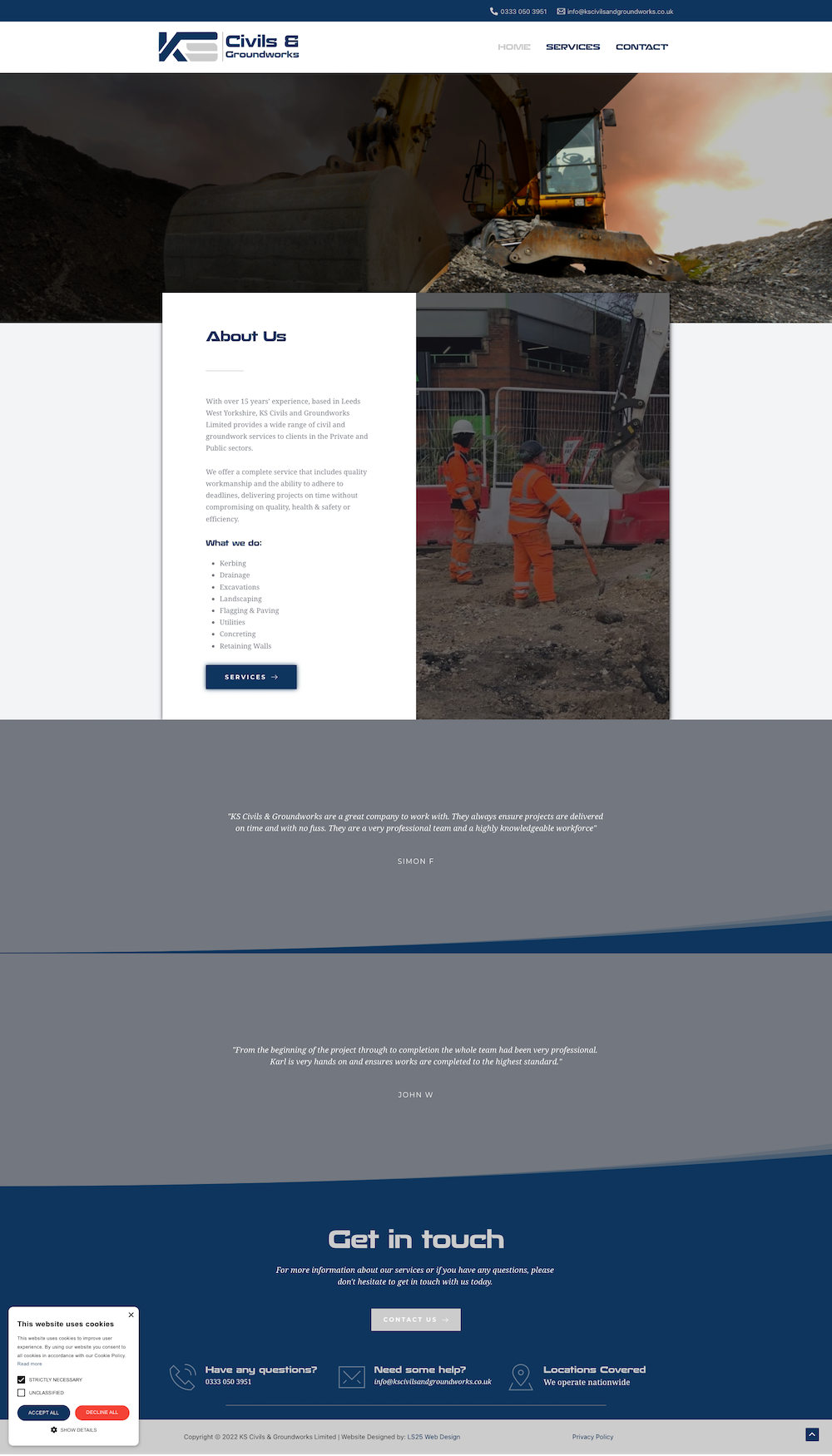
Then complete layout disaster: https://www.nancywolitercounselling.com/

Matt
0 -

Hello Matt!
My name is Mihail, Brizy customer team.
Thanks for reporting this issue-- Please make sure that you are using the latest Brizy plugin versions, which are 2.3.28 for Brizy free and 2.3.21 for Brizy Pro.
-- Clear the website cache and check your page again.
-- Make sure the WordPress URL and the Site URL have the same, secured URL - httpS ;
In this example, these URLs are not correct - https://jumpshare.com/v/z1TlsFvSYJuFsAODaU6U both should be httpS. Just add an S at the end of the prefix.Let us know if all is working fine. Thank you!
Best regards,
Mihail.0 -
Mihail,
The versions are definitely the right versions and I have tried clearing the website cache multiple times.
In terms of the WordPress and Site URLs, I added the s but the problem remains.To be clear, the https://www.nancywolitercounselling.com/ is the only one now that is a problem.
I need an urgent response otherwise I am going to have to rollback on your version (which mysteriously resolves the issue - That tells me that it's your update that has caused the problem).
Matt0 -
Hello!
I've created a private ticket, you should receive an email notification regarding this.
In this ticket, please, provide us the link to your website and admin access to the WP dashboard, we would like to check the problem from your dashboard.Let us know the results.
Kind regards,
Mihail0
Please sign in to leave a comment.
Comments
5 comments