Cover element gone in Brizy Editor

Hi,
I am trying to edit this page:
https://anna-lena-hillgruber.de/
Screenshot: https://pasteboard.co/jOrorQlZyMKh.png

In the Editor the Cover Element is gone
(the one saying "Herzlich Willkommen" with the image background)
Screenshot: https://pasteboard.co/DrpxkNC9gILk.png

WordPress: 5.8.3
Brizy WordPress Plugin: 2.3.28
Brizy Pro: 2.3.21
Theme: Page Builder Framework 2.8.5
Can you help?
Thanks in Advance
-

Hello,
Thank you for getting in touch with us.
Make sure the WordPress URL and the Site URL have the same, secured URL - httpS ;
In this example, these URLs are not correct - https://jumpshare.com/v/z1TlsFvSYJuFsAODaU6U both should be httpS. Just add an S at the end of the prefix.
Let us know if all is working fine. Thank you!
Best regards, Nelea.
0 -
Hi Nelea,
thanks for your reply.
The Site-URLs are and have always been including the https.
Here's a screenshot I took directly from the Settings page: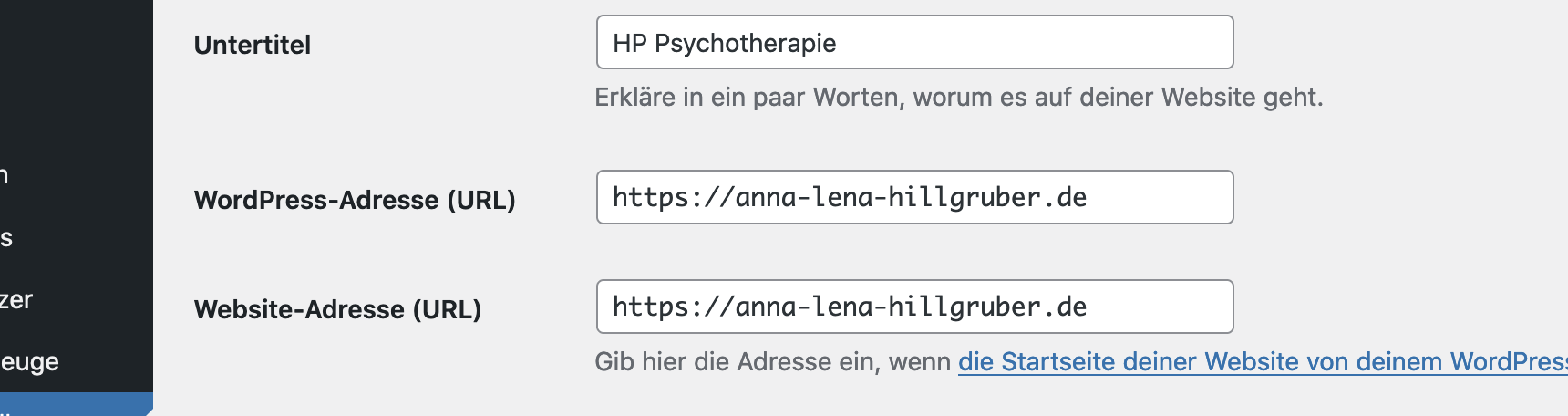
Any other Idea what could have gone wrong?
Regards, jörn
0
Please sign in to leave a comment.
Comments
2 comments