Padding under headers

Hi,
I've been looking around for an easy solution to adjusting the padding around my headers for my posts. I seem to have a significant amount of space under each header which can make articles look somewhat disjointed (see attached). Is there an easy way to reduce the amount of space under my headers or am I more or less stuck with this at the moment?
I am also using the most recent updates of Brizy and Brizy Pro
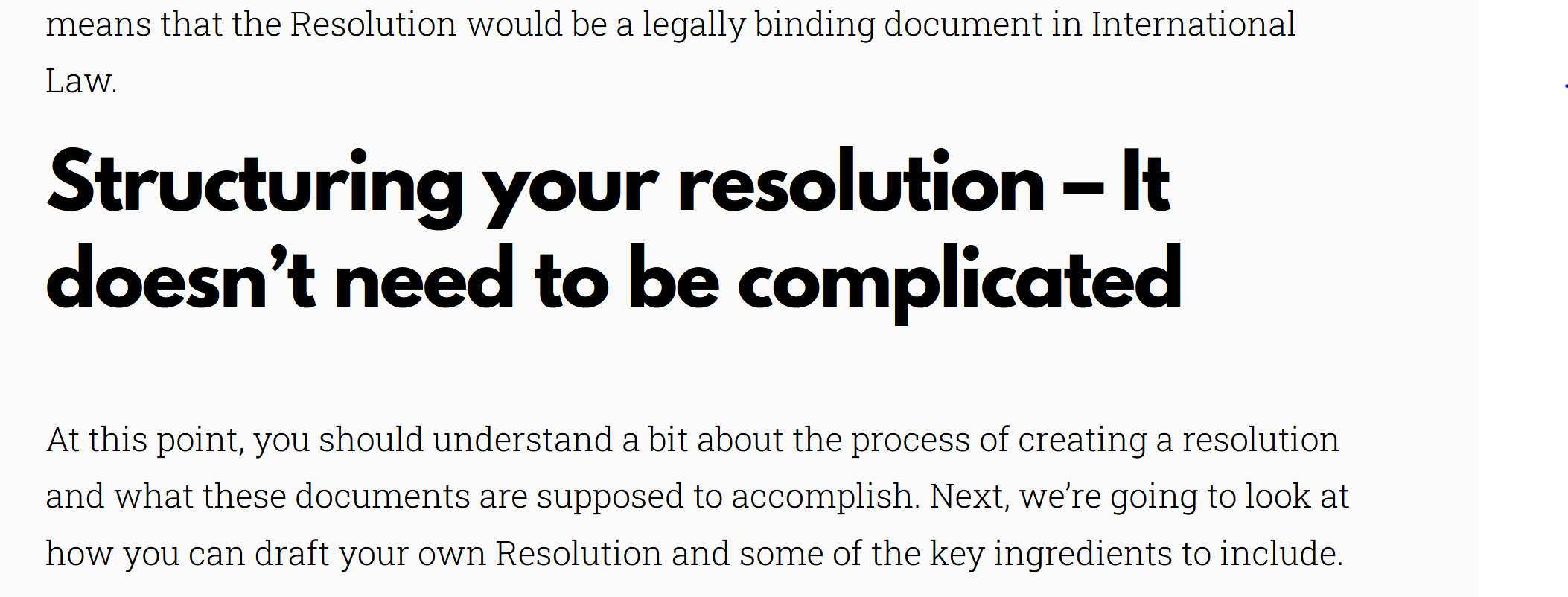
-

Hi,
Thank you for contacting us.
You should access the setting block and change from there the padding, please see this video.
Best regards, Nelea.
0 -
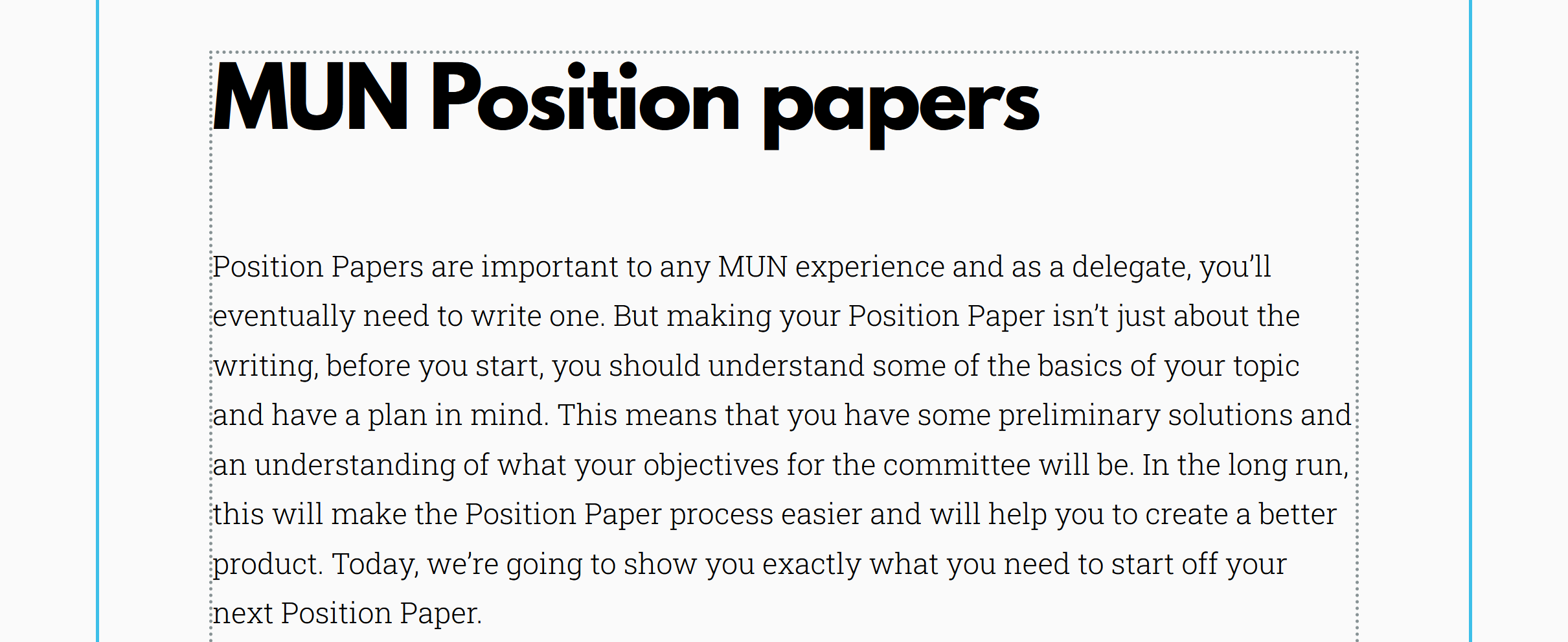
Hey, I'm sorry but I should have mentioned that this problem is for my post content. So the header in the image I sent you is part of a template. This means that I can't click directly onto that header or the setting block and reduce the padding for it like in the video that you shared. I've also gone into the styling tab and tried to reduce global header padding but it still doesnt move.
(First pic shows that the content is part of a post content block)
(Second pic shows that I've tried to reduce the header line-height through the styling tab, both pics w the enormous amount of spacing under my headers)
Thanks again for any help that you can provide.
 0
0 -
Hi,
Thank you for the screenshot. In this case, you should change the gap above and the gap below, please see this video.
Best regards, Nelea
0 -
Hi,
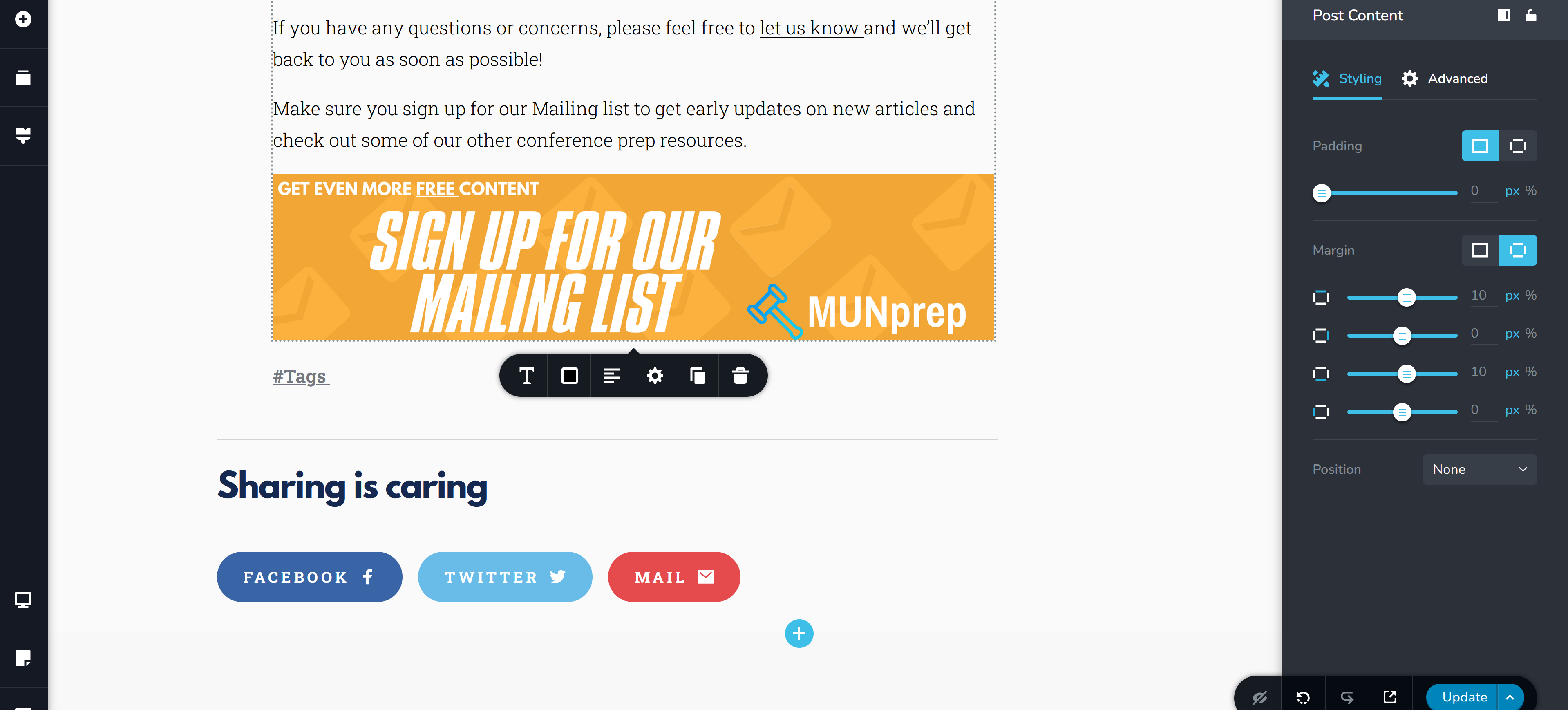
Thanks very much for your response, I think that there might be something different with my menu though. The menu that I get is shown in the screenshot below and it doesn't give me the option to change the gap above and gap below as is shown in your linked video.
I also checked the advanced tab and there was nothing in there either.
This is all still for my edits to a post-content element.
 0
0 -
Hi,
Can you please try to add the header in another row, then change the gap between them, please see here.
Hope this will help.
Best regards, Nelea.
0 -
Good evening,
I have looked at your video and I cannot do that. I have written an article through the posts tab on WordPress and applied a template to the post. As shown in some of the other screenshots, I am unable to separate headers out of the content block it is simply one big block of content and I can't access any of the elements in it unless I'm working with the post editor.
Please let me know what I am able to do to fix this problem, I'm starting to think that I might not be able to do it with the Brizy editor and might need to use some CSS. If so I'd greatly appreciate any help on what I could add and where I could paste the CSS so I could reduce the header padding in my posts.
0 -
Hello,
Please try to change the margins from the post content settings, see here, this will help to reduce a little the gap between the row. If you don't like the result the second solution remains to add some Custom CSS.
Best regards, Nelea.
0
Please sign in to leave a comment.
Comments
7 comments