Site not working since recent update

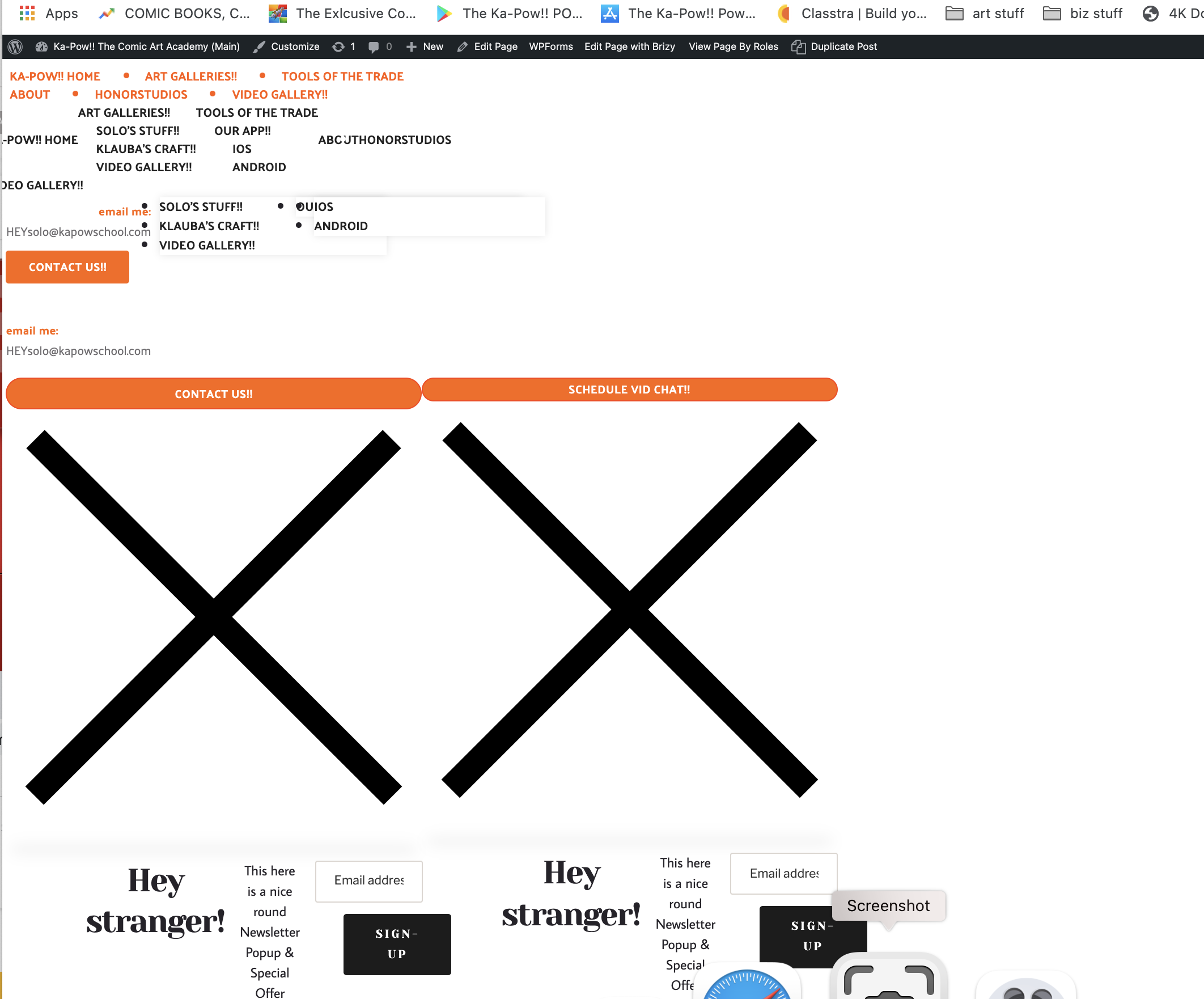
Since a recent wordpress update, my site is not longer working properly. I've updated the Brizy plugins (which usually corrects the issue) but that doesn't seem to work any longer. When I edit using the Brizy builder, my site looks as it should but when I go to preview following an attempt to update...this is all I see (see attached)
-

Hello Duane,
Thank you for your message!
I apologize for this inconvenience. I confirm it is an issue from our latest Brizy plugin updates. Our development team is informed already and we are working to fix this issue. I will come back with an additional notification about this fix.
Until we will have a new release (we will inform all users about the new version) please, downgrade to the previous plugin versions:
- To downgrade the FREE plugin, go to this website - https://wordpress.org/plugins/brizy/advanced/, scroll down to the Previous Version paragraph, select version 2.3.26 from the drop-down list https://jumpshare.com/v/i49QwZEisH0wW8lh36hg and click on the Download button; upload the plugin manually in your WordPress dashboard.
- To downgrade the PRO plugin, log into your Brizy account, and download version 2.3.19 - https://jumpshare.com/v/5dCAqcFO8X7bnBBwPQ8f; upload the plugin manually in your WordPress dashboard.
Thank you for your patience.
Kind regards,
Doina
0 -

Hi there,
Just wanted to check if this has now been resolved? I have a few websites that is has this issue.
Thanks very much
Riaan0 -

Hello
Thank you for your patience.We released a new update for Brizy FREE and Brizy PRO plugins. Please, update to the latest versions:
Brizy FREE 2.3.28
Brizy PRO 2.3.21.Let us know if you have any other questions or issues.
Kind regards,
Mihail0 -
Hi Mihail,
I have upgraded to the suggested however, this does not fix the issue on two of my client's sites. All client and server-side cached has been cleared.
Thanks very much.
Riaan0 -
Hello!
Make sure the WordPress URL and the Site URL have the same, secured URL - httpS ;
In this example, these URLs are not correct - https://jumpshare.com/v/z1TlsFvSYJuFsAODaU6U both should be httpS. Just add an S at the end of the prefix.Let us know if all is working fine. Thank you!
Best regards,
Mihail.0 -

My site seems to be having the same issue. Please advise.
0 -
Hello!
Please make sure that you are using the latest Brizy plugin versions, which are 2.3.28 for Brizy free and 2.3.21 for Brizy Pro.
Try to fully reinstall plugins (deactivate, remove, install again)
Clear the website cache and check your page again.
After it, go to Settings --> Permalinks and push the save button. In general WordPress settings, I mean.Let me know the results.
Kind regards,
Mihail0 -
How do I reinstall the plugins without destroying all of my work on the site?
0 -

Hi,
all settings are stored in the database so you can manually delete the plugins from WordPress -> Plugins then install them again. After activation, all pages will look the same as before.
For any eventuality I recommend you to have a backup before starting any modification or plugin update.
btw: I see your site works well: https://jumpshare.com/v/mBALUT5f2xhonxJLapR2
0 -

I've the same issue. Reinstall the Plugins does not change anything (www.kanzleihaus-din.de)
0 -
The site only worked because I restored a backup. In fact, at some point today it went down again.
Can you please walk me through how exactly I can do delete the plugins without destroying my site? Where can I see the site in the settings? Is it in Brizy Cloud? Where is all of the work backed up? Before I do this, I'd like more information about how this works.
0 -

Hi Christoph and Benaiah,
Thank you for your messages.
If latest versions of Brizy are installed on your website (Brizy FREE 2.3.28 and Brizy PRO 2.3.21) and you have issue with website not displaying correctly, olease, open Settings page in your WP dashboard and make sure that both WordPress and Site address start with https and not with http: View screenshot.
Let me know if this worked.
Best regards,
Denis.0 -
Hi Denis,
my settings have always been "https://" on both. So there's nothing i can do.
0 -
Hi Christoph,
Thank you for your reply.
I've created private ticket for you, you should receive email notification. In reply to this ticket, please, provide us admin access to WP dashboard and FTP/cPanel credentials, we'll check the problem.
Best regards,
Denis.0 -

Since a recent brizy update, my site is not longer working properly. I haved activate brizy using licence key, but not loading site.
0 -

Hi,
Thank you for contacting us.
Can you confirm that you are using the latest versions of Brizy Free 2.4.2 and Brizy Pro 2.4.2? Could you please temporarily deactivate all external plugins (except Brizy Free and Brizy Pro ) and activate one of these recommended themes: https://www.brizy.io/theme-partners? Then please clear the browser cache and check if the issue still appears.
Best regards, Nelea.
0
Please sign in to leave a comment.
Comments
16 comments