Navigation Element Unavailable For Custom Post Type Post Editing in Brizy Pro WP

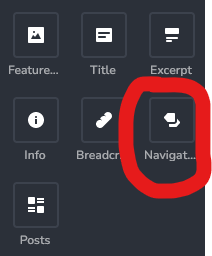
I noticed that when editing regular post in Brizy, the "Navigation" element is available for use in the "Add elements" panel (see pic). However, when editing a post of the custom content type that I have created, the "Navigation" element is missing from the "Add elements" panel. I searched the forum but did not find any info on it. Is it just not available for custom post/content type or it's a bug?
The website is running WordPress 5.8.3 and Brizy Pro WP 2.3.20
-

Hello Jason Chen,
Thank you for contacting us.
We would like to reproduce the problem at our end. Can you please specify which plugin you are using to create custom post types?
Best regards, Nelea.
0 -
Strange I just now see the reply to this post.
I am using PODS plugin to create the custom post types.
I have just checked and the navigation element is still missing in custom post type I have created using PODS but available in regular blog posts.0 -

Hi Jason
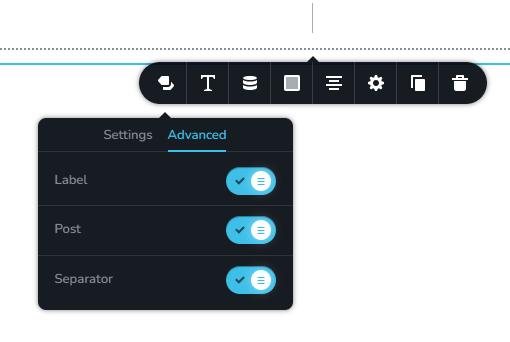
Sorry for the late reply. I just tested the navigation feature using PODS. The navigation element seems available and it seems to work fine. Please see my test page here. https://homi.kctest.online/game/game-2 I have made these selections.
 0
0 -
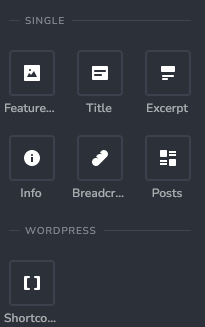
KC, not sure why it's not showing for me. I can't seem to find it in my "Add Elements" panel. In the below image, elements related to the single custom post are listed but no navigation element. Searched for it too and found nothing.
If I go and edit a regular blog post, then I do find the navigation element in the Add Elements panel.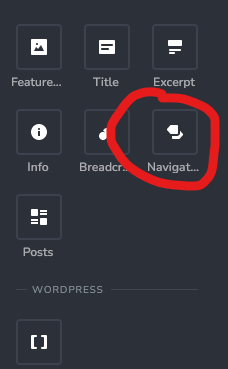 0
0 -
Hi Jason
Can you try this?. Let me share two of my PODS setting screens. Please compare it with yours and try to match it exactly. Let's see if that would make a difference.
- Pods Admin - Edit Pods - Connection https://jmp.sh/98JTaiD
- Pods Admin - Edit Pods - Advanced Options https://jmp.sh/UVDI3oZ
0 -
Hi KC,
I have copied the exact same settings for the "Connection" & "Advanced Options", double checked it, saved the settings, but I still don't see the Navigation element in the "Add Elements" panel.0 -
Hi Jason,
If you are not able to troubleshoot, then the only option is for us to take a look at your WordPress Dashboard. If you need help with troubleshooting, please add me as a user to your WordPress Dashboard. My email: kc.george@brizy.io. Please enable the option "Send the new user an email about their account" as in this screenshot https://jmp.sh/tSRznJX
Once you have sent me an invitation, please let me know here.
0 -
Hi KC,
I have added you. It should have sent an email to you just now.0 -
Hi Jason
I have not received your invitation.
I have created a private ticket for you. Your ticket number is 16919. You will receive an email from support@brizy.io. Can you please resend WP credentials to this email? Please create a password and include it in your reply.
0 -
Hi KC,
I have replied to the email with the info requested.
Do you need admin role access?0 -
Hi Jason
We have received the credentials.
Our view of the Dashboard will be quite limited without the admin role. Hence we need admin access to troubleshoot the issue you are facing
0 -
Ok done. Let me know if there's anything else needed.
0 -
Hi Jason
I have added the navigation element to Drops custom post type. Please check
0
Please sign in to leave a comment.
Comments
13 comments