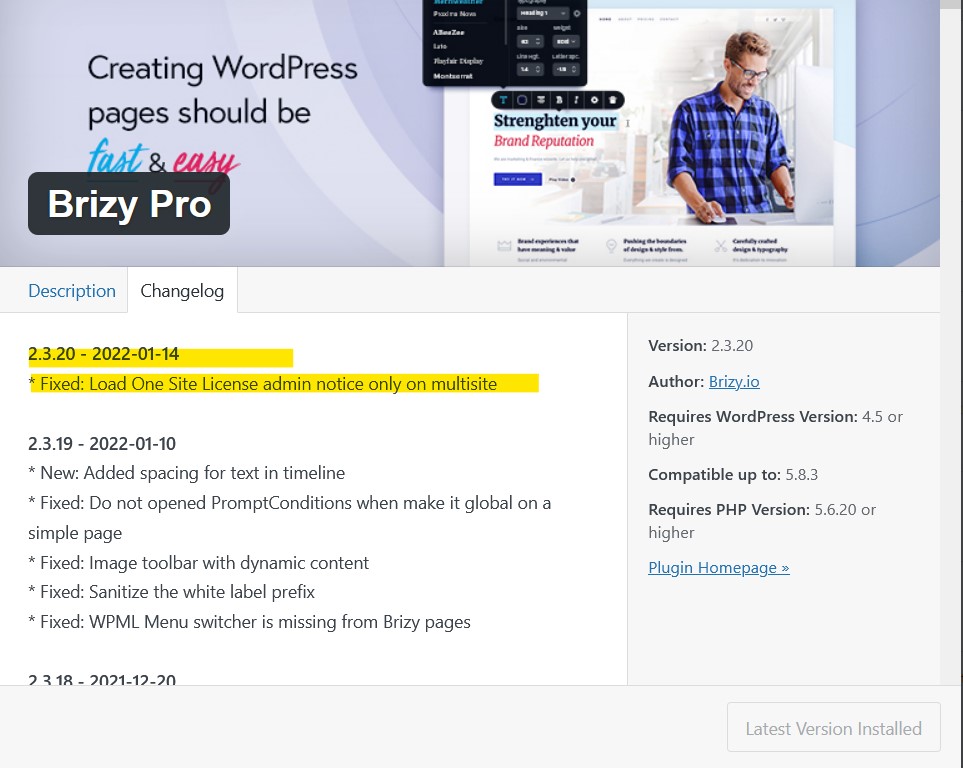
Last update distorted my site: * Fixed: Load One Site License admin notice only on multisite

Hello,
I have just updated my Brizy Pro and my sites went down and all
distorted after the latest update 2.3.20 - 2022-01-14 that just happened
moments ago!

Please undo the changes that have to do with "Loan One Site License..."
So that the sites go back to normal and not look distorted

PS. I'm a paid customer and i've been with Brizy for 2 years...I've
been noticing a lot more issues every time you guys launch an update
to the Plugins. Worst part is, if i do not randomly check the site
on daily basis, i would not know that the site is off. And the bad
part is, if i'm doing paid marketing campaigns and i don't know
if there's an issue with the site, i'm an unhappy customer.
-

Hi Pavel,
Thank you for contacting us.
Could you please give us more information about your issue? Could you please send us the URL of your website so we could check your problem too?
Best regards, Nelea.
0 -
Hello Nelea,
Is there a private ticket that i can open?
Thank you.
0 -
Hi Pavel,
Yes, I will open a ticket for you. You had to receive a notification regarding this by email. Could you send us in that private message the WP credentials to this site?
Best regards, Nelea.
0 -
Hello Nelea,
I had already responded, but no one has returned an email back. Please let me know on the reply so that i can send you the logins.
Thank you
0 -

Hi, I experienced a issue upgrading to Brizy Free 2.3.27. I think with this new function:
-
NEW Added border, background-color and shadow for content
I installed again 2.3.26 and it works again.
The issue was in the text color. It changed the text colors but I can not fix the problem.
Best regards
0 -
-

I am facing this problem too. Whole site is messed up after the patch and in editor it looks ok. what happened? this is really uncall for.
0 -

Same here! Some of my custom headings and paragraphs now look awful and it is due to the upgrade.
I am restoring my site to downgrade Brizy expecting you could check this out.
0 -
Hi All,
I apologize for this inconvenience. I confirm it is an issue from our latest Brizy plugin updates. Our development team is informed already and we are working to fix this issue. I will come back with an additional notification about this fix.
Best regards, Nelea.
0 -

Hello
My name is Mihail, Brizy team
Thank you for your patience.We just released a new update for Brizy FREE and Brizy PRO plugins. Please, update to the latest versions:
Brizy FREE 2.3.28
Brizy PRO 2.3.21.Let us know if you have any other questions or issues.
Kind regards,
Mihail0 -
Hello,
I have just updated two of my sites with Brizy and Brizy pro plugins and both sites went down!!!Please check:
Nocreditcheckapartments.us
Secondchancerentals.usThis is a major issue and I would need this to be fixed asap please.
Please let me know
Thanks0 -

Hi Pavel
We apologize for the inconvenience. It appears that there is an incompatibility between Litespeed Cache plugin and the most recent Brizy versions. Please disable these options under the Page Optimisation section of the Litespeed Cache plugin and check if the problem resolves.
- CSS Minify,
- JS Minify and
- HTML Minify
If this does not work, please try deactivating Litespeed Cache and check if that helps.
If both do not help and if you would like to roll back to the previous Brizy versions, please use these ZIP files.
- Brizy 2.4.13: https://jmp.sh/coQtD5Vd
- Brizy Pro 2.4.12: https://jmp.sh/EWWmBbAR
You can follow this procedure to roll back.
- Deactivate and delete Brizy Pro
- Deactivate and delete Brizy
- Download Brizy 2.4.13 and in your WordPress Dashboard under Plugins - Add New - Upload Plugin, upload Brizy
- Download Brizy Pro 2.4.12 and under Plugins - Add New - Upload Plugin, upload Brizy Pro
0 -
Thank you. The cache plugin has been deactivated now and it’s back to normal.
Is this a normal incompatibility issue?
Thank you.0 -
Hi Pavel,
We have been in communication with the Litepseed Cache plugin developers. They have agreed to roll out a fix for this issue in their next update. Until then, if you disable the CSS Minify option in Litepseed Cache, as in this screenshot https://jumpshare.com/j/5AOqjezAttg1SpwcOxBT you can fix the issue.
0
Please sign in to leave a comment.
Comments
13 comments