customizing Tablet resolution

Dear Brizy Team,
I designed a site for Desktop. Now I would like to adjust the design to look good on mobile as well.
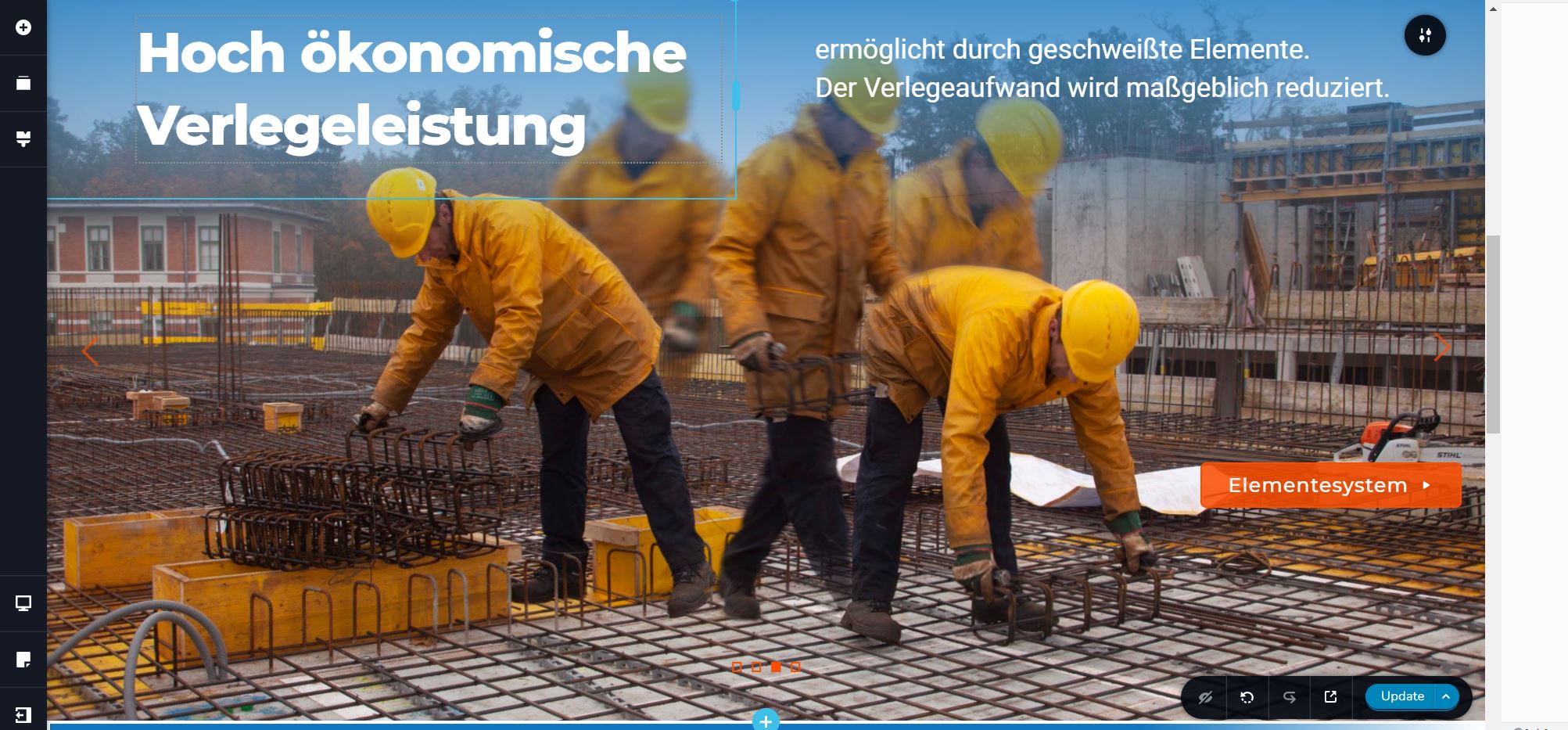
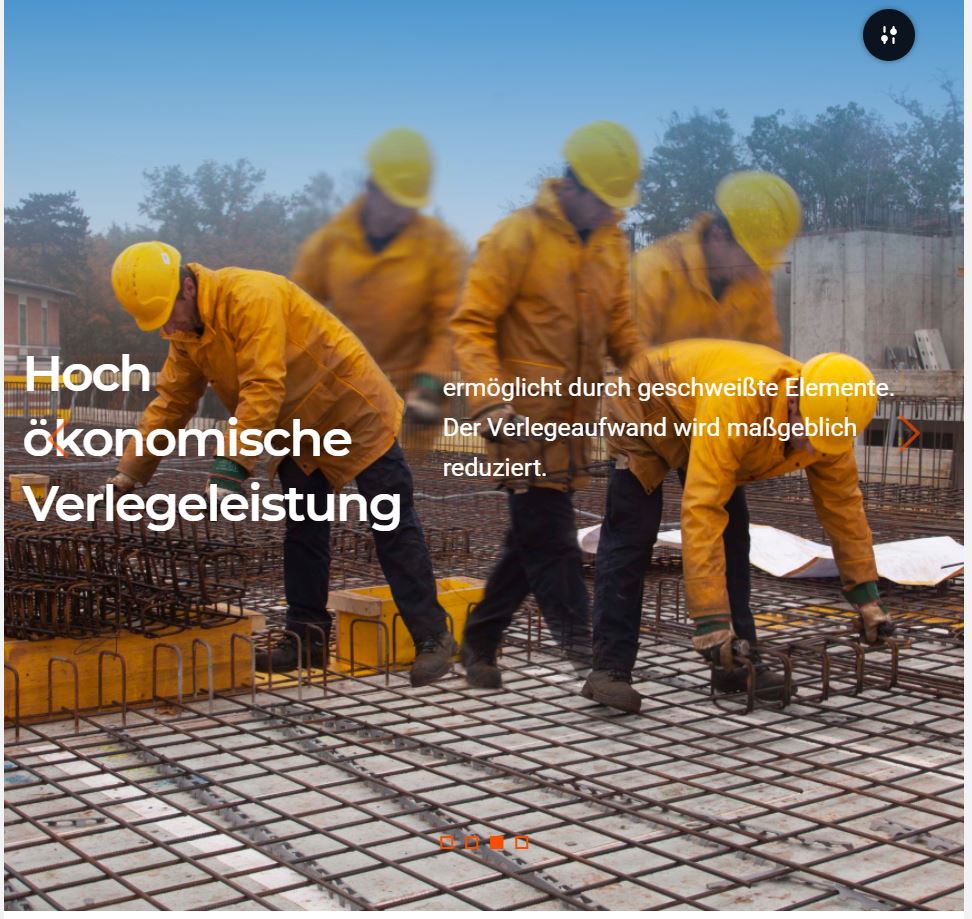
Here I ran into a problem. A button I perfectly placed for desktop using "absolute" postion, when switching to tablet mode is misplaced so far to the right out of the view that I cannot grab and adjust it anymore. It just simply is out of view. (see screenshots, botton is on the bottom right corner in desktop mode)
Desktop:
Tablet:
Do you know what I could do to grab the button and drag it into the correct position for tablet view mode?
Best regards,
Max
-

Hi Max,
Did you add Absolute position with CSS ? Can you please confirm that the button is not hidden for the tablet: https://jumpshare.com/v/MLiYvBb0sGKPCAcNJilX ?
0 -
Hi Alex,
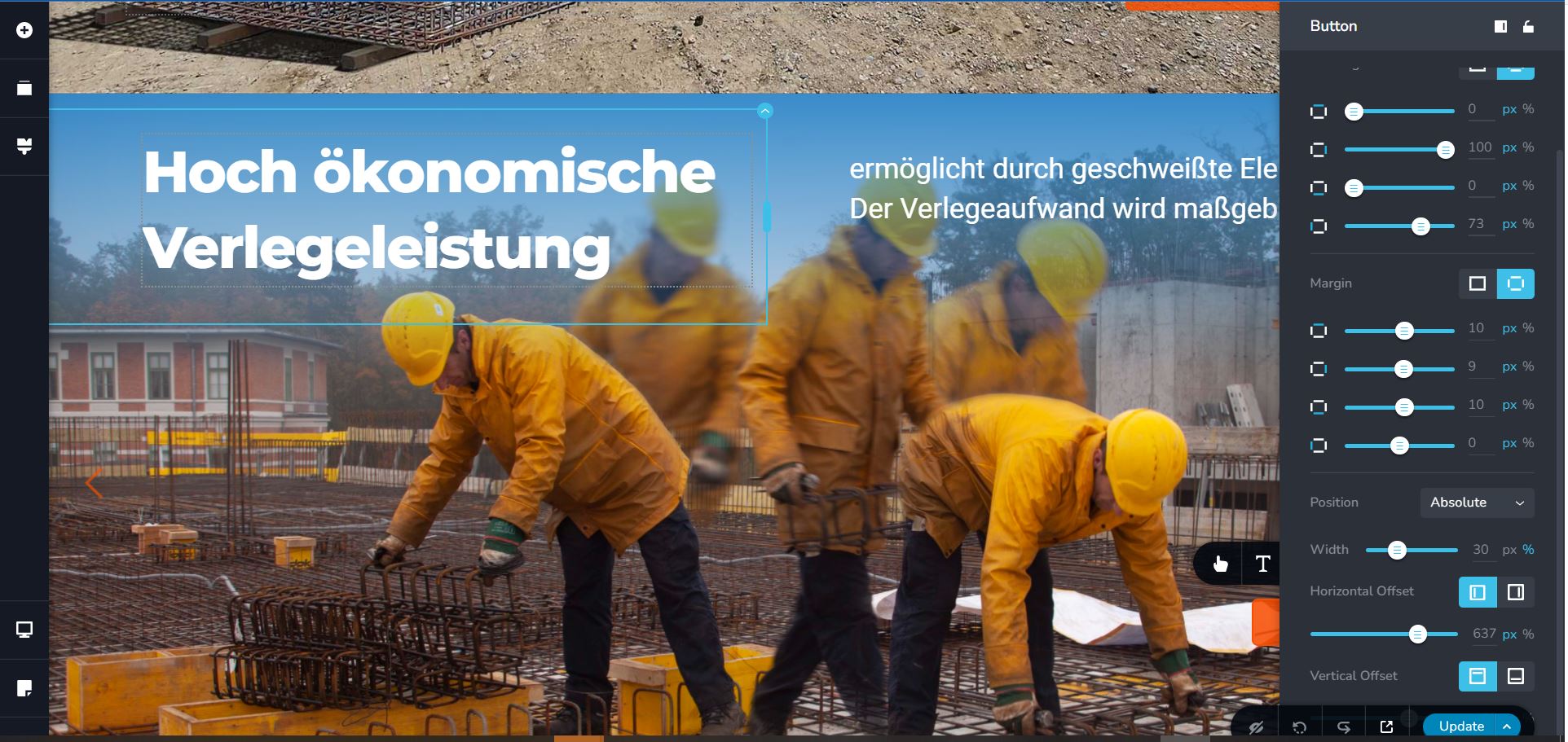
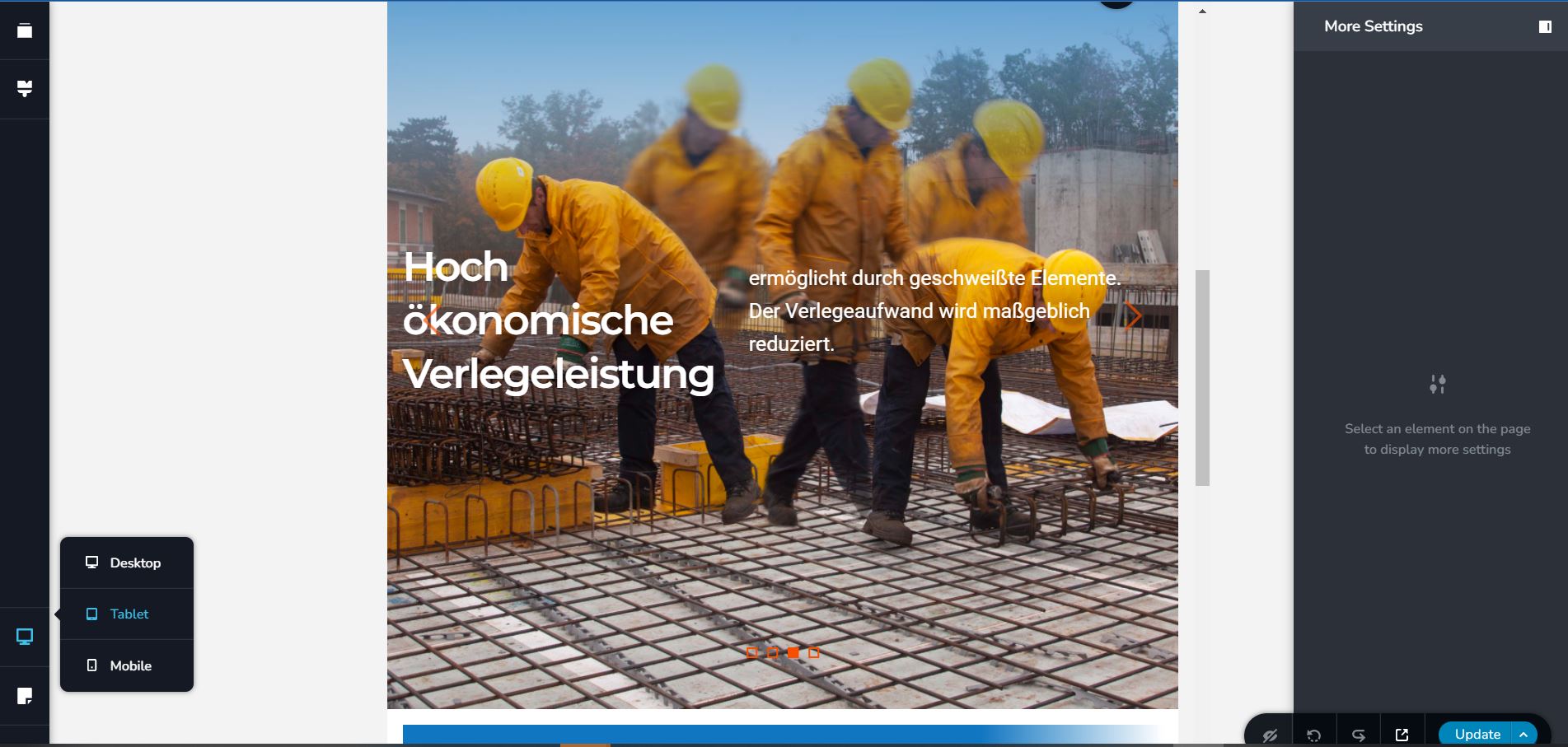
I added the Absolute position via the designated position-setting I can find within the settings of the button element. Ah I understand what you mean, but I do not know how to check or reverse that in case I was hiding it by mistake since it is not visible in Tablet mode visible again. Is there a way to check?
Desktop Mode:
Tablet Mode:
Best regards and thank you for your help,
Max
0 -
Hi Alex,
I managed to open the Button settings menu in Desktop mode, then switch to Tablet mode, keeping the settings menu open and then changing the horizontal offset bringing the button back into the visible area.
So this issue got solved, thank you for your advise with the hidden element though.
Best regards,
Max
0 -
Hi Alex,
I am having the same trouble now when switching from Tablet to Mobile mode, only this time the trick does not work. In Tablet view the button is positioned perfectly, in Mobile view it is out of the field of view, the settings cannot be accessed, so I cannot change them.
The trick of opening the button settings in tablet view, then switching to mobile view, keeping the settings open and changing position to get the button enter the field of view, does not work this time.
Do you know what else I coud do?
Best regards,
Max
0 -
Hi Max,
when is the launch date for this site? haha (just kidding).
If you are moving directly from desktop to mobile it should work: https://jumpshare.com/v/kytM9TtkBMfS2fabp2tY Also another "dirtier" method would be to use Inspect Element for this purpose: https://jumpshare.com/v/D5evF5wCfMrr1h66dkTU
0 -
Hi Alex,
you mean because it is taking me ages? hehe yes I know, I am doing this next to my regular job, plus I am facing many technical issues that I never wrapped my head around before. As modern as Brizy is, if you don´t know its many perks, it takes tiiiiime.
For our bigger company internal website I even had to stop using Brizy all together, because one key technical issue was never solved unfortunately.
The first trick worked perfectly. Ill keep the second trick up my sleeve for when I need to bring out the big guns.
Thank you for your excellent support, best regards,
Max
0 -
Hi Max,
sure, I understand but this is always the case with new things, it takes time to be studied. Usually, this invested time saves you time later.
btw: I will be happy if you share the final result on this site (and my name as co-creator on footer 😀).
0
Please sign in to leave a comment.
Comments
7 comments