Problem in creating a blog page and an article template

Hello,
I am trying to creating a blog page on which I would like to put the latest articles. I followed different guys on youtube who explained very well how to do it. However each time, I notice a difference between their Brizy builder and mine. I follow the different following steps:
- I create a template for the posts (i select archive)
- Then I publish the template and select "edit this Brizy"
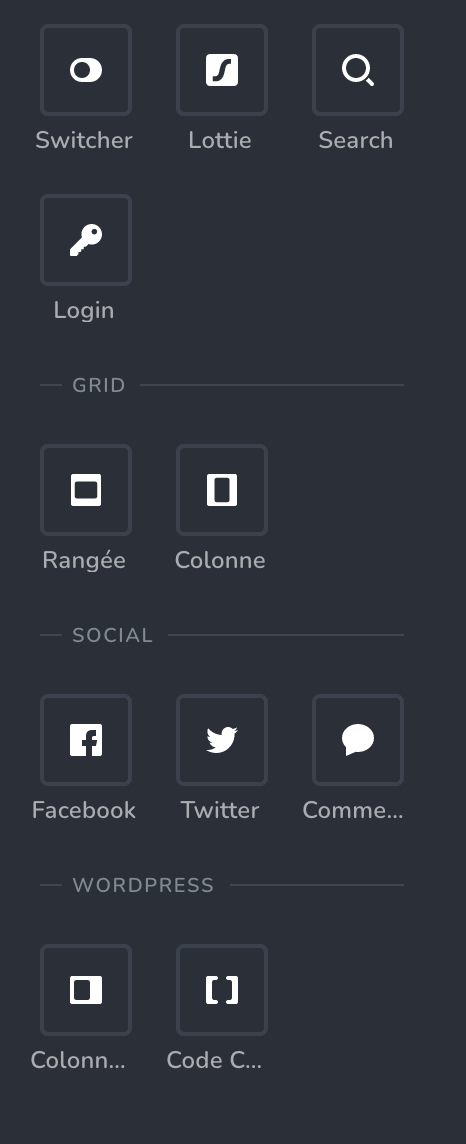
- But when editing, Brizy does not propose me in the wordpress sections the different options: post title, post nav like in this image:
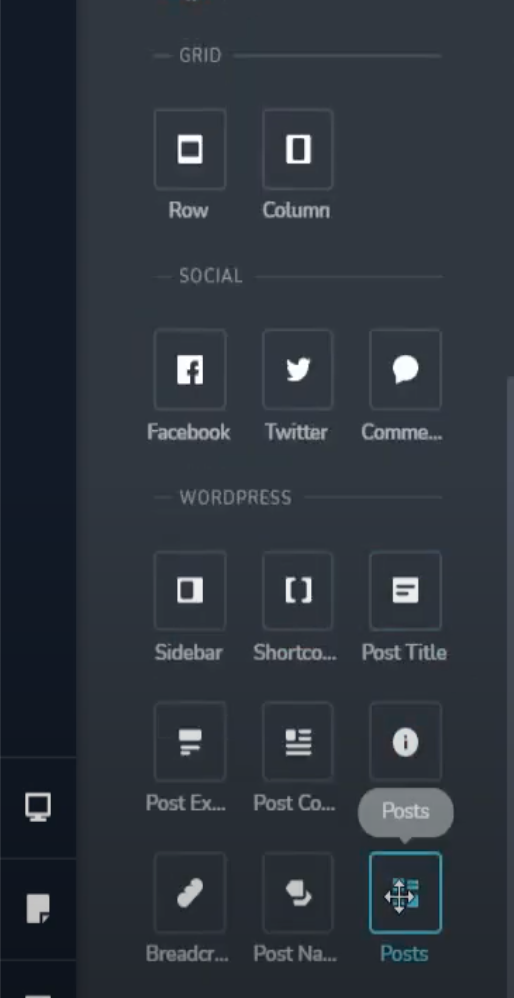
Instead, I only get this on my builder:
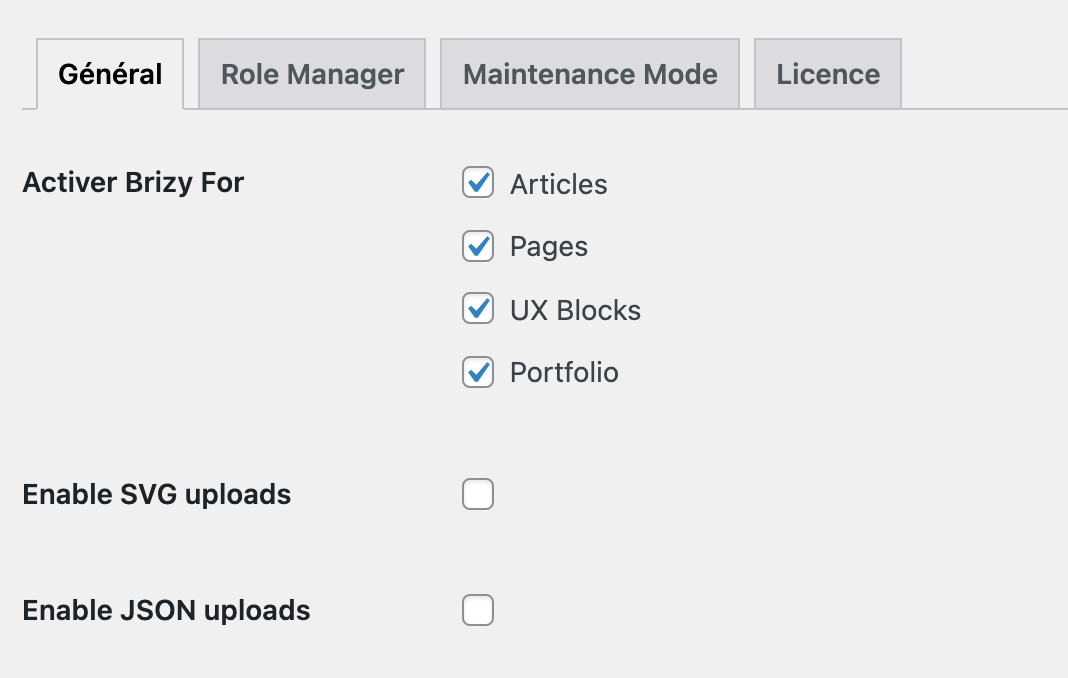
I checked that the settings were right:
How can I do to have all the different wordpress articles options in the builder?
Thank you in advance for your answer,
Laura
-

Hi Laura,
Sorry for the late reply, support is limited on weekends.
Our blog videos are old, they were made when the Archive item hasn't been introduced yet, so there's a difference between the actual elements from Brizy and the video that you are have watched. Please make sure that in the template you have set up the correct condition - template type Archive and the condition "Blog/Posts page. Please see these screenshots :
https://jumpshare.com/v/yN0jitiHcTO533Q6W5GA
https://jumpshare.com/v/dEXNqVdsZJ4wMzN0XtHF
In the template archives, we removed the Posts elements, but you can use the dynamic text, please see here.Best regards, Nelea.
0 -
Hello Nelea,
I did the process you recommand, it does not change anything even if I put archive and "blog/post page". I cannot add the different posts with the builder...
Thank you for your help
0 -
Hi Laura,
When you edit any Page or Post with Brizy, in the elements panel just below the Social elements, you should see the dynamic elements listed under 'Single'. https://jumpshare.com/v/JjaEF8EURm7y7cgeck3M
When you are developing a Brizy Template for single blog posts or for blog listing, you should see the dynamic elements listed above all other elements. https://jumpshare.com/v/A4fD0G4nfENYC0aQAjdC
Can you please confirm if you are using one of the recommended themes? https://www.brizy.io/theme-partners
I have also noticed that you do not have Posts in the list of content types in this screen. Have you renamed Posts to Articles? This could be another reason why you are unable to see the blogging elements. Can you revert back to the Posts name and see if that helps?
Best regards, Nelea.
0 -
Hi Nelea,
I work on Flatsome for the theme. I succeded in building a page with single blog posts elements: https://lauraballo-hypersensible.com/vlog-hypersensibilite
I canceled the template though because it was modifying all the pages of the blog, however the single posts elements are still here so it is okay :)
I haven't renamed "articles" it is only the French translation for "post" i guess (I am from France)
Thank you
Laura
Best regards,
Laura
0 -
I'm glad you managed to solve the problem.
Let us know if you need anything else.
0
Please sign in to leave a comment.
Comments
5 comments