[polylang] langage in menu doesn't work anymore

Hello,
I have brizy Version 2.3.25 and brizy pro Version 2.3.18.
Before the latest version, the menus supported polylang, and displayed the drop-down list when that is checked (first item) :
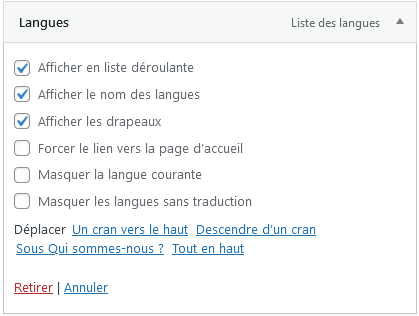
Now, only the first langage is displayed, and we can't chose the others ! Whereas menus on the classic wordpress theme (without brizy) works well.
Could you please repair this issue ?
Thanks !
-

Hello Theophile,
Thank you for your message!
Can you please tell us since when do you encounter this problem? Please try to clear the cache and disable the plugins you do not use. Hope to hear from you soon!
With kind regards,
Doina
0 -
Hello Doina,
I can't tell you with precision since when I encounter this problem, I discover it around the 20/12.
I've already tried to purge cache, deactivate all others plugins than brizy, brizy pro and polylang, but that doesn't change anything.
If I do a menu with submenus by myself, it works. But the one of polylang doesn't.
Thinks for your attention,
0 -

Hi,
Thank you for your message. This is an issue and our developers already fixed it. Next week a new update will be released and this issue will be fixed.
We are very sorry for this inconvenience.
Best regards, Nelea.
0 -

Exactly the same problem happens to me.
We look forward to a prompt update.0 -
Hi Juan,
We apologize for the inconvenience.
Next week for sure we will have an update and this issue will be fixed.
Best regards, Nelea.
0 -
Hi,
The problem happens again ! since last updates, the bug reappears. It's a real problem, can you fix it quickly ?0 -

Hi Théophile,
Thank you for reaching out to us.
Could you please provide the URL so we can inspect your site?
I look forward to your response.
Best regards,
Ariel H.0 -
If you want, but currently I've replaced the Polylang menus by a emoji, to do a pseudo-menu.
You can see it at mat*******etta.com0 -
Hi Théophile,
Thank you for waiting.
We have installed Polylang in our test environment, but it appears to be working properly.
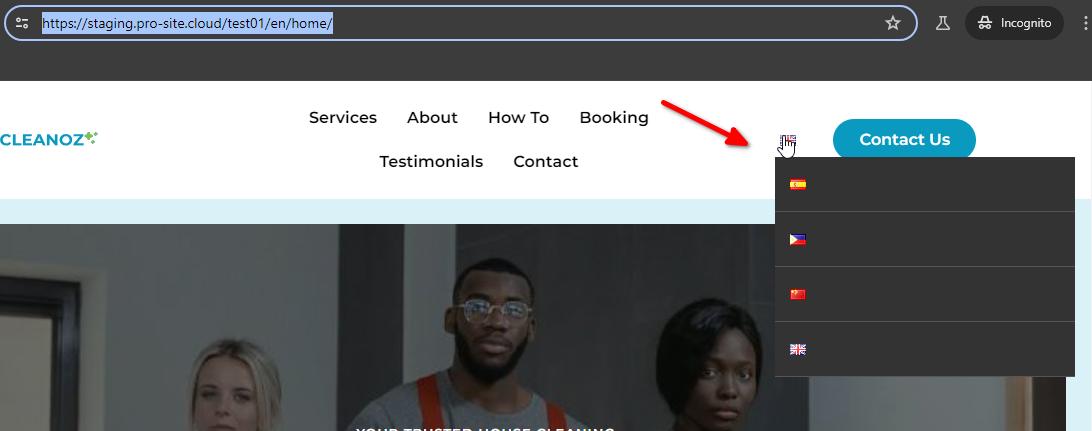
Could you provide us temporary access to your WP Admin page so we can take a closer look. Please add us as an Admin user to your WordPress Dashboard and send the following details to: communitysupport@brizy.ioCommunity Post link: https://support.brizy.io/hc/en-us/community/posts/4414932066193
WordPress Admin URL:
Username:
Password:Please make a full backup of your site as a precaution.
Best regards,
Ariel H.0 -
Hi Théophile,
Thank you for your cooperation.
The menu language switcher started to appear after we made changes to the padding of the global header and updated the page.
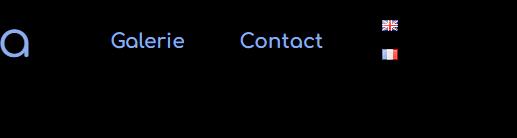
The icon you added is currently set to invisible or is not showing on desktop; you may remove it after testing your site.
If you have any further questions, please let us know.
Best regards,
Ariel H.0
Please sign in to leave a comment.
Comments
10 comments