How to use 'Home shop template'

Hi,
I like the 'home shop template' but how can I use it on my website;
The 'Product details page' is not editable as a Woocommerce product, but it is just a page design right? meaning if I have 50 products, I have to make 50 pages to use that design?

How can I use the checkout and cart page to be my actual checkout and cart page?
The page 'all products' for example are just images with the price underneath. (so adding new products wouldn't automatically change it, so what's the point). It's like a Figma design but not actually functional.
Thanks in advance!
Kind regards,
Yonik
-

Hello,
Thank you for contacting us.
You are right; the home shop layout has static pages and you cannot import those layouts and use it as single product page or shop page. Instead, you will need to design a single product template and a shop page template with the help of the home shop premade layouts.
In this video my colleague demonstrates how you can use the home shop layouts to create single product and shop page templates.
https://www.loom.com/share/128c861f2780484faaf8d32079f7f1c0
Best regards, Nelea.
0 -
Hi,
Thank you for the very informative video. This helps!
Can I also ask you something about another issue that I'm having:My website (colocoagency.be) looks like the right side is like 20% off. It should be just full screen and in the brizy editor it is full screen, but not when I just go to the website. Is there a way how I can fix this issue? (Brizy plugin is up to date).
Kind regards,
Yonik0 -
Hello,
Please go to your dashboard and change the Brizy template, please see here.
Best regards, Nelea.
0 -
Hi,
I wish that would've solved the issue, but the Brizy template is already active.
This is what it looks like in mobile.
Another issue that I'm having is that I can't change the color of this form for some reason. When I try to change it, it changes the background (also when I try to change it in the block). (Please see image below).Thank you in advance,
kind regards,
Yonik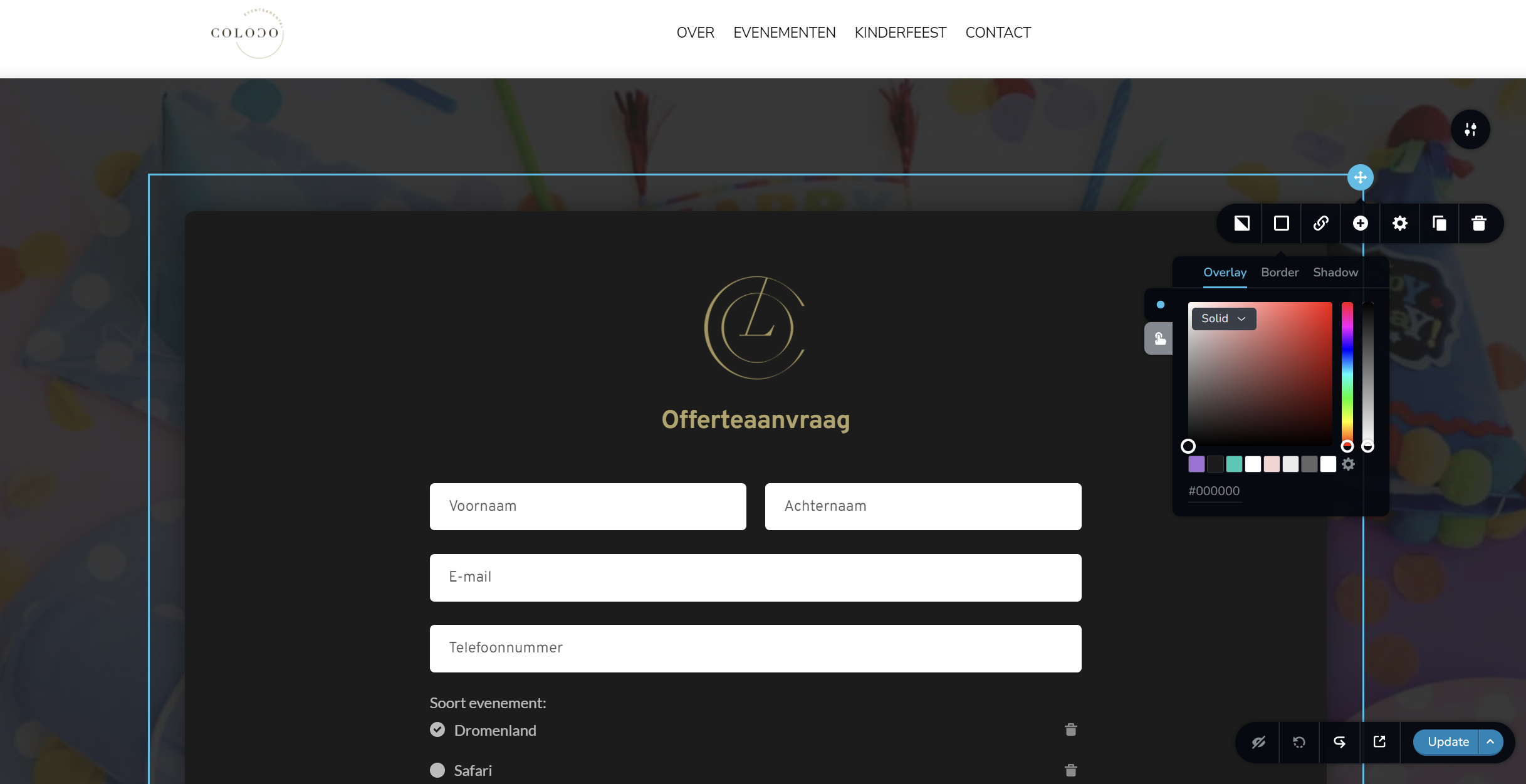 0
0 -
Hello,
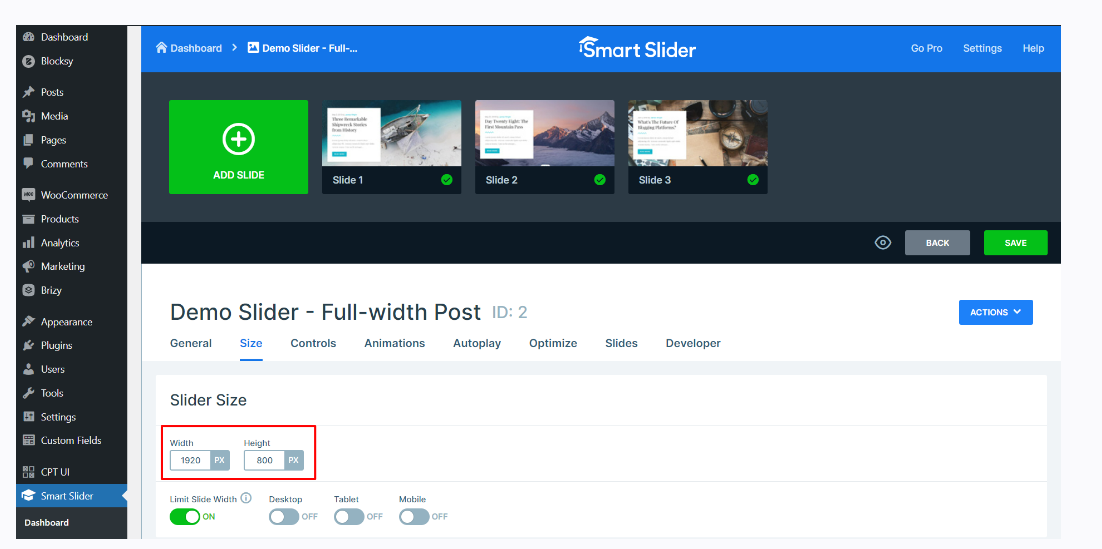
Looks like you are using Smart Slider 3. The blank space at the right-hand side could be because of a slider size setting in your Smart Slider 3. Go to Smart Slider - Dashboard - Select the hero slider. In the slider settings under 'Size' tab, check the size of the slider. Try changing the slider width to 1920 and its height to 800/900/1000 and see if it helps
 0
0 -
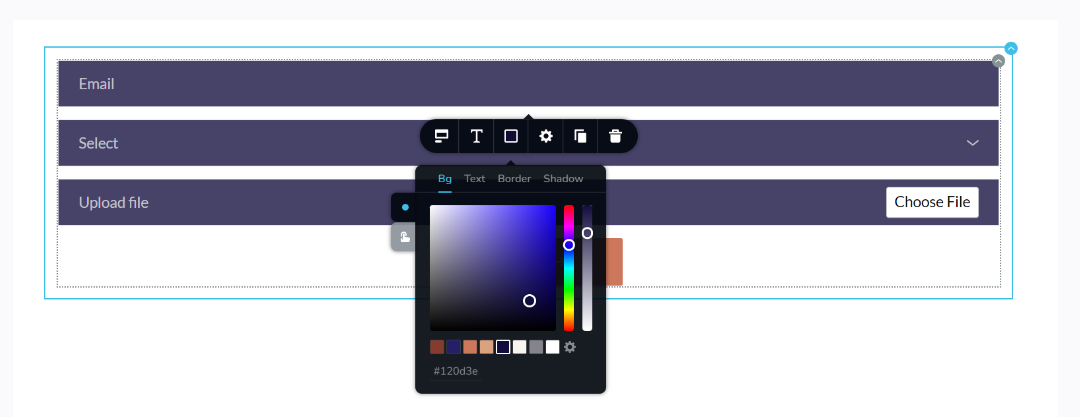
To change the color of the form fields, click on any of the form elements and then change the background color
 0
0 -
Hi,
I'm still having issues with the slider. It should be compatible with Brizy right?When I type the url, it shows the slider in full width (because the website knows that I'm the admin), it's also in full width. When I go in incognito mode or use a different device I see that it's not in full width.
https://app.usebubbles.com/x89xKYnTTfe3waRtupisCz/comments-on-colocoagency-be (<-- This is a video to show you what it looks like).
Underneath you can see how I changed the size of the slider, as you mentioned before. (All other pages are full width, and when I remove the slider from the page, then the rest of the page goes back to normal (full width).
Do you have any suggestions to see what might be the issue here?
Thanks in advance!
Kind regards,
Yonik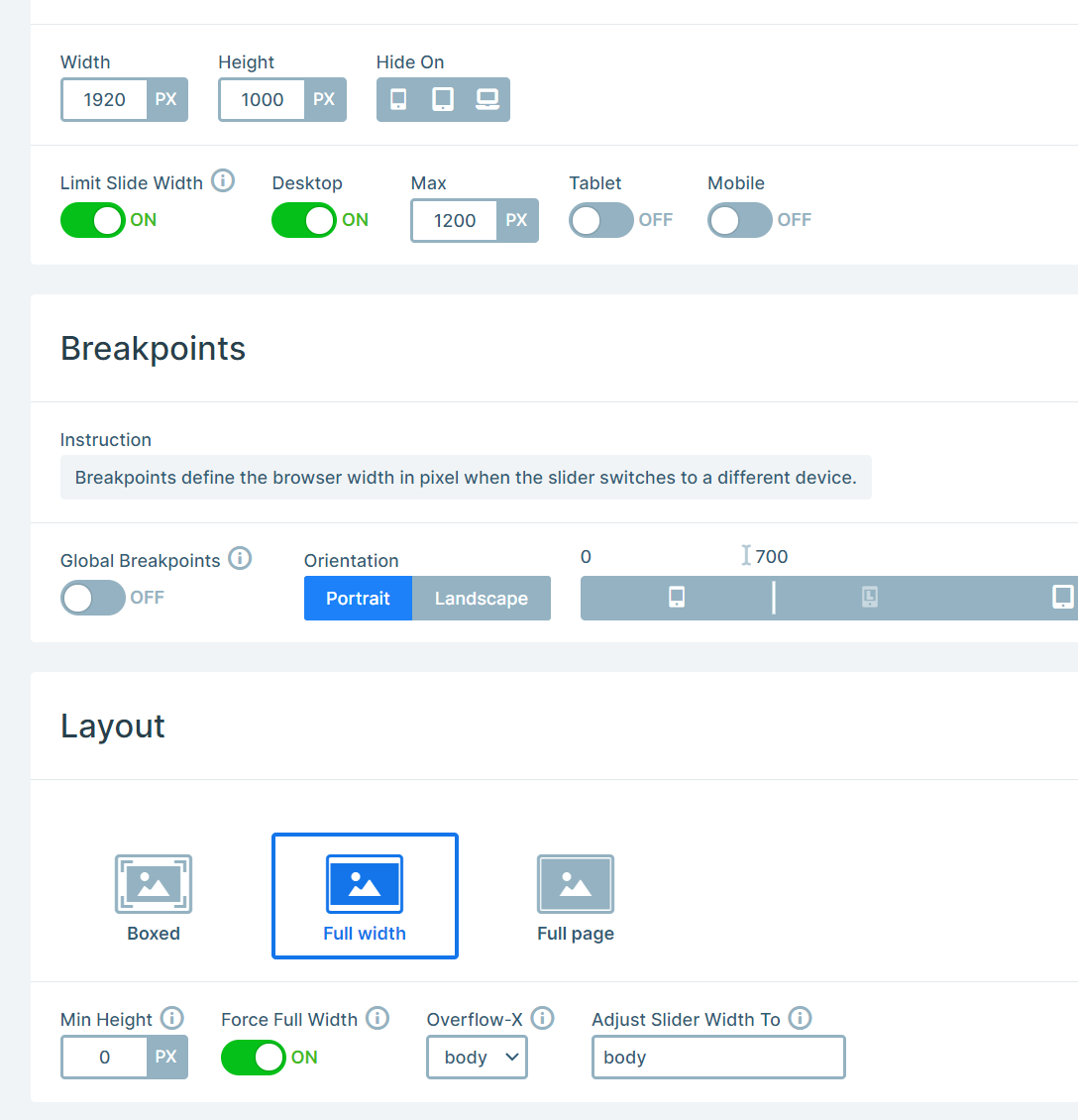 0
0 -
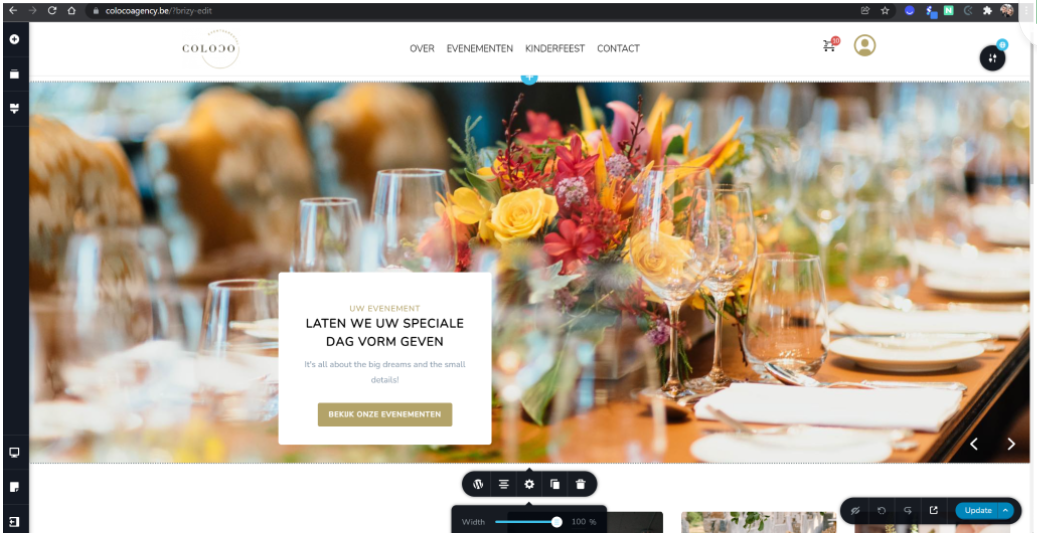
(This is what it looks like in the editor)
0 -
Hi,
You have set the slider width correctly. However, you have also enabled an option to "Limit slider width" for Desktop. With this option enabled, your slider width is reduced to 1200 pixels on desktops. Disable this option for desktop by clicking on the toggle switch highlighted in the attached image.
Please enable this option for tablets and mobile and set appropriate sizes for it. For example, you can try these values and check, see here.
This question is not related to Brizy builder. Please contact the Smart Slider 3 support for any further assistance.
Best regards, Nelea.
0
Please sign in to leave a comment.
Comments
9 comments