Contact Form with Office 365 STMP integration

I configured the form settings, but within the forms encryption, there is no option to put STARTTLS. This is a encryption setting provided by Microsoft.
Please advise on how to proceed.
-

Hello Stacey,
Thank you for your message!
Can you please send us some screenshots or a video recording of the actions you have taken till now? Thank you!
With kind regards,
Doina
0 -
Hi Doina,
Sorry for my late reply. I will set up another form tomorrow. For now I've added my GMail account to the form because of this issue.
Will send te screenshot(s) tomorrow.
Warm Regards,
Stacey
0 -
Hi Doina,
Please see printscreens attached.
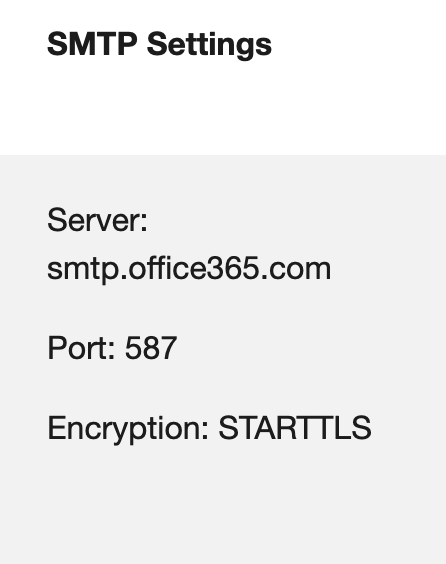
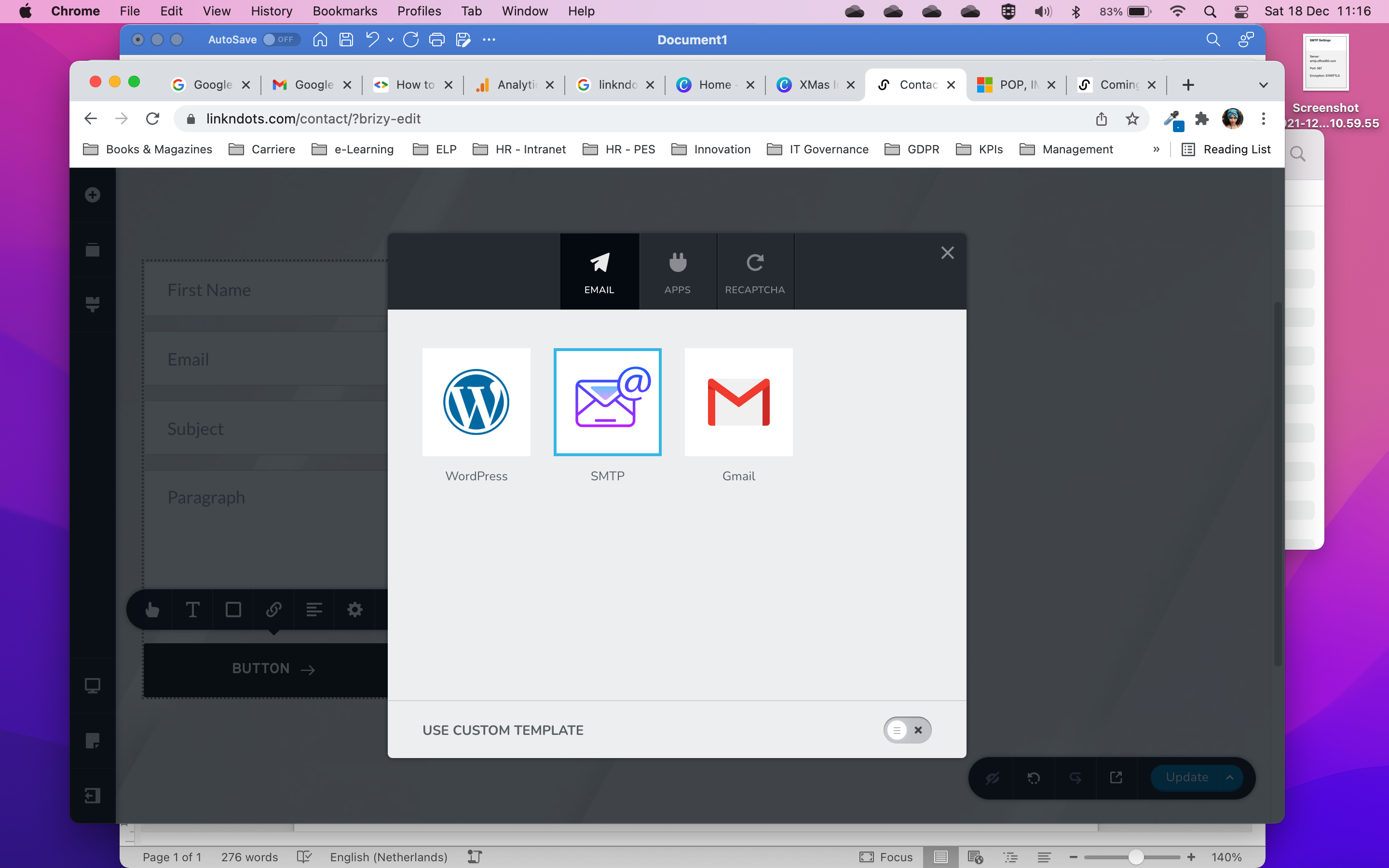
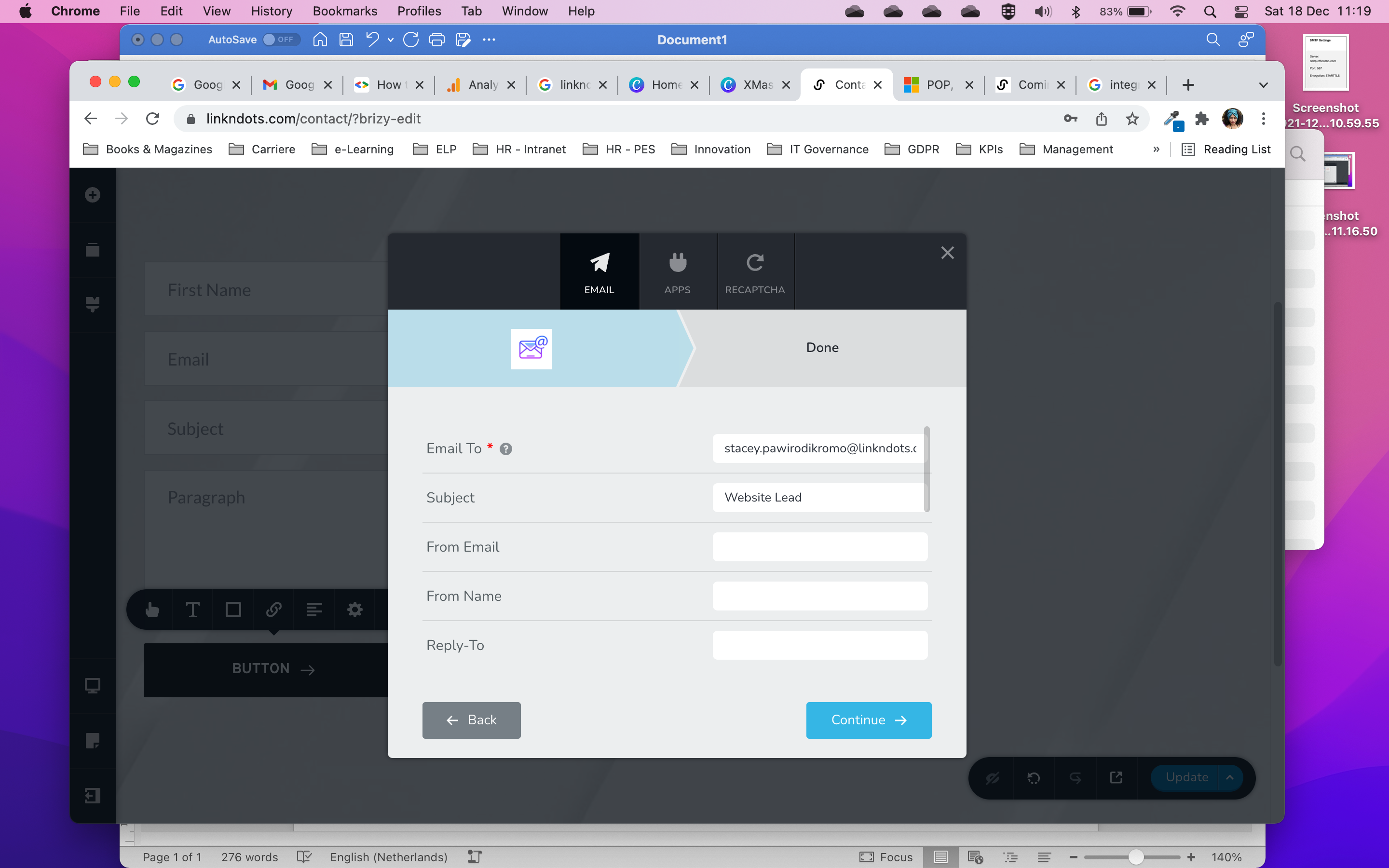

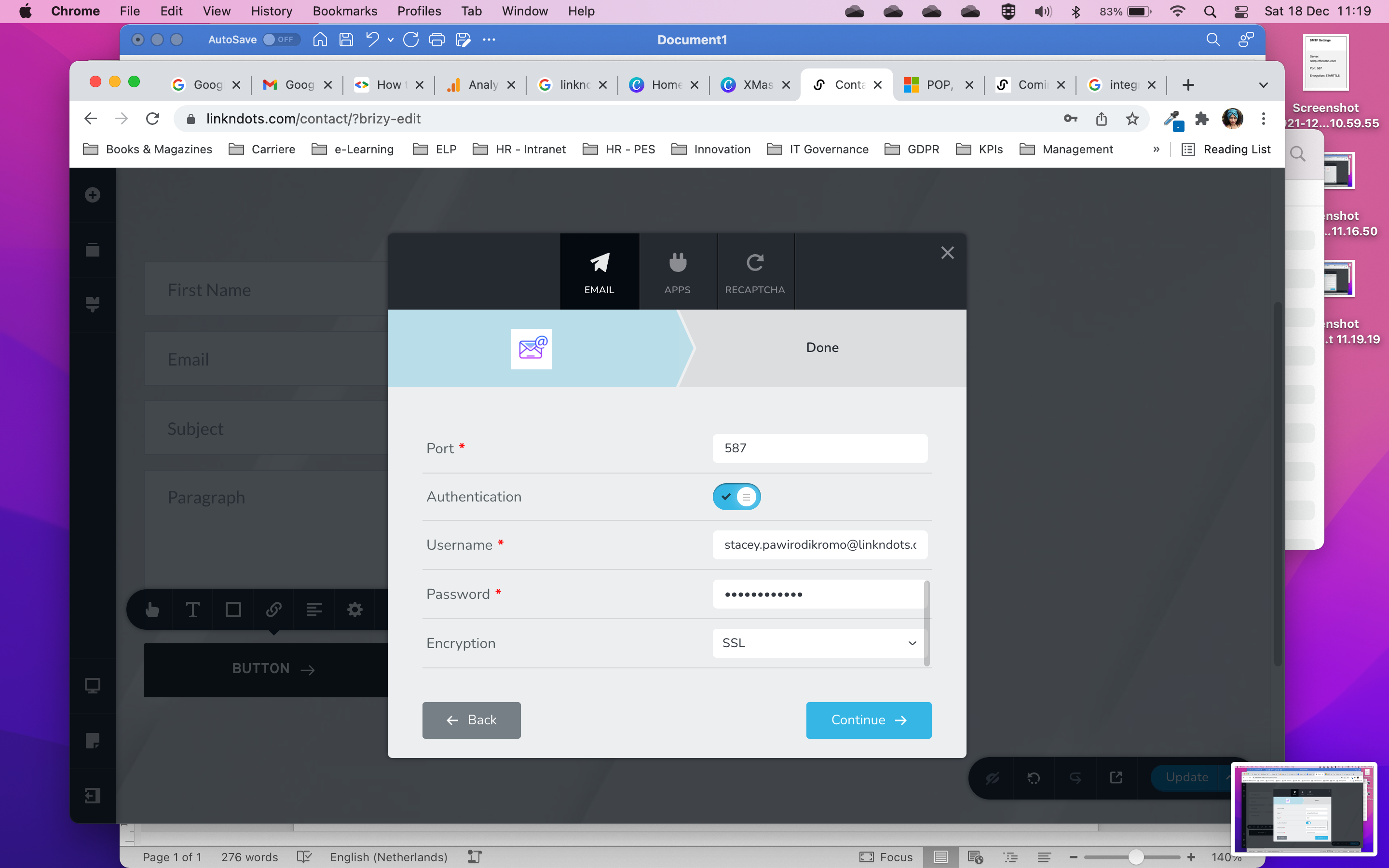
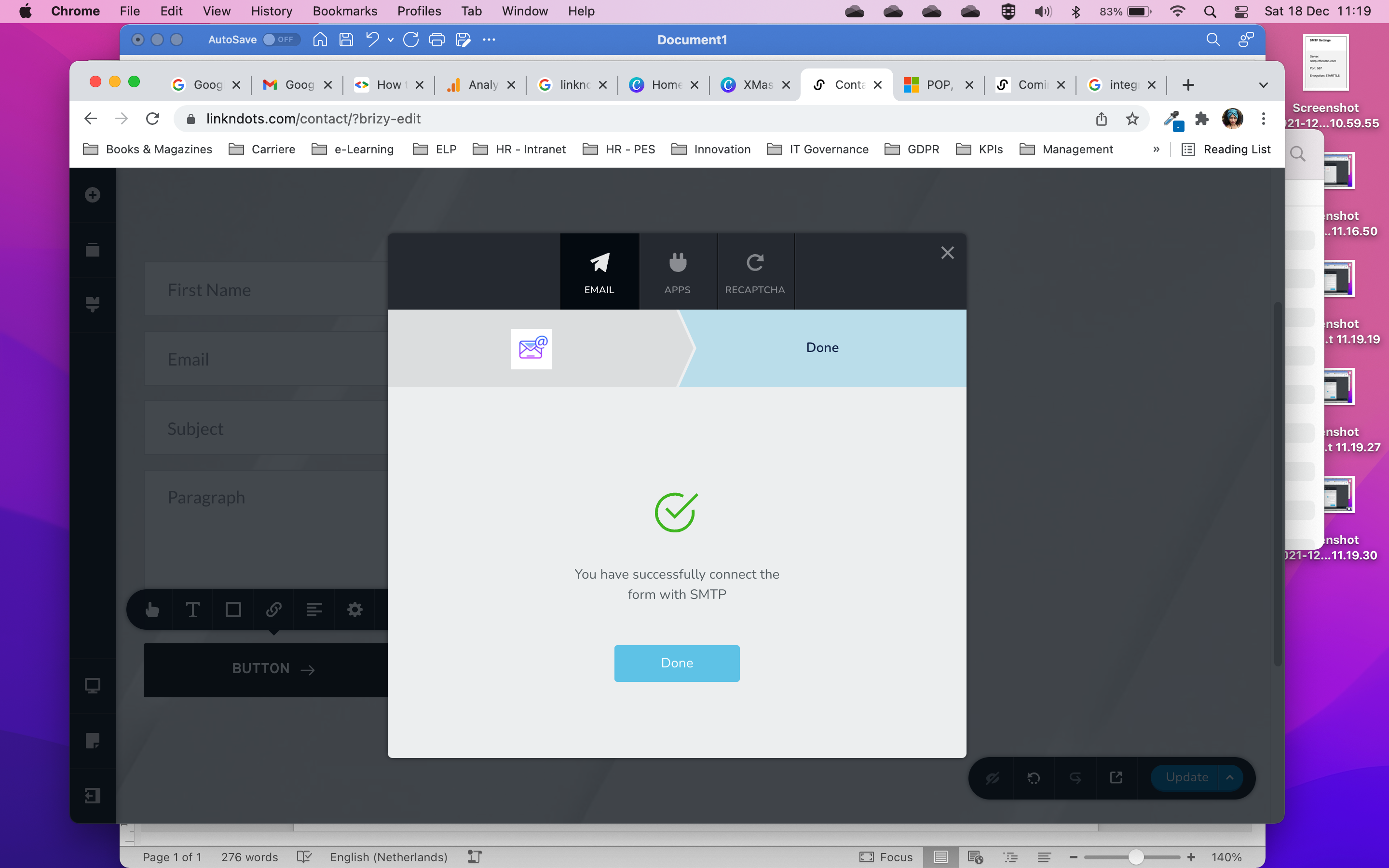

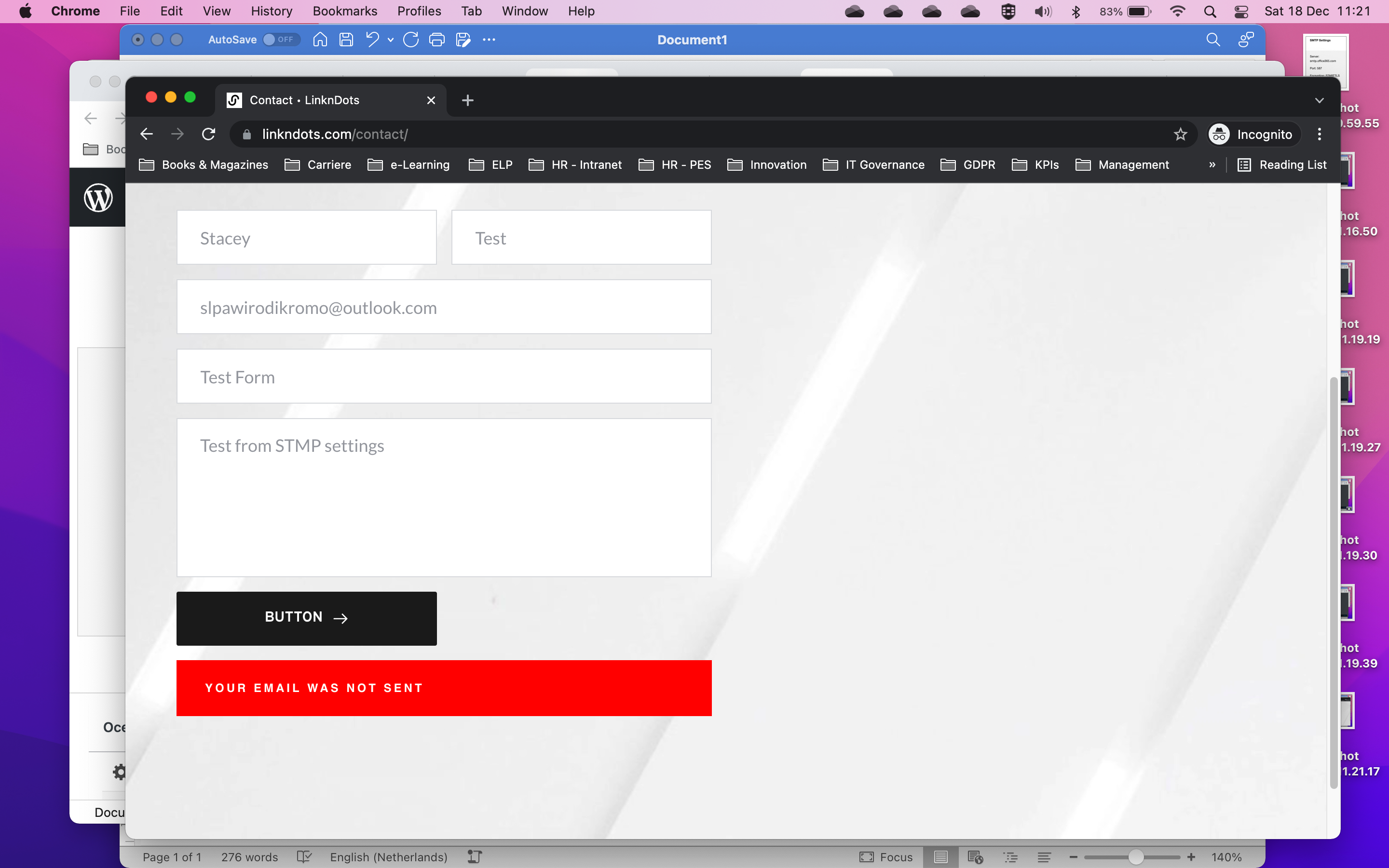 0
0 -
Hello Stacey,
Thank you very much for your message and do not worry about the late reply!
Can you please provide the link to the website so we can check this for ourselves? Thank you!
With warm regards,
Doina
0 -
Hi Doina,
the link to the website where I've placed the form is: http://linkndots.com/contact/
0 -
The orginal form is on https://linkndots.com/, which I've linked my Gmail account to
0 -
Hello Stacey,
Thank you very much for your message!
I checked the first link and indeed there is a problem. I checked the second link and it worked. See here. I want to know, which one is essential for you. Hope to hear from you soon!
With kind regards,
Doina
0 -
Hi Doina,
The /contact page was build in order for you to check the form. I've added the O365 STMP information and it doesnt work.
Because of this issue, I've connected my GMail with the form on the first page (first link). That's why you get a notification that your message has been send.
My goal is to build a form which can connect to my O365 email.-1 -
Hello Stacey,
Than you so much for your message and details!
I will make a ticket for you and one of my colleagues will assist you as soon as possible. This might take a while as our work day is coming to an end but I promise you someone will contact you and help! Please make sure to give them all the details that they will ask for. Thank you very much!
With kind regards,
Doina
0 -

Hi,
I am having the same issue on https://evolvientcapital.com/ could you please help!
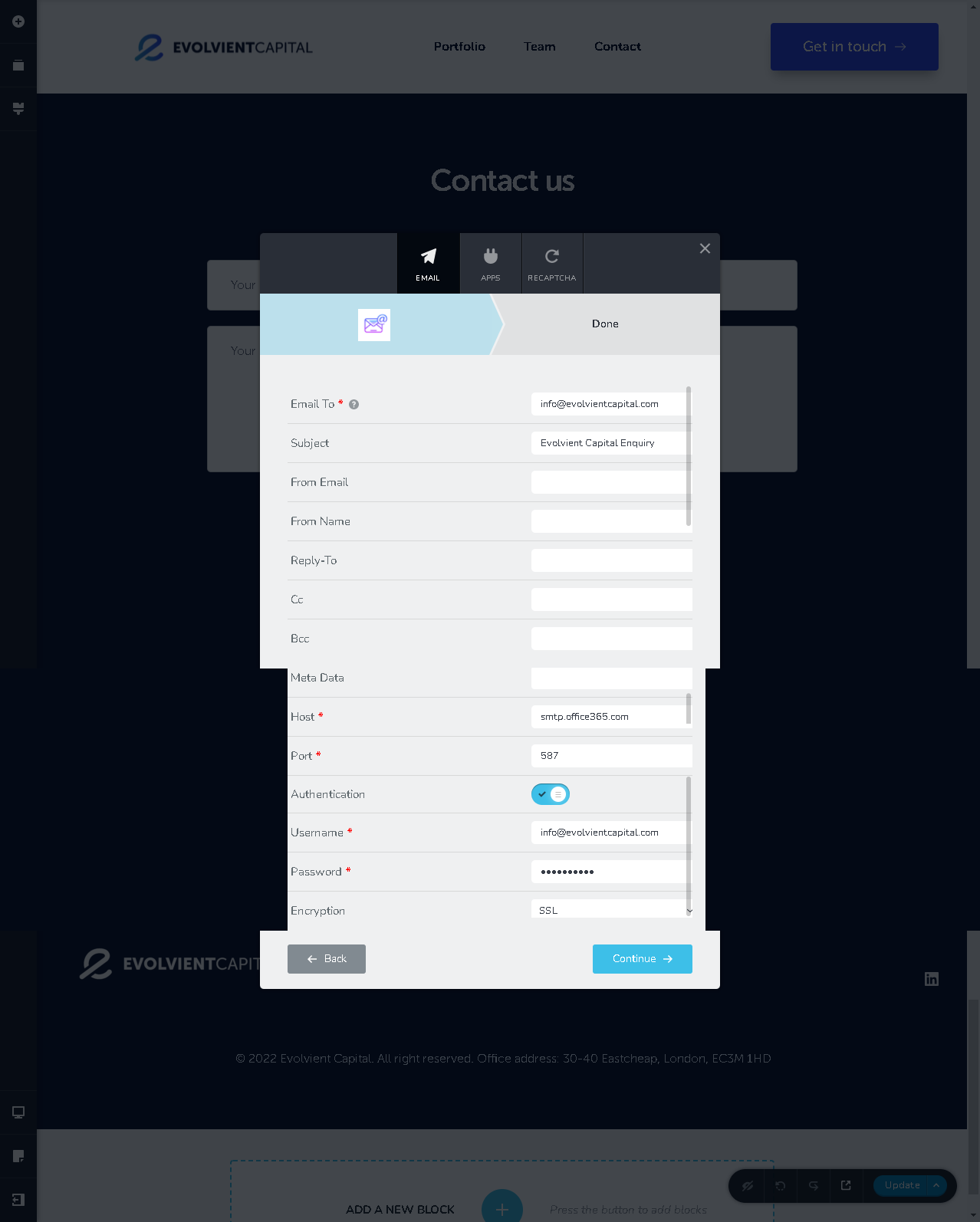
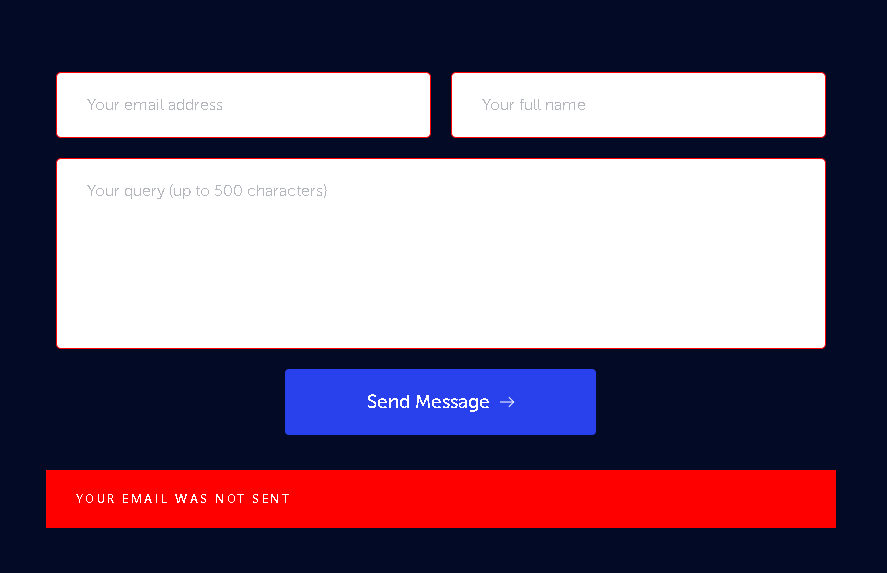 0
0 -

Hi John
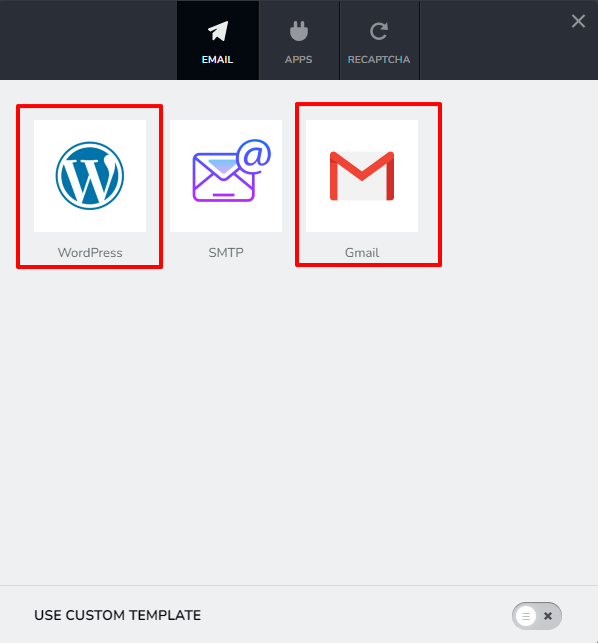
Looks like the SMTP option does not work well with Office 365 SMTP server. Please consider the other two options
- WordPress
- Gmail
 0
0 -
Thank you Kc George. I will try one of these options.
0 -

Kc George,
As if that is an acceptable solution to tell your clients "go use a gmail email address to conduct your business when you have MS exchange services, or use PHP emailer", what a joke! This should have been addressed when it was first brought up, but brizy is so focused on the cloud, they really don't care about WordPress anymore.
0 -
Hi Francesco
I am sorry; I could not understand your argument here.
Let us say you tell this to your client. "Please enter your gmail address and password in your website form so that every time someone fill it up, Gmail SMTP server can forward the form data to your email address info@yourwebsite.com".
How would your client feel and what would he reply?
0 -
This isn’t an argument, It’s the truth! Why would any paying client want to use a gmail account when they have exchange services they PAY FOR monthly? Seriously, having to utilize or even put gmail in the middle really demonstrates how the form element wasn’t really well thought out. This feature is needed as more companies implement hybrid environments with on premise and in the cloud infrastructure. To think we’re are talking about such a simple function.
In addition, Google workspace doesn’t even come close to what Microsoft offers, but it seems your clients are ok with using non TLD email addresses to conduct their business and operate their contact forms? I wish I was that lucky! That may work for you, but it sure doesn’t work for me or my clients.
And their answer would be simple, we want to use our corporate email address. So you either make it work or we will find someone who can. I don’t work much with mom and pop small businesses, and these responses are routine when we are talking about improving the processes, not asking to throw additional variables/points of failure to their process.
0 -
Hi Francesco
If you read my comment carefully, you will notice that I'm suggesting to use an official email like info@website.com. Your clients can receive the form notifications in their official email addresses hosted with Microsoft 365 or any other mail server.
This thread of discussion is not about which email address you are receiving your form email notifications. Instead this is about the SMTP service you are using to send out the email.
Even if your email is hosted with Microsoft 365, you can still send the form data using a personal gmail account.
0 -
Sir,
Your solution consists of using an intermediary. And when I speak of email and exchange, we’re talking about enterprise email and web hosted email together. There’s plenty of email addresses to go around, but when a client has a SPECIFIC need, this solution doesn’t work. Not many companies I work with want google in the middle of their communications. As a developer who holds both an agency and WaaS license, I have an obligation to respect their wants and needs.
When I turn over a site configured like this, how does it look when they need one gmail account to perform such a simple operation? Let’s not talk about the licensing they are paying for the email address they want to use? I agree, There’s tons of ways to get the email to the user and you provided an example; however, my point (which seems you’re missing) is that this needs to be implemented as a standard feature. There is no words or work-around that can negate that fact.
0 -
Hi Francesco
If you do not like to involve a personal Gmail address, please use the third option which is SMTP. This option allows you to send out your form emails using thousands of SMTP servers around the globe.
You can also setup an SMTP server using a plugin like https://wordpress.org/plugins/wp-mail-smtp/
0 -

@Stacey Pawirodikromo and @JOHN HUNTER. I think I found a solution to your troubles.
I too had the same problem Stacey was describing for connecting my client's Outlook account.
I got this to work my installing a free plugin called WP Mail SMTP. I believe by default, Wordpress uses the PHP method to send email. If you don't edit the configuration files to tell it to use another protocol like SMTP (or in my case installing that plugin), you will encounter issues when you select the SMTP method in Brizy.
So we need to tell Wordpress use SMTP method going forward for ALL outgoing mail. The best way is to install this plugin and enter your SMTP credentials just like you did in the Brizy contact form.
Just like Brizy, WP Mail SMTP doesnt have STARTTLS for Outlook users. Not a problem. Just choose TLS and it should work like a charm. At the last step, choose test email and enter your personal email to test if the plugin was configured properly. You should receive the email.
Once you correctly set up WP Mail SMTP, make sure those settings are exactly the same when you select the SMTP method in Brizy contact form.
From there, the final test would be to complete the contact form and you should see a green message indicating the form was sent successfully.
Hope this helps!
Joe
0
Please sign in to leave a comment.
Comments
19 comments