Switching from draft to publish not saving on my pages.

Switching from draft to publish not working on my pages. After making the selection then clicking on 'update' the changes are not being saved.
-

Hi Emma,
Thank you for getting in touch with us.
I'm sorry but we cannot reproduce the problem. Please see here.
Could you please clear your browser cache and check again? Also, if still doesn't work please send us the URL of your project and we will check it.
Best regards, Nelea.
0 -
Hi Nelea,I appreciate your quick response. I should have mentioned in my post that I had already tried clearing the cache and logged in and out a couple of times to get my settings to change. When I went back in this morning - after logging back out then in again and clearing the cache again - it seemed to fix the issue. The problem was under the 'pages' tab then under content then selecting a page (where the page title etc is listed) then switching the toggle on the right to 'publish'. All that worked fine but when I clicked the button to update nothing would happen - I would never get the confirmation that the change had been updated and none of the changes I made would save.Also, now I can't seem to delete the 'home' page on that same link so I can replace it with a different page.0
-
Hi Emma,
Sorry for the misunderstanding. Yes, I can confirm that the issue with the saved update on the content page was from our part, but it was already fixed it. Regarding the second issue, you can not delete the page from here? I tried to delete the page in my dashboard and everything works well.
Please send me a video recorder with the issue that you are encountered, so I could understand better your problem, also please send the URL project and we will check it.
Best regards, Nelea.
0 -
Hi Nelea,
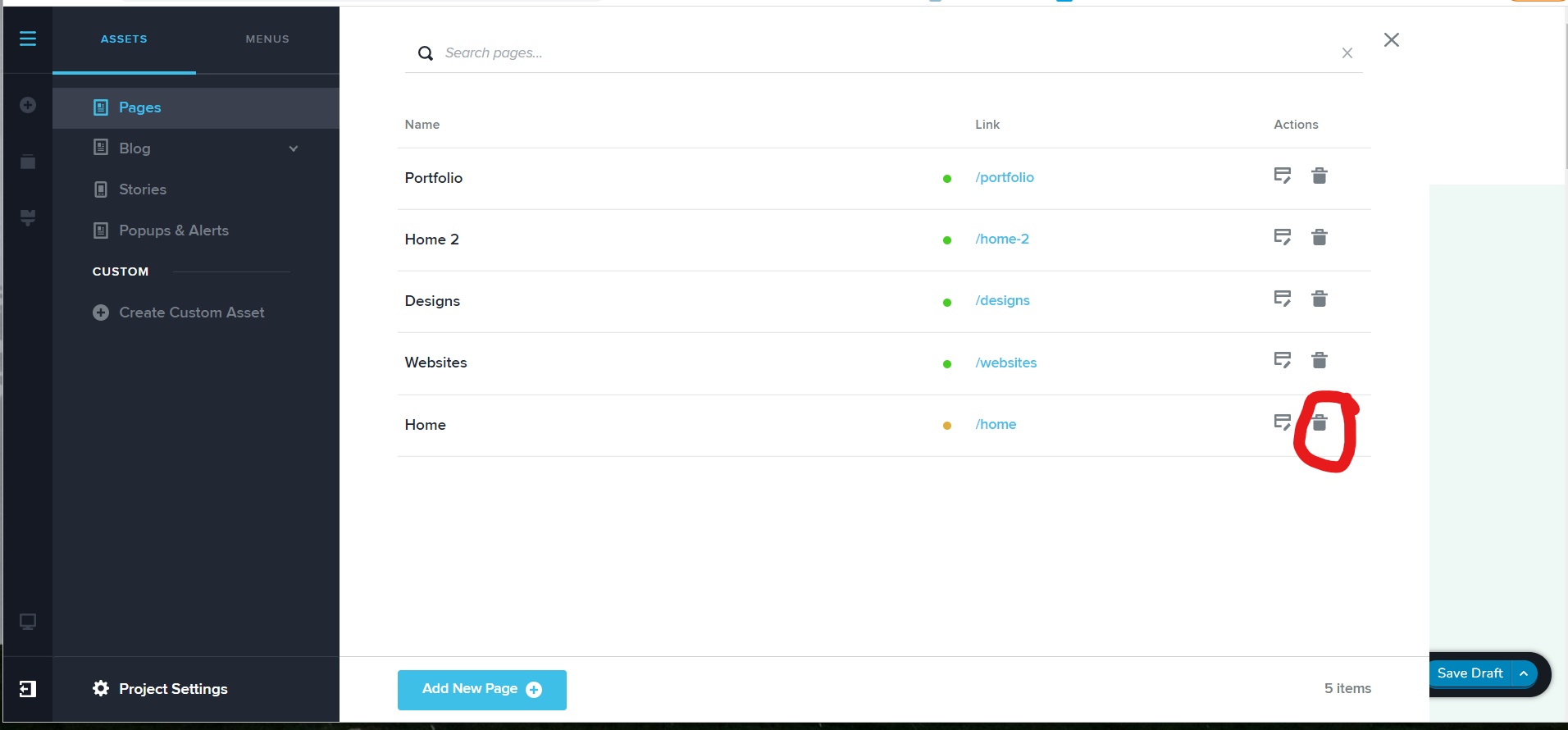
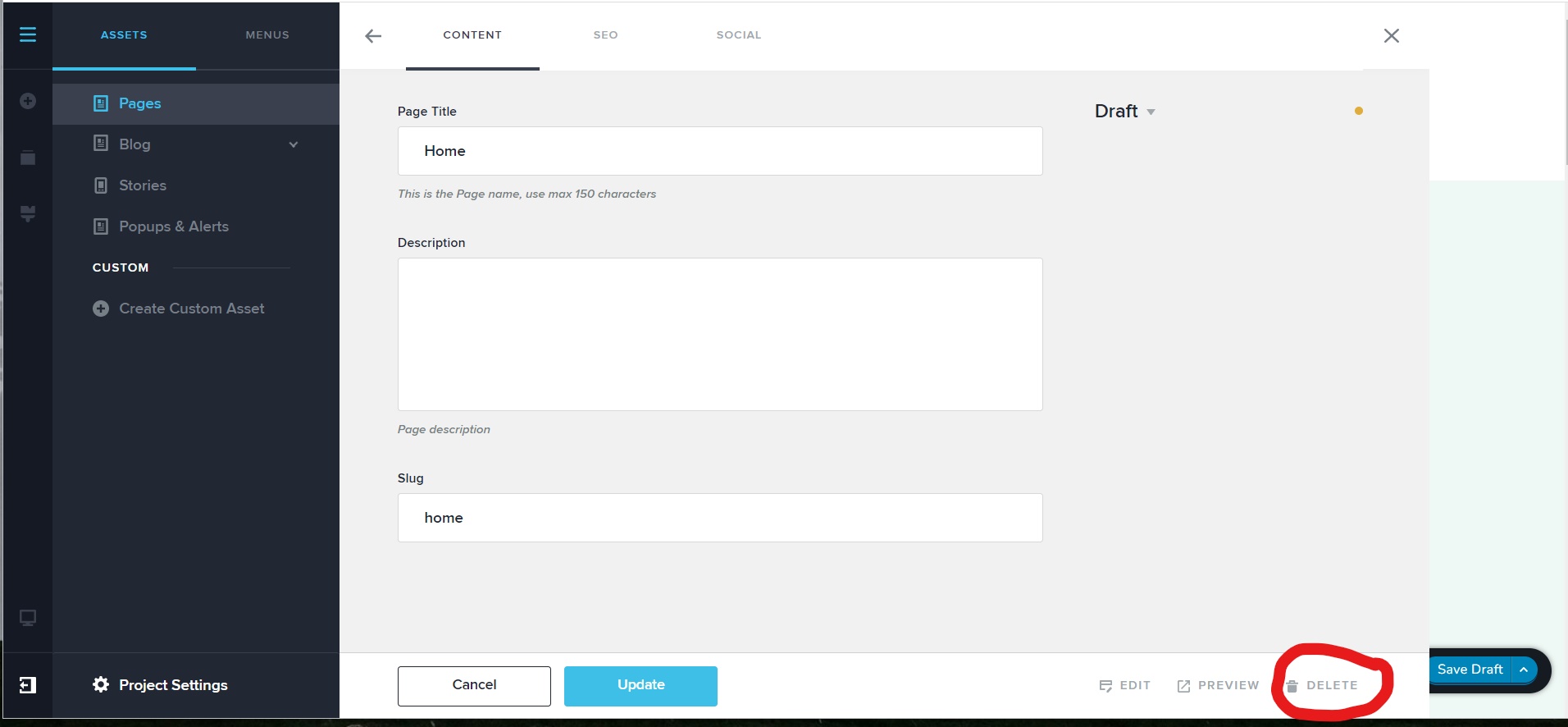
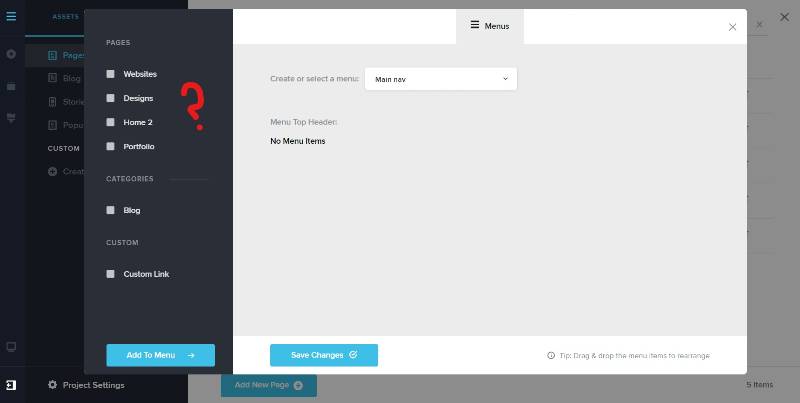
I can't delete the 'home' page from either of the locations circled in red (see photos below). However the 'home page does not show up in the menu.
I hold the shift key and click the reload button next to the url bar on Chrome to clear the cache for the page but is there a better way to clear the cache for Brizy Cloud?
Thank you for your help!
 0
0 -
Fixed the issue - this link solved the problem;
https://jumpshare.com/v/Cn0nGjnHbuF8caa2HLe7
Thanks!
0 -
Hi Emma,
I'm glad you managed to solve the problem. Let us know if you need anything else.
Best regards, Nelea.
0
Please sign in to leave a comment.
Comments
6 comments