Add a File Name to files stored on Brizy Cloud for Google Analytics download tracking

I have buttons on my site for downloading pdfs which are stored on Brizy cloud, the url is, for example, https://www.brizy.cloud/customfile/3f761247c46ee...... I am using Google Analytics to track how many times each individual pdf is downloaded; however, the GA report is showing the url which is not very descriptive. How can I add a File Name, i.e. "Email Tips and Tricks" so that the GA report can include the file name? Please provide an example as I don't know how to use or what code to put in the CSS ID or Custom Attributes, etc. Thank you for your help.
-

Hello Cynthia,
Thank you for your message!
Please see this video. It might help. If you still have any other questions, please feel free to ask!
With kind regards,
Doina
0 -
Hi Doina,
Thank you for your reply. Unfortunately, the video doesn't help me. I don't see a Media Library on Brizy Cloud; perhaps that applies only to Wordpress.
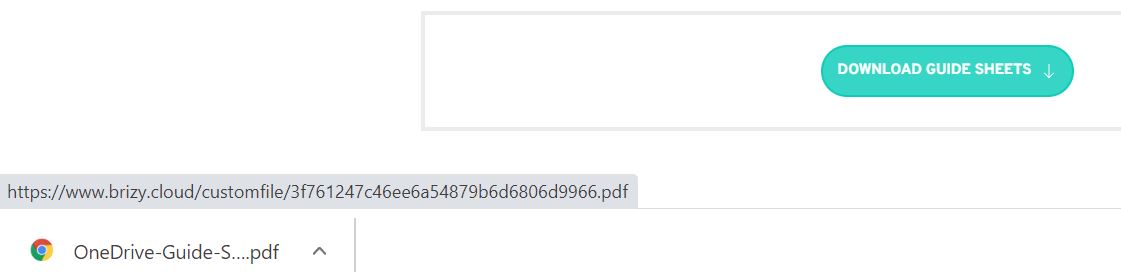
In this screenshot, when I click on the Download Guide Sheets button, Google Analytics is reporting that file https://www.brizy.cloud/customfile/3f761247c.... was downloaded. I would like Google Analytics to report that file "OneDrive Guide Sheets" was downloaded. Is there a way I can add an attribute or file name or something to the button in order to accomplish this?
 0
0 -
Hello Cynthia,
Thank you for your message!
Do you want to add a downloadable file? Unfortunately, only these two options are available: URL / block. Also, you can create a "Download link" with HTML: https://www.w3schools.com/howto/howto_html_download_link.asp . Hope this helps!
With kind regards,
Doina
0
Please sign in to leave a comment.
Comments
3 comments