Button location changing with screen size

Dear Brizy Team,
I am creating a page that is displaying a button on the bottom right. The button sits within a page row and its location setting is set to "none".
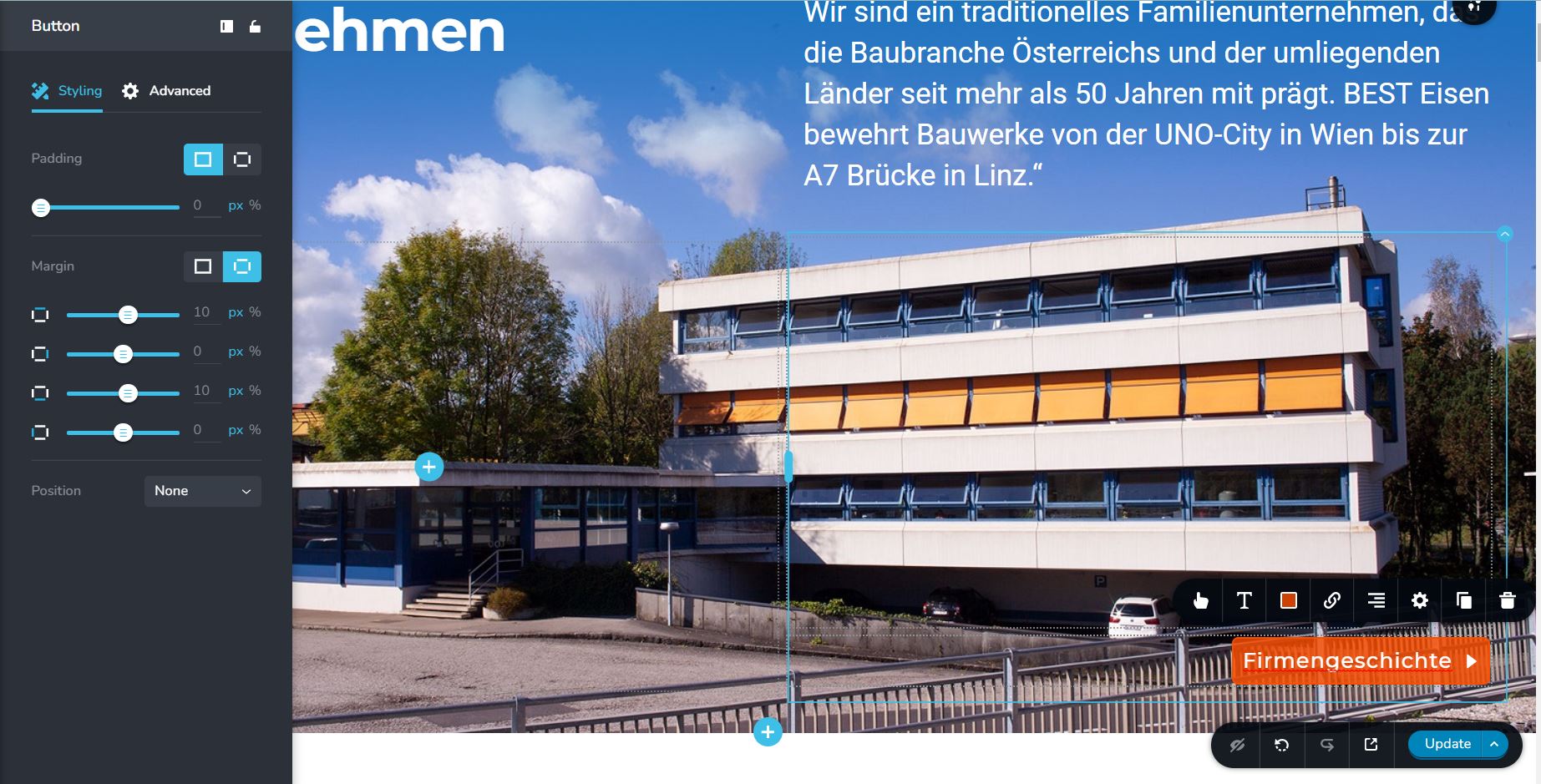
When looking at the published page on my 15" Laptop Screen the location is correct at the bottom right.

But when I look at the page on a 16:09 external display the button gets displayed misplaced somewhere half way up the page.

I understand that designs change with screen resolution and that I have to define special website setups for mobile, tablet and Desktop. But how can I achieve one design to look the same on 3 types of screens that are more or less the same size like in my example?
If you know how this issue could be tackled, please let me know.
Best regards,
Max
-

Hi Max,
the situation is a bit non-standard but you can solve it that way:
- set the section height to full and the content vertical-align to bottom: https://jmp.sh/gvIjLVv
- add custom space between text and button (and you can increase or decrease the space depending on the screen size with media query): https://jmp.sh/m6Yo37L
This way you will have the button at the bottom permanently and the space between the button and the text will be influenced by that custom space. Otherwise, it will be a bit difficult to divide half of the elements (text and title) attached to the top edge of the section and the button attached to the bottom edge of the section.
0 -
Hi Alex,
this is a very interesting idea. I did as you said but ran into a small problem it seems. I can set the heigt to full and the content vertical alignment to bottom as you said. I can also add a space element between top and bottom content. But I cannot find the option to add that CSS code in the space element as you are demonstrating.
Is "custom space" a different element from "spacer"?
Also could this idea also work for the other ticket about the 16:09 video background ration? It seems the problem is very similar.
Thank you for your excellent support and patience.
Best regards,
Max
0 -
Hi Alex,
ok i figured it out, its the "Embed" element. Hey this seems to work, excellent news. Will give it some more testing but looking good.
Thank you, will try to use this on our 16:09 Videoissue as well. If you have any tips there, please let me know.
Thank you for your excellent support and patience.
Best regards,
Max
0 -
Hi Max,
yes, I added an HTML div using Embed element instead of using the default Spacer element. I did this to have more freedom where I can set vh instead of px or if necessary add a custom class for later changes. I'm glad we got closer to the final goal.
I will also think of a solution for the other ticket where we are talking about a 16: 9 video but if we solve it there you will owe me a good beer. I'm kidding ..... two good beers 😀.
0 -
Hi Alex,
absolutely up for the beers when ever you are. On top this would be an excellent additional feature for all other Brizy users since this problem exists for all of us.
Best regards,
Max
0 -
Hi,
Please check this post: https://support.brizy.io/hc/en-us/community/posts/4412325468305/comments/4415021771793
0
Please sign in to leave a comment.
Comments
6 comments