Edit Timeline elements

Hi Brizy,
I am using a vertical timeline elemement to build a company history timeline. What year was the company funded, aso.
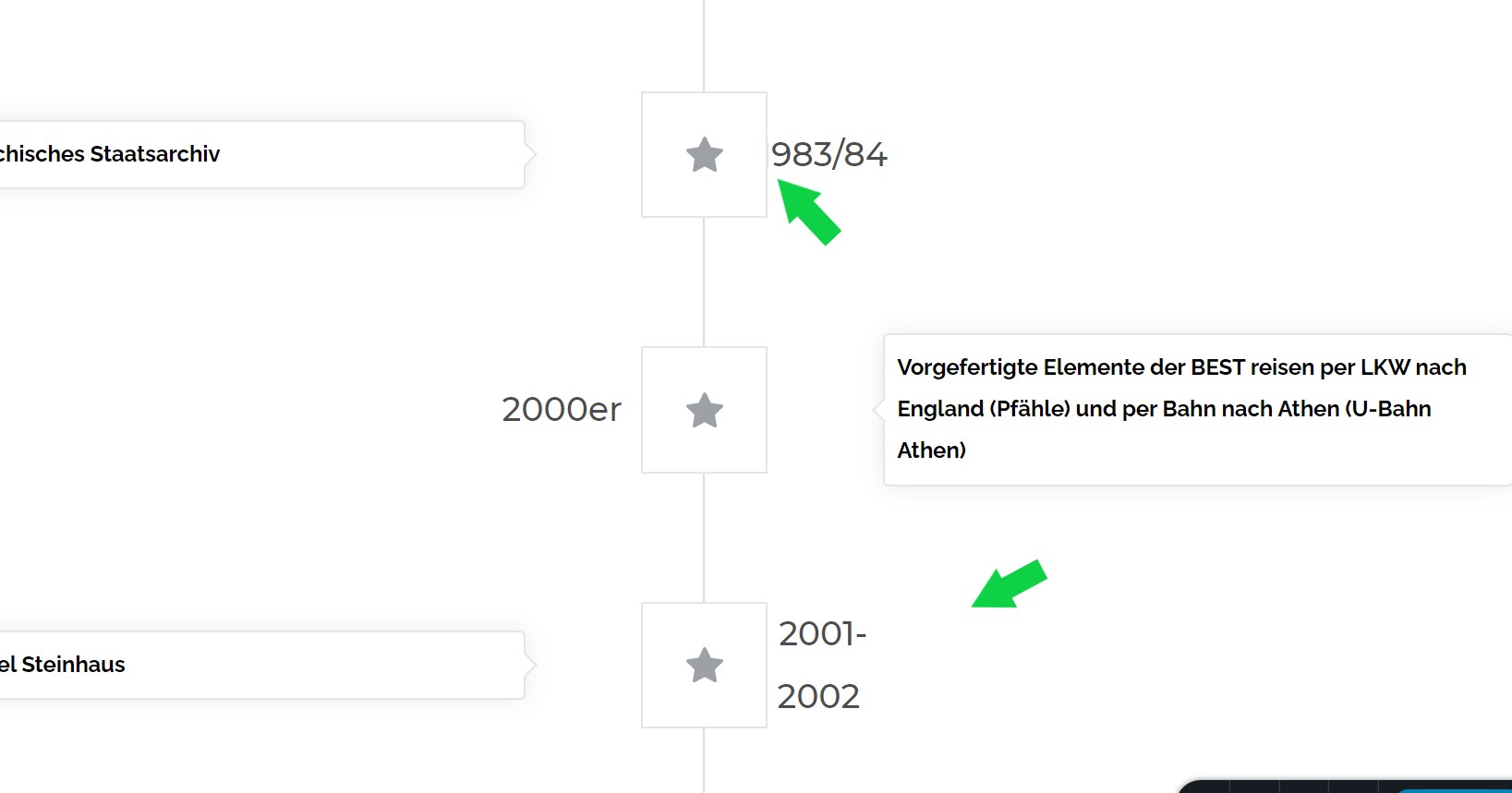
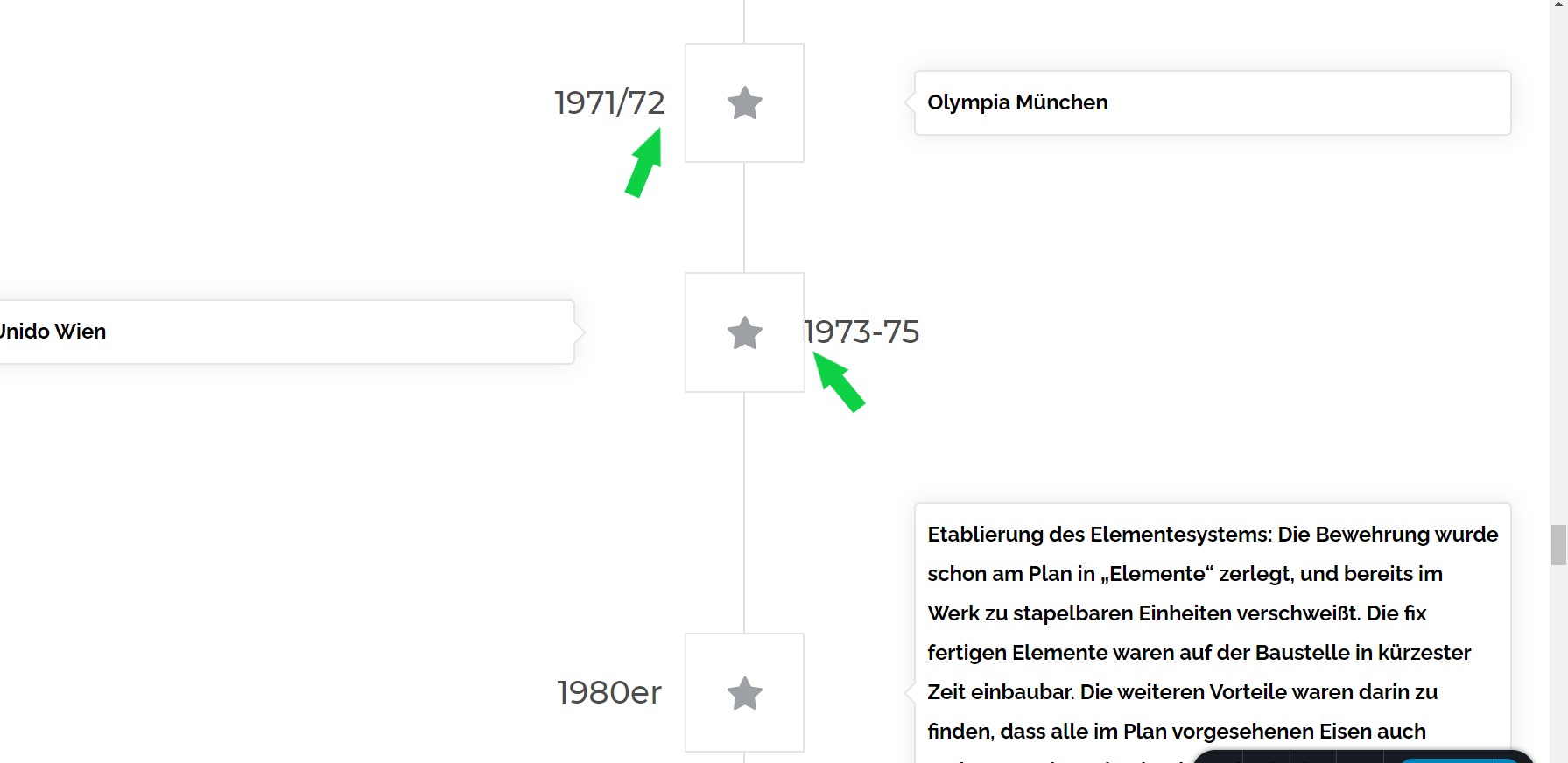
I am struggling to edit the corresponding date and text that goes with each step stone/time mark on the timeline. In some cases the date is too close to the step stone and does not look good, or even the first numbers get covered. At others the date is too long and gets displayed in two rows instead of one. (pls see screenshots)
Is there any way to edit the spacing between the content box,where i entered the date and the step stone?
Best regards,
Max
-
Hi Max,
Thank you for your message and for your details.
We could reproduce this problem. I will create an internal issue and our developers will investigate how we can solve this problem as soon as possible. Thank you for your patience and for reporting to us all these details!
Best regards, Nelea.
0 -

Hi Support,
has there been any update on these issues in the meantime?
Best regards,
Max
0 -

Hi Max,
You can now increase or decrease the spacing between the title text and the icons. However we still do not have an option to increase the width of the title text to make it in one line. Please watch this video for the customization options for the timeline element. https://jmp.sh/fU6d5Pe
0 -
Hi George,
thank you for your response and video.
Best regards,
Max
0 -
Hi Support,
I made the timeline element work within the limitations of adjustment possibilities. Never the less I have a rather bigger problem regarding the width of the timeline element displaying on desktop screens.
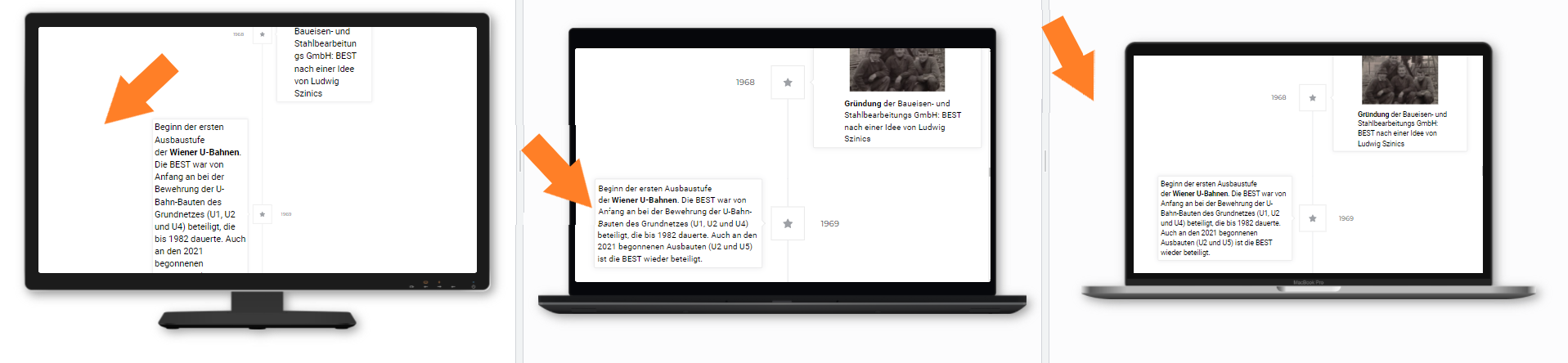
As you can there is ways too much screenspace on the sides used on a desktop screen, in comparison to well used sidespace on the laptop screens.
This can only be set via the width setting of the timeline element shown below and there is only one fixed setting for all devices.
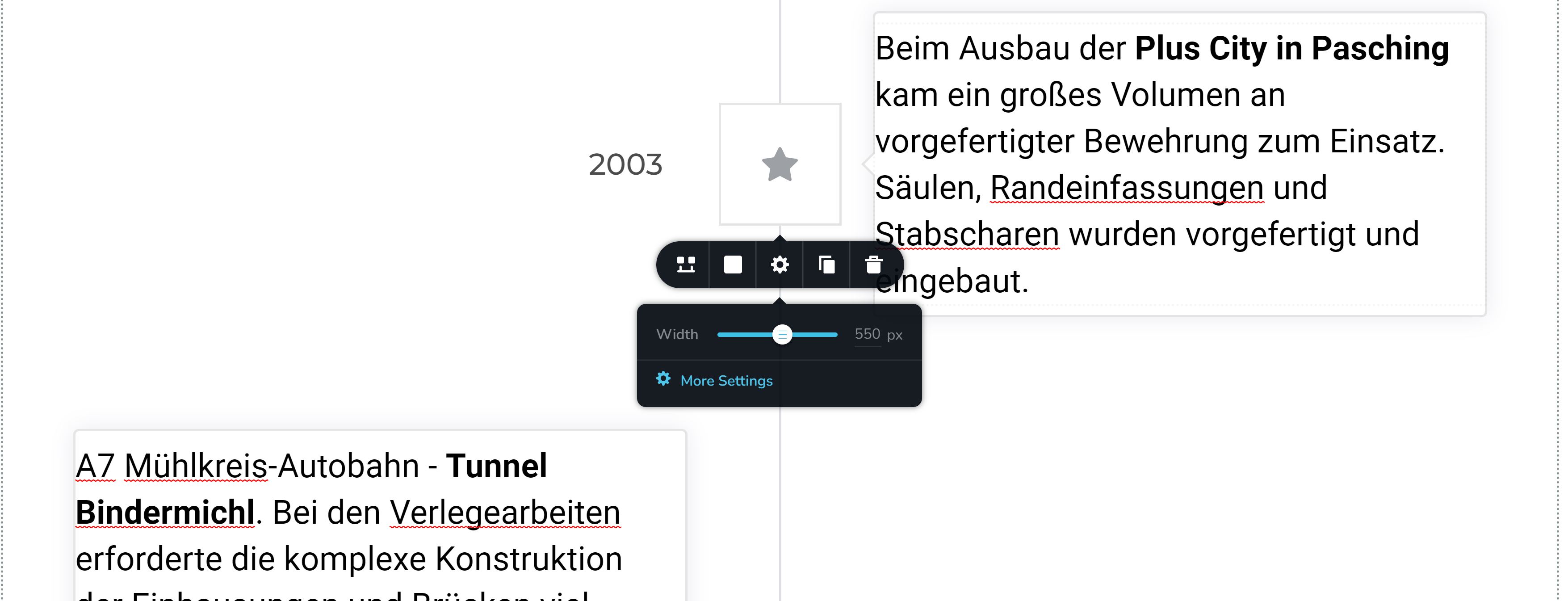
Is there a way to setup the witdth dependent on the screen resolution? Something more dynamic making use of the available space on a given screen?
Best regards,
Max
0 -
Hi Max,
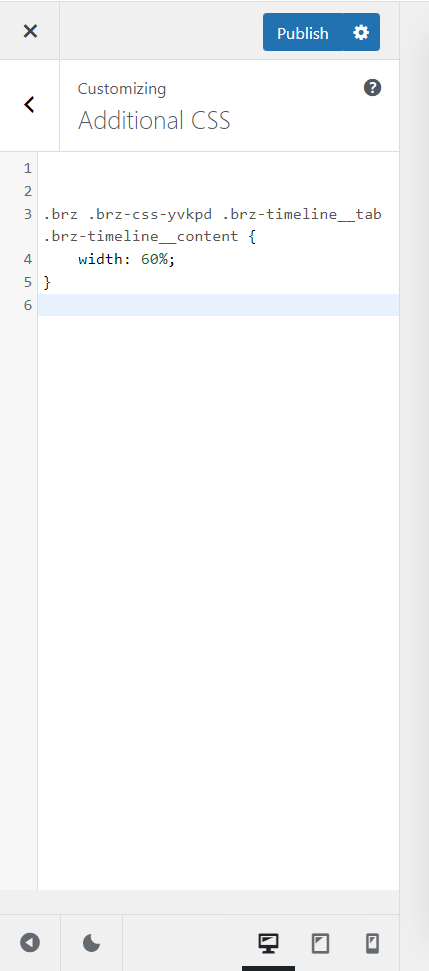
You are right; since the width is specified in pixels, what looks good on an HD screen laptop may not look good on a wide screen desktop. Please try this work around. Under Appearance - Customize - Additional CSS, paste this code and adjust the percentage width to an appropriate value on your laptop and check it on a widescreen desktop.
.brz .brz-css-yvkpd .brz-timeline__tab .brz-timeline__content {
    width: 70%;
}
0 -
Hi George,
thank you for this input. I understood that I have to enter this code into the custom css field of the block settings which is hosting the timeline element correct?
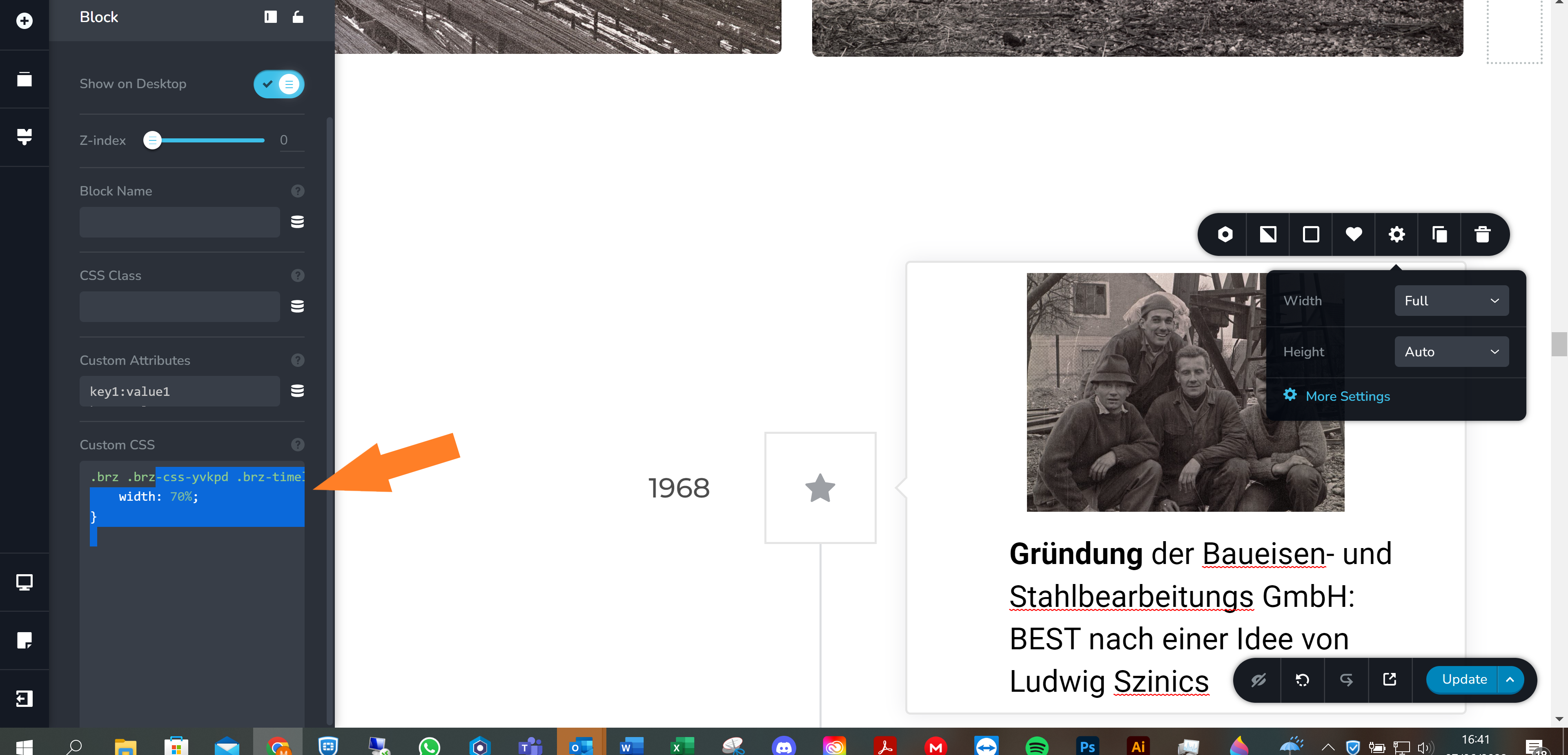
The result is the same as shown before unfortunately, the reallife display did not change.
Do you know what I am doing wrong?
0 -
Hi Max,
From the beginning of this thread, you have not mentioned if you are using Brizy WP or Brizy Cloud. My instruction was for Brizy WP. Please confirm if you are using Brizy WP or Brizy Cloud.
My suggestion was to go to your WordPress Dashboard and under Appearance - Customize - Additional CSS, paste the CSS code.
 0
0
Please sign in to leave a comment.
Comments
8 comments