I Have To Double Click To Close Popup

I've created several popups with Brizy on different sites so I'm familiar with doing them. I'm working on a new site that's having issues with the popup closing. You have to click twice to close it. I'm using a button to close the popup, so you have to click it twice for it to close. I've also tried just using the click outside feature to close it and with that too, you have to click twice.
I've tried this on multiple browsers and on a smartphone with the same results.
I'm using the latest versions of Brizy Free 2.3.22 & Pro 2.3.16 with WP 5.8.2. I'm also just using the Brizy start theme, so there's nothing there really. As for plugins, I'm only using Slider Revolution and I've deactivated that.
Any ideas or suggestions to fix this?
-

Hi Chad,
Thank you for your message.
Have you tried changing your theme to one of these https://www.brizy.io/theme-partners ?
Brizy starter theme is not a theme which is being updated. It may have it's limitations.
Best regards, Nelea.
0 -
Nelea,
I'm using the Brizy starter theme on many site builds with no issues with the popup. I usually use Brizy, since there's no need to add a bloated theme, when I don't use it to build sites. I'll use Astra when I'm building out e-commerce sites since the Brizy starter theme doesn't work well with that.
Just to help you out, I've tried Astra and even just a basic Twenty Twenty WP theme but still have the same result.
Here's the development site, if you want to check out the double click issue. You'll have to be in a mobile view since I'm only using it for mobile view.
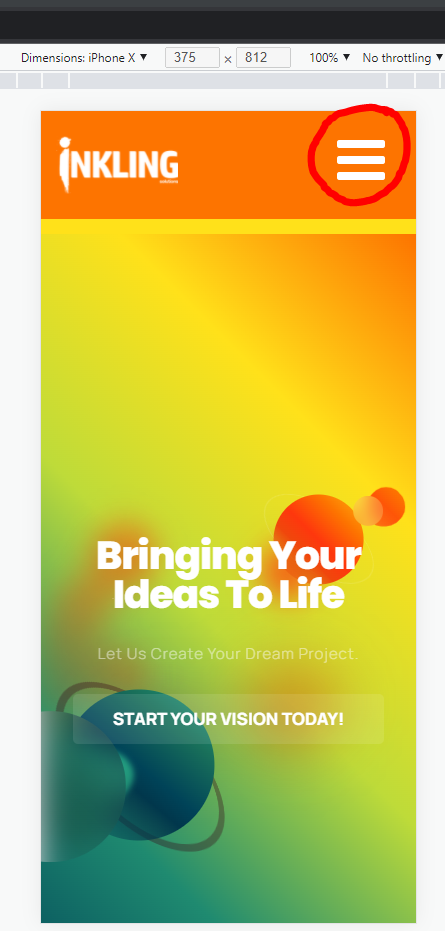 hamburger menu.0
 -
Hi,
Unfortunately on this screenshot, i can not see the link of your website. Please send us the URL of the page where you have this inconvenience.
Thank you, Nelea.
0 -
Nelea,
Sorry about that, I meant to include in the last post. It's https://staging3.inklingsolutions.com/
Chad
0 -
Hi Chad,
I have checked your website but I could not find any popup, did you delete it? Could you please tell me on that page is the popup is? Perhaps you could send a screenshot with the pop-up?
Best regards, Nelea.
0 -
Nelea,
You click the hamburger icon when in mobile view, like I stated previously in the post.
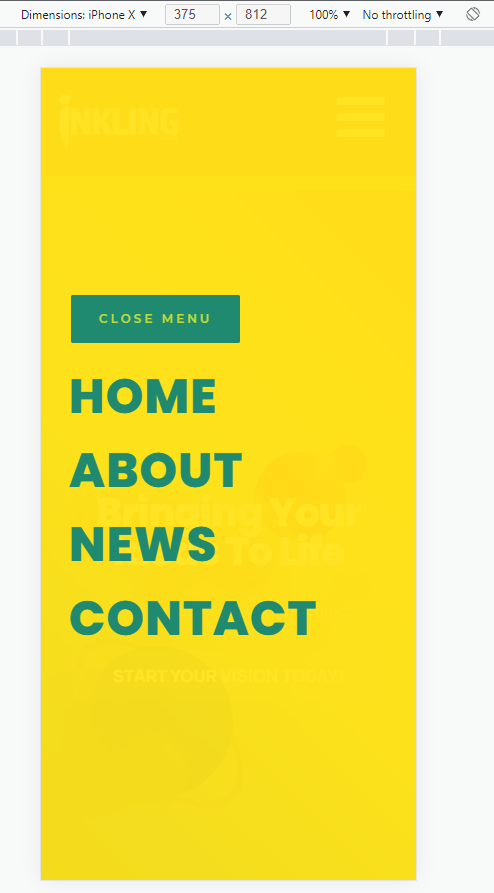 0
0 -
Hi Chad,
Thank you for your screenshot and for all the details. Unfortunately, I cannot reproduce this issue, everything works well at my end. I will open a ticket for you so we could check this problem from your dashboard. You had to receive a notification regarding this by email. Could you send us in that private message the WP credentials to this site?
Best regards, Nelea.
0 -
Nelea,
I just emailed Brizy with all the details.
Interested you didn't have issues. So, when you click the close menu button, it closed instantly? Again, it's taking a double click on all desktops and browsers here and also doing the same on my smartphone.
Thanks,
Chad
0 -
Hi Chad,
Yes, when we click on the button the popup closed instantly, so we need to check it from your dashboard. In this way, we will find more quickly what is the exact problem. Soon one of my colleagues will contact you for more information.
Best regards, Nelea.
0 -

This issue has shown on my website as well. Would you be able to assist in solving this?
0 -

Hi Benjamin,
What are the Display Conditions you are using for your Popup? If you are using the following Display Condition to display the popup on your homepage,
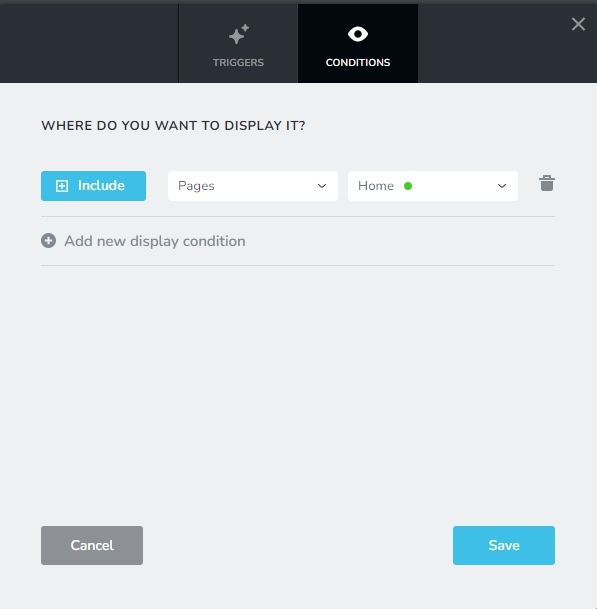
please use the following Display Condition and check if that makes a difference
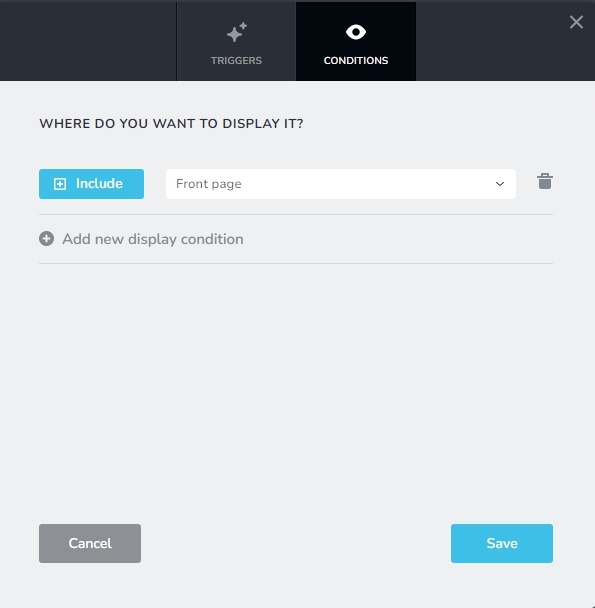 0
0
Please sign in to leave a comment.
Comments
11 comments