How do I display my Single Product Template?

Good day,
I'm trying to use my single product template. I created the template but have no idea how to display it on my site. Please advise......
-

Hi Marcus,
thank you for contacting us.
For more information about how to display a single product template please see this video. Please let me know if you have any other questions.
Best regards, Nelea.
0 -
Thanks for responding Nelea,
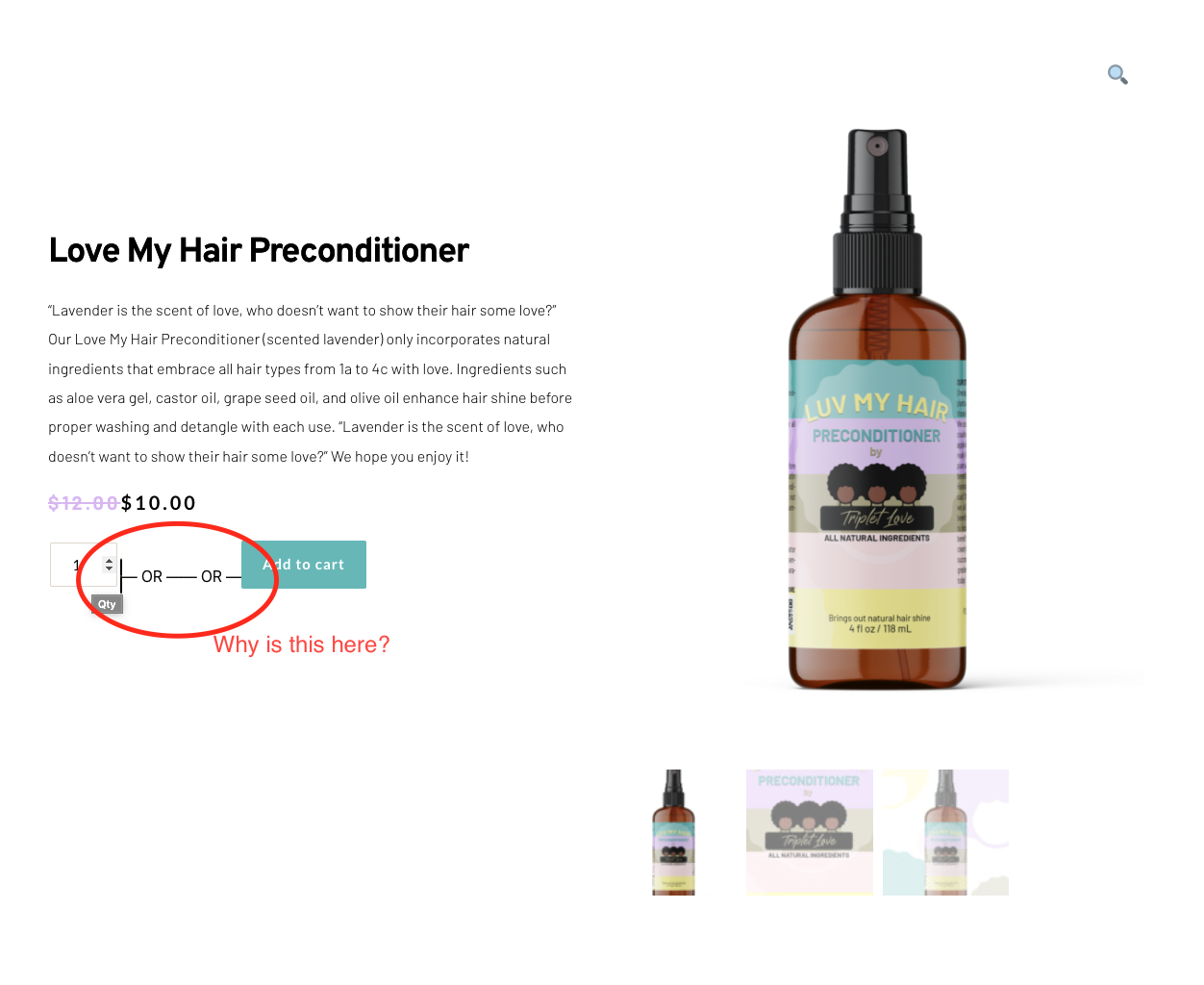
I followed all the steps outlined in the video and created my product template. (see image1) Also, on the attached image I have an error circle in red. Could you help me correct this error?
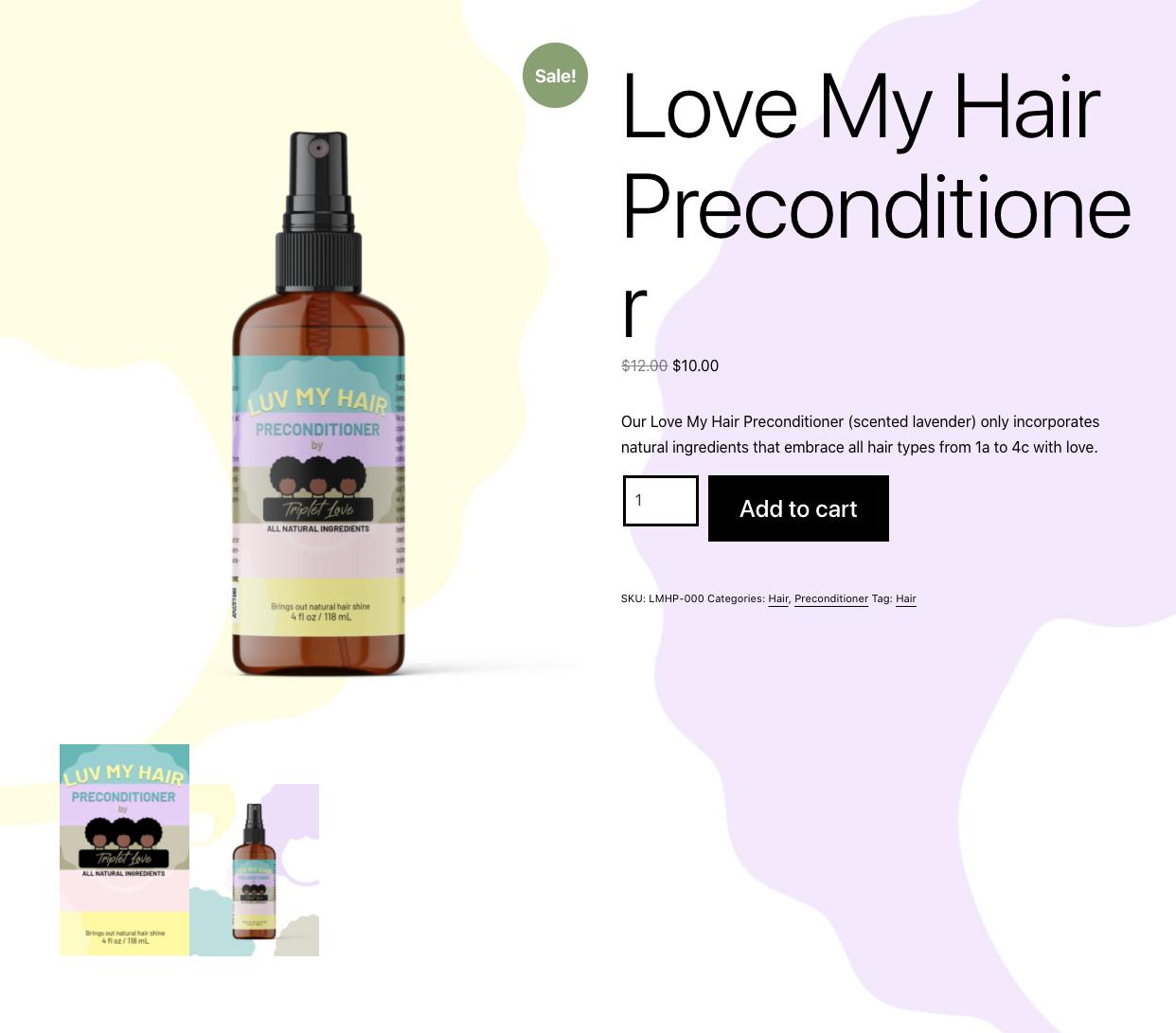
I need help getting my product template to show up instead of the default template (see image 2). I used the Pages element under the WooCommerce elements in the Brizy builder to add this product.
Am I missing a step? Is there an element in Brizy builder that I use to put the template on the page?
The video shows you how to make the template but does not show you how to implement the product template in the design.
Please advise, Thanks
 0
0 -
Hi Marcus,
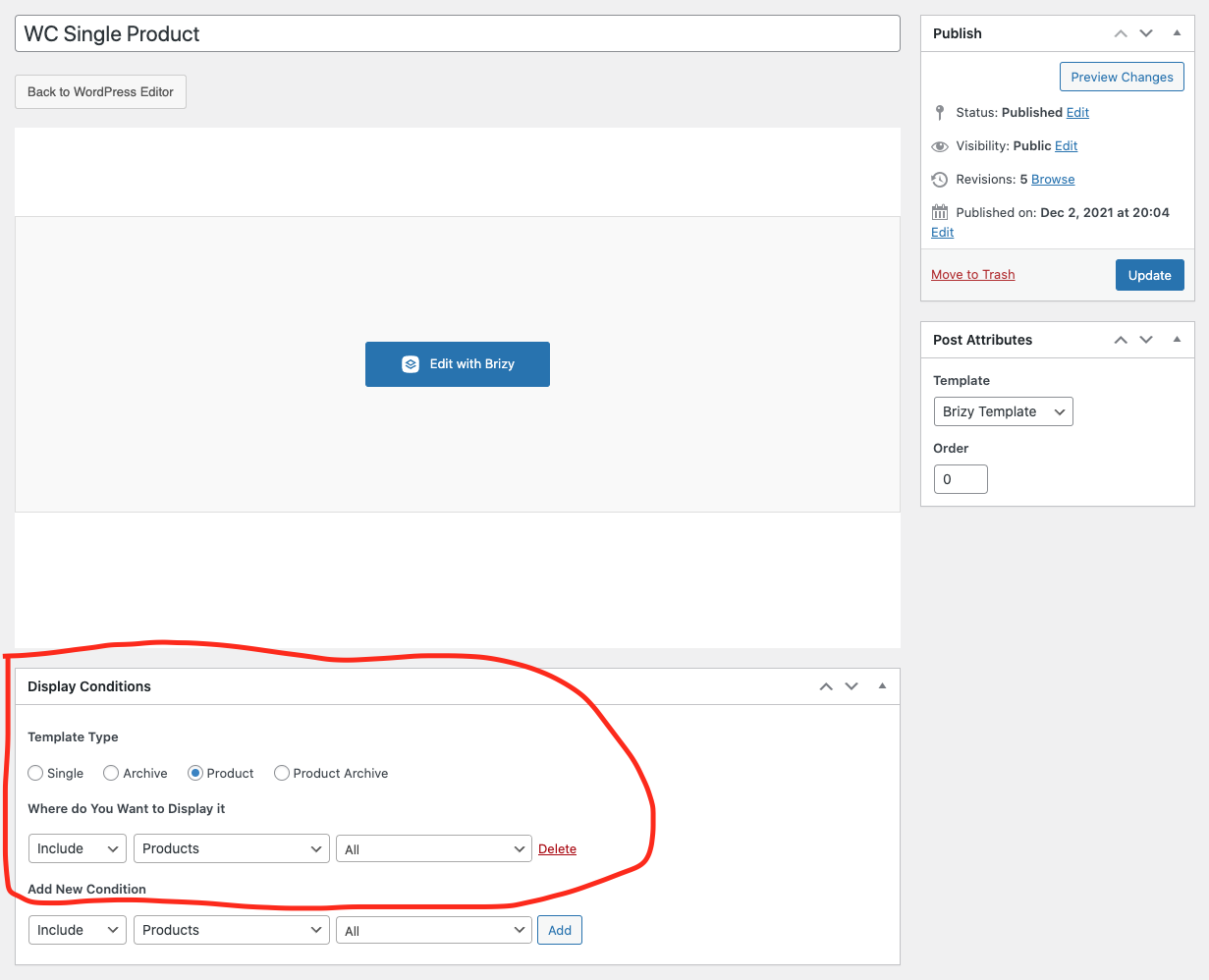
Please check the Display Condition for your Single Product Template. If it looks different from the attached image, make it exactly like in the image and check if your Single Product Template works well. See here.
Best regards, Nelea.
0 -
Hey Nelea,
The display condition is exactly like the image. Please see the attachment. Any other things I should check?
 0
0 -
Hello Markus,
If you are not using one of the recommended themes listed here, can you try changing your theme to one of these and see if that helps? https://www.brizy.io/theme-partners. Could you, please, check if you are using the latest versions of Brizy Free 2.3.22 and Brizy Pro 2.3.16?
Best regards, Nelea.
0 -
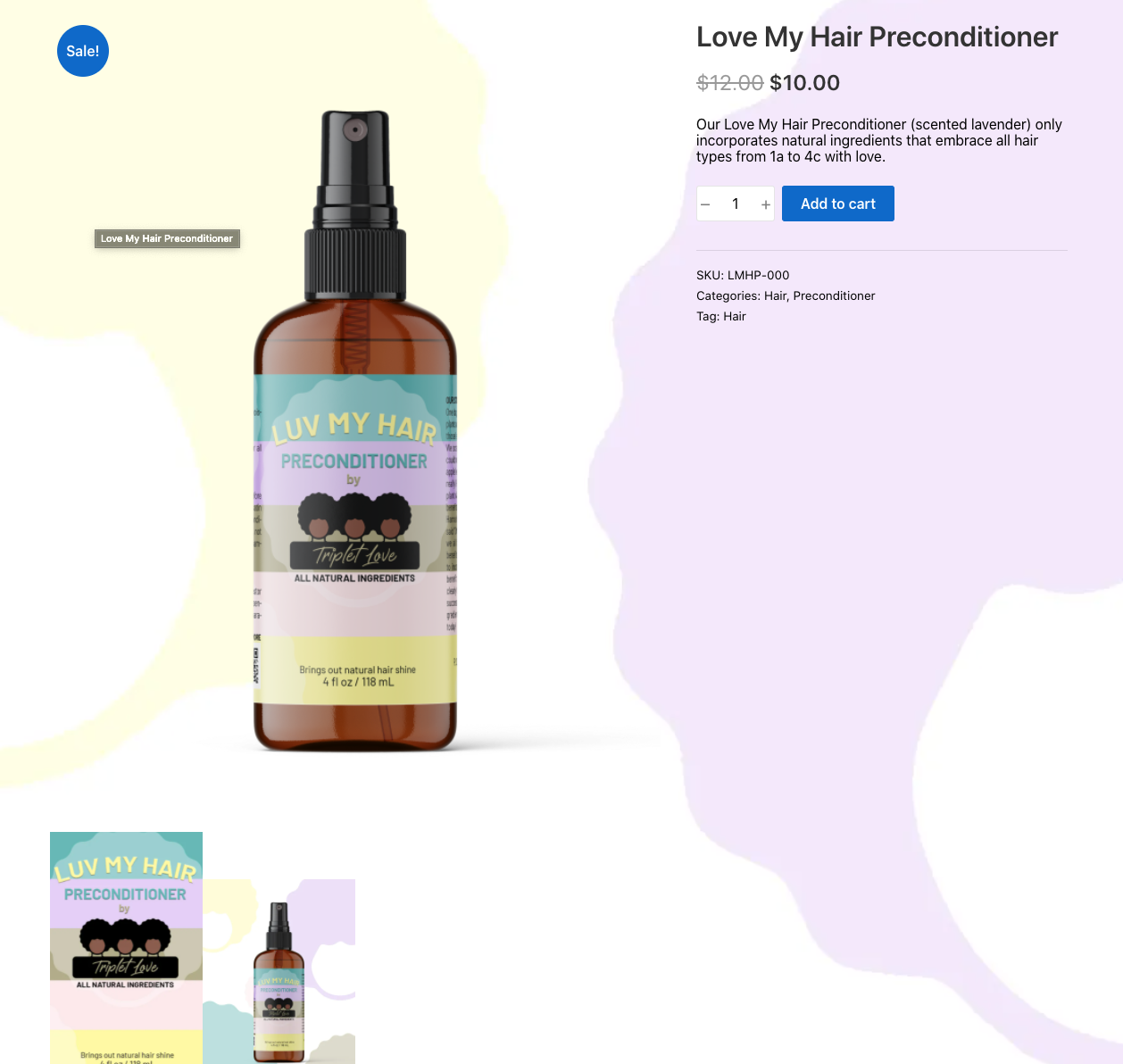
I downloaded and am using the recommended theme Suki. I'm still getting a default template and not the template I designed. (see attached). Is there a video tutorial that shows how to do this? I've followed all the steps and still not able to complete my site.
Please advise....
Thanks,
Marcus
 0
0 -
Hi Markus,
Thank you for all these details! We would like to check this problem from your dashboard. Could you please send us the WP credentials to this site? We have created a private ticket for this request. You had to receive a notification regarding this by email. Could you send us in that private message the WP credentials to this site?
Best regards, Nelea.
0 -

I am having the exact same issue as outlined above and have followed all the same steps and am still not seeing the Brizy template when I add a single product to a page, it is using the default (as shown above).
Please advise
Thank you
0 -

Hi Tiffany,
In your Brizy Product Template, next to the Display Condition what do you see? Do you see 'Add' or 'Delete'
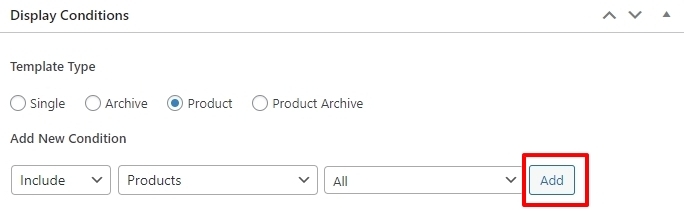
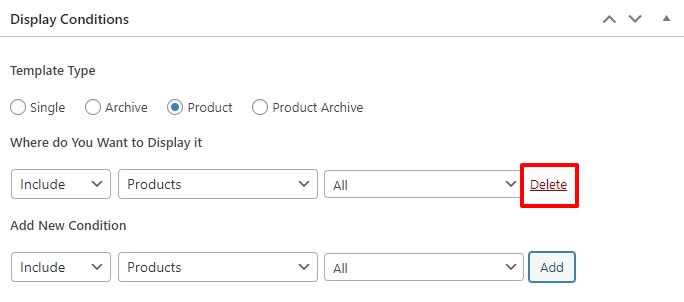
If you see 'Add', please click on the Add button and then on 'Update' to save your work and check again.
0 -
Thanks for the input. This is set correctly, and I have done everything suggested in this thread already. Brizy requested a log in for my wp admin, which I sent, but I haven't heard back.
0 -
Hi Tiffany,
I checked your website. The three single product templates you have created seem to work fine. For example, please check these products
- Publications : https://bruman.com/product/test-group/
- Conference : https://bruman.com/product/nactei-2023-pre-conference/
- Virtual Training https://bruman.com/product/financial-management-and-cost-principles/
What was the issue you were facing? You need to design your single product templates well. Apart from that I don't see any issue.
Did I miss something? If you need any further help, please let us know.
0 -
The single product pages are fine. The issue is when I want to add a single product to an existing page. Using the Brizy editor I add "Pages" from the Woocommerce options and choose single product and enter the id. The default template shows up in the page, not the one I've designed in brizy (as shown in the links above).
Also, as you can see, the header and footer from my theme are not showing up on the single product pages.
Thanks!
0 -
Hi Tiffany,
The Brizy Single Product template helps you to stylize the single product pages using Brizy. However when displaying a single product on a page, you can't stylize it using Brizy. The Pages element is designed to display the theme design for the Cart, Checkout, My Account etc. including a single product.
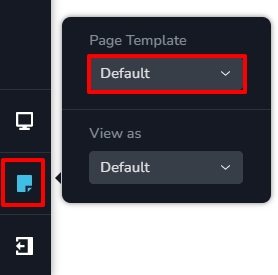
If you would like to use the theme header and the footer for your product pages, in the Brizy single product template editor, please select the 'Default' option under 'Page Template'
 0
0
Please sign in to leave a comment.
Comments
13 comments